RGB Colour by Numbers With Denary, Binary and Hexadecimal Number SystemsQuick View
rankin

RGB Colour by Numbers With Denary, Binary and Hexadecimal Number Systems

(0)
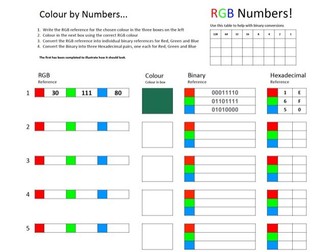
Secure understanding of colour representation in computer science for RGB colours using denary references then convert to both binary and hexadecimal number systems. This resource was created to use after introducing denary to binary conversion and to introduce Hexadecimal numbers in a context that makes sense - Colour References for web design e.g #1E6F50. This resource uses RGB number values in a grid on page 1 and number system conversions on page 2. This resources is designed as A3 and is best at that size printed double sided although you can print other sizes easily. Students Type the RGB reference number between 0 and 255 for Red, Green and Blue colour values in to a photo editor to discover the colour. The resource references how to get the value in Adobe Photoshop althougn you can use any online photo editor such as photopea to get the colour represented by the numbers. When they have the colour, simply colour in the grid square accordingly until the image is complete. Many squares have the same colour reference so students should check for the same colours. Once the grid is fully coloured in, students can use page 2 to convert from denary to binary and then to hexadecimal for each colour and the three values of red, green and blue that make the colour. Differentiationcon can include taking or checking the hexadecimal numbers from from photo editor. You could use this over several lessons or as a whole lesson retrieval activity. I have succesfully used this for both. Students enjoy the visual and kinaesthetic nature of this challenge.
Four Photography Knowledge Base | ExposureQuick View
rankin

Four Photography Knowledge Base | Exposure

(0)
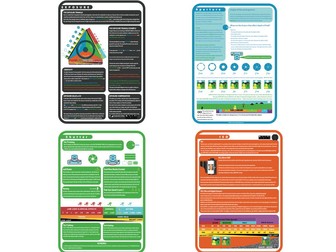
These A3 sized knowledge base oposters complement each other to create a comprehensive source for the topic of exposure in photography. They can be used as a knowledge base, classroom display or the basis of a classroom activity such as a drawing activity (required by many boards). They all give a comprehensive explanation of the topics that include addressing common misconceptions (such as why f2.8 is bigger than f16 when the number is smaller) and etymology where appropriate. There are four visually rich PDF documents and each is colour-coded to represent the topic. They are Exposure, Aperture, Shutter and ISO (film speed).
Thinking Tools TemplatesQuick View
rankin

Thinking Tools Templates

(0)
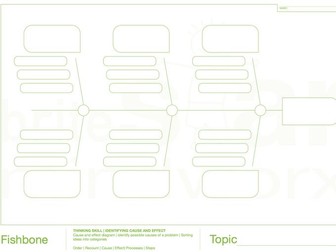
14 different A3 printable PDF format thinking tools. Resources include brace map, bridge map, bubble map, double bubble map, circle map, diamond 9, cycle map, fishbone map, flow map, multi-flow map, event flow map, revision clock, tree map and triple header map. Each map has an explanation recommending ways to use each and an area for students to write their topic. Great for getting complex information into a summarised form and superb for using in revision. After spending time in a TSAT school it became obvious that a scafolded version of the tools was needed to assist new learners of thinking skills and to short-cut attention to the topic. My favourite ways of using these is to print at A3 and hand them out. Students get an imediate idea that the task will be retrieval (put everything you remember about ‘x’ in to the map) or for introducing new academic information. Use for paired work, group work, discussions, debates, comparisons, creation and great for whole class idea sharing(burglary retrieval skills). I use these in all of my teaching including Computer Science, Photography, Well-being, Tutor periods and Global Perspectives. They are universal teaching tools that can be used with any subject.