Introduction to AI for KS3Quick View
andycawthray23

Introduction to AI for KS3

(0)
**PLEASE READ: ** these resources have been created for a specialist alternative provision school for autistic and highly anxious students. Therefore you will find that they are very low demand, with no objectives or successs criteria - the are designed to be taught in a very gentle and calming manner. Therefor they may not be suitable for mainstream education without some modification by yourself - but they may serve as a good starting point. Here is a series of lessons that contains 6 weeks of lessons, 2 per week - although you may find that the lesson are too short for your school, so you could combine them e.g. 2 PPTs a lesson for your lessons. It is an introdcution to AI (with the help of AI and heavily edited by myself!). It covers the following: Exploring Artificial Intelligence: Students will look into the world of Artificial Intelligence (AI). Through interactive sessions, they’ll uncover how AI works, where it shows up in everyday life, and how it’s shaping the future. Session details: What is AI? Discover the basics of Artificial Intelligence—what it is, how it works, and why it matters. Everyday AI - AI All Around Us Explore the many ways AI is already part of our daily lives, from voice assistants to recommendation systems. How AI Learns - Data & Patterns Understand how AI learns by identifying patterns in data—and why data is the fuel that powers it. Training an AI Get hands-on with the process of teaching an AI system, including the challenges and ethical considerations. AI Artists See how AI is being used creatively in art, music, and design—and even try it out yourself. AI for Good Learn how AI is being used to solve real-world problems, from healthcare to climate change.
Python Tkinter IntroductionQuick View
andycawthray23

Python Tkinter Introduction

(0)
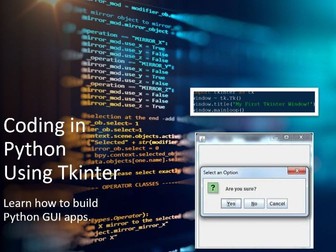
PLEASE READ: these resources have been created for a specialist alternative provision school for autistic and highly anxious students. Therefore you will find that they are very low demand, with no objectives or successs criteria - the are designed to be taught in a very gentle and calming manner. Therefor they may not be suitable for mainstream education without some modification by yourself - but they may serve as a good starting point. Python Tkinter Introduction This is a set of lessons for KS3 students. There are 5 weeks worth of lessons, 2 lessons per week. It is designed to be taught slowly and carefully, so you may find you teach it quicker. A good introduction to Python Tkinter, lots of code for students to copy and adjust. NOTE: TES will not allow me to upload individual python files. I have uploaded a Zip file hopefully with all python files included. If not, then sorry, you will have to create the python code yourself! NOTE: You will need to add Objective and Success criteria if your school needs them, as they are not on there.
Theme Park Tycoon SpreadsheetQuick View
andycawthray23

Theme Park Tycoon Spreadsheet

(0)
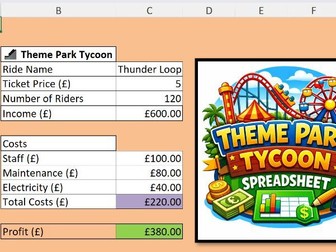
KS3 Spreadsheet Lesson – Theme Park Tycoon | Excel Project | Business Simulation Game This free KS3 spreadsheet resource is a fun and engaging Theme Park Tycoon Excel project where students design and manage their own theme park using spreadsheets. Ideal for KS3 Computing, ICT, or Business lessons, this resource helps students develop essential spreadsheet skills by setting ride prices, managing costs, tracking visitor numbers, and calculating profit. Students build confidence using formulas, cell references, financial modelling, and data analysis in a creative, real-world scenario. Perfect for mixed-ability classes and SEN learners, with a clear structure and motivating theme. What’s included: Fully working Excel spreadsheet (ready to use) Theme park layout with rides and pricing controls Built-in formulas for income, costs, and profit Student decision-making opportunities (pricing & strategy) Engaging, game-style learning experience Skills covered: Formulas (+, −, ×, totals) Cell referencing Financial awareness (profit, costs, revenue) Problem-solving and decision-making Great for 1–2 lessons or as part of a wider spreadsheets unit. Low-prep, high engagement, and classroom tested.
Basic spreadsheet introductionQuick View
andycawthray23

Basic spreadsheet introduction

(0)
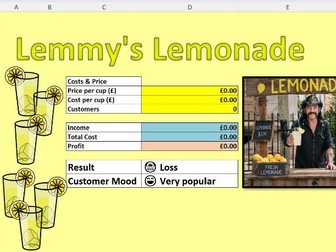
KS3 Spreadsheet Lesson – Lemonade Stand Game | Excel Project | Fun & Engaging This free KS3 spreadsheet resource is a fun, engaging Excel Lemonade Stand game designed to teach students key spreadsheet skills through a real-world scenario. Perfect for KS3 Computing, ICT, or Business lessons, students manage their own lemonade stand by setting prices, tracking stock, calculating profit, and responding to customer demand. The resource supports learning of formulas, cell references, basic calculations, and data handling in a highly accessible and motivating way—ideal for mixed-ability and SEN learners. What’s included: Fully working Excel spreadsheet (teacher-ready) Student-friendly layout with clear sections Built-in formulas for profit, stock, and sales Opportunity for students to control pricing decisions Engaging theme to promote independence and problem-solving Skills covered: Basic formulas (+, −, ×) Cell referencing Financial literacy (cost, revenue, profit) Decision-making and analysis Great as a standalone lesson or part of a wider spreadsheets unit. Low-prep, high-engagement, and classroom tested.
Cryptography resources KS3Quick View
andycawthray23

Cryptography resources KS3

(0)
PLEASE READ: these resources have been created for a speciliast alternative provision school for autistic and highly anxious students. Therefore you will find that they are very low demand, with no objectives or successs criteria - the are designed to be taught in a very gentle and calming manner. Therefor they may not be suitable for mainstream education without some modification by yourself - but they may serve as a good starting point. A series of 3 lessons, or 3 weeks of 1 lesson a week on cryptography. Covering substitution, shift, scytale, Caesar and steganography. Including teacher PowerPoints and student activity worksheets, and teacher answer worksheets. You will need to add in Objectives and Success criteria if that is needed in your lesson - you can add that on the title pages of the slides.