Admin Assistant Skills & Qualities – Tasks, Duties & Workplace Skills (KS3 Admin & IT)Quick View
BusEd_Teacher

Admin Assistant Skills & Qualities – Tasks, Duties & Workplace Skills (KS3 Admin & IT)

(0)
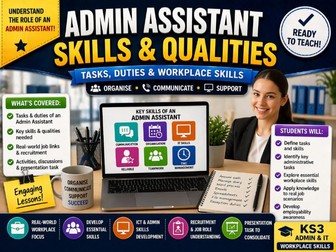
This engaging lesson introduces students to the role of an Administrative Assistant, focusing on the key tasks, duties, skills and personal qualities required in a modern workplace. Through structured activities, discussion tasks and presentation work, students develop a clear understanding of the difference between job responsibilities and individual skills, preparing them for real-world employment contexts. ✔ What’s Included Teaching PowerPoint with structured lesson delivery Activities exploring: Tasks and duties of an Admin Assistant Skills and qualities required for the role Interactive discussion and classification tasks Final presentation task to consolidate learning Real-world links to recruitment and job roles ✔ What Students Will Learn Students will: Understand the difference between tasks/duties and skills/qualities Identify key responsibilities of an Administrative Assistant Explore essential workplace skills such as: Communication Organisation Reliability IT competency Apply knowledge to real-world job scenarios ✔ Skills Developed Workplace awareness and employability skills Communication and discussion Organisation and critical thinking Presentation skills Understanding of recruitment processes ✔ Why Teachers Love This ✔ Clear, structured lesson with ready-to-use slides ✔ Strong real-world links to employment ✔ Encourages discussion and student engagement ✔ Ideal for Admin & IT and Business courses ✔ Minimal preparation required ✔ Perfect For KS3 Admin & IT Business Studies Employability / careers education Introductory units on workplace skills
Advanced PowerPoint Project – Master Slides, Timed Transitions & Presentation Skills - NO PREPQuick View
BusEd_Teacher

Advanced PowerPoint Project – Master Slides, Timed Transitions & Presentation Skills - NO PREP

(0)
✔ What Students Will Do Students will: Use Slide Master to create consistent designs Apply timed transitions and animations Structure presentations for a specific audience Create visually engaging and professional slides Combine text, images and design effectively ✔ Skills Developed Students will build: Advanced PowerPoint design and formatting skills Understanding of presentation timing and delivery Consistency in layout using master slides Attention to detail and visual communication Digital presentation and creativity skills ✔ What’s Included Student task sheet with clear instructions Structured activities focusing on advanced features Opportunities for independent and creative work Real-world context for presentation design ✔ Why Teachers Love This ✔ Builds on prior knowledge – ideal progression from basics ✔ Focus on high-impact, real-world skills ✔ Encourages creativity alongside technical accuracy ✔ Ready-to-use resource with minimal preparation ✔ Suitable for assessment or extended projects ✔ Perfect For KS3–KS4 Computing / ICT Presentation skills units Coursework or project-based learning
Travel & Maps Research Project Bundle – Routes, Flights, Hotels & Transport (KS3 ICT/Admin)Quick View
BusEd_Teacher

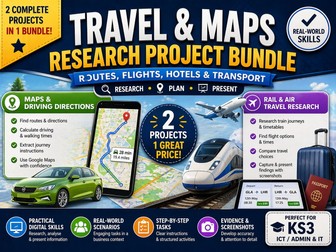
Travel & Maps Research Project Bundle – Routes, Flights, Hotels & Transport (KS3 ICT/Admin)

3 Resources
Travel & Maps Research Project Bundle – Driving Directions, Rail & Air Travel (KS3) Save planning time with this complete, ready-to-teach bundle combining two engaging projects focused on travel planning and research skills. Students take on the role of an Administrative Assistant, using real-world tools to plan journeys, research transport options, and present accurate information. ✔ What’s Included 🗺️ Maps & Driving Directions Project Use Google Maps to: Find routes and directions Calculate travel times Extract journey instructions Structured worksheet with real-world scenarios Focus on accuracy and practical admin tasks ✈️ Rail & Air Travel Research Project Research: Train journeys Flight options Travel times and pricing Compare different transport methods Capture and present findings using screenshots 📊 Also Includes Teaching PowerPoint Two structured student workbooks Clear step-by-step instructions Realistic business scenario throughout ✔ Skills Developed Online research and digital literacy Travel planning and organisation Interpreting real-world data Screenshotting and evidence presentation Administrative and problem-solving skills ✔ Why Teachers Love This ✔ 2 full projects in one bundle ✔ Ready-to-use – no preparation required ✔ Real-world context students understand ✔ Ideal for cover lessons or extended units ✔ Builds essential Admin & IT skills ✔ Perfect For KS3 Computing / ICT Admin & IT / Business units Digital skills and research lessons
Admin & IT Skills Bundle – Excel, Databases, Travel & Research Projects (KS3/KS4 ICT)Quick View
BusEd_Teacher

Admin & IT Skills Bundle – Excel, Databases, Travel & Research Projects (KS3/KS4 ICT)

5 Resources
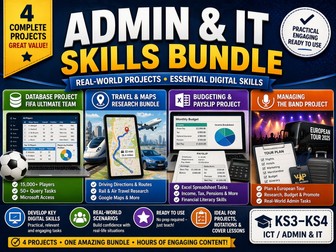
Database File Will be Sent Separately Save hours of planning with this comprehensive bundle of real-world Admin & IT projects, designed to develop essential digital and workplace skills. Students take on realistic roles such as Administrative Assistant and Data Analyst, completing structured tasks using industry-relevant tools and scenarios. ✔ What’s Included 🗃️ Database Project (FIFA Ultimate Team) Microsoft Access database with 15,000+ players 50+ query tasks Student workbook + teaching PowerPoint 🗺️ Travel & Maps Research Bundle Driving directions and route planning using Google Maps Rail and air travel research tasks Real-world business scenarios 💰 Budgeting & Payslip Project Spreadsheet tasks using Microsoft Excel Calculate income, tax, pensions and bonuses Financial literacy focus 🎤 Managing the Band Project Plan a European tour Research flights and hotels Create marketing materials Manage budgets and logistics ✔ Skills Developed Spreadsheet and data handling skills Database querying and analysis Online research and digital literacy Budgeting and financial awareness Presentation and organisational skills Real-world problem solving ✔ Why Teachers Love This ✔ Multiple full projects in one bundle ✔ Covers a wide range of ICT & Admin skills ✔ Ready-to-use – no preparation required ✔ Ideal for full units, rotations or cover lessons ✔ Engaging, real-world scenarios students enjoy ✔ Perfect For KS3–KS4 Computing / ICT Admin & IT / Business courses Project-based learning End-of-unit or assessment tasks
Maps & Travel Research Project – Driving Directions, Rail & Air Travel (Admin & IT Skills) - No PrepQuick View
BusEd_Teacher

Maps & Travel Research Project – Driving Directions, Rail & Air Travel (Admin & IT Skills) - No Prep

(0)
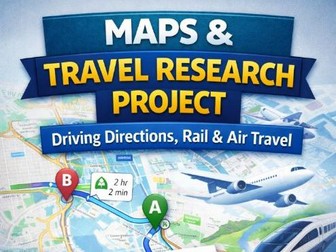
This practical, real-world project introduces students to key administrative and research skills by placing them in the role of an Administrative Assistant. Students use online tools to plan routes, research travel options, and present accurate information for business purposes. The resource combines maps, driving directions, rail and air travel research into a structured and engaging set of tasks. ✔ What’s Included Student workbook 1: Maps & Driving Directions tasks Student workbook 2: Rail and Air Travel research tasks Teaching PowerPoint with clear instructions and context Step-by-step activities based on a realistic business scenario ✔ What Students Will Do Students will: Use Google Maps to: Find routes and directions Calculate travel times (driving and walking) Extract specific instructions from journeys Research rail and flight options based on given criteria Capture and present evidence using screenshots Apply problem-solving skills to real-life admin scenarios Plan travel arrangements for business purposes ✔ Skills Developed Students will build: Online research and digital literacy skills Accuracy when handling real-world information Understanding of travel planning and logistics Screenshotting and evidence presentation Administrative and organisational skills ✔ Why Teachers Love This ✔ Clear, structured tasks with real-world relevance ✔ Develops essential Admin & IT skills ✔ Ready-to-use – no preparation required ✔ Engaging scenario-based learning ✔ Ideal for both classwork and cover lessons ✔ Perfect For KS3 Computing / ICT / Admin & IT Digital skills and research units Business and travel-related topics
Budgeting & Payslip Project – Excel & Word (Income, Tax, Pension) NO PREPQuick View
BusEd_Teacher

Budgeting & Payslip Project – Excel & Word (Income, Tax, Pension) NO PREP

(0)
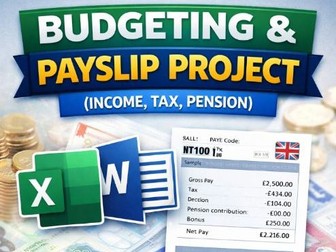
What Students Will Do Students will: Create and calculate a payslip using Excel Use formulas to work out: Gross pay Tax deductions Pension contributions Bonuses Net pay Apply basic Excel functions and formulas Present their information clearly using Microsoft Word Skills Developed Students will develop: Spreadsheet skills (formulas, functions, calculations) Understanding of income and deductions Financial literacy (tax, pensions, bonuses) Data presentation and formatting Digital document creation using Word What’s Included Excel task/activity (payslip creation) Structured instructions for students Word task for presenting financial information Real-life scenario to support learning
Scratch Programming Unit – Introduction to Coding (Booklet & PowerPoint, KS3)Quick View
BusEd_Teacher

Scratch Programming Unit – Introduction to Coding (Booklet & PowerPoint, KS3)

(0)
✔ What’s Included Full student workbook / booklet with step-by-step activities Teaching PowerPoint to support each lesson Structured tasks covering key programming concepts Clear progression from basic skills to independent project work ✔ What Students Will Learn Students will develop understanding of: Algorithms and computational thinking Using sprites and backgrounds Creating and controlling animations Writing simple programs using: Sequence Selection Repetition (loops) Debugging and improving their work ✔ Why Teachers Love This ✔ Complete unit – no preparation required ✔ Perfect for students with no prior coding experience ✔ Clear, step-by-step structure builds confidence ✔ Engaging tasks that promote creativity ✔ Ideal for both specialist and non-specialist teachers ✔ Perfect For KS3 Computing / ICT Introduction to programming Cover lessons or full half-term units
MANAGING THE BAND PROJECT  - A Variety of ICT Tasks - Full Project - No PrepQuick View
BusEd_Teacher

MANAGING THE BAND PROJECT - A Variety of ICT Tasks - Full Project - No Prep

(0)
This engaging, real-world project places students in the role of a band manager, responsible for organising a European tour. Students must plan and manage all aspects of the trip, including travel, accommodation, budgeting, and promotion. The project develops a wide range of administrative and IT skills through a creative and practical scenario that students find highly motivating. ✔ What Students Will Do Students will: Plan a European tour for a band Research and compare: Flights Hotels Travel routes Design marketing materials such as posters Organise and present key information clearly ✔ Skills Developed Students will build skills in: Online research and decision-making Digital design and marketing (posters) Organisation and administrative skills Problem-solving in real-world scenarios ✔ What’s Included Student project brief with clear instructions Structured tasks covering each stage of the project Opportunities for independent and creative work Realistic scenario to support engagement ✔ Why Teachers Love This ✔ Cross-curricular project combining ICT, Business and creativity ✔ Encourages independent thinking and research ✔ Real-life context that students relate to ✔ Flexible – can be used as a short project or extended unit ✔ Minimal preparation required ✔ Perfect For KS3–KS4 Computing / ICT / Business Studies Project-based learning End of unit projects or enrichment activities
Full PowerPoint Unit for Ages 11-15 - Ready to UseQuick View
BusEd_Teacher

Full PowerPoint Unit for Ages 11-15 - Ready to Use

(0)
LEARNING INTENTIONS/SUCCESS CRITERIA I can use functions of technology to prepare and communicate simple information I can use presentation software to produce simple presentations by:  inserting, editing and formatting text  aligning text  inserting graphics from an e-file or the internet  using bullets  creating chart(s) and/or table(s)  adding and deleting a slide  animating text/objects  importing data from other applications/internet  changing slide content layout  applying slide transitions  changing slide order  applying and changing background, design and colour schemes  printing presentation in slide and handout format • Demonstrates an understanding of how digital literacy will impact on their future learning and career pathways. • Consistently use a range of devices and digital software and applications and services to share, create, collaborate effectively and publish digital content online
Music Festival PowerPoint Task - Ready to Use - No PrepQuick View
BusEd_Teacher

Music Festival PowerPoint Task - Ready to Use - No Prep

(0)
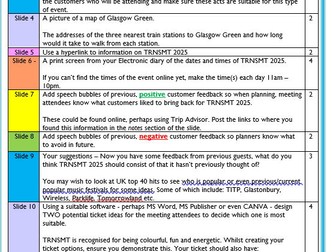
THE WORKSHEET IS SET UP FOR TRNSMT BUT IT FITS ANY FESTIVAL You work as a Senior Administrator for ‘What’s On Now’, an Event Management company based in Glasgow. You are helping plan and coordinate TRNSMT 2025. You have been asked to prepare a presentation with some key information to be presented at the upcoming planning meeting. Your presentation should make use of the following features: • Master Slide – Add the TRNSMT logo to every slide in the top right corner • Watermark on every slide which reads ‘Draft’ • Action Buttons – Next/Backwards on each slide, Information button (where relevant) and a Home button on the final side. • Design template • Transitions & Animations • Images throughout Your Presentation should be printed in • 4 Slides Horizontal • One sided • Landscape Orientation • Colour • Date & Time • Your name in the header
World Cup Travel Tasks - Ready to Use - No PrepQuick View
BusEd_Teacher

World Cup Travel Tasks - Ready to Use - No Prep

(0)
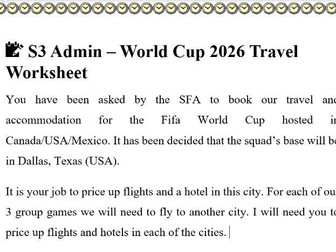
In this task pupils are tasked to book accommodation and travel to the 2026 World Cup held in Mexico/Canada/USA. They will have to select appropriate flights and accommodation for each match their chosen country has to play.
FIFA Ultimate Team Database – Microsoft Access Query Project (50+ Tasks) (Ready to Go - No Prep)Quick View
BusEd_Teacher

FIFA Ultimate Team Database – Microsoft Access Query Project (50+ Tasks) (Ready to Go - No Prep)

(0)
TES DOES NOT ALLOW DATABASE FILES TO BE UPLOADED THIS WILL BE SENT SEPARATELY Engage students with databases using a FIFA Ultimate Team themed project. This resource uses a database of 15,000+ real football players and challenges pupils to build queries in Microsoft Access to create the best possible Ultimate Team. Perfect for teaching database fundamentals, querying, and data handling in a fun, real-world context that students immediately recognise. What’s Included FIFA Ultimate Team Microsoft Access database containing 15,000+ players Student workbook / class booklet introducing Microsoft Access Step-by-step activities covering: Adding records Editing records Deleting records Understanding database structure 50+ query challenges where students must search the database to build their Ultimate Team Teaching PowerPoint to guide lessons and support delivery What Students Will Learn Students will develop skills in: Understanding databases, tables and records Creating and modifying queries Filtering and sorting data Using criteria to answer questions Applying database skills to solve problems Why Teachers Like This Resource Highly engaging FIFA theme that motivates students Large realistic dataset (15,000+ players) for meaningful queries Structured activities that build skills progressively Ready-to-teach with PowerPoint and student booklet included Ideal for introductory database units or Microsoft Access lessons
Business Travel Planning Project – Disneyland Paris Trip (Research & Presentation Task) - No PrepQuick View
BusEd_Teacher

Business Travel Planning Project – Disneyland Paris Trip (Research & Presentation Task) - No Prep

(0)
What Students Will Do Students take on the role of a travel planner for a school trip and must: Research flights to Paris Compare hotel options and prices Investigate Disneyland Paris ticket costs Calculate estimated overall trip costs Organise information clearly Create a PowerPoint presentation to present the trip to parents at an information evening Skills Developed Students will develop skills in: Online research and evaluating sources Cost comparison and budgeting Organising and summarising information Designing effective PowerPoint presentations Communicating ideas clearly to an audience What’s Included Student task sheet explaining the project Clear instructions for the research task Guidance on what must be included in the presentation A realistic scenario to support independent work