T Level DSD Year 2: 4.1 Design Approaches BundleQuick View
compooter23

T Level DSD Year 2: 4.1 Design Approaches Bundle

(0)
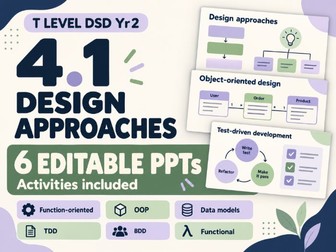
Teach T Level DSD Year 2 section 4.1 with 6 editable PowerPoints, each covering a different design approach, with activities inside every PPT. This scenario-based bundle introduces common software design approaches through clear explanations, worked examples and practical student activities. It helps learners connect design decisions to the prototypes and system designs they develop for their assessments. Six editable PowerPoints included: Function-oriented design: breaking a system into smaller functions, tracing data through a system and building data flow diagrams step by step. Object-oriented design: classes, objects, methods, core OOP concepts and simple design patterns. Data model design: organising data, identifying keys and relationships, and gradually constructing ER and UML class diagrams. Test-driven development (TDD): following a practical JavaScript example through writing tests, observing failures, implementing code and refactoring. Behaviour-driven development (BDD): identifying user value and writing titles, narratives and Given/When/Then acceptance examples. Functional design: using simple, language-neutral pseudocode to show how separate functions support reuse, testing and changes. Teaching features: Student activities embedded directly within each PowerPoint. Familiar scenarios introduced before learners begin designing. Worked examples and suggested answers for guided review. Teacher notes to support delivery and discussion. Clear layouts and editable text, shapes and diagrams. Practical links to interpreting requirements, planning solutions and building prototypes. Designed for T Level Digital Software Development Year 2, section 4.1: Common design approaches. Use the presentations in sequence or teach individual approaches separately. This is an independent teaching resource. Assessment requirements should be checked against the relevant specification and task brief.
T Level DSD Year 2 Bundle Content Area 3Quick View
compooter23

T Level DSD Year 2 Bundle Content Area 3

3 Resources
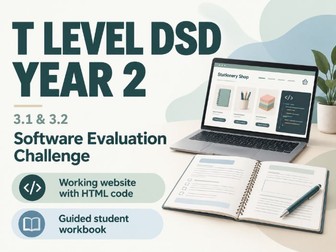
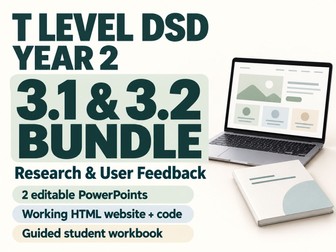
T Level DSD Year 2 bundle: two editable PowerPoints, a working HTML website with code and a guided workbook for interactive research and user feedback. Teach Occupational Specialism 3.1 and 3.2, then help students apply their knowledge through a practical software evaluation challenge. This bundle includes three resources: 3.1 Evaluating Sources of Knowledge An editable PowerPoint covering technical information sources and how to evaluate reputation, bias, evidence, currency and independent confirmation. Includes software development examples, short activities and teacher notes. 3.2 Gathering User Feedback An editable PowerPoint covering qualitative and quantitative data, surveys, interviews, verbal feedback, observation, focus groups, performance data, peer mentoring and formal reviews. Includes examples, interactive questions and teacher notes. Software Evaluation Activity Pack A working HTML shop prototype and a seven-page editable Word workbook. Students run the website, test shopping tasks with other users, record observations, collect feedback, evaluate research sources and recommend improvements. Practical skills students develop: - Selecting suitable research sources and feedback methods. - Distinguishing observations from interpretations. - Recording task success, completion times and user comments. - Calculating completion rates. - Justifying improvements using research and user evidence. - Planning how to retest a software solution. Easy classroom setup Open the supplied HTML file in a browser. No installation, accounts, API keys or coding experience are required. The website works offline; internet access is needed for the research stage. Orders are simulated and no payment is taken. Use the presentations to introduce the concepts, followed by the practical investigation for consolidation. The activity takes approximately 75–90 minutes and suits paired or small-group work. Designed for T Level Digital Software Development Year 2, Occupational Specialism 3.1 and 3.2. This is an independently produced teaching resource.
T Level Digital Software Development Year 2: 3.2Quick View
compooter23

T Level Digital Software Development Year 2: 3.2

(0)
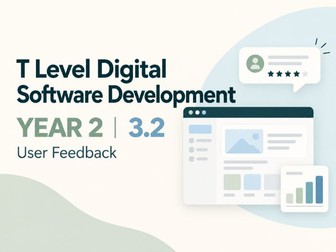
T Level Digital Software Development Year 2: teach 3.2 user feedback and software evaluation with practical examples, activities and teacher notes. This editable PowerPoint helps students understand how developers collect and use evidence to evaluate and improve software. It covers Occupational Specialism 3.2 through approachable examples and short activities. Topics covered: Qualitative and quantitative data Surveys and questionnaires Verbal feedback and interviews User observation Focus groups and representative users Performance and usage data Peer mentoring Line management and appraisal Turning evidence into recommendations What’s included: A 18-slide editable PowerPoint Clear examples and questions throughout A checkout journey scenario showing how usage data can reveal problems A short peer-review code activity Teacher notes with suggested answers and discussion prompts A final check of learning The resource is designed for Year 2 students who need to select appropriate feedback methods and use evidence to justify improvements to software. Aligned to Pearson T Level Digital Software Development, Occupational Specialism 3.2. This is an independently produced teaching resource.
T Level DSD Year 2 Interactive ActivityQuick View
compooter23

T Level DSD Year 2 Interactive Activity

(0)
Get working HTML website code students can run, plus a guided workbook they fill in by testing the website. Interactive T Level DSD Year 2 learning! This practical activity pack brings Occupational Specialism 3.1 and 3.2 together through a software evaluation challenge. Students investigate DeskDrop, a working online shop prototype with deliberate usability issues. They complete shopping tasks, observe other users, collect feedback, evaluate research sources and recommend improvements supported by evidence. You will receive: A working HTML website with its editable HTML, CSS and JavaScript code in one file. A seven-page editable Word workbook with guided questions, answer fields and recording tables. Students will: Find a product, add it to the basket and complete a mock order. Record task success, completion times, wrong clicks and user comments. Collect quantitative ratings and qualitative feedback. Calculate completion rates and interpret their findings. Evaluate two research sources for reputation, evidence, currency, bias and independent confirmation. Recommend an improvement and explain how they would retest it. Review their recommendation with a peer. Simple classroom setup Download the HTML file and open it in a browser. No installation, accounts, API keys or coding experience are required. The website works offline, with internet access needed for the research stage. All orders are simulated and no payment is taken. Allow approximately 75–90 minutes. Suitable for paired or small-group work after teaching source reliability and user feedback. Designed for T Level Digital Software Development Year 2, Occupational Specialism 3.1 and 3.2. PowerPoint lessons are sold separately. This is an independently produced teaching resource.
T Level Digital Software Development Year 2 : 3.1Quick View
compooter23

T Level Digital Software Development Year 2 : 3.1

(0)
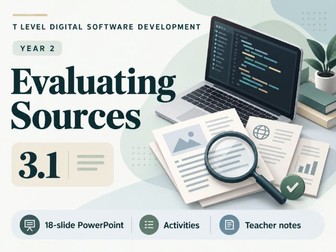
T Level Digital Software Development Year 2: teach 3.1 source reliability through software industry examples, interactive tasks and teacher notes. This editable 18-slide PowerPoint covers Occupational Specialism 3.1: understanding and evaluating the reliability of different sources of knowledge. Students explore how developers find technical information, evaluate evidence and justify which sources to use in a software project. What’s included: Coverage of search engines, websites, wikis, blogs, academic papers, peers, forums, code comments and repositories. Clear explanations of reputation, bias, supporting evidence, currency, cross-referencing and triangulation. Real software examples involving MDN, Flask and the V8 engineering blog. Short discussions, source-selection questions and a JavaScript code-checking activity. A worked source evaluation and paired comparison task. An independent scenario-based exit ticket. Teacher notes with suggested answers, timings, misconceptions, support prompts and source links. A teacher guide and specification coverage map. The presentation uses a consistent, calm colour scheme with readable text and structured cards. Its emphasis is on applying knowledge: students inspect information, consider its limitations and explain decisions rather than simply memorising definitions. Designed for approximately 65–75 minutes of teaching, with flexibility for discussion. Suitable for classroom delivery, consolidation or revision. Internet access supports the source-comparison activity; summaries are included on the slides. Supplied as an editable PowerPoint. Activities are embedded within the presentation; a separate worksheet pack is not included. Aligned to Pearson T Level Digital Software Development, Occupational Specialism 3.1, Version 1.1, August 2026. This is an independently produced teaching resource.