Photoshop Skills Labs | 4 Creative Projects | KS4 Creative iMedia & Media StudiesQuick View
amyclarebestwick

Photoshop Skills Labs | 4 Creative Projects | KS4 Creative iMedia & Media Studies

(0)
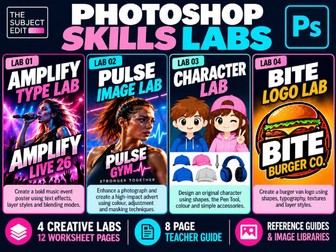
Photoshop Skills Labs – 4 Creative Projects | KS4 Creative iMedia & Media Studies Four creative Photoshop projects. 12 step-by-step worksheet pages. An 8-page Teacher Guide. One complete practical skills pack. Develop students’ confidence and creativity in Adobe Photoshop with The Subject Edit – Photoshop Skills Labs, a collection of four engaging practical projects designed to build essential digital design skills. Ideal for teachers looking for structured, visually engaging activities that students can follow independently, with clear instructions, worked examples, practical challenges and opportunities to develop their own creative outcomes. FOUR PRACTICAL SKILLS LABS LAB 01 – AMPLIFY TYPE LAB Students create a bold music-event poster while exploring typography, image selection, transformations, layer styles, textures and blending modes. LAB 02 – PULSE IMAGE LAB Students design a professional-looking gym advertisement, developing skills in photographic selection, image editing, colour adjustments, typography and visual effects. LAB 03 – CHARACTER LAB Students create an original illustrated character using Photoshop shape tools, the Pen Tool, Direct Selection, colour and layer organisation. LAB 04 – BITE LOGO LAB Students design a burger-inspired brand logo, exploring shape construction, typography, colour, layer styles and creative design decisions. WHAT’S INCLUDED? 12 illustrated student worksheet pages across four practical projects A4 worksheets and A3 printing versions for flexible classroom delivery 8-page Teacher Guide with delivery notes, differentiation, troubleshooting and assessment guidance Photoshop Tools Quick Reference Guide covering essential tools, shortcuts and effects Student Skills Tracker to monitor progress and encourage reflection Supporting image resource libraries for relevant practical activities Finished design examples, skills checklists and creative extension opportunities
OCR Creative iMedia R094 Oracy Pack | 10 Activities, Teacher Guide & Editable ToolkitQuick View
amyclarebestwick

OCR Creative iMedia R094 Oracy Pack | 10 Activities, Teacher Guide & Editable Toolkit

(0)
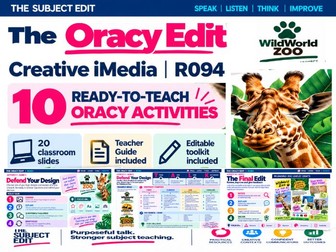
The Oracy Edit by The Subject Edit Build purposeful subject talk into your OCR Creative iMedia R094 lessons with 10 structured oracy activities. Using the WildWorld Zoo practice context, students explain design choices, ask questions, justify decisions and use subject vocabulary while developing a visual identity and planning, creating and reviewing a zoo leaflet. WHAT’S INCLUDED? • 20 classroom slides: 10 activities, each with a task slide and a supporting TALK slide. • An 8-page Teacher Guide with activity guidance, suggested answers, timings, differentiation ideas and teaching tips. • An Editable PowerPoint Toolkit to help you adapt the activities to your own teaching context. HOW DOES IT WORK? The activities use a consistent TALK framework: THINK — prepare what you want to say. ADD — develop ideas with reasons, detail or explanation. LINK — connect ideas to the client, audience and purpose. KEY WORDS — use relevant Creative iMedia vocabulary. Sentence starters, visual examples and vocabulary prompts help students structure their contributions and develop confidence. FLEXIBLE CLASSROOM USE Choose the activity that matches what your students are currently doing. Use it as a starter, a mid-lesson discussion or a plenary, with preparation time before paired or small-group talk. This is a pick-and-use toolkit rather than a sequence of complete lessons. The WildWorld Zoo context is ready to use, and the editable toolkit allows you to change the client, scenario, images and prompts while retaining the TALK approach. IDEAL FOR • KS4 OCR Creative iMedia R094 practice. • Developing subject vocabulary and explanations. • Supporting students who benefit from structured talk prompts. • Embedding literacy and oracy within practical media lessons. The classroom activities and Teacher Guide are supplied as PDFs. The Editable Toolkit is supplied as a PowerPoint file; the complete classroom slide pack is not fully editable. This independent teaching resource uses a practice scenario and is not an official OCR resource or live set assignment. Same subject. Stronger talk.