Matching cards powerpoint game for practising new vocabQuick View
RJP847

Matching cards powerpoint game for practising new vocab

(0)
This PowerPoint presentation is a digital version of the matching cards game. Students take turns choosing two cards at a time and work to collect as many matching pairs as possible. This resource is fully editable. You can replace the text and add or update images in the placeholders labeled for matching, so the game matches your lesson content.

Pop-up Pirate ESL Powerpoint GameQuick View
RJP847

Pop-up Pirate ESL Powerpoint Game

(0)
Inspired by the classic Pop-Up Pirate game, this classroom version gets students actively involved and excited. Students take turns answering teacher-set questions — if they answer correctly, they choose a sword to insert into the barrel. Pick the sword that makes the pirate pop out, and you lose! This resource works well for a wide range of activities: practising vocabulary and sentence structures, making comprehension exercises more engaging, or serving as a quick plenary or end-of-lesson time-filler.
ESL powerpoint games packQuick View
RJP847

ESL powerpoint games pack

(0)
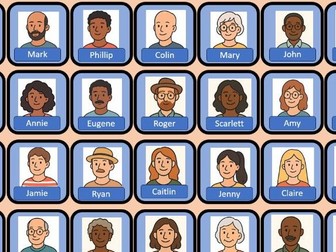
ESL powerpoint games bumper pack. Comes with the following resources: Magic cup game. Bomb pass game. Bomb disposal game. Guess who game. Find your way game. Pop up the pirate game. Rabbit prefix and suffix game.
Find your way ESL game  - Can be used with anythingQuick View
RJP847

Find your way ESL game - Can be used with anything

(0)
This is a simple game I use with primary students to practice vocabulary and question-answering. The teacher asks a question; a student answers to choose a square. If the square reveals a stone, the student (or team) moves forward. If it reveals lava, they must answer another question and continue until they find a stone. The goal is to reach the far side of the lava. It’s great for vocabulary practice—for example, “Tell me an item of clothing you can wear on your head.” I’ve recently used it with my Year 2 class to practise basic number bonds as well. There is also a two-player (two-team) version: split the class into two teams and alternate asking questions. The first team to reach the end wins.
Fractions Pizza Shop Powerpoint GameQuick View
RJP847

Fractions Pizza Shop Powerpoint Game

(0)
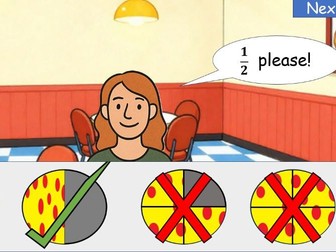
We’re learning about fractions in year 2. I’ve made this powerpoint game for my students to practice halves, quarters and thirds. The player has to click on the correct pizza according to what the customer asks for. It’s a really simple game that I’ve been using at transition times or as a plenary to what we’ve been learning. It’s ideal for quick fire practice of fractions.
Bomb Disposal ESL Powerpoint GameQuick View
RJP847

Bomb Disposal ESL Powerpoint Game

(0)
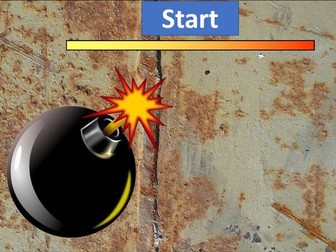
This powerpoint game is designed to practice vocab. Students need to look at the picture and tap the word that matches it before the fuse on the bomb runs down. The game gets progressively harder as you go through. It can be played either as a 1 v 1 game or as teams who select a champion to represent their team. Initial set up is for descriptive adjectives but pictures and words are all fully editable. Works best with an interactive whiteboard.
Bomb Pass Powerpoint game - ESL vocabQuick View
RJP847

Bomb Pass Powerpoint game - ESL vocab

(0)
Powerpoint game for timed review of categories/vocab. Students take it in turns to answer a question or list vocab from a category. After they have said their answer they tap the bomb to pass it to their opponent. Student with the bomb at the end of the timer loses. This resources is great for competitions and quick recall of rote learned vocabulary. This resource is best used with an interactive whiteboard.
Magic Cups Powerpoint Game for ESL for learning vocabQuick View
RJP847

Magic Cups Powerpoint Game for ESL for learning vocab

(0)
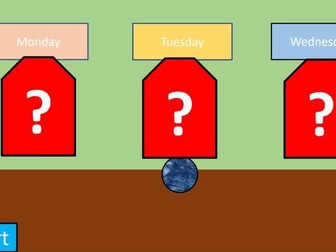
Powerpoint game using the classic magic cup format. Can be used with any vocabulary you are learning or just as a general game. Fully editable and hyperlinked to work with touch screen board. This game is a great starter activity which very quickly gets students ready for learning. Change the pictures or word above the cups with words or images you have been learning. Children have to watch which cup the ball goes under and which word it ends up underneath. The game gets progressively harder each time.
Rabbit Carrot Prefix and Suffix GameQuick View
RJP847

Rabbit Carrot Prefix and Suffix Game

(0)
Game of chance. Split into 2 teams and take it in turns to select a prefix or suffix. They then need to use the word correctly in a sentence. If the carrot they select has a rabbit on it then the students do not get a point. Game is fully editable and hyperlinked for use on an interactive whiteboard using powerpoint.
Connect 4 powerpoint game -  great for questions and answersQuick View
RJP847

Connect 4 powerpoint game - great for questions and answers

(0)
This game is based on the classic board game connect four. Students or teams are assigned a colour either red or yellow then they take it in turns to answer a question from the teacher. If they get the question right, they choose a circle to mark with their colour. The first team to get 4 of their colour in a straight row wins.
Story rewriting activityQuick View
RJP847

Story rewriting activity

(0)
This activity encourages students to retell a story they have been reading by drawing a picture for each stage: beginning, middle, and end and writing sentences on the provided lines. It incorporates dual coding, allowing students to engage with both visual and textual elements, and can be completed independently.
Snap - ESL warm up gameQuick View
RJP847

Snap - ESL warm up game

(0)
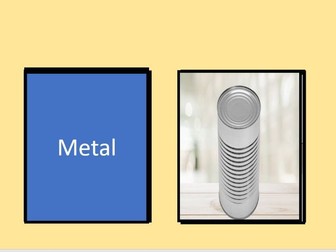
This game serves as an engaging warm-up for class, helping to get students ready to learn. It is designed to teach students about materials, but it can easily be adapted for any vocabulary learning by swapping the images and words. The teacher presses the space bar when in present mode to reveal new images and words simultaneously. When an image matches a word, students must shout “Snap!” The first student to call it out earns a point for their team.
The Tapping Game - Tongue Twister Practice ESLQuick View
RJP847

The Tapping Game - Tongue Twister Practice ESL

(0)
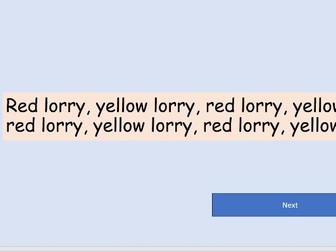
This easy to use powerpoint game works well as a warm up or starter for teaching tongue twisters but it can be used with any vocabulary too. It’s a great activity with an element of competition that students really get involved in. How it works: One student comes to the front of the class at a time to tap the “Next” button and advance through the slides. When a tongue twister or vocabulary word appears, the student must read it aloud accurately before moving on. (Teacher should judge if they have read it correctly!) The teacher should use a stopwatch to record how long it takes each student to get through all the slides. The student who completes the slides in the shortest time is declared the winner!
Tornado board game - can be used with almost anything!Quick View
RJP847

Tornado board game - can be used with almost anything!

(0)
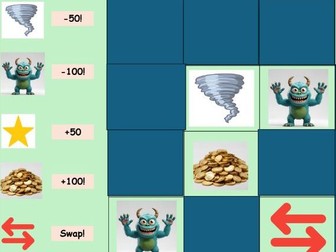
Powerpoint version of a classic game. Students take it in turns to answer questions and choose a square from the slide to get the points according to the image behind it. This game can be used in any situation where you want to ask questions about a topic and can be stretched out as long or as short as you need it to. It’s great as a plenary, starter or main activity.