GCSE Python Programming Intervention | 10 Lessons, Auto-Marked Tutor & AssessmentsQuick View
sukhg123

GCSE Python Programming Intervention | 10 Lessons, Auto-Marked Tutor & Assessments

(0)
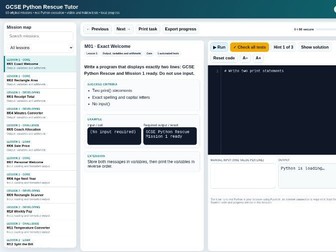
DESCRIPTION A complete GCSE Python intervention programme for pupils who can recognise programming constructs but struggle to write, test and debug programs independently. The package combines explicit classroom teaching with an interactive browser-based Python tutor. Students see a clear task, work from an incomplete scaffold, run real Python code and check their solution against multiple automated test cases. Model solutions remain hidden until the learner deliberately reveals them. WHAT IS INCLUDED • 10 editable PowerPoint lesson decks (120 slides in total) • 53-page editable student workbook and print-ready PDF • Teacher guide, lesson plans, workbook answers and all 60 model solutions • 60 original interactive programming missions • 134 automated tests across normal, boundary and alternative cases • Three assessments: baseline diagnostic, midpoint check and final GCSE construction assessment • Editable assessment mark schemes • Excel class tracker with dashboard, RAG priorities, mission map and question-level analysis • Six ready-made TES preview images LESSON SEQUENCE Output, variables and arithmetic Input, casting and formatted output Selection with if, elif and else Boolean logic and nested decisions For loops and counted repetition While loops and validation Strings and text processing Lists and data sets Functions and decomposition Mixed GCSE programming problems EACH LESSON INCLUDES • Six-question retrieval starter and answers • Precise teaching of key terminology and syntax • Worked Python example • Trace and prediction task • Debugging task and repair • Guided construction • Independent GCSE-style programming task • Assigned interactive missions • Exit-ticket evidence INTERACTIVE TUTOR FEATURES • A specific, visible question for every mission • Incomplete starter code rather than a displayed solution • Real Python execution in Chrome or Edge using Pyodide • Visible and hidden automated tests • Three graduated hints • Model solution protected by a warning and reveal action • Automatic indentation and line numbers • Search and lesson filtering • Local progress saving and CSV progress export • Normal, boundary and alternative test cases• Function testing as well as complete-program testing
OCR Creative iMedia R093 Revision Pack | Workbook, Mocks, Answers & Exam SkillsQuick View
sukhg123

OCR Creative iMedia R093 Revision Pack | Workbook, Mocks, Answers & Exam Skills

(0)
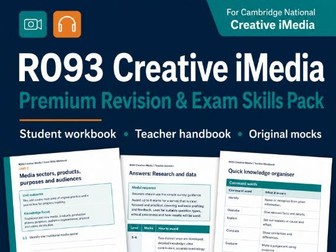
A complete, classroom-ready revision and exam practice package for OCR Cambridge National Creative iMedia R093: Creative iMedia in the Media Industry. This 163-page premium bundle has been designed to help students move beyond simple factual recall and develop the application, analysis, document-production and extended-writing skills required in the examination. • Mock examination preparation • Resit preparation • Non-specialist teachers • Independent student revision All materials use British English and are supplied in editable and print-ready formats. This is an unofficial educational resource. It is not endorsed by OCR or Cambridge University Press & Assessment. OCR assessment materials have not been reproduced. The package uses original scenarios, wording, data and artwork designed to provide similar but different examination practice.
GCSE Python Auto-Marked Coding Tutor | 60 Interactive ChallengesQuick View
sukhg123

GCSE Python Auto-Marked Coding Tutor | 60 Interactive Challenges

(0)
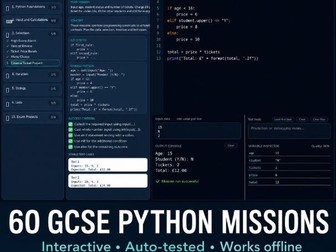
Teach and practise GCSE Python without installing software, creating student accounts or manually checking every program. This self-contained interactive HTML tutor contains 60 progressive Python programming challenges. Students write and run Python code directly inside the resource, enter test data and receive immediate automated feedback. Simply download the file, open it in a modern web browser and begin. No internet connection, login or external Python installation is required after download. WHAT IS INCLUDED • 60 progressive GCSE Python programming missions • Built-in Python code editor and output console • Automatic testing using expected outputs • Immediate success and error feedback • Student-friendly hints for every stage • Model solutions hidden until the Solution button is selected • Example inputs and expected outputs • Progress organised by programming topic • Works offline from one HTML file • Suitable for independent work, intervention, revision, homework and cover TOPICS COVERED • Output and variables • Input and type conversion • Selection using if, elif and else • Count-controlled and condition-controlled loops#• String manipulation • Lists • Functions and procedures • Multi-skill GCSE programming problems • Exam-style programming projects IDEAL FOR • OCR J277, AQA and Edexcel GCSE Computer Science • Years 9–11 • Programming intervention • Non-specialist teachers • Independent revision • Students who need structured progression and immediate feedback • Cover lessons and computing clubs WHY TEACHERS WILL FIND IT USEFUL Students can practise independently while the program checks their work. This reduces repeated requests for help and removes the need for the teacher to display model answers immediately. The tutor runs locally in a browser, making it suitable for school networks where installing Python or accessing external coding websites may be difficult. A free demonstration version is also available so that you can test the format before purchasing the complete 60-mission edition.
OCR GCSE Computer Science Pseudocode Tutor – 54 Interactive Auto-Marked Coding Tasks.Quick View
sukhg123

OCR GCSE Computer Science Pseudocode Tutor – 54 Interactive Auto-Marked Coding Tasks.

(1)
CodeQuest Exam-Ready: Interactive OCR GCSE Pseudocode Tutor Help students develop confidence in programming with this engaging, interactive OCR-style pseudocode tutor. CodeQuest Exam-Ready contains 54 progressively challenging coding missions covering the key programming skills required for OCR GCSE Computer Science. Students write, run, test and improve their pseudocode directly inside the resource, receiving immediate feedback when their solution is incorrect. The resource works completely in a web browser and requires no installation, account or internet connection. Simply open the HTML file and start coding. Topics covered Output and variables User input Arithmetic operators and MOD Selection using if, elseif and else Boolean logic switch and case for loops while loops do until loops Random numbers String manipulation Procedures and parameters Functions and return values One-dimensional arrays Searching and updating arrays Two-dimensional arrays Nested loops File handling Character codes using ASC and CHR Tracing, debugging, searching and sorting Exam-style programming challenges Key features 54 original coding missions Tasks arranged from beginner to exam-ready level Built-in OCR-style pseudocode editor and runner Automatic marking and instant feedback Helpful error messages that identify the relevant line Progressive hints for students who become stuck Model solutions for every mission XP, progress tracking, streaks and achievement rewards Student progress saved automatically in the browser Exportable progress report Reset buttons for individual tasks and the complete course Built-in syntax guide Open and save student pseudocode files Dark, light, green and red editor themes Interactive input entered directly into the output console Works offline with no adverts or subscriptions Ideal for OCR GCSE Computer Science Year 10 and Year 11 programming lessons Mixed-ability classes Independent learning Homework and revision Cover lessons Intervention groups Students who need additional coding practice Early finishers Exam preparation The missions begin with simple output statements and gradually develop towards more demanding tasks involving functions, arrays, nested loops, file handling, searching, sorting and debugging. Students can work independently while the automatic checking, hints and model solutions reduce the need for constant teacher support. This makes the resource particularly useful for classes containing students with very different levels of programming confidence. All practice missions are original and designed to develop the programming techniques and problem-solving skills needed for GCSE Computer Science examinations. File supplied One self-contained HTML file. Open the file using Chrome, Edge or another modern web browser. No specialist software or internet connection is required.
OCR J277 GCSE Computer Science – Programming Escape Room (Runner-Based Lesson + Teacher Answers)Quick View
sukhg123

OCR J277 GCSE Computer Science – Programming Escape Room (Runner-Based Lesson + Teacher Answers)

(0)
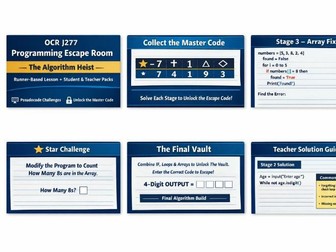
A complete 45–70 minute OCR GCSE programming escape room designed to run entirely inside a pseudocode runner – no prep required. A fully runnable GCSE Computer Science escape room built specifically for OCR J277 and designed to work inside a pseudocode runner. Students must: Debug broken programs Fix accumulators Correct selection logic Repair validation loops Verify functions Combine arrays + iteration in a final synoptic vault build Each stage reveals a digit of the Master Code. Only when all stages are solved correctly does the final vault open. What’s Included ✔ Student Escape Room Pack (printable, structured, large-font) ✔ 6 structured programming stages ✔ Star extension challenges in every stage ✔ Exam-style written questions embedded ✔ Synoptic final build task ✔ Master Code strip + printable certificate ✔ Full Teacher Pack with complete solutions ✔ Common misconceptions guidance ✔ Clear facilitation guidance Topics Covered Variables & assignment IF / ELSE / nested selection FOR loops & accumulators WHILE loops & validation Arrays & linear search Functions MOD operator Synoptic algorithm design ⏱ Suggested Use 45–70 minute high-impact lesson End-of-topic reinforcement Year 10 programming confidence build Year 11 intervention session Revision lesson with engagement
OCR GCSE Computer Science (J277) – Debugging Mastery (40 Drills G3–9 + Pseudocode Runner + Answers)Quick View
sukhg123

OCR GCSE Computer Science (J277) – Debugging Mastery (40 Drills G3–9 + Pseudocode Runner + Answers)

(0)
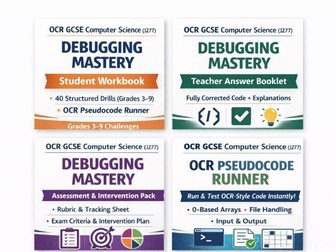
40 Structured Run–Fix–Prove Challenges (Grades 3–9) A complete, ready-to-use debugging system for OCR J277. This resource includes 40 structured debugging drills AND a fully functional OCR-style pseudocode runner – allowing students to run, test, debug and prove solutions immediately with zero setup. No planning. No extra tools. Just open and teach. OCR GCSE Pseudocode Runner Browser-based (no installation required) OCR-style syntax 0-based arrays (including 2D arrays) File handling (virtual file system) Input in output panel (no pop-ups) Built-in help and self-tests Multiple theme options for classroom display Students can run and debug every task directly inside the runner. 40 carefully structured debugging challenges covering: Syntax errors Logical errors Boundary and indexing mistakes Validation faults Function return errors Array and 2D array bugs File handling errors Grade 9 synoptic multi-bug programs Each task includes: Bug type checklist Clear goal Testing table (Run–Fix–Prove structure) Explanation section Teacher Answer Booklet Fully corrected code for all 40 drills Clear teacher notes explaining each bug Marking guidance Assessment & Intervention Pack Grade 3–9 rubric 40-task progress tracker 6-lesson intervention outline Common OCR debugging misconceptions
R093 workbook and answersQuick View
sukhg123

R093 workbook and answers

(0)
Brand new resource aimed at supporting the R093 unit of Cambridge Nationals Creative IMedia, it contains 48 tests and answers and covers material relating to the examination unit R093.
Advert-Free Python Coding Without InstallationQuick View
sukhg123

Advert-Free Python Coding Without Installation

(0)
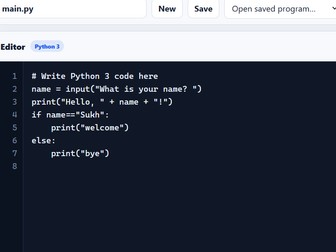
Advert-Free Python Coding Without Installation or Student Accounts Clean Python Editor is a simple, classroom-friendly Python 3 editor that runs directly in a web browser. It is designed for teachers who want pupils to practise Python without installing additional software, creating online accounts or working around adverts and distracting website content. The editor is supplied as a standalone HTML file. Open it in Chrome or Microsoft Edge and pupils can begin writing and running Python programs. Key features Runs genuine Python 3 code in the browser Supports interactive input() statements Clear code editor and output terminal Automatically indents code after if, elif, else, for, while, functions and other statements ending with a colon Automatically corrects the indentation of elif and else Displays line numbers to help pupils identify errors Programs can be run using the Run button or Ctrl + Enter Programs can be saved inside the browser Work can be downloaded as a standard .py Python file Existing .py files can be imported and edited Pupils can create, open and delete saved programs Automatic draft recovery helps prevent lost work Adjustable editor font size Light and dark display modes Python error messages are shown clearly in the output terminal No adverts No registration required No student login required Suitable for Key Stage 3 Computing GCSE Computer Science Python programming clubs Homework and independent practice Schools where Python cannot easily be installed Pupils who need a simple and uncluttered coding environment How it works Open the HTML file in Chrome or Microsoft Edge. The Python engine loads inside the browser. Pupils can then write, run, save, import and download their Python programs. Programs saved using the Save button remain on that particular browser and computer. Pupils should use the Download .py button when they need to submit their work, email it to a teacher or continue working on another computer. The editor includes a simple starter program using input() and print(), so pupils can test the editor immediately. Important technical information Some school networks may block the external service used to load Python. If this happens, the school network administrator may need to allow access to the Pyodide content-delivery network. The editor works best in an up-to-date version of Chrome or Microsoft Edge. No software installation is required. The HTML file can be shared through Microsoft Teams, OneDrive, SharePoint, Google Classroom, email or a school shared drive.
Free GCSE Python Programming Tutor Demo - 8 Interactive Auto-Marked ChallengesQuick View
sukhg123

Free GCSE Python Programming Tutor Demo - 8 Interactive Auto-Marked Challenges

(0)
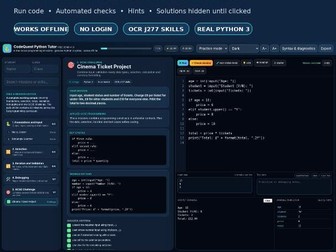
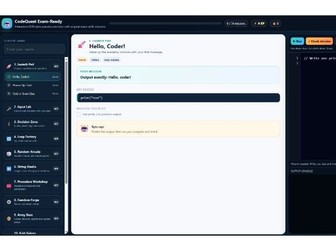
DESCRIPTION Try eight complete missions from the CodeQuest GCSE Python Programming Tutor before purchasing the full 60-mission edition. This free offline HTML resource allows students to write and test genuine Python 3 syntax in a structured GCSE learning environment. The sample covers output, input, calculations, selection, Boolean logic, for loops, while-loop validation, debugging and one longer GCSE-style challenge. Each mission contains a precise task, worked pattern, success criteria, automated test cases, scaffolded hints and a model solution that stays hidden until the Solution button is pressed. The tutor opens in a modern browser and requires no account, subscription, installation or internet connection. It also includes starter Python files, teacher solutions and a quick-start guide. THE EIGHT MISSIONS Hello, Coder! - output Rectangle Scanner - input, casting and arithmetic Pass or Review - if and else Security Gate - compound Boolean conditions Times-Table Blaster - for loops and range() Age Validation Loop - while loops and validation Variable Name Rescue - debugging identifiers Cinema Ticket Project - integrated GCSE programming challenge The complete paid edition contains 60 missions, including strings, lists, functions, procedures, files, random values, 2D lists, character codes, searching, sorting and longer exam-style programming problems. KEYWORDS Python, GCSE Computer Science, OCR J277, programming, coding, intervention, non-specialist, loops, selection, debugging, free resource, interactive HTML
GCSE Computer Science Coding Workbook and Interactive OCR-Style Pseudocode Runner – 40 PagesQuick View
sukhg123

GCSE Computer Science Coding Workbook and Interactive OCR-Style Pseudocode Runner – 40 Pages

(0)
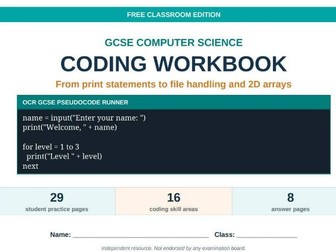
GCSE Computer Science Coding Workbook + Interactive Pseudocode Runner A complete 40-page GCSE Computer Science coding workbook supplied with an interactive, browser-based OCR-style pseudocode runner. This resource takes students from their first print() statement through to more advanced GCSE programming skills, including loops, arrays, functions, procedures, string manipulation and file handling. The workbook is designed for mixed-ability classes and includes clear worked examples, short knowledge checks, scaffolded practice, debugging activities, trace tables, test-data tasks and exam-style programming challenges. Topics covered Output using print() Variables and calculations User input Selection using if, else and elseif for loops while loops do until loops Totals and counters Random numbers String manipulation Procedures Functions and return values One-dimensional arrays Two-dimensional arrays File handling Testing and debugging Boundary, normal and invalid test data Mixed programming challenges What is included A professionally formatted 40-page PDF workbook 29 student practice pages Coverage of 16 coding skill areas 8 pages of model answers Worked examples and quick checks Debugging and trace activities Large spaces for students to write code Progress tracker and diagnostic assessment Print-friendly code examples using black text on a white background An interactive HTML pseudocode runner Interactive pseudocode runner The included runner opens directly in a web browser and does not require students to create an account or install specialist software. It supports: Input entered directly in the output window Selection and loops Functions and procedures One-dimensional and two-dimensional arrays OCR-style string commands Random number generation Virtual file handling Saving and opening pseudocode programs Automatic indentation and line numbers Clear error messages Multiple colour themes Students can write, run, test and improve their programs immediately, making the resource ideal for independent practice, homework, intervention sessions, cover lessons and full-class teaching. Suitable for OCR GCSE Computer Science Year 9 introductory GCSE programming Year 10 and Year 11 coding practice Mixed-ability and lower-confidence learners Revision and intervention Non-specialist teachers Independent learning Homework and cover lessons The pseudocode uses an OCR-style classroom syntax, but the programming concepts are suitable for most GCSE Computer Science courses. Independent resource. Not endorsed by OCR or any other examination board.