Make Frogger game on ScratchQuick View
Markhillman

Make Frogger game on Scratch

(0)
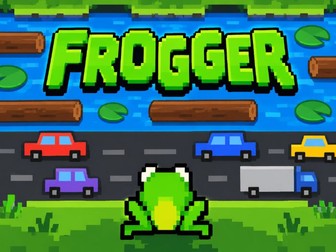
Frogger Scratch Game – 3-Lesson Coding Project | KS2 Computing Create your very own Frogger-style arcade game using Scratch! Bring coding to life with this fun, colourful and engaging 3-lesson Scratch project, designed for Key Stage 2 pupils (ages 7–11). Children will build their own playable arcade game, guiding a frog across busy roads, avoiding moving cars, jumping onto floating logs and crossing a dangerous river to reach safety! Perfect for primary computing lessons, coding clubs and teachers with little or no Scratch experience. What will pupils learn? Lesson 1 – Build the Game Create a Frogger-style game using Scratch. Program the frog to move using the arrow keys. Make cars move across the road. Learn about coordinates, movement and forever loops. Lesson 2 – Avoid the Traffic! Detect collisions between the frog and moving cars. Create a Lives variable. Make the frog lose a life and return to the starting position. Display a Game Over screen when all lives are lost. Lesson 3 – Cross the River! Add moving logs to the river. Program the frog to travel along with the logs. Detect when the frog falls into the water. Create a splash animation and deduct a life. Make the frog celebrate with a dancing animation when it reaches safety! Computing skills covered Sequencing and algorithms Loops and repetition Selection using IF statements Variables and scoring systems Sensing and collision detection Coordinates and movement Debugging and problem-solving Why choose this resource? Step-by-step visual worksheets with colourful Scratch code blocks. Child-friendly instructions that pupils can follow independently. Engaging arcade-style project with a playable end result. Ideal for both specialist and non-specialist computing teachers. Opportunities for pupils to personalise and improve their games. Supports computational thinking, creativity and problem-solving. Suitable for KS2 Computing | Years 3–6 | Scratch Beginners and Improvers | Coding Clubs Turn your computing lessons into an exciting arcade-game challenge as pupils learn essential programming skills while creating a game they can actually play! Code it. Test it. Play it!
Space Invaders made with ScratchQuick View
Markhillman

Space Invaders made with Scratch

(0)
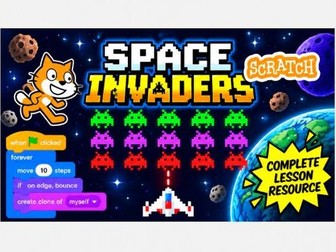
A fun, engaging Scratch project that introduces pupils to game design and programming through creating their own retro-style Space Invaders game! This step-by-step teaching resource guides pupils through building a playable Space Invaders game using Scratch. Designed for primary school pupils and beginner coders, the project helps children develop essential programming skills while creating something exciting they can play and share. What Will Pupils Learn? Throughout the lessons, pupils will learn how to: Control sprites using keyboard inputs to move a spaceship left and right. Create a shooting mechanism that allows the spaceship to fire lasers. Use coordinates to position and move sprites around the screen. Program enemy movement to make aliens move across the screen and descend. Use loops and conditional statements to control how the game behaves. Detect collisions between sprites to trigger a Game Over event. Use broadcasts to communicate between sprites and control game events. Test and debug code to identify problems and improve their game. Why Is This a Great Teaching Resource? Space Invaders is an ideal project for introducing pupils to key programming concepts in a fun, practical way. Rather than simply copying code, pupils can see how different programming blocks work together to create a functioning game. The resource includes clear, illustrated, step-by-step worksheets, making it suitable for teachers with limited Scratch experience as well as more confident computing teachers. Pupils develop computational thinking, logical reasoning, problem-solving and creativity as they build their games. Suitable For KS2 Computing lessons Scratch beginners and developing coders
Year 3 Computing – What Is an Algorithm?Quick View
Markhillman

Year 3 Computing – What Is an Algorithm?

(0)
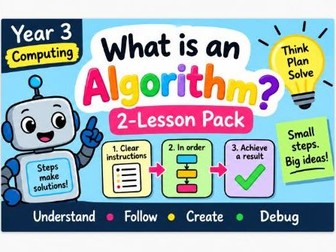
A fun and accessible 2-lesson introduction to algorithms for Year 3 pupils. This ready-to-use computing resource introduces children to the idea of an algorithm and helps them understand that an algorithm is simply a clear, ordered set of instructions used to complete a task or solve a problem. Across two engaging lessons, pupils learn how algorithms work through familiar, age-appropriate examples before developing their ability to follow, order and create their own sets of instructions. The activities help children understand: What an algorithm is Why instructions need to be clear and precise Why the order of instructions matters How to follow an algorithm step by step How to identify mistakes in a sequence of instructions How to create simple algorithms of their own Designed specifically for Year 3 / Key Stage 2, the lessons use straightforward language and practical activities, making them particularly suitable for non-specialist computing teachers. The resource supports the English National Curriculum for Computing, developing children’s understanding of algorithms and logical thinking. Perfect for: Year 3 computing lessons, ICT lessons, classroom activities, independent work, assessment and computing schemes of work.
Year 3 Maths – Mass and Capacity | 3 Printable WorksheetsQuick View
Markhillman

Year 3 Maths – Mass and Capacity | 3 Printable Worksheets

(0)
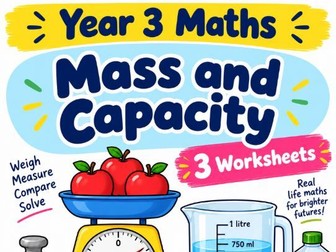
Help children build confidence with mass and capacity using this practical set of 3 Year 3 maths worksheets. Pupils work with grams, kilograms, millilitres and litres, as well as comparing measurements and solving simple problems. The pack includes: Worksheet 1 – Grams and kilograms Worksheet 2 – Millilitres and litres Worksheet 3 – Comparing measurements and solving problems Ideal for reinforcing measurement skills after practical classroom activities or for providing additional independent practice.
Year 3 Maths – Numbers to 1,000 | 3 Printable WorksheetsQuick View
Markhillman

Year 3 Maths – Numbers to 1,000 | 3 Printable Worksheets

(0)
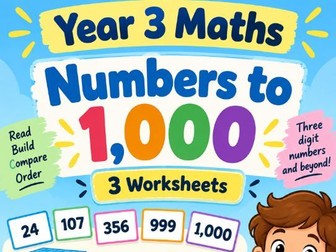
Build confidence with place value and number skills using this set of 3 Year 3 maths worksheets. Children practise reading, writing, comparing and ordering numbers up to 1,000, as well as recognising the value of hundreds, tens and ones. The pack includes: Worksheet 1 – Reading and writing numbers to 1,000 Worksheet 2 – Comparing and ordering numbers Worksheet 3 – Place value and number representation Ideal for classwork, homework, intervention, revision or independent practice. A simple, ready-to-print resource for reinforcing one of the key foundations of Year 3 maths.
Year 3 Maths – Money | 3 Printable WorksheetsQuick View
Markhillman

Year 3 Maths – Money | 3 Printable Worksheets

(0)
Give pupils practical experience of working with money using this set of 3 Year 3 maths worksheets. Children practise recognising British coins and notes, counting totals, making amounts and solving simple real-life money problems. The pack includes: Worksheet 1 – Recognising coins and notes Worksheet 2 – Counting and making amounts Worksheet 3 – Money problems and real-life calculations Perfect for bringing maths into everyday contexts while developing confidence with pounds, pence and simple calculations.
Year 3 Maths – Time | 3 Printable WorksheetsQuick View
Markhillman

Year 3 Maths – Time | 3 Printable Worksheets

(0)
Support pupils with one of the most important everyday maths skills using this set of 3 Year 3 time worksheets. Children practise reading analogue and digital clocks, telling the time and using simple timetables and durations. The pack includes: Worksheet 1 – Telling the time Worksheet 2 – Analogue and digital time Worksheet 3 – Timetables, duration and time problems Perfect for classwork, homework, intervention or revision, with clear practice designed to build confidence step by step.
Year 3 Maths – Angles and 2D Shapes | 3 Printable WorksheetsQuick View
Markhillman

Year 3 Maths – Angles and 2D Shapes | 3 Printable Worksheets

(0)
Explore shape and geometry with this set of 3 colourful Year 3 maths worksheets. Children practise naming and describing 2D shapes, recognising key properties and identifying right angles and other simple angles. The pack includes: Worksheet 1 – Naming and describing 2D shapes Worksheet 2 – Recognising and identifying angles Worksheet 3 – Shape properties and angle-based questions A clear, accessible resource for reinforcing Year 3 geometry vocabulary and understanding.
Year 3 Maths – 3D Shapes | 3 Printable WorksheetsQuick View
Markhillman

Year 3 Maths – 3D Shapes | 3 Printable Worksheets

(0)
Help pupils recognise and describe common 3D shapes with this set of 3 Year 3 maths worksheets. Children practise naming shapes and identifying key properties including faces, edges and vertices. The pack includes: Worksheet 1 – Naming common 3D shapes Worksheet 2 – Faces, edges and vertices Worksheet 3 – Sorting, describing and comparing 3D shapes Ideal for supporting practical shape work and reinforcing the mathematical vocabulary children need to describe 3D objects confidently.
Year 3 Maths – Length and Perimeter | 3 Printable WorksheetsQuick View
Markhillman

Year 3 Maths – Length and Perimeter | 3 Printable Worksheets

(0)
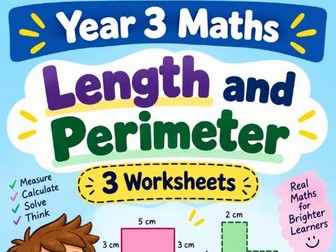
Develop measuring skills and introduce perimeter with this set of 3 Year 3 maths worksheets. Children practise measuring and comparing lengths before applying their skills to finding the perimeter of simple shapes. The pack includes: Worksheet 1 – Measuring length in centimetres and metres Worksheet 2 – Comparing and working with measurements Worksheet 3 – Finding the perimeter of simple shapes A useful printable resource for classwork, independent practice, homework or revision.
Year 3 Maths – Fractions | 3 Printable WorksheetsQuick View
Markhillman

Year 3 Maths – Fractions | 3 Printable Worksheets

(0)
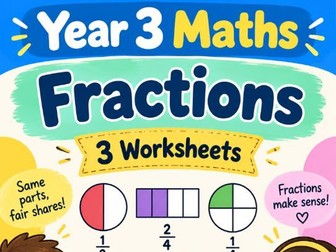
Make fractions easier to understand with this set of 3 child-friendly Year 3 maths worksheets. Children work with simple fractions using visual models, shapes and practical examples, helping them understand halves, thirds, quarters and other simple fractions. The pack includes: Worksheet 1 – Recognising halves, thirds and quarters Worksheet 2 – Fractions of shapes and objects Worksheet 3 – Comparing and applying simple fractions Ideal for reinforcing one of the more challenging areas of Year 3 maths in a clear and accessible way.
Year 3 Maths – Addition and Subtraction | 3 Printable WorksheetsQuick View
Markhillman

Year 3 Maths – Addition and Subtraction | 3 Printable Worksheets

(0)
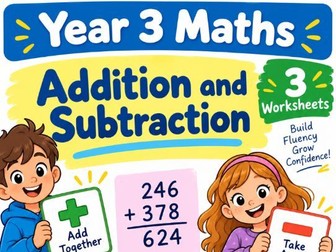
Help pupils develop confidence and fluency with addition and subtraction using this set of 3 ready-to-print Year 3 worksheets. Children practise mental strategies, number bonds, written methods and mixed calculation problems. The pack includes: Worksheet 1 – Mental addition, subtraction and number bonds Worksheet 2 – Written addition and subtraction Worksheet 3 – Mixed calculations and problem solving Perfect for classroom practice, homework, intervention or revision. The worksheets provide structured practice to help children become more accurate and confident with essential calculation skills.
Year 3 Maths – Multiplication | 3 Printable WorksheetsQuick View
Markhillman

Year 3 Maths – Multiplication | 3 Printable Worksheets

(0)
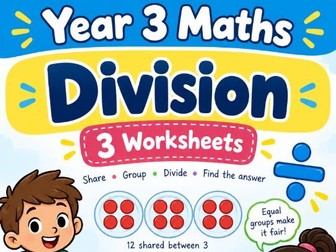
Help children understand division through clear, structured practice with this set of 3 Year 3 worksheets. The activities develop understanding of division as sharing and grouping before introducing division facts and simple problems. The pack includes: Worksheet 1 – Sharing into equal groups Worksheet 2 – Grouping and division facts Worksheet 3 – Division problems and applying understanding A useful resource for classwork, intervention, homework or revision, particularly for pupils who benefit from seeing division broken down into manageable steps.
Build a Catch the Mouse Game – Scratch Coding UnitQuick View
Markhillman

Build a Catch the Mouse Game – Scratch Coding Unit

(0)
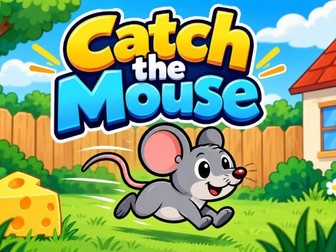
A complete Scratch coding unit where pupils create their own Catch the Mouse game step by step, with lessons, worksheets, challenges and assessment resources. Pupils develop key programming skills as they build and improve an interactive game. The activities introduce concepts including sprites, events, movement, variables, scoring, timers, sound and debugging. Clear, visual and easy-to-follow resources support both teacher-led lessons and independent pupil work, with additional challenges for pupils who are ready to take their game further.
Build a Pong Game – Scratch Coding UnitQuick View
Markhillman

Build a Pong Game – Scratch Coding Unit

(0)
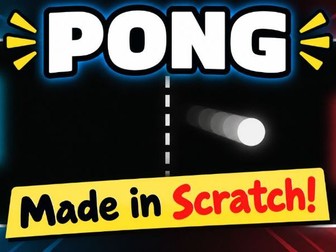
A complete Scratch coding unit where pupils create their own Pong game step by step, with lessons, worksheets, challenges and assessment resources. Pupils develop key programming skills as they build and improve a playable Pong game. The activities introduce concepts including sprites, movement, events, loops, variables, scoring, collision detection and debugging. Clear, visual and easy-to-follow resources support both teacher-led lessons and independent pupil work, with additional challenges for pupils who are ready to develop their game further.