KS3 Computer Science: Spreadsheets TopicQuick View
Bartowski

KS3 Computer Science: Spreadsheets Topic

(0)
Fully resourced KS3 Spreadsheets topic, including assessment. Contains: 5 lessons 1 recap lesson with online quiz 1 assessment with mark scheme 1 assessment review lesson with self-review sheet All 5 topic lessons follow the structure of: Multiple-choice starter task Learning objectives Information slides Knowledge check tasks (paper / mini whiteboards) Main lesson task Answer slides (where necessary) Plenary task Lessons: Lesson 1 - Spreadsheet Cells (identifying cells, cell references, and cell ranges) Lesson 2 - Quick Calculations (using formula for addition, subtraction, multiplication, and division) Lesson 3 - Data Master (using the MAX, MIN, and COUNT functions) Lesson 4 - Fun With Graphs (editing pre-existing and generating graphs) Lesson 5 - Filter Skills (using filter and sort tools) Lesson 6 - Topic Recap (keyword recap, True/False challenge, online quiz) Lesson 7 - Assessment Point (22 question assessment, including mark scheme) Lesson 8 - Assessment Point Review (common misconceptions, review sheet)
KS3 Computer Science: E-Safety TopicQuick View
Bartowski

KS3 Computer Science: E-Safety Topic

(0)
Fully resourced KS3 E-Safety topic, including assessment. Contains: 6 lessons 1 recap lesson with online quiz 1 assessment with mark scheme 1 assessment review lesson with self-review sheet and online quiz All 6 topic lessons follow the structure of: Multiple-choice starter task Learning objectives Information slides Knowledge check tasks (paper / mini whiteboards) Main lesson task Answer slides (where necessary) Plenary task Lessons: Lesson 1 - Logging In (creating safe passwords, logging in to school systems) Lesson 2 - Using Emails (writing a professional email, sending an email) Lesson 3 - Saving Files (creating sensible file names, creating folders, saving files) Lesson 4 - Being Safe Online (dangers of sharing content online, dangers of social media use, example scenarios) Lesson 5 - Cyberbullying (difference between unkind / bullying / cyberbullying, why someone might be a bully, cyberbullying scenarios) Lesson 6 - Topic Recap (keyword recap, True/False challenge, online quiz) Lesson 7 - Assessment Point (22 question assessment, including mark scheme) Lesson 8 - Assessment Point Review (common misconceptions, review sheet)
KS3 Computer Science: KODU Programming TopicQuick View
Bartowski

KS3 Computer Science: KODU Programming Topic

(0)
Fully resourced KS3 KODU Programming topic, including assessment. Contains: 5 lessons 1 recap lesson with online quiz 1 assessment with mark scheme 1 assessment review lesson with self-review sheet and online quiz All 5 topic lessons follow the structure of: Multiple-choice starter task Learning objectives Information slides Knowledge check tasks (paper / mini whiteboards) Main lesson task Answer slides (where necessary) Plenary task Lessons: Lesson 1 - World Building (using the toolbar to create the world design) Lesson 2 - Characters and Paths (programming characters to move by following a path and through keyboard controls) Lesson 3 - Collecting and Scoring (programming objects to be collected, and to gain and lose points) Lesson 4 - Enemies and Paths (programming an enemy character to fire a weapon at the player, and to lose the game based on hit points) Lesson 5 - Combine Your Skills (challenges for students to practice applying the skills covered in lessons 1-5) Lesson 6 - Topic Recap (keyword recap, True/False challenge, online quiz) Lesson 7 - Assessment Point (25 question assessment, with mark scheme) Lesson 8 - Assessment Point Review (common misconceptions, review sheet, online review quiz) Note regarding assessment: This combines two topics, KODU Programming and E-Safety If you want this to be KODU only, you will need to remove some questions
KS3 Computer Science: MakeCode Arcade TopicQuick View
Bartowski

KS3 Computer Science: MakeCode Arcade Topic

(0)
Fully resourced KS3 MakeCode Arcade Programming topic. Contains: 5 lessons 1 recap lesson with online quiz All 5 topic lessons follow the structure of: Multiple-choice starter task Learning objectives Information slides Main lesson task (High Ability, Low Ability, Additional Challenge versions) Answer slides (where necessary) Plenary task Lessons: Lesson 1 - Big Worlds (designing a sprite and a tilemap, programming a character to move with button controls) Lesson 2 - Falling With Style (programming a character to jump) Lesson 3 - Power It Up (programming effects when sprites overlap) Lesson 4 - Fire Away (use of projectiles) Lesson 5 - Tutorials (guided use of tutorials and examples on MakeCode Arcade) Lesson 6 - Topic Recap (keyword recap, True/False challenge, online quiz)
KS3 Computer Science: Computational Thinking TopicQuick View
Bartowski

KS3 Computer Science: Computational Thinking Topic

(0)
Fully resourced KS3 Computational Thinking topic. Contains: 4 lessons 1 recap lesson with online quiz All 4 topic lessons follow the structure of: Multiple-choice starter task Learning objectives Information slides Knowledge check tasks (paper / mini whiteboards) Main lesson task Answer slides (where necessary) Plenary task Lessons: Lesson 1 - Abstraction (real-world examples, example scenario) Lesson 2 - Decomposition (real-world examples, example scenario) Lesson 3 - Pattern Recognition (real-world examples, example scenario) Lesson 4 - Algorithmic Thinking (real-world examples, example scenario) Lesson 5 - Topic Recap (keyword recap, True/False challenge, online quiz)
GCHQ Advent Calendar LessonQuick View
Bartowski

GCHQ Advent Calendar Lesson

(0)
A lesson created to accompany the GCHQ Advent Calendar released annually by GCHQ Contains: Encryption starter task Instruction slide Recap / plenary questions Please note: I have not included the advent calendar / hint sheet / answer sheet due to copyright with GCHQ. These can be downloaded for free from the GCHQ website
Problem Solving Activities LessonQuick View
Bartowski

Problem Solving Activities Lesson

(0)
Perfect lesson for the end of term! Structured lesson with a variety of problem solving activities and games for students to work on independently or in teams. Contains: Lesson PowerPoint two starter task options instruction slide plenary / recap questions Document containing 17 different online problem solving activities / games
GCSE OCR Computer Science J277/02 - Practical Python Programming Lesson Pack (file handling)Quick View
Bartowski

GCSE OCR Computer Science J277/02 - Practical Python Programming Lesson Pack (file handling)

(1)
Structured lessons to support GCSE students work on their practical programming skills for Component 2.2. Focus - use of file handling (read and write). Designed for students to work through self-guided but could also be used to deliver content or revision sessions. Contains: Lesson PowerPoint 1 (starter task, objectives, labelled example/s) Worksheet (main tasks, challenges, extensions) Lesson PowerPoint 2 (including elif, starter task, objectives, labelled example/s) Worksheet (main tasks, challenges, extensions) Grading Paper (split into theory and practical questions) Grading Paper Answers (broken down into individual marks) Note - the context of the naming for these are for students to work from White Belt up the grades, as they would in martial arts. All belts are available on my profile, individually and in a bundle.
A Level OCR Computer Science H446/03 - NEA Full Project PackQuick View
Bartowski

A Level OCR Computer Science H446/03 - NEA Full Project Pack

9 Resources
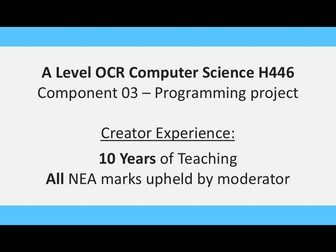
Contains detailed lesson PowerPoints and Assignment Briefs for every required element of the OCR NEA component. The marking of my submissions has been upheld by OCR for the past 5 years. Components included: 3.1 - Analysis 3.1.1 - Problem 3.1.2 - Stakeholders 3.1.3 - Computational Methods 3.1.3 - Existing Solutions 3.1.4 - Features, Limitations, Requirements, Success Criteria 3.2 - Design 3.2.1 - High Level Overview, Algorithms 3.2.2 / 3.2.3 - Key Data, Test Plan 3.2.2 - Usability Features 3.3 - Development 3.3.1 - Iterative Development 3.3.2 - Iterative Testing 3.4 - Evaluation 3.4.1 - Post-Development Testing 3.4.2 / 3.4.3 / 3.4.4 - Evaluation Lesson PowerPoints include: What should be included Examples of each element, broken down into each specific component Discussions of the importance and justification for each element Guidance on layout and structure Top tips for including / clearly evidencing key elements from marking criteria Assignment Briefs include: Description of exam keywords Breakdown of each section structure Reminder to reference and what to reference Simplified breakdown of marking criteria for each section
A Level OCR Computer Science H446/03 - NEA 3.2.2 Design (Key Data), 3.2.3 (Test Plan)Quick View
Bartowski

A Level OCR Computer Science H446/03 - NEA 3.2.2 Design (Key Data), 3.2.3 (Test Plan)

(0)
Contains detailed lesson PowerPoint and Assignment Brief to support the teaching of the 3.2.2 Key Data and 3.2.3 Test Plan element of the OCR NEA Design component. The marking of my submissions has been upheld by OCR for the past 5 years. 3.2 Design components included 3.2.2 (Key Data) 3.2.3 (Test Plan) Lesson PowerPoint includes: - What should be included / what OCR means by the two elements - Examples of validation checks - Discussion of each marking criteria testing is required for - Examples of iterative vs post development tests - Examples of three different test types - Guidance on structuring the write-up for each section Assignment Brief includes: - Description of exam keywords - Breakdown of each section structure - Reminder to reference and what to reference - Simplified breakdown of marking criteria for each section
A Level OCR Computer Science H446/03 - NEA 3.2.2 Design (Usability Features)Quick View
Bartowski

A Level OCR Computer Science H446/03 - NEA 3.2.2 Design (Usability Features)

(0)
Contains detailed lesson PowerPoint and Assignment Brief to support the teaching of the 3.2.2 Usability Features element of the OCR NEA Design component. Contains detailed lesson PowerPoints and Assignment Briefs for every required element of the OCR NEA component. The marking of my submissions has been upheld by OCR for the past 5 years. 3.2 Design component included - 3.2.2 (Usability Features) Lesson PowerPoint includes: - What should be included / what OCR means by each element - Examples of usability features - 5 main considerations (e.g. memorability) - Examples of design screenshots and what to label Assignment Brief includes: - Description of exam keywords - Breakdown of each section structure - Reminder to reference and what to reference - Simplified breakdown of marking criteria for each section
GCSE OCR Computer Science J277/02 - Practical Python Programming Lesson Pack (subroutines/functions)Quick View
Bartowski

GCSE OCR Computer Science J277/02 - Practical Python Programming Lesson Pack (subroutines/functions)

(0)
Structured lessons to support GCSE students work on their practical programming skills for Component 2.2. Focus - use of subroutines (procedures and functions). Designed for students to work through self-guided but could also be used to deliver content or revision sessions. Contains: Definite: Lesson PowerPoint 1 (starter task, objectives, labelled example/s) Worksheet (main tasks, challenges, extensions) Lesson PowerPoint 2 (starter task, objectives, labelled example/s) Worksheet (main tasks, challenges, extensions) Extra Practice Worksheet (additional set of main tasks, challenges, extensions) Grading Paper (split into theory and practical questions) Grading Paper Answers (broken down into individual marks) Note - the context of the naming for these are for students to work from White Belt up the grades, as they would in martial arts. All belts are available on my profile, individually and in a bundle.
GCSE OCR Computer Science J277/02 - Practical Python Programming Worksheets (subroutines)Quick View
Bartowski

GCSE OCR Computer Science J277/02 - Practical Python Programming Worksheets (subroutines)

(0)
Structured worksheets to support GCSE students work on their practical programming skills for Component 2.2. Focus - using subroutines (procedures and functions). Designed for students to work through self-guided but could also be used in a lesson or revision session. Contains: Main Worksheet 1 (main tasks, challenges, extensions) Main Worksheet 2 (further main tasks, challenges, extensions) Extra Practice Worksheet (additional set of main tasks, challenges, extensions) Note - the context of the naming for these are for students to work from White Belt up the grades, as they would in martial arts. All belts are available on my profile, individually and in a bundle.
GCSE OCR Computer Science J277/02 - Practical Python Programming Worksheets (file handling)Quick View
Bartowski

GCSE OCR Computer Science J277/02 - Practical Python Programming Worksheets (file handling)

(0)
Structured worksheets to support GCSE students work on their practical programming skills for Component 2.2. Focus - assigning file handling commands. Designed for students to work through self-guided but could also be used in a lesson or revision session. Contains: Main Worksheet - Read (main tasks, challenges, extensions) Main Worksheet - Write (further main tasks, challenges, extensions) Note - the context of the naming for these are for students to work from White Belt up the grades, as they would in martial arts. All belts are available on my profile, individually and in a bundle.
A Level OCR Computer Science H446/03 - NEA 3.1 Analysis (Features, Limits, Requirements, Criteria))Quick View
Bartowski

A Level OCR Computer Science H446/03 - NEA 3.1 Analysis (Features, Limits, Requirements, Criteria))

(0)
Contains detailed lesson PowerPoint and Assignment Brief to support the teaching of the 3.1.3 and 3.1.4 elements of the OCR NEA Analysis component. The marking of my submissions has been upheld by OCR for the past 5 years. 3.1 Analysis components included 3.1.3 (Essential Features, Limitations) 3.1.4 (Requirements, Success Criteria) Lesson PowerPoint includes: - What should be included for each of the 4 sections - Examples Assignment Brief includes: - Description of exam keywords - Breakdown of each section structure - Reminder to reference and what to reference - Simplified breakdown of marking criteria for each section
A Level OCR Computer Science H446/03 - NEA 3.2.1 Design (High Level Overview, Algorithms)Quick View
Bartowski

A Level OCR Computer Science H446/03 - NEA 3.2.1 Design (High Level Overview, Algorithms)

(0)
Contains detailed lesson PowerPoint and Assignment Brief to support the teaching of the 3.2.1 High Level Overview and Algorithms element of the OCR NEA Design component. The marking of my submissions has been upheld by OCR for the past 5 years. 3.2 Design component included - 3.2.1 (High Level Overview, Algorithms) Lesson PowerPoint includes: - What should be included / what OCR means by each element - Discussion of decomposition - Examples of each type of high level overview (e.g. IPSO, class diagram) - Examples of each type of algorithm (e.g. pseudocode, flowchart) Assignment Brief includes: - Description of exam keywords - Breakdown of each section structure - Reminder to reference and what to reference - Simplified breakdown of marking criteria for each section
A Level OCR Computer Science H446/03 - NEA 3.4 Testing and EvaluationQuick View
Bartowski

A Level OCR Computer Science H446/03 - NEA 3.4 Testing and Evaluation

(0)
Contains detailed lesson PowerPoint and Assignment Brief to support the teaching of the 3.2 Evaluation (and Testing) element of the OCR NEA component. The marking of my submissions has been upheld by OCR for the past 5 years. Components included: 3.4.1 - Post-Development Testing 3.4.2 / 3.4.3 / 3.4.4 - Evaluation Lesson PowerPoint includes: What should be included / what OCR means by each element Importance of testing, despite only being worth 5 marks Discussion of not being able to get entire code to work Guidance on structure of the annotations and evidence Evidence of future maintenance and limitations Discussion on importance of leaving code elements unfinished Assignment Brief includes: Description of exam keywords Breakdown of each section structure Reminder to reference and what to reference Simplified breakdown of marking criteria for each section
A Level OCR Computer Science H446/03 - Choosing an NEA ProjectQuick View
Bartowski

A Level OCR Computer Science H446/03 - Choosing an NEA Project

(0)
Contains detailed lesson PowerPoint and Assignment Brief to support the teaching of students choosing a project for the OCR NEA component. The marking of my submissions has been upheld by OCR for the past 5 years. Lesson PowerPoint includes: - Key details about NEA component - Acceptable languages - Sufficient scope indicators - GUI requirement - Examples of project idea categories Project Plan Worksheet includes: - Example project ideas (identify if project is suitable and why) - Answers in PowerPoint - Research links for previous projects - Students choose 4 ideas, identify relevant scope indicators - Peer feedback on ideas - Shortlist to 3 ideas based on feedback - Write up final proposal
GCSE OCR Computer Science J277/02 - Practical Python Programming Lesson Pack (1D lists)Quick View
Bartowski

GCSE OCR Computer Science J277/02 - Practical Python Programming Lesson Pack (1D lists)

(0)
Structured lesson to support GCSE students work on their practical programming skills for Component 2.2. Focus - use of 1D lists. Designed for students to work through self-guided but could also be used to deliver content or revision sessions. Contains: Lesson PowerPoint 1 (starter task, objectives, labelled example/s) Worksheet (main tasks, challenges, extensions) Lesson PowerPoint 2 (starter task, objectives, labelled example/s) Worksheet (main tasks, challenges, extensions) Grading Paper (split into theory and practical questions) Grading Paper Answers (broken down into individual marks) Extra Practice Worksheet (additional set of main tasks, challenges, extensions) Note - the context of the naming for these are for students to work from White Belt up the grades, as they would in martial arts. All belts are available on my profile, individually and in a bundle.
GCSE OCR Computer Science J277/02 - Practical Python Programming Worksheets (print, math operators)Quick View
Bartowski

GCSE OCR Computer Science J277/02 - Practical Python Programming Worksheets (print, math operators)

(0)
Structured worksheets to support GCSE students work on their practical programming skills for Component 2.2. Focus - use of print for messages and math calculations. Designed for students to work through self-guided but could also be used in a lesson or revision session. Contains: Main Worksheet (main tasks, challenges, extensions) Extra Practice Worksheet (additional set of main tasks, challenges, extensions) Main Recap Exercises PowerPoint (code to copy and adapt/add to, practice tasks, theory questions) Second Recap Exercises PowerPoint (additional sets of code to copy and adapt/add to, practice tasks, theory questions) Note - the context of the naming for these are for students to work from White Belt up the grades, as they would in martial arts. All belts are available on my profile, individually and in a bundle.
GCSE OCR Computer Science J277/02 - Practical Python Programming Lesson Pack (indefinite iteration)Quick View
Bartowski

GCSE OCR Computer Science J277/02 - Practical Python Programming Lesson Pack (indefinite iteration)

(0)
Structured lesson to support GCSE students work on their practical programming skills for Component 2.2. Focus - use of indefinite iteration statements. Designed for students to work through self-guided but could also be used to deliver content or revision sessions. Contains: Indefinite: Lesson PowerPoint 1 (starter task, objectives, labelled example/s) Worksheet (main tasks, challenges, extensions) Lesson PowerPoint 2 (starter task, objectives, labelled example/s) Worksheet (main tasks, challenges, extensions) Extra Practice Worksheet (additional set of main tasks, challenges, extensions) Note - the context of the naming for these are for students to work from White Belt up the grades, as they would in martial arts. All belts are available on my profile, individually and in a bundle.