French Report Card Comment Generator Ontario Grades 7-8 | Commentaires bulletinQuick View
CoupdMainPedagogique

French Report Card Comment Generator Ontario Grades 7-8 | Commentaires bulletin

(0)
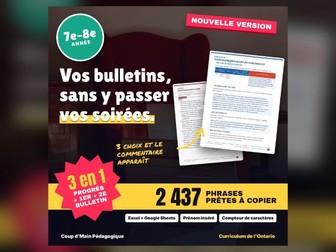
Writing thirty fair, varied and caring report card comments takes whole evenings. The hard part is not the first sentence. It is the fifteenth, when you are still looking for another way to say that a student reads independently, and it is the second report card, when you don’t want parents to reread November’s comment word for word. This French generator solves both problems. In Excel or Google Sheets, you choose the student, the subject and the level, and a complete comment writes itself with the student’s first name: one strength, then one concrete next step, exactly as the “Points forts et prochaines étapes pour s’améliorer” box of the official report card asks. Each strand has 5 strengths and 5 next steps per level, which makes 25 combinations. The file spreads them across your students and changes sentences from one report card to the next: progress report, report card 1 and report card 2 in elementary, and every report card in secondary. A “Phrases au choix” tab shows every sentence of a strand with the name filled in, so you can choose a number knowingly. The sentences are neutral and all complete. Learning skills are rated E-T-S-N, including “Utilisation du français oral”, which is specific to French-language schools. The printable PDF bank holds every sentence, with step-by-step instructions for Excel and Google Sheets. This edition (Grades 7 and 8) holds 2,437 French sentences. In math, science and technology, history and geography and health and physical education, each grade now has its own strands, drawn from that grade’s curriculum. Use it to write a whole class’s progress report in one evening, to vary the comments of one group without effort, to reuse the file on the next report card by changing a single setting, to browse ideas on paper with the printed bank, to stay within your board’s character limit thanks to the automatic check, or as a starting point you personalize with a sentence of your own. The instructions are clear enough that there is nothing to learn before you start. Thank you for trusting Coup d’Main Pédagogique! If the generator saves you time, a review helps many other teachers find it. Follow the store to see new resources. — — — Écrire trente commentaires de bulletin justes, différents et bienveillants prend des soirées entières. Le plus difficile n’est pas la première phrase. C’est la quinzième, quand on cherche encore une autre façon de dire qu’un élève lit de façon autonome, et c’est le deuxième bulletin, quand on ne veut pas que les parents relisent mot pour mot le commentaire de novembre. Merci de faire confiance à Coup d’Main Pédagogique ! Si le générateur vous fait gagner du temps, un avis aide beaucoup d’autres enseignants à le trouver. Abonnez-vous à la boutique pour voir passer les nouveautés.
BC Report Card Comments Generator Grades 8-9 | Proficiency Scale Comment BankQuick View
CoupdMainPedagogique

BC Report Card Comments Generator Grades 8-9 | Proficiency Scale Comment Bank

(0)
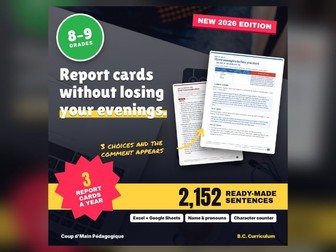
In British Columbia, every written report has to describe what the student can do, in plain language, and name a concrete next step. Writing that thirty times for every area of learning, and then saying it differently on the next report, is exactly where the evenings go. This generator follows the Provincial Proficiency Scale (Emerging, Developing, Proficient, Extending) and its official stems. In Excel or Google Sheets, you choose the student, the subject and the level, and a complete comment writes itself with the name and pronouns: one strength, then a next step with a strategy. Each strand has 5 strengths and 5 next steps per level, which makes 25 combinations. A Current report card setting gives new sentences on every written report. The Sentence Picker tab shows every sentence of a strand with the name filled in. Learning habits are described without a rating, as the province asks. Ready-made sentences also cover Core Competency self-reflection, IEPs, English language learners and IE. The PDF bank holds everything, with instructions for Excel and Google Sheets. This edition (Grades 8 and 9) holds 2,152 sentences for English Language Arts, Core French, Mathematics, Science, Social Studies, Physical and Health Education, Arts Education, Applied Design, Skills, and Technologies and Career Education, plus Learning Habits and special-situation sentences. In math, science, social studies and physical and health education, each grade now has its own strands, drawn from that grade’s curriculum (for example: Social Studies, Grade 8 · Knowledge). Use it to: write a full written report in one evening; keep comments varied within one class; reuse the file on the next report by changing a single setting; browse ideas on paper with the printed bank; start from a solid comment and add a sentence of your own. The instructions are clear enough that there is nothing to learn before you start. Thank you for choosing Coup d’Main Pédagogique! A review helps other teachers find the generator. Follow the store so you don’t miss anything.
French Report Card Comment Generator Ontario Grades 9-10 | Commentaires bulletinQuick View
CoupdMainPedagogique

French Report Card Comment Generator Ontario Grades 9-10 | Commentaires bulletin

(0)
Writing thirty fair, varied and caring report card comments takes whole evenings. The hard part is not the first sentence. It is the fifteenth, when you are still looking for another way to say that a student reads independently, and it is the second report card, when you don’t want parents to reread November’s comment word for word. This French generator solves both problems. In Excel or Google Sheets, you choose the student, the subject and the level, and a complete comment writes itself with the student’s first name: one strength, then one concrete next step, exactly as the “Points forts et prochaines étapes pour s’améliorer” box of the official report card asks. Each strand has 5 strengths and 5 next steps per level, which makes 25 combinations. The file spreads them across your students and changes sentences from one report card to the next: progress report, report card 1 and report card 2 in elementary, and every report card in secondary. A “Phrases au choix” tab shows every sentence of a strand with the name filled in, so you can choose a number knowingly. The sentences are neutral and all complete. Learning skills are rated E-T-S-N, including “Utilisation du français oral”, which is specific to French-language schools. The printable PDF bank holds every sentence, with step-by-step instructions for Excel and Google Sheets. This edition (Grades 9 and 10) holds 4,150 French sentences. Content strands are now specific to each course, with the grade and the course code (for example: Sciences 9e (SNC1W) · Biologie). Use it to write a whole class’s report card in one evening, to vary the comments of one group without effort, to reuse the file on the next report card by changing a single setting, to browse ideas on paper with the printed bank, to stay within your board’s character limit thanks to the automatic check, or as a starting point you personalize with a sentence of your own. The instructions are clear enough that there is nothing to learn before you start. Thank you for trusting Coup d’Main Pédagogique! If the generator saves you time, a review helps many other teachers find it. Follow the store to see new resources. — — — Écrire trente commentaires de bulletin justes, différents et bienveillants prend des soirées entières. Le plus difficile n’est pas la première phrase. C’est la quinzième, quand on cherche encore une autre façon de dire qu’un élève lit de façon autonome, et c’est le deuxième bulletin, quand on ne veut pas que les parents relisent mot pour mot le commentaire de novembre. Merci de faire confiance à Coup d’Main Pédagogique ! Si le générateur vous fait gagner du temps, un avis aide beaucoup d’autres enseignants à le trouver. Abonnez-vous à la boutique pour voir passer les nouveautés.

French Report Card Comment Generator Ontario Gr. 11-12 | Commentaires bulletinQuick View
CoupdMainPedagogique

French Report Card Comment Generator Ontario Gr. 11-12 | Commentaires bulletin

(0)
Writing thirty fair, varied and caring report card comments takes whole evenings. The hard part is not the first sentence. It is the fifteenth, when you are still looking for another way to say that a student reads independently, and it is the second report card, when you don’t want parents to reread November’s comment word for word. This French generator solves both problems. In Excel or Google Sheets, you choose the student, the subject and the level, and a complete comment writes itself with the student’s first name: one strength, then one concrete next step, exactly as the “Points forts et prochaines étapes pour s’améliorer” box of the official report card asks. Each strand has 5 strengths and 5 next steps per level, which makes 25 combinations. The file spreads them across your students and changes sentences from one report card to the next: progress report, report card 1 and report card 2 in elementary, and every report card in secondary. A “Phrases au choix” tab shows every sentence of a strand with the name filled in, so you can choose a number knowingly. The sentences are neutral and all complete. Learning skills are rated E-T-S-N, including “Utilisation du français oral”, which is specific to French-language schools. The printable PDF bank holds every sentence, with step-by-step instructions for Excel and Google Sheets. This edition (Grades 11 and 12) holds 9,762 French sentences. Content strands are now specific to each course, with the grade and the course code, for 46 of the most widely offered Grade 11 and 12 courses (for example: Biologie 11e (SBI3U) · Biodiversité). Use it to write a whole class’s report card in one evening, to vary the comments of one group without effort, to reuse the file on the next report card by changing a single setting, to browse ideas on paper with the printed bank, to stay within your board’s character limit thanks to the automatic check, or as a starting point you personalize with a sentence of your own. The instructions are clear enough that there is nothing to learn before you start. Thank you for trusting Coup d’Main Pédagogique! If the generator saves you time, a review helps many other teachers find it. Follow the store to see new resources. — — — Écrire trente commentaires de bulletin justes, différents et bienveillants prend des soirées entières. Le plus difficile n’est pas la première phrase. C’est la quinzième, quand on cherche encore une autre façon de dire qu’un élève lit de façon autonome, et c’est le deuxième bulletin, quand on ne veut pas que les parents relisent mot pour mot le commentaire de novembre. Merci de faire confiance à Coup d’Main Pédagogique ! Si le générateur vous fait gagner du temps, un avis aide beaucoup d’autres enseignants à le trouver. Abonnez-vous à la boutique pour voir passer les nouveautés.

French Report Card Comment Generator BC Grades 10-12 | Commentaires de bulletinQuick View
CoupdMainPedagogique

French Report Card Comment Generator BC Grades 10-12 | Commentaires de bulletin

(0)
In British Columbia, every written report has to describe what the student can do, in simple words, and name a concrete next step. Writing all that thirty times, in French, for every area, and saying it differently on the next report, is exactly where the evenings disappear. This French generator follows the provincial proficiency scale (émergente, en voie d’acquisition, acquise, approfondie) with its official stems. In Excel or Google Sheets, you choose the student, the subject and the level, and a complete comment writes itself with the first name: one strength, then a next step with a strategy. Each area has 5 strengths and 5 next steps per level, which makes 25 combinations, and a “Bulletin en cours” setting gives new sentences on every written report. The “Phrases au choix” tab shows every sentence of an area with the first name. Learning habits are described without a rating, as the province asks. Ready-made sentences cover Core Competency self-assessment, IEPs, students in francisation and the IE mark. The PDF bank holds everything, with instructions for Excel and Google Sheets. This edition (Grades 10 to 12) holds 3,716 French sentences. In math, science, social studies and physical and health education, strands are now specific to each course. Use it to write a full written report in one evening, to vary the comments of one group, to reuse the file on the next report by changing a single setting, to browse ideas on paper with the printed bank, or as a starting point you personalize with a sentence of your own. The instructions are clear enough that there is nothing to learn before you start. Thank you for trusting Coup d’Main Pédagogique! A review helps other teachers find the generator. Follow the store so you don’t miss anything. — — — En Colombie-Britannique, chaque communication écrite doit décrire ce que l’élève sait faire, en mots simples, et nommer un prochain pas concret. Écrire tout ça trente fois, en français, pour chaque domaine, et le refaire autrement au bulletin suivant, c’est exactement là que les soirées disparaissent. Merci de faire confiance à Coup d’Main Pédagogique ! Un avis aide d’autres enseignants à trouver le générateur. Abonnez-vous à la boutique pour ne rien manquer.
French Report Card Comment Generator BC K-3 | Commentaires de bulletinQuick View
CoupdMainPedagogique

French Report Card Comment Generator BC K-3 | Commentaires de bulletin

(0)
In British Columbia, every written report has to describe what the student can do, in simple words, and name a concrete next step. Writing all that thirty times, in French, for every area, and saying it differently on the next report, is exactly where the evenings disappear. This French generator follows the provincial proficiency scale (émergente, en voie d’acquisition, acquise, approfondie) with its official stems. In Excel or Google Sheets, you choose the student, the subject and the level, and a complete comment writes itself with the first name: one strength, then a next step with a strategy. Each area has 5 strengths and 5 next steps per level, which makes 25 combinations, and a “Bulletin en cours” setting gives new sentences on every written report. The “Phrases au choix” tab shows every sentence of an area with the first name. Learning habits are described without a rating, as the province asks. Ready-made sentences cover Core Competency self-assessment, IEPs, students in francisation and the IE mark. The PDF bank holds everything, with instructions for Excel and Google Sheets. This edition (K to Grade 3) holds 2,684 French sentences. In math, science, social studies and physical and health education, each grade now has its own strands, drawn from that grade’s curriculum. Use it to write a full written report in one evening, to vary the comments of one group, to reuse the file on the next report by changing a single setting, to browse ideas on paper with the printed bank, or as a starting point you personalize with a sentence of your own. The instructions are clear enough that there is nothing to learn before you start. Thank you for trusting Coup d’Main Pédagogique! A review helps other teachers find the generator. Follow the store so you don’t miss anything. — — — En Colombie-Britannique, chaque communication écrite doit décrire ce que l’élève sait faire, en mots simples, et nommer un prochain pas concret. Écrire tout ça trente fois, en français, pour chaque domaine, et le refaire autrement au bulletin suivant, c’est exactement là que les soirées disparaissent. Merci de faire confiance à Coup d’Main Pédagogique ! Un avis aide d’autres enseignants à trouver le générateur. Abonnez-vous à la boutique pour ne rien manquer.
French Report Card Comment Generator BC Grades 4-7 | Commentaires de bulletinQuick View
CoupdMainPedagogique

French Report Card Comment Generator BC Grades 4-7 | Commentaires de bulletin

(0)
In British Columbia, every written report has to describe what the student can do, in simple words, and name a concrete next step. Writing all that thirty times, in French, for every area, and saying it differently on the next report, is exactly where the evenings disappear. This French generator follows the provincial proficiency scale (émergente, en voie d’acquisition, acquise, approfondie) with its official stems. In Excel or Google Sheets, you choose the student, the subject and the level, and a complete comment writes itself with the first name: one strength, then a next step with a strategy. Each area has 5 strengths and 5 next steps per level, which makes 25 combinations, and a “Bulletin en cours” setting gives new sentences on every written report. The “Phrases au choix” tab shows every sentence of an area with the first name. Learning habits are described without a rating, as the province asks. Ready-made sentences cover Core Competency self-assessment, IEPs, students in francisation and the IE mark. The PDF bank holds everything, with instructions for Excel and Google Sheets. This edition (Grades 4 to 7) holds 2,930 French sentences. In math, science, social studies and physical and health education, each grade now has its own strands, drawn from that grade’s curriculum. Use it to write a full written report in one evening, to vary the comments of one group, to reuse the file on the next report by changing a single setting, to browse ideas on paper with the printed bank, or as a starting point you personalize with a sentence of your own. The instructions are clear enough that there is nothing to learn before you start. Thank you for trusting Coup d’Main Pédagogique! A review helps other teachers find the generator. Follow the store so you don’t miss anything. — — — En Colombie-Britannique, chaque communication écrite doit décrire ce que l’élève sait faire, en mots simples, et nommer un prochain pas concret. Écrire tout ça trente fois, en français, pour chaque domaine, et le refaire autrement au bulletin suivant, c’est exactement là que les soirées disparaissent. Merci de faire confiance à Coup d’Main Pédagogique ! Un avis aide d’autres enseignants à trouver le générateur. Abonnez-vous à la boutique pour ne rien manquer.
French Report Card Comment Generator Ontario Grades 4-6 | Commentaires bulletinQuick View
CoupdMainPedagogique

French Report Card Comment Generator Ontario Grades 4-6 | Commentaires bulletin

(0)
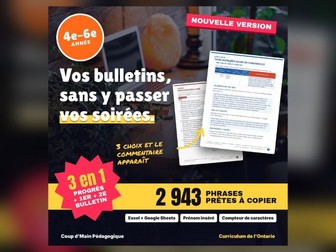
Writing thirty fair, varied and caring report card comments takes whole evenings. The hard part is not the first sentence. It is the fifteenth, when you are still looking for another way to say that a student reads independently, and it is the second report card, when you don’t want parents to reread November’s comment word for word. This French generator solves both problems. In Excel or Google Sheets, you choose the student, the subject and the level, and a complete comment writes itself with the student’s first name: one strength, then one concrete next step, exactly as the “Points forts et prochaines étapes pour s’améliorer” box of the official report card asks. Each strand has 5 strengths and 5 next steps per level, which makes 25 combinations. The file spreads them across your students and changes sentences from one report card to the next: progress report, report card 1 and report card 2 in elementary, and every report card in secondary. A “Phrases au choix” tab shows every sentence of a strand with the name filled in, so you can choose a number knowingly. The sentences are neutral and all complete. Learning skills are rated E-T-S-N, including “Utilisation du français oral”, which is specific to French-language schools. The printable PDF bank holds every sentence, with step-by-step instructions for Excel and Google Sheets. This edition (Grades 4 to 6) holds 2,943 French sentences. In math, science and technology, social studies and health and physical education, each grade now has its own strands, drawn from that grade’s curriculum. Use it to write a whole class’s progress report in one evening, to vary the comments of one group without effort, to reuse the file on the next report card by changing a single setting, to browse ideas on paper with the printed bank, to stay within your board’s character limit thanks to the automatic check, or as a starting point you personalize with a sentence of your own. The instructions are clear enough that there is nothing to learn before you start. Thank you for trusting Coup d’Main Pédagogique! If the generator saves you time, a review helps many other teachers find it. Follow the store to see new resources. — — — Écrire trente commentaires de bulletin justes, différents et bienveillants prend des soirées entières. Le plus difficile n’est pas la première phrase. C’est la quinzième, quand on cherche encore une autre façon de dire qu’un élève lit de façon autonome, et c’est le deuxième bulletin, quand on ne veut pas que les parents relisent mot pour mot le commentaire de novembre. Merci de faire confiance à Coup d’Main Pédagogique ! Si le générateur vous fait gagner du temps, un avis aide beaucoup d’autres enseignants à le trouver. Abonnez-vous à la boutique pour voir passer les nouveautés.

BC Report Card Comments Generator K-3 | Proficiency Scale Comment BankQuick View
CoupdMainPedagogique

BC Report Card Comments Generator K-3 | Proficiency Scale Comment Bank

(0)
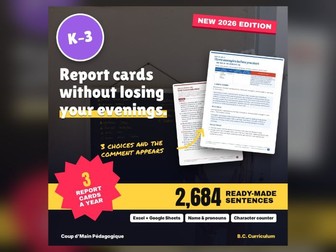
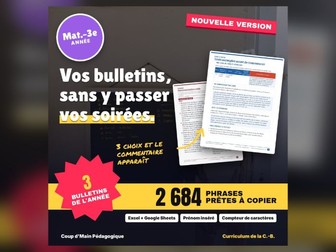
In British Columbia, every written report has to describe what the student can do, in plain language, and name a concrete next step. Writing that thirty times for every area of learning, and then saying it differently on the next report, is exactly where the evenings go. This generator follows the Provincial Proficiency Scale (Emerging, Developing, Proficient, Extending) and its official stems. In Excel or Google Sheets, you choose the student, the subject and the level, and a complete comment writes itself with the name and pronouns: one strength, then a next step with a strategy. Each strand has 5 strengths and 5 next steps per level, which makes 25 combinations. A Current report card setting gives new sentences on every written report. The Sentence Picker tab shows every sentence of a strand with the name filled in. Learning habits are described without a rating, as the province asks. Ready-made sentences also cover Core Competency self-reflection, IEPs, English language learners and IE. The PDF bank holds everything, with instructions for Excel and Google Sheets. This edition (Kindergarten to Grade 3) holds 2,684 sentences for English Language Arts, Mathematics, Science, Social Studies, Physical and Health Education, Arts Education and Career Education, plus Learning Habits and special-situation sentences. In math, science, social studies and physical and health education, each grade now has its own strands, drawn from that grade’s curriculum (for example: Social Studies, Kindergarten · Knowledge). Use it to: write a full written report in one evening; keep comments varied within one class; reuse the file on the next report by changing a single setting; browse ideas on paper with the printed bank; start from a solid comment and add a sentence of your own. The instructions are clear enough that there is nothing to learn before you start. Thank you for choosing Coup d’Main Pédagogique! A review helps other teachers find the generator. Follow the store so you don’t miss anything.
BC Report Card Comments Generator Grades 4-7 | Proficiency Scale Comment BankQuick View
CoupdMainPedagogique

BC Report Card Comments Generator Grades 4-7 | Proficiency Scale Comment Bank

(0)
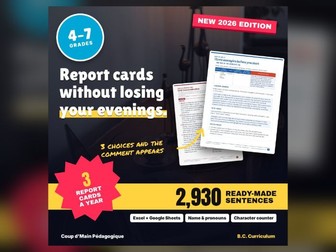
In British Columbia, every written report has to describe what the student can do, in plain language, and name a concrete next step. Writing that thirty times for every area of learning, and then saying it differently on the next report, is exactly where the evenings go. This generator follows the Provincial Proficiency Scale (Emerging, Developing, Proficient, Extending) and its official stems. In Excel or Google Sheets, you choose the student, the subject and the level, and a complete comment writes itself with the name and pronouns: one strength, then a next step with a strategy. Each strand has 5 strengths and 5 next steps per level, which makes 25 combinations. A Current report card setting gives new sentences on every written report. The Sentence Picker tab shows every sentence of a strand with the name filled in. Learning habits are described without a rating, as the province asks. Ready-made sentences also cover Core Competency self-reflection, IEPs, English language learners and IE. The PDF bank holds everything, with instructions for Excel and Google Sheets. This edition (Grades 4 to 7) holds 2,930 sentences for English Language Arts, Core French, Mathematics, Science, Social Studies, Physical and Health Education, Arts Education, Applied Design, Skills, and Technologies and Career Education, plus Learning Habits and special-situation sentences. In math, science, social studies and physical and health education, each grade now has its own strands, drawn from that grade’s curriculum (for example: Social Studies, Grade 4 · Knowledge). Use it to: write a full written report in one evening; keep comments varied within one class; reuse the file on the next report by changing a single setting; browse ideas on paper with the printed bank; start from a solid comment and add a sentence of your own. The instructions are clear enough that there is nothing to learn before you start. Thank you for choosing Coup d’Main Pédagogique! A review helps other teachers find the generator. Follow the store so you don’t miss anything.
French Report Card Comment Generator BC Grades 8-9 | Commentaires de bulletinQuick View
CoupdMainPedagogique

French Report Card Comment Generator BC Grades 8-9 | Commentaires de bulletin

(0)
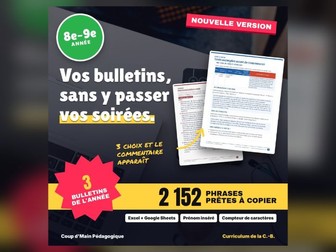
In British Columbia, every written report has to describe what the student can do, in simple words, and name a concrete next step. Writing all that thirty times, in French, for every area, and saying it differently on the next report, is exactly where the evenings disappear. This French generator follows the provincial proficiency scale (émergente, en voie d’acquisition, acquise, approfondie) with its official stems. In Excel or Google Sheets, you choose the student, the subject and the level, and a complete comment writes itself with the first name: one strength, then a next step with a strategy. Each area has 5 strengths and 5 next steps per level, which makes 25 combinations, and a “Bulletin en cours” setting gives new sentences on every written report. The “Phrases au choix” tab shows every sentence of an area with the first name. Learning habits are described without a rating, as the province asks. Ready-made sentences cover Core Competency self-assessment, IEPs, students in francisation and the IE mark. The PDF bank holds everything, with instructions for Excel and Google Sheets. This edition (Grades 8 and 9) holds 2,152 French sentences. In math, science, social studies and physical and health education, each grade now has its own strands, drawn from that grade’s curriculum. Use it to write a full written report in one evening, to vary the comments of one group, to reuse the file on the next report by changing a single setting, to browse ideas on paper with the printed bank, or as a starting point you personalize with a sentence of your own. The instructions are clear enough that there is nothing to learn before you start. Thank you for trusting Coup d’Main Pédagogique! A review helps other teachers find the generator. Follow the store so you don’t miss anything. — — — En Colombie-Britannique, chaque communication écrite doit décrire ce que l’élève sait faire, en mots simples, et nommer un prochain pas concret. Écrire tout ça trente fois, en français, pour chaque domaine, et le refaire autrement au bulletin suivant, c’est exactement là que les soirées disparaissent. Merci de faire confiance à Coup d’Main Pédagogique ! Un avis aide d’autres enseignants à trouver le générateur. Abonnez-vous à la boutique pour ne rien manquer.
BC Report Card Comments Generator Grades 10-12 | Proficiency Scale Comment BankQuick View
CoupdMainPedagogique

BC Report Card Comments Generator Grades 10-12 | Proficiency Scale Comment Bank

(0)
In British Columbia, every written report has to describe what the student can do, in plain language, and name a concrete next step. Writing that thirty times for every area of learning, and then saying it differently on the next report, is exactly where the evenings go. This generator follows the Provincial Proficiency Scale (Emerging, Developing, Proficient, Extending) and its official stems. In Excel or Google Sheets, you choose the student, the subject and the level, and a complete comment writes itself with the name and pronouns: one strength, then a next step with a strategy. Each strand has 5 strengths and 5 next steps per level, which makes 25 combinations. A Current report card setting gives new sentences on every written report. The Sentence Picker tab shows every sentence of a strand with the name filled in. Learning habits are described without a rating, as the province asks. Ready-made sentences also cover Core Competency self-reflection, IEPs, English language learners and IE. The PDF bank holds everything, with instructions for Excel and Google Sheets. This edition (Grades 10 to 12) holds 3,716 sentences for English Language Arts, Core French, Mathematics, Science, Social Studies, Physical and Health Education, Arts Education, Applied Design, Skills, and Technologies and Career Education, plus Learning Habits and special-situation sentences. In math, science, social studies and physical and health education, content strands are now specific to each course (for example: Anatomy and Physiology 12 · Cell Biochemistry and Genetics). Use it to: write a full written report in one evening; keep comments varied within one class; reuse the file on the next report by changing a single setting; browse ideas on paper with the printed bank; start from a solid comment and add a sentence of your own. The instructions are clear enough that there is nothing to learn before you start. Thank you for choosing Coup d’Main Pédagogique! A review helps other teachers find the generator. Follow the store so you don’t miss anything.
French Report Card Comment Generator Ontario Grades 1-3 | Commentaires bulletinQuick View
CoupdMainPedagogique

French Report Card Comment Generator Ontario Grades 1-3 | Commentaires bulletin

(0)
Writing thirty fair, varied and caring report card comments takes whole evenings. The hard part is not the first sentence. It is the fifteenth, when you are still looking for another way to say that a student reads independently, and it is the second report card, when you don’t want parents to reread November’s comment word for word. This French generator solves both problems. In Excel or Google Sheets, you choose the student, the subject and the level, and a complete comment writes itself with the student’s first name: one strength, then one concrete next step, exactly as the “Points forts et prochaines étapes pour s’améliorer” box of the official report card asks. Each strand has 5 strengths and 5 next steps per level, which makes 25 combinations. The file spreads them across your students and changes sentences from one report card to the next: progress report, report card 1 and report card 2 in elementary, and every report card in secondary. A “Phrases au choix” tab shows every sentence of a strand with the name filled in, so you can choose a number knowingly. The sentences are neutral and all complete. Learning skills are rated E-T-S-N, including “Utilisation du français oral”, which is specific to French-language schools. The printable PDF bank holds every sentence, with step-by-step instructions for Excel and Google Sheets. This edition (Grades 1 to 3) holds 2,777 French sentences. In math, science and technology, social studies and health and physical education, each grade now has its own strands, drawn from that grade’s curriculum. Use it to write a whole class’s progress report in one evening, to vary the comments of one group without effort, to reuse the file on the next report card by changing a single setting, to browse ideas on paper with the printed bank, to stay within your board’s character limit thanks to the automatic check, or as a starting point you personalize with a sentence of your own. The instructions are clear enough that there is nothing to learn before you start. Thank you for trusting Coup d’Main Pédagogique! If the generator saves you time, a review helps many other teachers find it. Follow the store to see new resources. — — — Écrire trente commentaires de bulletin justes, différents et bienveillants prend des soirées entières. Le plus difficile n’est pas la première phrase. C’est la quinzième, quand on cherche encore une autre façon de dire qu’un élève lit de façon autonome, et c’est le deuxième bulletin, quand on ne veut pas que les parents relisent mot pour mot le commentaire de novembre. Merci de faire confiance à Coup d’Main Pédagogique ! Si le générateur vous fait gagner du temps, un avis aide beaucoup d’autres enseignants à le trouver. Abonnez-vous à la boutique pour voir passer les nouveautés.
Ontario Report Card Comments Generator Grades 7-8 | Bank + Learning SkillsQuick View
CoupdMainPedagogique

Ontario Report Card Comments Generator Grades 7-8 | Bank + Learning Skills

(0)
Writing thirty fair, specific and kind report card comments takes whole evenings. The hard part is not the first sentence. It is the fifteenth, when you are still looking for another way to say a student reads independently. It is also the second report card, when you do not want families to reread November’s comment word for word. This generator solves both problems. In Excel or Google Sheets, you choose the student, the subject and the level, and a complete comment writes itself with the student’s name and pronouns. Each comment gives one strength, then one concrete next step, exactly what the Strengths/Next Steps for Improvement box asks for. Each strand has 5 strengths and 5 next steps per level, which makes 25 combinations. The file spreads them across your students and changes sentences from one report to the next: Progress Report, Report Card 1 and Report Card 2 in elementary, and every report in secondary. A Sentence Picker tab shows every sentence of a strand with the name filled in, so you can choose a number knowingly. Learning Skills use E, G, S and N ratings. Every sentence is complete and Canadian-spelled. The printable PDF bank holds every sentence, with step-by-step instructions for Excel and Google Sheets. This edition (Grades 7 and 8) holds 2,397 sentences for Language, French as a Second Language, Mathematics, Science and Technology, History, Geography, Health and Physical Education and The Arts, plus Learning Skills and special-situation sentences. In math, science and technology, history and geography and health and physical education, each grade now has its own strands, drawn from that grade’s curriculum (for example: History, Grade 8 · Creating Canada, 1850-1890). Use it to: write a whole class’s Progress Report in one evening; keep comments varied within one class without effort; reuse the file on the next report card by changing a single setting; browse ideas on paper with the printed bank; stay under your board’s character limit with the built-in check; start from a solid comment and add a sentence of your own. The instructions are clear enough that there is nothing to learn before you start. Thank you for choosing Coup d’Main Pédagogique! If the generator saves you time, a review helps other teachers find it. Follow the store for new resources.
Ontario Report Card Comments Generator Grades 9-10 | Bank + Learning SkillsQuick View
CoupdMainPedagogique

Ontario Report Card Comments Generator Grades 9-10 | Bank + Learning Skills

(0)
Writing thirty fair, specific and kind report card comments takes whole evenings. The hard part is not the first sentence. It is the fifteenth, when you are still looking for another way to say a student reads independently. It is also the second report card, when you do not want families to reread November’s comment word for word. This generator solves both problems. In Excel or Google Sheets, you choose the student, the subject and the level, and a complete comment writes itself with the student’s name and pronouns. Each comment gives one strength, then one concrete next step, exactly what the Strengths/Next Steps for Improvement box asks for. Each strand has 5 strengths and 5 next steps per level, which makes 25 combinations. The file spreads them across your students and changes sentences from one report to the next: Progress Report, Report Card 1 and Report Card 2 in elementary, and every report in secondary. A Sentence Picker tab shows every sentence of a strand with the name filled in, so you can choose a number knowingly. Learning Skills use E, G, S and N ratings. Every sentence is complete and Canadian-spelled. The printable PDF bank holds every sentence, with step-by-step instructions for Excel and Google Sheets. This edition (Grades 9 and 10) holds 4,110 sentences for English, French as a Second Language, Mathematics, Science, Canadian Geography, Canadian History, Civics and Citizenship, Career Studies, Business Studies, Computer Studies, Technological Education, Health and Physical Education and The Arts, plus Learning Skills and special-situation sentences. Content strands are now specific to each course, with the grade and the course code (for example: Science 9 (SNC1W) · Biology). Use it to: write a whole class’s report card comments in one evening; keep comments varied within one class without effort; reuse the file on the next report card by changing a single setting; browse ideas on paper with the printed bank; stay under your board’s character limit with the built-in check; start from a solid comment and add a sentence of your own. The instructions are clear enough that there is nothing to learn before you start. Thank you for choosing Coup d’Main Pédagogique! If the generator saves you time, a review helps other teachers find it. Follow the store for new resources.
Ontario Report Card Comments Generator Grades 11-12 | Bank + Learning SkillsQuick View
CoupdMainPedagogique

Ontario Report Card Comments Generator Grades 11-12 | Bank + Learning Skills

(0)
Writing thirty fair, specific and kind report card comments takes whole evenings. The hard part is not the first sentence. It is the fifteenth, when you are still looking for another way to say a student reads independently. It is also the second report card, when you do not want families to reread November’s comment word for word. This generator solves both problems. In Excel or Google Sheets, you choose the student, the subject and the level, and a complete comment writes itself with the student’s name and pronouns. Each comment gives one strength, then one concrete next step, exactly what the Strengths/Next Steps for Improvement box asks for. Each strand has 5 strengths and 5 next steps per level, which makes 25 combinations. The file spreads them across your students and changes sentences from one report to the next: Progress Report, Report Card 1 and Report Card 2 in elementary, and every report in secondary. A Sentence Picker tab shows every sentence of a strand with the name filled in, so you can choose a number knowingly. Learning Skills use E, G, S and N ratings. Every sentence is complete and Canadian-spelled. The printable PDF bank holds every sentence, with step-by-step instructions for Excel and Google Sheets. This edition (Grades 11 and 12) holds 10,182 sentences for English, French as a Second Language, Mathematics, Science, History, Geography, Politics, Law, Economics, Philosophy, Social Sciences and Humanities, Business Studies, Computer Science, Technological Education, Health and Physical Education, The Arts and Cooperative Education, plus Learning Skills and special-situation sentences. Content strands are now specific to each course, with the grade and the course code, for 46 of the most widely offered Grade 11 and 12 courses (for example: Biology 11 (SBI3U) · Diversity of Living Things). Use it to: write a whole class’s report card comments in one evening; keep comments varied within one class without effort; reuse the file on the next report card by changing a single setting; browse ideas on paper with the printed bank; stay under your board’s character limit with the built-in check; start from a solid comment and add a sentence of your own. The instructions are clear enough that there is nothing to learn before you start. Thank you for choosing Coup d’Main Pédagogique! If the generator saves you time, a review helps other teachers find it. Follow the store for new resources.
Ontario Report Card Comments Generator Grades 1-3 | Bank + Learning SkillsQuick View
CoupdMainPedagogique

Ontario Report Card Comments Generator Grades 1-3 | Bank + Learning Skills

(0)
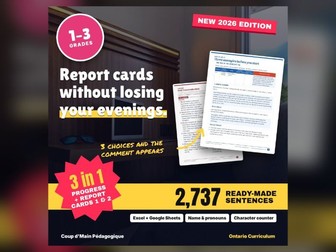
Writing thirty fair, specific and kind report card comments takes whole evenings. The hard part is not the first sentence. It is the fifteenth, when you are still looking for another way to say a student reads independently. It is also the second report card, when you do not want families to reread November’s comment word for word. This generator solves both problems. In Excel or Google Sheets, you choose the student, the subject and the level, and a complete comment writes itself with the student’s name and pronouns. Each comment gives one strength, then one concrete next step, exactly what the Strengths/Next Steps for Improvement box asks for. Each strand has 5 strengths and 5 next steps per level, which makes 25 combinations. The file spreads them across your students and changes sentences from one report to the next: Progress Report, Report Card 1 and Report Card 2 in elementary, and every report in secondary. A Sentence Picker tab shows every sentence of a strand with the name filled in, so you can choose a number knowingly. Learning Skills use E, G, S and N ratings. Every sentence is complete and Canadian-spelled. The printable PDF bank holds every sentence, with step-by-step instructions for Excel and Google Sheets. This edition (Grades 1 to 3) holds 2,737 sentences for Language, Mathematics, Science and Technology, Social Studies, Health and Physical Education and The Arts, plus Learning Skills and special-situation sentences. In math, science and technology, social studies and health and physical education, each grade now has its own strands, drawn from that grade’s curriculum (for example: Social Studies, Grade 1 · Heritage and Identity). Use it to: write a whole class’s Progress Report in one evening; keep comments varied within one class without effort; reuse the file on the next report card by changing a single setting; browse ideas on paper with the printed bank; stay under your board’s character limit with the built-in check; start from a solid comment and add a sentence of your own. The instructions are clear enough that there is nothing to learn before you start. Thank you for choosing Coup d’Main Pédagogique! If the generator saves you time, a review helps other teachers find it. Follow the store for new resources.
Ontario Report Card Comments Generator Grades 4-6 | Bank + Learning SkillsQuick View
CoupdMainPedagogique

Ontario Report Card Comments Generator Grades 4-6 | Bank + Learning Skills

(0)
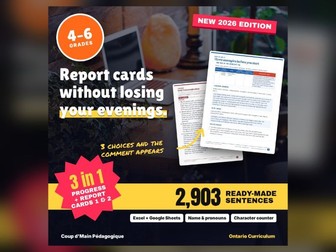
Writing thirty fair, specific and kind report card comments takes whole evenings. The hard part is not the first sentence. It is the fifteenth, when you are still looking for another way to say a student reads independently. It is also the second report card, when you do not want families to reread November’s comment word for word. This generator solves both problems. In Excel or Google Sheets, you choose the student, the subject and the level, and a complete comment writes itself with the student’s name and pronouns. Each comment gives one strength, then one concrete next step, exactly what the Strengths/Next Steps for Improvement box asks for. Each strand has 5 strengths and 5 next steps per level, which makes 25 combinations. The file spreads them across your students and changes sentences from one report to the next: Progress Report, Report Card 1 and Report Card 2 in elementary, and every report in secondary. A Sentence Picker tab shows every sentence of a strand with the name filled in, so you can choose a number knowingly. Learning Skills use E, G, S and N ratings. Every sentence is complete and Canadian-spelled. The printable PDF bank holds every sentence, with step-by-step instructions for Excel and Google Sheets. This edition (Grades 4 to 6) holds 2,903 sentences for Language, French as a Second Language, Mathematics, Science and Technology, Social Studies, Health and Physical Education and The Arts, plus Learning Skills and special-situation sentences. In math, science and technology, social studies and health and physical education, each grade now has its own strands, drawn from that grade’s curriculum (for example: Social Studies, Grade 4 · Heritage and Identity). Use it to: write a whole class’s Progress Report in one evening; keep comments varied within one class without effort; reuse the file on the next report card by changing a single setting; browse ideas on paper with the printed bank; stay under your board’s character limit with the built-in check; start from a solid comment and add a sentence of your own. The instructions are clear enough that there is nothing to learn before you start. Thank you for choosing Coup d’Main Pédagogique! If the generator saves you time, a review helps other teachers find it. Follow the store for new resources.
French Immersion Grade 2 Procedural Text Recipe | Les biscuits de Mamie LouQuick View
CoupdMainPedagogique

French Immersion Grade 2 Procedural Text Recipe | Les biscuits de Mamie Lou

(0)
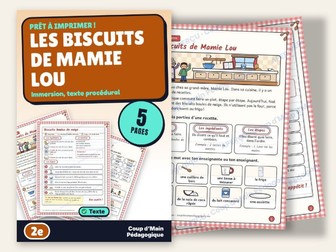
A real no-bake recipe, snowball cookies, presented as a page from Mamie Lou’s recipe book. For Grade 2 French Immersion: the kitchen words are introduced with pictures before reading. Students identify the parts of a recipe, read quantities, choose imperative verbs, use en premier, ensuite and enfin, then glue six pictures back in order. A partner speaking game completes the set. Teacher page with a three-period plan, answer key and links to the Ontario and B.C. curricula. Five pages, in French. Thank you! A review helps me a lot. Follow the store to see the next resources. — — — Une vraie recette sans four, les biscuits boules de neige, présentée comme une fiche du livre de recettes de Mamie Lou. Pour la 2e année en immersion française : les mots de la cuisine sont donnés en images avant la lecture. Les élèves repèrent les parties d’une recette, lisent des quantités, choisissent des verbes à l’impératif, placent en premier, ensuite et enfin, puis recollent six images dans l’ordre. Un jeu oral en duo complète le tout. Page de l’enseignant avec déroulement en trois périodes, corrigé et lien avec les programmes de l’Ontario et de la C.-B. Cinq pages, en français. Merci ! Un avis m’aide beaucoup. Suivez la boutique pour voir passer les prochaines ressources.
French Immersion Grade 3 Weather Report Reading | La météo de ZoéQuick View
CoupdMainPedagogique

French Immersion Grade 3 Weather Report Reading | La météo de Zoé

(0)
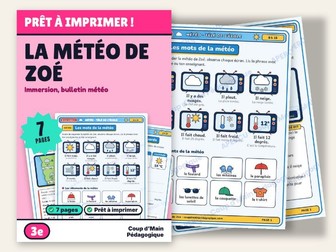
A weather report presented as a school TV show, for Grade 3 French Immersion. Vocabulary comes through pictures first: eight weather screens and eight pieces of clothing, without translation. The ten questions have students read a chart and a map, choose clothing, read between the lines and correct « Je suis froid ». To finish, each student presents tomorrow’s weather to a partner, using « il va ». Teacher page with a three-period plan, answer key and links to the Ontario and B.C. curricula. Seven pages, in French. Thank you! A review helps me a lot. Follow the store to see the next resources. — — — Un bulletin météo présenté comme une émission de la télé de l’école, pour la 3e année en immersion française. Le vocabulaire arrive par l’image : huit écrans météo et huit vêtements, sans traduire. Les dix questions font lire un tableau et une carte, choisir des vêtements, lire entre les lignes et corriger « Je suis froid ». Pour finir, chaque élève présente la météo de demain en duo, avec « il va ». Page de l’enseignant avec déroulement en trois périodes, corrigé et lien avec les programmes de l’Ontario et de la C.-B. Sept pages, en français. Merci ! Un avis m’aide beaucoup. Suivez la boutique pour voir passer les prochaines ressources.
French Immersion Grade 3 Structures STEM Challenge | Le défi de la tour solideQuick View
CoupdMainPedagogique

French Immersion Grade 3 Structures STEM Challenge | Le défi de la tour solide

(0)
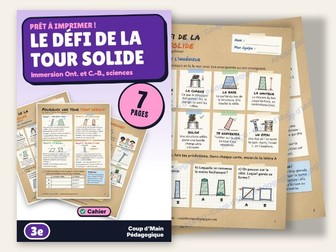
The tallest possible tower with ten sheets of paper, tape and modelling clay, and it must hold cubes for ten seconds: that is the challenge in this engineering notebook for Grade 3 French immersion. Seven pages: engineering words with sketches, the four secrets of a stable structure, the story of a team whose first tower falls before the second one succeeds, questions on compression and tension, then the challenge with a plan, a three-trial chart, a conclusion and an oral activity in pairs. Answer key and links to the Ontario and B.C. curricula included. Thank you! A review, even a short one, helps the store a lot. — — — La tour la plus haute possible avec dix feuilles de papier, du ruban et de la pâte à modeler, qui doit porter des cubes pendant dix secondes : c’est le défi de ce cahier d’ingénieur pour la 3e année en immersion. Sept pages : les mots de l’ingénieur en croquis, les quatre secrets d’une structure stable, l’histoire d’une équipe qui rate puis réussit sa tour, des questions sur la compression et la tension, puis le défi avec plan, tableau de trois essais, conclusion et oral en duo. Corrigé et lien avec les programmes de l’Ontario et de la C.-B. inclus. Merci ! Un avis, même court, aide beaucoup la boutique.