Creating a Superhero Movie Trailer (Movie Maker)Quick View
Wolves_CLC

Creating a Superhero Movie Trailer (Movie Maker)

(14)
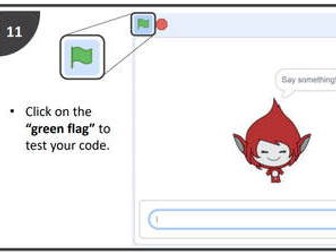
In this mini series of lessons, pupils will create a short movie trailer, using Windows Movie Maker, for a fictitious superhero movie using a selection of pre-prepared clips taken from YouTube. In this project pupils will explore how a movie develops from a storyboard to on screen and how music and sound can affect the feel of a movie. Note: Due to shear size and number of resources for these sequence of lessons, some of the resources required for this lesson including help guides, video clips, model examples, and starter activities can be found on the webpage attached.
FlowchartsQuick View
Wolves_CLC

Flowcharts

(0)
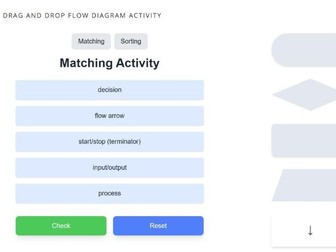
Learning Objectives: Understand algorithms (written in pseudocode or flow diagram), explain what they do, and correct or complete them Produce algorithms in pseudocode or flow diagrams to solve problems
Introduction to algorithms (Making the Tea)Quick View
Wolves_CLC

Introduction to algorithms (Making the Tea)

(9)
This is a starter activity I use to introduce algorithms. Print and cut out the attached instructions for making a cup of tea. Instruct students to put the instructions in the correct order. Explain that an algorithm is basically a set of instructions for solving a problem.
Spreadsheet Picture Quiz TemplateQuick View
Wolves_CLC

Spreadsheet Picture Quiz Template

(8)
How to create a picture quiz using Microsoft Excel. Includes template, starter, example, instructions and help guide. Introduces students to IF statements, conditional formatting and general formatting.
Let it snow!Quick View
Wolves_CLC

Let it snow!

(0)
This festive-themed lesson introduces students to Python programming by drawing snowflakes using the Turtle graphics library. Learning Objectives Understand and apply sequence and iteration in algorithms. Use loops (FOR and WHILE) to simplify repetitive tasks. Develop problem-solving skills by decomposing tasks into smaller steps. Practice debugging and refining code.
Binary Escape ChallengeQuick View
Wolves_CLC

Binary Escape Challenge

(0)
Can your students crack the code and ESCAPE in time? Dive into the Binary Escape Room, a thrilling digital challenge where learners must solve binary puzzles to break free! Perfect for computing / transition lessons. Includes password protected escape room timer
What's your elf name? (Python)Quick View
Wolves_CLC

What's your elf name? (Python)

(0)
In this lesson, students will learn to code an “Elf Name Generator” in Python. They will develop their understanding of sequences, iteration (FOR and WHILE loops), and data structures (Lists and Dictionaries) in an algorithm.
Mario Kart Spreadsheet Activity - Lesson 1Quick View
Wolves_CLC

Mario Kart Spreadsheet Activity - Lesson 1

(3)
Example of how to use games to support teaching and learning in ICT. These lessons are aimed at KS4 and have been linked to the new WJEC GCSE ICT specification however, these lessons can easily be adapted for any specification or key stage. Students will take it in turns to complete Time Trials around a specified circuit using Mario Kart (or any game that generates times). The students will then compile the raw data generated by the class and use this to produce a spreadsheet model. You have permission to print, copy and distribute these resources freely.
Computing Theory: Binary Representation of ImagesQuick View
Wolves_CLC

Computing Theory: Binary Representation of Images

(2)
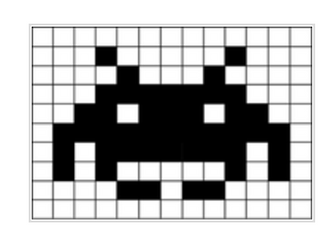
Overview: In this lesson, students learn how a computer represents an image using binary. Learning Objectives: • Explain the representation of an image as a series of pixels represented in binary • Explain the need for metadata to be included in the file such as height, width and colour depth • Discuss the effect of colour depth and resolution on the size of an image file
Storage devices (Top Trumps)Quick View
Wolves_CLC

Storage devices (Top Trumps)

(4)
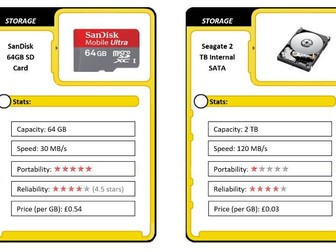
Overview:This lesson teaches students about the different methods of storage using a variation of the popular game - Top Trumps. Learning Objectives: - Explain the need for secondary storage - Describe common storage technologies such as optical, magnetic and solid state - Select suitable storage devices and storage media for a given application and justify their choice using characteristics such as capacity, speed, portability, durability and reliability
Creating an advert using PowerPoint & Movie MakerQuick View
Wolves_CLC

Creating an advert using PowerPoint & Movie Maker

(4)
This is a project I developed to explain the System Life Cycle. In this project, students are required to use the System Life Cycle to create a solution for a fictitious client (Home & Away Travel Services Ltd). In this example, students are asked to create an online advertisement for the company (using PowerPoint and Movie Maker) however, using the scenario and supplied resources, this model can be applied to any project e.g. Website, advertising banner (Flash), podcast (Aduacity / Movie Maker), database or spreadsheet etc.
How to import flash into PowerPoint -with examplesQuick View
Wolves_CLC

How to import flash into PowerPoint -with examples

(4)
As a teacher, I often like to use flash based content, such as Flash based timers whilst displaying instructions or learning objectives in a PowerPoint. This short tutorial explains how to easily embed flash based content directly in to your PowerPoint Presentations. (Note: All the attached files MUST be saved into the same folder)
Computing Theory: Binary Representation of Sound lessonQuick View
Wolves_CLC

Computing Theory: Binary Representation of Sound lesson

(1)
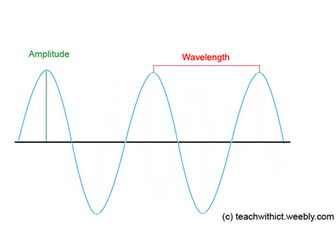
Overview: In this lesson, students explore how sound is represented in a computer system. Learning Objectives: • Explain how sound can be sampled and stored in digital form • Explain how sampling intervals and other considerations affect the size of a sound file and the quality of its playback
Mario Kart Spreadsheet Activity - Lesson 2Quick View
Wolves_CLC

Mario Kart Spreadsheet Activity - Lesson 2

(0)
Example of how to use games to support teaching and learning in ICT. These lessons are aimed at KS4 and have been linked to the new WJEC GCSE ICT specification however, these lessons can easily be adapted for any specification or key stage. Students will take it in turns to complete Time Trials around a specified circuit using Mario Kart (or any game that generates times). The students will then compile the raw data generated by the class and use this to produce a spreadsheet model. You have permission to print, copy and distribute these resources freely.
AfL – Traffic Lights (Requires flash player)Quick View
Wolves_CLC

AfL – Traffic Lights (Requires flash player)

(2)
Modern take on the traditional traffic light system. I use this during each practical lesson to obtain quick visual feedback on student’s progress or level of understanding. Students click on the green emoticon if they are happy with work; if they aren’t sure they click on the amber emoticon; if they need more help, they click on the red emoticon. (Requires flash player to work)