bonus worksheet - 11-14 year olds - post processing and finishing touchesQuick View
j_k_arthur69

bonus worksheet - 11-14 year olds - post processing and finishing touches

(0)
The file is a worksheet designed for 11-14-year-old students focusing on post-processing and finishing touches in 3D printing. It includes tasks and questions aimed at helping students understand the importance of post-processing, explore various techniques, and engage in hands-on activities. Sections include defining post-processing, discussing its importance, listing techniques, performing a hands-on activity, exploring finishing touches, and reflecting on before-and-after comparisons of 3D printed objects. The worksheet concludes with a reflection on the impact of post-processing on the quality and user experience of 3D printed items.
11-14 year olds - 3D printing summary worksheetQuick View
j_k_arthur69

11-14 year olds - 3D printing summary worksheet

(0)
The file is a summary worksheet of the 12 lessons designed for 11-14-year-old students to build a foundational understanding of 3D printing concepts and applications. It is structured into multiple sessions, each focusing on different aspects of 3D printing, including: Basic definitions, importance, and types of 3D printing technologies. The working process and components of a 3D printer. Introduction to 3D modeling and a hands-on activity involving designing and printing an object. Exploration of common materials and their significance in 3D printing. Practical applications in everyday life and artistic uses of 3D printing. A group project to design and print a miniature town, emphasizing teamwork and reflection. Discussion on future trends and their potential impact on industries and daily life. A showcase session for presenting 3D printed projects. The worksheet concludes with reflective questions encouraging students to share what they learned and how they might use 3D printing in the future.
3D Printing Bundle - 12 lessons - Curriculum for 15-17 year olds - bonus materialQuick View
j_k_arthur69

3D Printing Bundle - 12 lessons - Curriculum for 15-17 year olds - bonus material

16 Resources
These worksheets are crafted to inspire critical thinking, foster collaboration, and promote hands-on exploration of 3D printing concepts across various age groups. You are encouraged to adapt them to suit your unique needs and the dynamics of your classroom. While this collection is not a comprehensive or fully refined set of activities, it serves as a flexible resource to complement your teaching practice. Whether as a starting point or a supplementary tool, these materials can support students in their research and discovery of 3D printing, providing a foundational platform for learning and exploration. What’s included; 1 curriculum template for 15-17 years old students 1 worksheet aimed at 15-17-year olds per session 1 bonus worksheet 12 multiple choice questions with answers for 15-17-year olds – 1 question per session, suggested use is as a ‘lesson exit’ question to check understanding An end of curriculum summary task 15-17-year olds have a case study in session 10 and a collaborative project in session 12 Due to file restrictions there is also a bundle for 11-14 year olds following the parallel curriculum
3D Printing Bundle - 12 lessons - Curriculum for 11-14 year olds  - bonus materialQuick View
j_k_arthur69

3D Printing Bundle - 12 lessons - Curriculum for 11-14 year olds - bonus material

17 Resources
These worksheets are crafted to inspire critical thinking, foster collaboration, and promote hands-on exploration of 3D printing concepts across various age groups. You are encouraged to adapt them to suit your unique needs and the dynamics of your classroom. While this collection is not a comprehensive or fully refined set of activities, it serves as a flexible resource to complement your teaching practice. Whether as a starting point or a supplementary tool, these materials can support students in their research and discovery of 3D printing, providing a foundational platform for learning and exploration. What’s included; 1 curriculum template for 11-14 years old students 1 worksheet aimed at 11-14-year olds per session 1 bonus worksheet 12 multiple choice questions with answers for 11-14-year olds – 1 question per session, suggested use is as a ‘lesson exit’ question to check understanding An end of curriculum summary task 11-14-year olds have a project in session 10 and a 3D printing showcase in session 12 Due to file restrictions there is also a bundle for 15-17 year olds following the parallel curriculum
session 1 - ages 15-17 - Exploring advanced 3D printing WSQuick View
j_k_arthur69

session 1 - ages 15-17 - Exploring advanced 3D printing WS

(0)
a simple worksheet made up of 6 parts asking pupils to complete tasks in each section, and a bonus section. sections included; 1 - advanced concepts in 3D printing 2 - emerging technologies in 3D printing 3 - industry applications 4 - 3D printing design and software 5 - career exploration in 3D printing 6 - critical analysis and future trends bonus - industry partnership projects This can be used as a standalone research task or can be broken down into individual tasks to be used as necessary
session 2 ages 15-17 - advanced types of 3D printing technologiesQuick View
j_k_arthur69

session 2 ages 15-17 - advanced types of 3D printing technologies

(0)
a simple worksheet made up of 4 parts asking pupils to complete tasks in each section, and a bonus section. sections included; 1 - advanced types of 3D printing technologies 2 - advantages and disadvantages 3 - application exploration of each type 4 - comparison table This can be used as a standalone research task or can be broken down into individual tasks to be used as necessary
session 3 age 11-14 - components of a 3D printerQuick View
j_k_arthur69

session 3 age 11-14 - components of a 3D printer

(0)
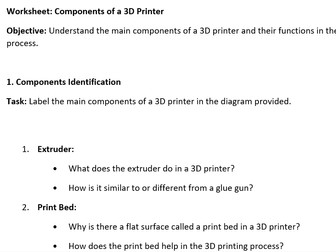
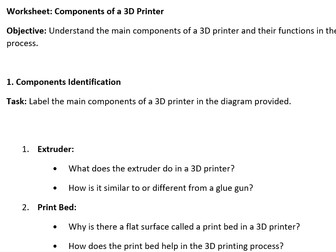
a simple worksheet made up of 4 parts asking pupils to complete tasks in each section. Sections included; 1 - components identification 2 - troubleshooting basics 3 - maintenance and calibration 4 - real world application Page 3 includes pictures of a 3D printer to be labelled and used with section 1. This can be used as a standalone research task or can be broken down into individual tasks to be used as necessary
session 1  - ages 11-14 - Exploring 3D printing WSQuick View
j_k_arthur69

session 1 - ages 11-14 - Exploring 3D printing WS

(0)
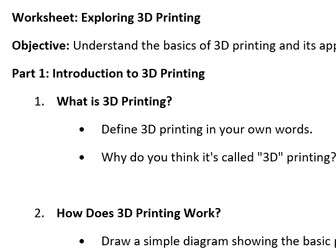
a simple worksheet made up of 6 parts asking pupils to complete tasks in each section, and a bonus section. sections included; 1 - introduction to 3D printing 2 - types of 3D printing 3 - applications of 3D printing 4 - 3D printing in action 5 - design your 3D object 6 - reflection bonus: design a 3D printing poster This can be used as a standalone research task or can be broken down into individual tasks to be used as necessary
session 2 ages 11-14 - types of 3D printing technologiesQuick View
j_k_arthur69

session 2 ages 11-14 - types of 3D printing technologies

(0)
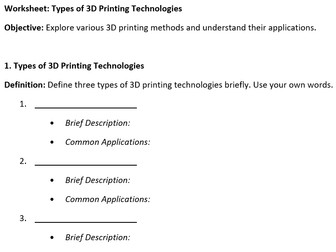
a simple worksheet made up of 4 parts asking pupils to complete tasks in each section. sections included; 1 - Types of 3D printing technologies 2 - advantages and disadvantages 3 - application exploration 4 - comparison chart of each type This can be used as a standalone research task or can be broken down into individual tasks to be used as necessary
session 5 - ages 11-14 - introduction to 3D modelling softwareQuick View
j_k_arthur69

session 5 - ages 11-14 - introduction to 3D modelling software

(0)
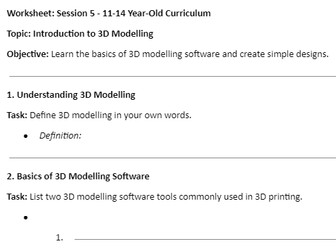
a simple worksheet made up of 4 parts asking pupils to complete tasks in each section. Sections included; 1 - understanding 3D modelling 2 - basics of 3D modelling software 3 - creating basic shapes 4 - designing a simple object This can be used as a standalone research task or can be broken down into individual tasks to be used as necessary. note: TinkerCAD is my software of choice when first starting to teach about 3D modelling. It is an excellent online based software tool very accessible to students with a good user interface and tutorial to allow students to develop at their own pace, as well as having a number of other useful features like being able to set up classes where students can save work and you have access to their gallery of designs
session 5 ages 15-17 advanced 3D modellingQuick View
j_k_arthur69

session 5 ages 15-17 advanced 3D modelling

(0)
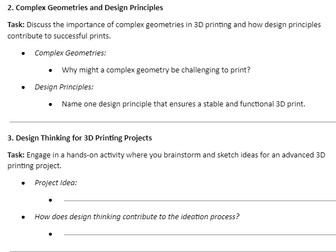
Tasks on worksheet: 1 - Exploring Advanced 3D Modelling Software 2 - Complex Geometries and Design Principles 3 - Design Thinking for 3D Printing Projects 4 - Reflecting on the Design Process This can be used as a standalone research task or can be broken down into individual tasks to be used as necessary. note: TinkerCAD is my software of choice when first starting to teach about 3D modelling. It is an excellent online based software tool very accessible to students with a good user interface and tutorial to allow students to develop at their own pace, as well as having a number of other useful features like being able to set up classes where students can save work and you have access to their gallery of designs
session 6 ages 11-14 - advanced 3D designQuick View
j_k_arthur69

session 6 ages 11-14 - advanced 3D design

(0)
Tasks on worksheet: 1 - Advanced 3D Design Basics 2 - Designing Complex Objects 3 - Design Principles for 3D Printing 4 - Design Thinking for Projects Conclusion This can be used as a standalone research task or can be broken down into individual tasks to be used as necessary. note: TinkerCAD is my software of choice when first starting to teach about 3D modelling. It is an excellent online based software tool very accessible to students with a good user interface and tutorial to allow students to develop at their own pace, as well as having a number of other useful features like being able to set up classes where students can save work and you have access to their gallery of designs
session 3 ages 15-17 - components of a 3D printerQuick View
j_k_arthur69

session 3 ages 15-17 - components of a 3D printer

(0)
a simple worksheet made up of 4 parts asking pupils to complete tasks in each section. Sections included; 1 - components identification 2 - troubleshooting basics 3 - maintenance and calibration 4 - real world application Page 3 includes pictures of a 3D printer to be labelled and used with section 1. This can be used as a standalone research task or can be broken down into individual tasks to be used as necessary
session 4 - ages 15-17 - 3D printing materialsQuick View
j_k_arthur69

session 4 - ages 15-17 - 3D printing materials

(0)
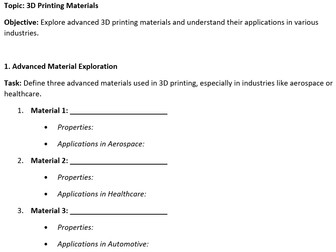
a simple worksheet made up of 4 parts asking pupils to complete tasks in each section. Sections included; 1 - advanced material exploration 2 - material properties and advanced applications 3 - material innovation in industries 4 - future materials This can be used as a standalone research task or can be broken down into individual tasks to be used as necessary
session 4 ages 11-14 - 3D printing materialsQuick View
j_k_arthur69

session 4 ages 11-14 - 3D printing materials

(0)
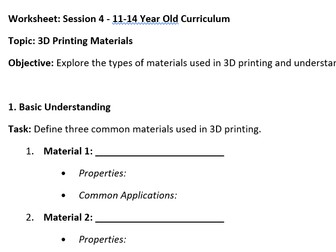
a simple worksheet made up of 4 parts asking pupils to complete tasks in each section. Sections included; 1 - basic understanding of some materials 2 - material properties 3 - material considerations 4 - hands on activity This can be used as a standalone research task or can be broken down into individual tasks to be used as necessary
session 6 ages 15-17 - Design optimisation for advanced printingQuick View
j_k_arthur69

session 6 ages 15-17 - Design optimisation for advanced printing

(0)
Tasks on worksheet: 1 - Introduction to Design Optimization 2 - Techniques for Optimization 3 - Designing for Specific Technologies 4 - Case Studies of Successful Applications Conclusion This can be used as a standalone research task or can be broken down into individual tasks to be used as necessary. note: TinkerCAD is my software of choice when first starting to teach about 3D modelling. It is an excellent online based software tool very accessible to students with a good user interface and tutorial to allow students to develop at their own pace, as well as having a number of other useful features like being able to set up classes where students can save work and you have access to their gallery of designs
session 7 - ages 15-17Quick View
j_k_arthur69

session 7 - ages 15-17

(0)
a simple worksheet made up of 4 parts asking pupils to complete tasks in each section. Sections included; 1 - Introduction to Bioprinting 2 - Applications of Bioprinting 3 - Introduction to Metal Printing 4 - Applications of Metal Printing 5 - conclusion: Reflect on the potential impact of bioprinting and metal 3D printing in various fields. How might these technologies revolutionize industries? This can be used as a standalone research task or can be broken down into individual tasks to be used as necessary
session 7 - ages 11-14Quick View
j_k_arthur69

session 7 - ages 11-14

(0)
a simple worksheet made up of 4 parts asking pupils to complete tasks in each section. Sections included; 1 - Exploring Advanced Technologies 2 - Applications of Advanced Technologies 3 - Bioprinting and Metal Printing 4 - Future Trends in Printing Technologies 5 - conclusion to reflect on the exciting possibilities of 3D printing and its potential impact This can be used as a standalone research task or can be broken down into individual tasks to be used as necessary
session 8 - ages 11-14 - Everyday Applications of 3D PrintingQuick View
j_k_arthur69

session 8 - ages 11-14 - Everyday Applications of 3D Printing

(0)
a simple worksheet made up of 5 parts asking pupils to complete tasks in each section. Sections included; 1 - Everyday Objects 2 - 3D Printing in Daily Life 3 - Customization with 3D Printing 4 - Personal 3D Printing Project 5 - conclusion This can be used as a standalone research task or can be broken down into individual tasks to be used as necessary
session 9 - ages 15-17 - 3D Printing in HealthcareQuick View
j_k_arthur69

session 9 - ages 15-17 - 3D Printing in Healthcare

(0)
a simple worksheet made up of 5 parts asking pupils to complete tasks in each section. Sections included; 1 - Healthcare Applications 2 - Impact on Patient Care 3 - Advances in Medical Technology 4 - Future Developments 5 - Conclusion This can be used as a standalone research task or can be broken down into individual tasks to be used as necessary
session 10 - ages 15-17 - 3D Printing in Aerospace and EngineeringQuick View
j_k_arthur69

session 10 - ages 15-17 - 3D Printing in Aerospace and Engineering

(0)
a simple worksheet made up of 7 parts asking pupils to complete tasks in each section. a case study is also provided to assist students in completing the task. Sections included; 1 - Introduction to Aerospace Applications 2 - Aerospace Components 3 - Benefits of 3D Printing in Aerospace 4 - Engineering Applications Beyond Aerospace 5 - Case Study: 3D Printing in Aerospace 6 - Challenges and Solutions 7 - Future Trends in Aerospace 3D Printing 8 - Conclusion This can be used as a standalone research task or can be broken down into individual tasks to be used as necessary