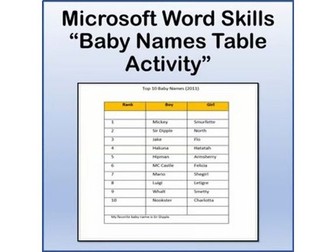
Baby Names Table Lesson Activity for Teaching Microsoft Word SkillsQuick View
danteach76

Baby Names Table Lesson Activity for Teaching Microsoft Word Skills

(0)
A fun project where students show their mastery of the following Microsoft Word skills: Inserting Tables Inserting Table Rows Adding And Deleting Rows And Columns Cell Shading Merging Cells Document Properties Converting Text to a Table Sorting Tables Converting Tables to Text AutoFit Tables to Window **Files open in Microsoft Word and are fully editable. Thanks for visiting my store! Don’t forget to FOLLOW ME for new product announcements, sales, promotions and updates! -TechCheckLessons TechCheckLessons is not affiliated with Microsoft Corp. Product names, logos, brands, and other trademarks featured or referred to within this lesson are the property of their respective trademark holders. These trademark holders are not affiliated with my store. They do not sponsor or endorse the contents, materials or processes discussed within this lesson. Terms of Use: This document is for personal use only and may only be used by the original purchaser. Copying for more than one teacher, classroom, department, school, or school district is prohibited. Additional licenses can be purchased at a discount for others to use in your department. You may not electronically distribute or post this product online where it can be accessed by the public (school INTRANET site that only students can access is fine like Google Classroom, BlackBoard or Canvas). Failure to comply is a copyright infringement and a violation of the Digital Millennium Copyright Act (DMCA).
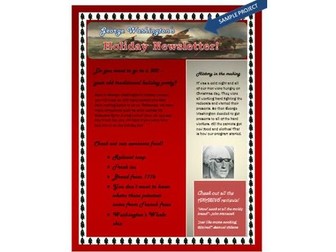
Holiday Newsletter Lesson Activity for Teaching Microsoft Word SkillsQuick View
danteach76

Holiday Newsletter Lesson Activity for Teaching Microsoft Word Skills

(0)
A fun project for students to complete to show their mastery of the following Microsoft Word skills: • Saving as a template • Font And Paragraph Formatting • Applying Gradients as a Page Color • Inserting and Formatting Text Boxes • Art Page Borders • WordArt and Text Effects • Inserting Shapes, Shape Fill with Picture **Files open in Microsoft Word and are fully editable. Thanks for visiting my store! Don’t forget to FOLLOW ME for new product announcements, sales, promotions and updates! -TechCheckLessons TechCheckLessons is not affiliated with Microsoft Corp. Product names, logos, brands, and other trademarks featured or referred to within this lesson are the property of their respective trademark holders. These trademark holders are not affiliated with my store. They do not sponsor or endorse the contents, materials or processes discussed within this lesson. Terms of Use: This document is for personal use only and may only be used by the original purchaser. Copying for more than one teacher, classroom, department, school, or school district is prohibited. Additional licenses can be purchased at a discount for others to use in your department. You may not electronically distribute or post this product online where it can be accessed by the public (school INTRANET site that only students can access is fine like Google Classroom, BlackBoard or Canvas). Failure to comply is a copyright infringement and a violation of the Digital Millennium Copyright Act (DMCA).
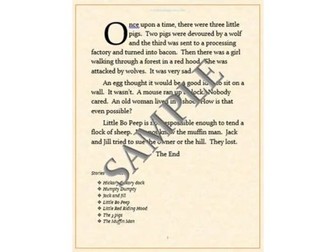
Fairy Tale Lesson Activity for Teaching Microsoft Word SkillsQuick View
danteach76

Fairy Tale Lesson Activity for Teaching Microsoft Word Skills

(0)
This is NOT a lesson that teachers students how to write a fairy tale This is a lesson that teachers students how to use certain features and tools in Microsoft Word. A fun project for students to complete to show their mastery of the following Microsoft Word skills: Skills taught (not all-inclusive): • First Line Indents • Dropcaps • Bullet Options • Sorting Lists • Headers • Inserting Page Numbers • Page Border Options • Page Color • Font Formatting **Files open in Microsoft Word and are fully editable. Thanks for visiting my store! Don’t forget to FOLLOW ME for new product announcements, sales, promotions and updates! -TechCheckLessons TechCheckLessons is not affiliated with Microsoft Corp. Product names, logos, brands, and other trademarks featured or referred to within this lesson are the property of their respective trademark holders. These trademark holders are not affiliated with my store. They do not sponsor or endorse the contents, materials or processes discussed within this lesson. Terms of Use: This document is for personal use only and may only be used by the original purchaser. Copying for more than one teacher, classroom, department, school, or school district is prohibited. Additional licenses can be purchased at a discount for others to use in your department. You may not electronically distribute or post this product online where it can be accessed by the public (school INTRANET site that only students can access is fine like Google Classroom, BlackBoard or Canvas). Failure to comply is a copyright infringement and a violation of the Digital Millennium Copyright Act (DMCA).
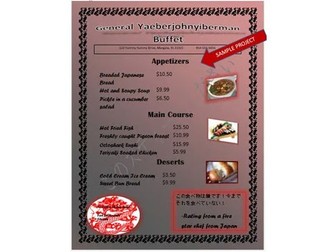
Restaurant Menu Lesson Activity for Teaching Microsoft Word SkillsQuick View
danteach76

Restaurant Menu Lesson Activity for Teaching Microsoft Word Skills

(0)
A fun project where students create a Restaurant Menu to show their mastery of the following Microsoft Word skills: • Font And Paragraph Formatting • Applying Gradients as a Page Color • Inserting and Formatting tables • Applying Custom Watermarks • Art Page Borders • WordArt and Text Effects • Picture Styles • Text Wrap **Files open in Microsoft Word and are fully editable. Thanks for visiting my store! Don’t forget to FOLLOW ME for new product announcements, sales, promotions and updates! -TechCheckLessons TechCheckLessons is not affiliated with Microsoft Corp. Product names, logos, brands, and other trademarks featured or referred to within this lesson are the property of their respective trademark holders. These trademark holders are not affiliated with my store. They do not sponsor or endorse the contents, materials or processes discussed within this lesson. Terms of Use: This document is for personal use only and may only be used by the original purchaser. Copying for more than one teacher, classroom, department, school, or school district is prohibited. Additional licenses can be purchased at a discount for others to use in your department. You may not electronically distribute or post this product online where it can be accessed by the public (school INTRANET site that only students can access is fine like Google Classroom, BlackBoard or Canvas). Failure to comply is a copyright infringement and a violation of the Digital Millennium Copyright Act (DMCA).
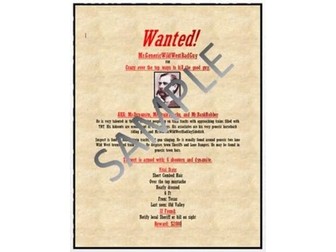
Wanted Poster Lesson Activity for Teaching Microsoft Word SkillsQuick View
danteach76

Wanted Poster Lesson Activity for Teaching Microsoft Word Skills

(0)
A fun project where students, following preset guidelines, create a fictitious wanted poster about a person (real or fake…or even themselves!) to show their mastery of the following Microsoft Word skills: • Font And Paragraph Formatting • Applying Pictures as a Page Color • Bulleted Lists • Inserting Pictures And Text Boxes • Picture Styles • Text Wrap **Files open in Microsoft Word and are fully editable. Thanks for visiting my store! Don’t forget to FOLLOW ME for new product announcements, sales, promotions and updates! -TechCheckLessons TechCheckLessons is not affiliated with Microsoft Corp. Product names, logos, brands, and other trademarks featured or referred to within this lesson are the property of their respective trademark holders. These trademark holders are not affiliated with my store. They do not sponsor or endorse the contents, materials or processes discussed within this lesson. Terms of Use: This document is for personal use only and may only be used by the original purchaser. Copying for more than one teacher, classroom, department, school, or school district is prohibited. Additional licenses can be purchased at a discount for others to use in your department. You may not electronically distribute or post this product online where it can be accessed by the public (school INTRANET site that only students can access is fine like Google Classroom, BlackBoard or Canvas). Failure to comply is a copyright infringement and a violation of the Digital Millennium Copyright Act (DMCA).
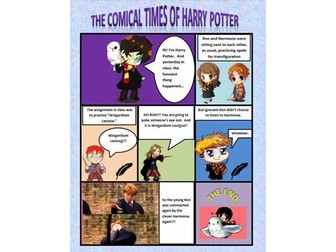
Comic Strip Lesson Activity for Teaching Microsoft Word SkillsQuick View
danteach76

Comic Strip Lesson Activity for Teaching Microsoft Word Skills

(0)
A fun project for students to complete to show their mastery of the following Microsoft Word skills: • Inserting Tables • Merging Cells, Cell Borders, Cell Shading • Inserting Pictures And Shapes, Wrapping Text • WordArt & Text Effects • Formatting Shape Fill and Outline **Files open in Microsoft Word and are fully editable. Thanks for visiting my store! Don’t forget to FOLLOW ME for new product announcements, sales, promotions and updates! -TechCheckLessons TechCheckLessons is not affiliated with Microsoft Corp. Product names, logos, brands, and other trademarks featured or referred to within this lesson are the property of their respective trademark holders. These trademark holders are not affiliated with my store. They do not sponsor or endorse the contents, materials or processes discussed within this lesson. Terms of Use: This document is for personal use only and may only be used by the original purchaser. Copying for more than one teacher, classroom, department, school, or school district is prohibited. Additional licenses can be purchased at a discount for others to use in your department. You may not electronically distribute or post this product online where it can be accessed by the public (school INTRANET site that only students can access is fine like Google Classroom, BlackBoard or Canvas). Failure to comply is a copyright infringement and a violation of the Digital Millennium Copyright Act (DMCA).
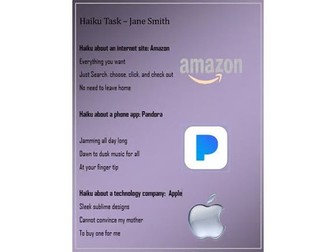
Tech Haiku Lesson Activity for Teaching Microsoft Word SkillsQuick View
danteach76

Tech Haiku Lesson Activity for Teaching Microsoft Word Skills

(0)
A fun project where students create 3 different haikus about current tech sites, apps and companies, following specific document formatting guidelines to demonstrate mastery of Microsoft Word skills: • Font And Paragraph Formatting • Margins • Left Indents • Styles • Page Color/Gradients • Page & Picture Borders • Inserting Pictures & Picture/Artistic Effects • Text Wrap **Files open in Microsoft Word and are fully editable. Thanks for visiting my store! Don’t forget to FOLLOW ME for new product announcements, sales, promotions and updates! -TechCheckLessons TechCheckLessons is not affiliated with Microsoft Corp. Product names, logos, brands, and other trademarks featured or referred to within this lesson are the property of their respective trademark holders. These trademark holders are not affiliated with my store. They do not sponsor or endorse the contents, materials or processes discussed within this lesson. Terms of Use: This document is for personal use only and may only be used by the original purchaser. Copying for more than one teacher, classroom, department, school, or school district is prohibited. Additional licenses can be purchased at a discount for others to use in your department. You may not electronically distribute or post this product online where it can be accessed by the public (school INTRANET site that only students can access is fine like Google Classroom, BlackBoard or Canvas). Failure to comply is a copyright infringement and a violation of the Digital Millennium Copyright Act (DMCA).
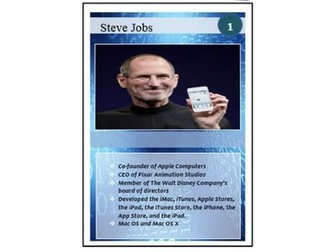
Tech Leaders Trading Cards Lesson Activity for Teaching Microsoft Word SkillsQuick View
danteach76

Tech Leaders Trading Cards Lesson Activity for Teaching Microsoft Word Skills

(0)
Awesome lesson to teach students different Microsoft Word skills while investigating a leader in the world of technology. When the class is finished you will have a collection of about 30 (list included) of the greatest tech pioneers, inventors and innovators to share with all of the students! Skills covered in this lesson: • Inserting shapes and text boxes • Shape fill • Shape outline • Fill - gradients and transparencies • Text formatting • Inserting images • Bullet types • Text wrapping **Files open in Microsoft Word and are fully editable. Thanks for visiting my store! Don’t forget to FOLLOW ME for new product announcements, sales, promotions and updates! -TechCheckLessons TechCheckLessons is not affiliated with Microsoft Corp. Product names, logos, brands, and other trademarks featured or referred to within this lesson are the property of their respective trademark holders. These trademark holders are not affiliated with my store. They do not sponsor or endorse the contents, materials or processes discussed within this lesson. Terms of Use: This document is for personal use only and may only be used by the original purchaser. Copying for more than one teacher, classroom, department, school, or school district is prohibited. Additional licenses can be purchased at a discount for others to use in your department. You may not electronically distribute or post this product online where it can be accessed by the public (school INTRANET site that only students can access is fine like Google Classroom, BlackBoard or Canvas). Failure to comply is a copyright infringement and a violation of the Digital Millennium Copyright Act (DMCA).
Resume Lesson Activity for Teaching Microsoft Word SkillsQuick View
danteach76

Resume Lesson Activity for Teaching Microsoft Word Skills

(0)
A fun project where students use a resume’ builder and template to create their own resume’ while showing their mastery of the following Microsoft Word and Business Education skills: • Font and Paragraph Formatting • Indents and Line Spacing • Bulleted Lists • Creating Resumes **Files open in Microsoft Word and are fully editable. Thanks for visiting my store! Don’t forget to FOLLOW ME for new product announcements, sales, promotions and updates! -TechCheckLessons TechCheckLessons is not affiliated with Microsoft Corp. Product names, logos, brands, and other trademarks featured or referred to within this lesson are the property of their respective trademark holders. These trademark holders are not affiliated with my store. They do not sponsor or endorse the contents, materials or processes discussed within this lesson. Terms of Use: This document is for personal use only and may only be used by the original purchaser. Copying for more than one teacher, classroom, department, school, or school district is prohibited. Additional licenses can be purchased at a discount for others to use in your department. You may not electronically distribute or post this product online where it can be accessed by the public (school INTRANET site that only students can access is fine like Google Classroom, BlackBoard or Canvas). Failure to comply is a copyright infringement and a violation of the Digital Millennium Copyright Act (DMCA).
Bibliography and Citations Lesson Activity for Teaching Microsoft Word SkillsQuick View
danteach76

Bibliography and Citations Lesson Activity for Teaching Microsoft Word Skills

(0)
A fun project for students to show their mastery of the following Microsoft Word skills: • Inserting Citations • Inserting Bibliographies • Adding Sources - reports, periodicals, journals, books • Inserting Bibliographies **Files open in Microsoft Word and are fully editable. Thanks for visiting my store! Don’t forget to FOLLOW ME for new product announcements, sales, promotions and updates! -TechCheckLessons TechCheckLessons is not affiliated with Microsoft Corp. Product names, logos, brands, and other trademarks featured or referred to within this lesson are the property of their respective trademark holders. These trademark holders are not affiliated with my store. They do not sponsor or endorse the contents, materials or processes discussed within this lesson. Terms of Use: This document is for personal use only and may only be used by the original purchaser. Copying for more than one teacher, classroom, department, school, or school district is prohibited. Additional licenses can be purchased at a discount for others to use in your department. You may not electronically distribute or post this product online where it can be accessed by the public (school INTRANET site that only students can access is fine like Google Classroom, BlackBoard or Canvas). Failure to comply is a copyright infringement and a violation of the Digital Millennium Copyright Act (DMCA).
Famous Paintings in Art History - Informational Editable PowerPoint SlideshowQuick View
danteach76

Famous Paintings in Art History - Informational Editable PowerPoint Slideshow

(0)
A well-designed slideshow detailing basic facts of 30 Common & Important Paintings in Art History. Slides include artist’s name, nationality and year of creation along with a few other facts about each piece of artwork. A great way to introduce or review for your Art History classes. File opens in Microsoft PowerPoint and you can edit it to your liking. Optimized for Microsoft PowerPoint. File also comes in PDF format. List of Famous Paintings included in this informational slideshow: Mona Lisa Starry Night The Scream Guernica The Persistence of Memory Three Musicians A Sunday Afternoon on the Island of La Grande Jatte Whistler’s Mother Water Lilies American Gothic Cafe Terrace at Night The Son of Man No. 5, 1948 Dogs Playing Poker The Night Watch The Arnolfini Portrait Impression, Sunrise Las Meninas The Creation of Adam Napoleon Crossing the Alps The Last Supper The Wave off Great Kanagawa Saturn Devouring His Son Washington Crossing the Delaware Nighthawks Girl With A Pearl Earring Campbell’s Soup Cans The Kiss Sunflowers Drowning Girl Dance at Le moulin de la Galette Thanks for visiting my store! Don’t forget to Follow Me for new product announcements, sales, promotions and updates! -TechCheckLessons TechCheckLessons is not affiliated with Microsoft Corp. Product names, logos, brands, and other trademarks featured or referred to within this lesson are the property of their respective trademark holders. These trademark holders are not affiliated with my store. They do not sponsor or endorse the contents, materials or processes discussed within this lesson. Terms of Use: This document is for personal use only and may only be used by the original purchaser. Copying for more than one teacher, classroom, department, school, or school district is prohibited. Additional licenses can be purchased at a discount for others to use in your department. You may not electronically distribute or post this product online where it can be accessed by the public (school INTRANET site that only students can access is fine like Google Classroom or Canvas). Failure to comply is a copyright infringement and a violation of the Digital Millennium Copyright Act (DMCA).
Famous Elements on the Periodic Table - Informational Editable PowerPointQuick View
danteach76

Famous Elements on the Periodic Table - Informational Editable PowerPoint

(0)
Students learn about physical and chemical properties of each element along with information about their discovery, uses, biological importance, abundance and location on Earth, images and more. A well-designed slideshow detailing basic facts of 30 Common & Important Elements on the Periodic Table. A great way to introduce or review for your Chemistry / Science classes. File opens in Microsoft PowerPoint and you can edit it to your liking. File also comes in PDF format for printing. List of Elements on the Periodic Table included in this informational slideshow: Hydrogen Helium Sodium Zinc Iron Gold Potassium Boron Copper Silver Carbon Neon Calcium Nitrogen Oxygen Uranium Tin Silicon Titanium Nickel Magnesium Phosphorus Sulfur Chlorine Iodine Lead Platinum Argon Fluorine Aluminum Thanks for visiting my store! Don’t forget to Follow Me for new product announcements, sales, promotions and updates! -TechCheckLessons TechCheckLessons is not affiliated with Microsoft Corp. Product names, logos, brands, and other trademarks featured or referred to within this lesson are the property of their respective trademark holders. These trademark holders are not affiliated with my store. They do not sponsor or endorse the contents, materials or processes discussed within this lesson. Terms of Use: This document is for personal use only and may only be used by the original purchaser. Copying for more than one teacher, classroom, department, school, or school district is prohibited. Additional licenses can be purchased at a discount for others to use in your department. You may not electronically distribute or post this product online where it can be accessed by the public (school INTRANET site that only students can access is fine like Google Classroom, Blackboard or Canvas). Failure to comply is a copyright infringement and a violation of the Digital Millennium Copyright Act (DMCA).
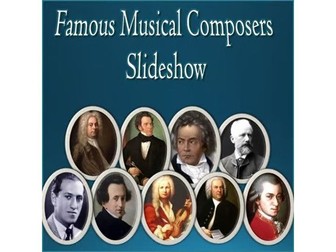
Famous Musical Composers - Informational Editable PowerPoint SlideshowQuick View
danteach76

Famous Musical Composers - Informational Editable PowerPoint Slideshow

(0)
Perfect for a band or orchestra class! A well-designed slideshow detailing important facts of 21 Famous Musical Composers. File opens in Microsoft PowerPoint and you can edit it to your liking. Optimized for Microsoft PowerPoint. File also comes as a PDF for printing. List of Famous Musical Composers included in this slideshow: Johannes Sebastian Bach Wolfgang Amadeus Mozart Ludwig Van Beethoven Pyotr Ilyich Tchaikovsky Richard Wagner Johannes Brahms Franz Schubert Robert Schumann Giuseppe Verdi George Frideric Handel Franz Joseph Haydn Antonio Vivaldi Igor Stravinsky Frédéric Chopin Felix Mendelssohn Claude Debussy Franz Liszt Gustav Mahler George Gershwin Leonard Bernstein Richard Strauss Thanks for visiting my store! Don’t forget to Follow Me for new product announcements, sales, promotions and updates! -TechCheckLessons TechCheckLessons is not affiliated with Microsoft Corp. Product names, logos, brands, and other trademarks featured or referred to within this lesson are the property of their respective trademark holders. These trademark holders are not affiliated with my store. They do not sponsor or endorse the contents, materials or processes discussed within this lesson. Terms of Use: This document is for personal use only and may only be used by the original purchaser. Copying for more than one teacher, classroom, department, school, or school district is prohibited. Additional licenses can be purchased at a discount for others to use in your department. You may not electronically distribute or post this product online where it can be accessed by the public (school INTRANET site that only students can access is fine like Google Classroom or Canvas). Failure to comply is a copyright infringement and a violation of the Digital Millennium Copyright Act (DMCA).

Famous Modern 21st Century Women - Informational Editable PowerPoint SlideshowQuick View
danteach76

Famous Modern 21st Century Women - Informational Editable PowerPoint Slideshow

(0)
A well-designed slideshow detailing important facts of 25 Famous Modern 21st Century Women. File opens in Microsoft PowerPoint and is editable. File also comes as a PDF for printing. List of Famous Women in History included in this slideshow: Oprah Winfrey Malala Yousafzai Angela Merkel Nancy Pelosi Christine Lagarde Beyoncé Serena Williams Greta Thunberg Hillary Clinton Sheryl Sandberg Indra Nooyi Simone Biles Michelle Obama Jane Goodall Kamala Harris Jill Biden J.K. Rowling Melinda Gates Mary Barra Sonia Sotomayor Queen Elizabeth II Ursula von der Leyen Madonna Julie Andrews Whoopi Goldberg Thanks for visiting my store! Don’t forget to Follow Me for new product announcements, sales, promotions and updates! -TechCheckLessons TechCheckLessons is not affiliated with Microsoft Corp. Product names, logos, brands, and other trademarks featured or referred to within this lesson are the property of their respective trademark holders. These trademark holders are not affiliated with my store. They do not sponsor or endorse the contents, materials or processes discussed within this lesson. Terms of Use: This document is for personal use only and may only be used by the original purchaser. Copying for more than one teacher, classroom, department, school, or school district is prohibited. Additional licenses can be purchased at a discount for others to use in your department. You may not electronically distribute or post this product online where it can be accessed by the public (school INTRANET site that only students can access is fine like Google Classroom, Blackboard or Canvas). Failure to comply is a copyright infringement and a violation of the Digital Millennium Copyright Act (DMCA).
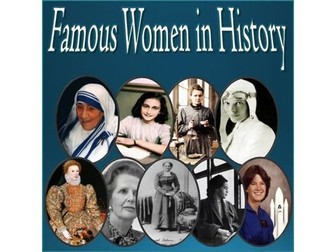
Famous Important Women in History - Informational Editable PowerPoint SlideshowQuick View
danteach76

Famous Important Women in History - Informational Editable PowerPoint Slideshow

(0)
A well-designed slideshow detailing important facts of 30 Famous Women Throughout History. A great way to introduce or review for your History or Social Studies classes. File opens in Microsoft PowerPoint and you can edit it to your liking. Optimized for Microsoft PowerPoint. File also comes as a PDF for printing. List of Famous Women in History included in this slideshow: Susan B. Anthony Marie Antoinette Joan of Arc Jane Austen Clara Barton Catherine the Great Cleopatra Marie Curie Emily Dickinson Amelia Earhart Anne Frank Helen Keller Billie Jean King Catherine de Medici Mother Teresa Florence Nightingale Georgia O’Keeffe Rosa Parks Eva Peron Pocahontas Queen Elizabeth I Queen Isabella Queen Victoria Sally Ride Eleanor Roosevelt Sacajawea Gloria Steinem Harriet Beecher Stowe Margaret Thatcher Harriet Tubman Thanks for visiting my store! Don’t forget to Follow Me for new product announcements, sales, promotions and updates! -TechCheckLessons TechCheckLessons is not affiliated with Microsoft Corp. Product names, logos, brands, and other trademarks featured or referred to within this lesson are the property of their respective trademark holders. These trademark holders are not affiliated with my store. They do not sponsor or endorse the contents, materials or processes discussed within this lesson. Terms of Use: This document is for personal use only and may only be used by the original purchaser. Copying for more than one teacher, classroom, department, school, or school district is prohibited. Additional licenses can be purchased at a discount for others to use in your department. You may not electronically distribute or post this product online where it can be accessed by the public (school INTRANET site that only students can access is fine like Google Classroom, BlackBoard or Canvas). Failure to comply is a copyright infringement and a violation of the Digital Millennium Copyright Act (DMCA).
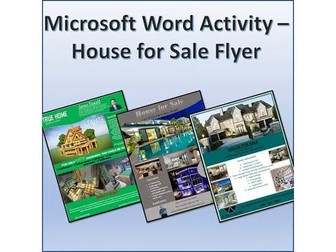
House for Sale Flyer Activity Project for Teaching Microsoft Word SkillsQuick View
danteach76

House for Sale Flyer Activity Project for Teaching Microsoft Word Skills

(0)
A fun and engaging activity that allows students to showcase many different learned Microsoft Word skills. You are selling a house! Students will create a one-page, front only, portrait Microsoft Word flyer to advertise the House for Sale. They can choose a regular family home, or you can be creative. Sell the Batcave, SpongeBob’s Pineapple, a mansion on Mars, the White House…etc. Instructions include 6 sample finished projects. Microsoft Word elements students might use in this project include but are not limited to: • Shapes • Textboxes • Quote boxes • Pictures (high quality) • Transparent images • WordArt • Effects • Picture Styles • An image of the realtor • Company logo • Bulleted lists • Columns • Uniform font Formatting • Text Wrapping • Charts • Tables • Contact information (with addresses properly formatted) Thanks for visiting my store! Don’t forget to FOLLOW ME for new product announcements, sales, promotions and updates! -TechCheckLessons TechCheckLessons is not affiliated with Microsoft Corp. Product names, logos, brands, and other trademarks featured or referred to within this lesson are the property of their respective trademark holders. These trademark holders are not affiliated with my store. They do not sponsor or endorse the contents, materials or processes discussed within this lesson. Terms of Use: This document is for personal use only and may only be used by the original purchaser. Copying for more than one teacher, classroom, department, school, or school district is prohibited. Additional licenses can be purchased at a discount for others to use in your department. You may not electronically distribute or post this product online where it can be accessed by the public (school INTRANET site that only students can access is fine like Google Classroom, BlackBoard or Canvas). Failure to comply is a copyright infringement and a violation of the Digital Millennium Copyright Act (DMCA).
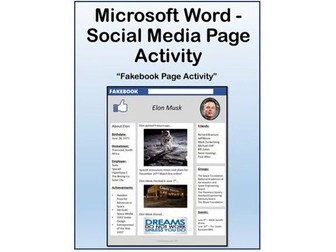
Social Media Page Activity for Teaching Microsoft Word SkillsQuick View
danteach76

Social Media Page Activity for Teaching Microsoft Word Skills

(0)
Students use Microsoft Word skills to create a fake Social Media homepage for a person (a real or fake person as this lesson can be fun with fake people to simply review/learn Word skills or a real person learn about a famous computer pioneer for tech class or a famous president for History class or a famous African American for Black History month…you get the point). A fun project for students to complete to show their mastery of the following Microsoft Word skills: · Inserting WordArt · Font Formatting · Inserting and Formatting Shapes · Bulleted Lists · Object Alignment · Text Effects · Page Color · Inserting Pictures And Text Boxes · Picture Styles · Text Wrap Thanks for visiting my store! Don’t forget to FOLLOW ME for new product announcements, sales, promotions and updates! -TechCheckLessons TechCheckLessons is not affiliated with Microsoft Corp. Product names, logos, brands, and other trademarks featured or referred to within this lesson are the property of their respective trademark holders. These trademark holders are not affiliated with my store. They do not sponsor or endorse the contents, materials or processes discussed within this lesson. Terms of Use: This document is for personal use only and may only be used by the original purchaser. Copying for more than one teacher, classroom, department, school, or school district is prohibited. Additional licenses can be purchased at a discount for others to use in your department. You may not electronically distribute or post this product online where it can be accessed by the public (school INTRANET site that only students can access is fine like Google Classroom, BlackBoard or Canvas). Failure to comply is a copyright infringement and a violation of the Digital Millennium Copyright Act (DMCA).
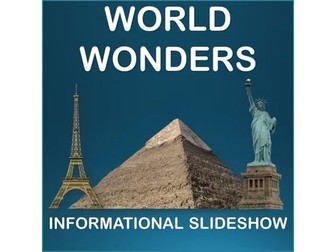
Famous World Wonders - Informational Editable PowerPoint SlideshowQuick View
danteach76

Famous World Wonders - Informational Editable PowerPoint Slideshow

(0)
A well-designed slideshow detailing basic facts of 20 famous man-made world wonders. A great way to introduce or review for your History or Social Studies class. File opens in Microsoft PowerPoint and you can edit it to your liking. Optimized for Microsoft PowerPoint. File also comes in PDF format. Included in this informational slideshow: Great Wall of China Pyramids of Giza Machu Picchu Taj Mahal Colosseum Petra Great Barrier Reef Christ the Redeemer Statue Stonehenge Chichen Itza Eiffel Tower Angkor Wat Statue of Liberty Sydney Opera House Mount Rushmore The Parthenon Neuschwanstein Castle Moai Statues of Easter Island The Louvre Museum Hagia Sophia Thanks for visiting my store! Don’t forget to Follow Me for new product announcements, sales, promotions and updates! -TechCheckLessons TechCheckLessons is not affiliated with Microsoft Corp. Product names, logos, brands, and other trademarks featured or referred to within this lesson are the property of their respective trademark holders. These trademark holders are not affiliated with my store. They do not sponsor or endorse the contents, materials or processes discussed within this lesson. Terms of Use: This document is for personal use only and may only be used by the original purchaser. Copying for more than one teacher, classroom, department, school, or school district is prohibited. Additional licenses can be purchased at a discount for others to use in your department. You may not electronically distribute or post this product online where it can be accessed by the public (school INTRANET site that only students can access is fine like Google Classroom or Canvas). Failure to comply is a copyright infringement and a violation of the Digital Millennium Copyright Act (DMCA).
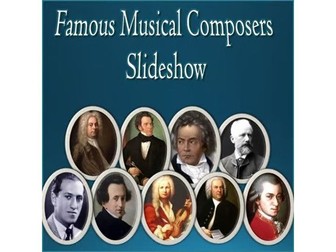
Famous Musical Composers - Informational Editable PowerPoint SlideshowQuick View
danteach76

Famous Musical Composers - Informational Editable PowerPoint Slideshow

(0)
Perfect for a band or orchestra class! A well-designed slideshow detailing important facts of 21 Famous Musical Composers. File opens in Microsoft PowerPoint and you can edit it to your liking. Optimized for Microsoft PowerPoint. File also comes as a PDF for printing. List of Famous Musical Composers included in this slideshow: Johannes Sebastian Bach Wolfgang Amadeus Mozart Ludwig Van Beethoven Pyotr Ilyich Tchaikovsky Richard Wagner Johannes Brahms Franz Schubert Robert Schumann Giuseppe Verdi George Frideric Handel Franz Joseph Haydn Antonio Vivaldi Igor Stravinsky Frédéric Chopin Felix Mendelssohn Claude Debussy Franz Liszt Gustav Mahler George Gershwin Leonard Bernstein Richard Strauss Thanks for visiting my store! Don’t forget to Follow Me for new product announcements, sales, promotions and updates! -TechCheckLessons TechCheckLessons is not affiliated with Microsoft Corp. Product names, logos, brands, and other trademarks featured or referred to within this lesson are the property of their respective trademark holders. These trademark holders are not affiliated with my store. They do not sponsor or endorse the contents, materials or processes discussed within this lesson. Terms of Use: This document is for personal use only and may only be used by the original purchaser. Copying for more than one teacher, classroom, department, school, or school district is prohibited. Additional licenses can be purchased at a discount for others to use in your department. You may not electronically distribute or post this product online where it can be accessed by the public (school INTRANET site that only students can access is fine like Google Classroom or Canvas). Failure to comply is a copyright infringement and a violation of the Digital Millennium Copyright Act (DMCA).
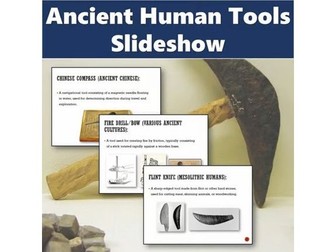
Ancient Human Tools - Editable PowerPoint SlideshowQuick View
danteach76

Ancient Human Tools - Editable PowerPoint Slideshow

(0)
A well-designed slideshow detailing basic facts of 20 ancient tools. File opens in Microsoft PowerPoint and you can edit it to your liking. List of tools included in this slideshow: Flint Knife Handaxe Copper Axe Sickle Chisel Potter’s Wheel Bronze Dagger Mortar and Pestle Obsidian Blade Loom Quern Incan Knotted Cord Fire Drill/Bow Atlatl Roman Siege Engine Aztec Macuahuitl Greek Oxcart Chinese Compass Awl Arrowhead Thanks for visiting my store! Don’t forget to Follow Me for new product announcements, sales, promotions and updates! -TechCheckLessons TechCheckLessons is not affiliated with Microsoft Corp. Product names, logos, brands, and other trademarks featured or referred to within this lesson are the property of their respective trademark holders. These trademark holders are not affiliated with my store. They do not sponsor or endorse the contents, materials or processes discussed within this lesson. Terms of Use: This document is for personal use only and may only be used by the original purchaser. Copying for more than one teacher, classroom, department, school, or school district is prohibited. Additional licenses can be purchased at a discount for others to use in your department. You may not electronically distribute or post this product online where it can be accessed by the public (school INTRANET site that only students can access is fine like Google Classroom, Blackboard or Canvas). Failure to comply is a copyright infringement and a violation of the Digital Millennium Copyright Act (DMCA).
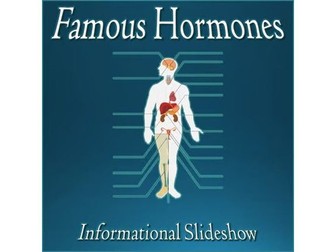
Famous Human Hormones - Informational Editable PowerPoint SlideshowQuick View
danteach76

Famous Human Hormones - Informational Editable PowerPoint Slideshow

(0)
A well-designed slideshow detailing basic facts of 15 Common & Important Human Body Hormones. A great way to introduce or review for your Science & Anatomy classes. File opens in Microsoft PowerPoint and you can edit it to your liking. Optimized for Microsoft PowerPoint. File also comes in PDF format. List of Famous Hormones included in this informational slideshow: Adrenaline (Epinephrine) Antidiuretic Hormone (ADH) Cortisol Estrogen Glucagon Growth Hormone (GH) Insulin Noradrenaline (Norepinephrine) Oxytocin Parathyroid Hormone (PTH)Progesterone Prolactin Testosterone Thyroxine (T4) Triiodothyronine (T3) Thanks for visiting my store! Don’t forget to Follow Me for new product announcements, sales, promotions and updates! -TechCheckLessons TechCheckLessons is not affiliated with Microsoft Corp. Product names, logos, brands, and other trademarks featured or referred to within this lesson are the property of their respective trademark holders. These trademark holders are not affiliated with my store. They do not sponsor or endorse the contents, materials or processes discussed within this lesson. Terms of Use: This document is for personal use only and may only be used by the original purchaser. Copying for more than one teacher, classroom, department, school, or school district is prohibited. Additional licenses can be purchased at a discount for others to use in your department. You may not electronically distribute or post this product online where it can be accessed by the public (school INTRANET site that only students can access is fine like Google Classroom or Canvas). Failure to comply is a copyright infringement and a violation of the Digital Millennium Copyright Act (DMCA).