Spot the Difference Python Programming | 18 Full KS3 Computer Science LessonsQuick View
mrmason4812

Spot the Difference Python Programming | 18 Full KS3 Computer Science Lessons

(0)
A Spot the Difference programming lesson pack containing 18 full KS3 Computer Science lessons using 1 slide each, designed to build debugging, logic, and computational thinking skills through active problem‑solving. In each lesson, students compare two similar programs to identify and explain errors, misunderstandings, or inefficiencies. Activities focus on reading code carefully, predicting outputs, spotting logic mistakes, and improving program accuracy. Ideal for strengthening understanding of syntax, selection, iteration, and common beginner errors. This resource is classroom‑ready and works well for core teaching, cover lessons, or skills consolidation. Students Will Develop: Debugging and error‑spotting skills Logical thinking and attention to detail Confidence reading and understanding code Understanding of common programming mistakes Problem‑solving skills essential for GCSE Computer Science Perfect For: KS3 Computer Science lessons Mixed‑ability classrooms Early programming learners Cover lessons and retrieval practice Preparing for GCSE programming concepts Spot the difference programming KS3 programming lessons Computer Science KS3 Debugging programming Coding challenges KS3 Computational thinking Programming error spotting KS3 Computer Science resources
Python FOR Loops Explained | KS3 & GCSE Computer Science Full Lesson (PPT, Plan & Worksheets)Quick View
mrmason4812

Python FOR Loops Explained | KS3 & GCSE Computer Science Full Lesson (PPT, Plan & Worksheets)

(0)
Full Python FOR Loop lesson for KS3 & GCSE Computer Science. Includes lesson plan, worksheets and PowerPoint resources with link to external video. This complete Python FOR loop lesson is designed for KS3 and GCSE Computer Science students. The lesson includes a step‑by‑step teaching video, editable lesson plan, student worksheet, and a classroom‑ready PowerPoint. Also included is a link to the video version of the FULL lesson including Do It Now, Objectives, Progression Programming examples, Live Coding and Exit Quiz, so you can let your students have the link and focus on helping those who need it. Students will learn: How Python FOR loops work How to repeat sequences and iterate through ranges GCSE‑level examples and exam‑style practice Common mistakes and best practices in Python loops Perfect for: GCSE Computer Science teachers KS3 coding lessons Remote learning or classroom teaching Revision and exam preparation This resource supports structured learning and aligns with UK GCSE Computer Science specifications. Python for loop Python loops GCSE KS3 Python GCSE Computer Science Python Python programming lesson Python iteration Computer Science GCSE Python teaching resources Python loop tutorial
Variables in Python Explained | How Programs Remember Information (KS3 & GCSE Full Lesson)Quick View
mrmason4812

Variables in Python Explained | How Programs Remember Information (KS3 & GCSE Full Lesson)

(0)
GCSE or KS3 Python Beginners: Master Variables NOW to Stop Losing Marks! An engaging, classroom‑ready Python variables lesson that includes a lesson PowerPoint, Lesson Plan, Video and walkthrough of Python Programming and worksheet for KS3 and early KS4 Computer Science, ideal for GCSE preparation. This step‑by‑step resource clearly explains what variables are, how programs store and update values, and why sequencing matters, using relatable examples such as game scores, player names, and a shopping basket program, alongside prediction activities, quizzes, and an exam‑style question to build confidence and deepen understanding. Variables are one of the most important ideas in programming — and one of the easiest to misunderstand. Many students lose marks because they don’t fully understand how assignment and value changes actually work. In this lesson, students will learn how to create variables correctly, update values, and trace what happens inside memory step-by-step. In this lesson you will: • Understand what a variable is in Python • Learn how assignment works • Change and update values correctly • Avoid common GCSE variable mistakes • Apply variables in a simple program example Perfect for: • GCSE Computer Science students (AQA / OCR / Edexcel) • Teachers delivering Python step-by-step • Cover lessons, homework, or flipped learning • Beginners learning to code
Python Input & Output Explained | KS3 & GCSE Computer Science Beginners Full LessonQuick View
mrmason4812

Python Input & Output Explained | KS3 & GCSE Computer Science Beginners Full Lesson

(0)
A classroom‑ready Python input and output lesson for KS3 and early KS4 Computer Science, ideal for GCSE preparation. This complete resource includes a lesson PowerPoint, clear lesson structure, a guided video walkthrough, and assessment worksheet questions. Students learn how programs communicate with users using input() and print(), how data types affect user input, and how input and output work together in real Python programs. The lesson uses relatable examples such as user questions and a simple login‑style program, alongside prediction tasks, quizzes, and an exam‑style question to build confidence and avoid common GCSE mistakes. Students Will Learn To: Use print() to display output clearly Use input() to collect user data Understand why input() returns a string Avoid common GCSE input/output errors Apply input and output in a simple Python program Python input output Python beginners KS3 Python GCSE Computer Science Python Python programming lesson Input output Python GCSE Python teaching resources Learn Python KS3
Python All-in-One Lesson 5: Selection (IF Statements) with Video File - PowerPoint & Lesson PlanQuick View
mrmason4812

Python All-in-One Lesson 5: Selection (IF Statements) with Video File - PowerPoint & Lesson Plan

(0)
In this lesson, you’ll learn how if statements work in Python (GCSE Selection), how conditions are checked, and how to build decision-making programs that teachers can use as a complete classroom lesson. Clear Code Teaching is an all-in-one solution for: complete Python lessons (KS3/KS4 / GCSE) cover work and supply lessons homework + flipped learning independent student revision (Each lesson includes Video File + PowerPoint + Lesson Plan + Worksheet + Video link to FREE FULL online lesson including Do It Now, Objectives, Programming Challenges and Exit Quiz. In this lesson you’ll learn What selection means (GCSE keyword) How if works (condition → True/False → outcome) Common operators: ==, !=, greater than / less than How to avoid classic mistakes (indentation, comparing strings vs numbers)
GCSE Python Sequencing: Predict the Output – Video, PPT, Lesson Plan & WorksheetQuick View
mrmason4812

GCSE Python Sequencing: Predict the Output – Video, PPT, Lesson Plan & Worksheet

(0)
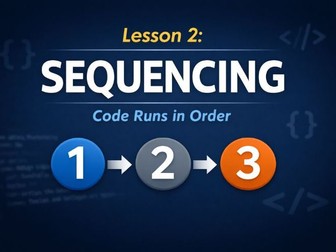
Help your students stop losing easy marks on one of the most common GCSE Computer Science question types: Predict the Output. This fully‑resourced lesson teaches learners how to read and trace Python code carefully, with a focus on sequencing, logic, and avoiding the small mistakes that cost marks in exams. Perfect for GCSE (OCR, AQA, Edexcel), KS3 stretch, or revision sessions. What’s Included Teaching Video – Clear, engaging walk‑through explaining exactly how to approach Predict the Output questions PowerPoint Presentation – Step‑by‑step examples, model answers, misconceptions, and exam‑style practice Lesson Plan – Starter, main activities, extension tasks, assessment opportunities & differentiation Worksheet – Exam‑style Predict the Output questions with answers included Teacher Notes – Tips for common student mistakes, marking strategies, and challenge prompts Learning Objectives By the end of the lesson, students will be able to: Understand how sequencing affects program behaviour Accurately trace Python code to determine the correct output Apply systematic strategies to avoid common errors Build confidence in tackling short, high‑value exam questions Perfect For GCSE Computer Science lessons Revision and intervention sessions Homework or independent practice Cover lessons (plug‑and‑play ready) KS3 students preparing for GCSE skills Why Teachers Love This Resource Ready‑to‑teach — saves planning time Includes multiple examples and differentiated tasks Supports learners who struggle with logic and sequencing Boosts exam confidence with clear methods that work
Year 7 KS3 Computer Science 12 lesson PowerPoint - CPU/RAM/ROM/SS/Networks/Cyber Security/MalwareQuick View
mrmason4812

Year 7 KS3 Computer Science 12 lesson PowerPoint - CPU/RAM/ROM/SS/Networks/Cyber Security/Malware

(0)
Year 7 KS3 Computer Science 12 lesson PowerPoint - CPU/RAM/ROM/SS/Networks/Cyber Security/Malware This comprehensive KS3 Year 7 resource introduces students to key computer science concepts through an engaging formula of watching Videos, Note Taking and Mind map creation, with exemplar work, simple Do it Now and Cold Call question prompts. Could be printed as a booklet, emailed to students or watched as a class. Featuring: Lesson 1/2 - CPU Components – Understanding the brain of the computer Lesson 3/4 - RAM & ROM – Exploring memory types and their roles Lesson 5/6 - Secondary Storage – Devices and data permanence lesson 7/8 - Networks – How computers connect and communicate Lesson 9/10 - Cyber Security ��� Social engineering and Malware threats Lesson 11/12 - Python Basics – Introduction to coding with a chatbot and quiz Lesson 13/14 - Paired simple ‘Create a paper computer’ activity Ideal for a Computer Science rotation or cycle of learning (with a minimum of 10-12 lessons of work). Fantastic for Emergency Cover work too.Perfect for classroom use or independent learning, this resource supports visual learners and encourages curiosity and creativity through the creation of notes and mind maps, with the main Lemov principles for teaching carefully placed within. Hyperlinks link directly to Craig n Dave videos.
80+ Python Programming Practice Booklet for GCSEQuick View
mrmason4812

80+ Python Programming Practice Booklet for GCSE

(1)
Python Programming Challenges Booklet – GCSE Computer Science Perfect for KS4 students, this comprehensive Python Programming Challenges Booklet is designed to support learners preparing for the GCSE Computer Science curriculum (AQA, OCR, Edexcel). Whether you’re teaching in class, setting homework, or offering revision resources, this booklet provides a structured and engaging way to build Python skills from beginner to advanced levels. What’s Included: 50+ progressive challenges from basic input/output to loops, conditionals, lists, and functions Real-world scenarios to make programming meaningful and relatable Clear instructions with space for students to write code and reflect Differentiated tasks to support all learners – from foundational to stretch and challenge Some Model answers included – so ideal for assessment or independent problem-solving Topics Covered: Variables and data types Input and output Arithmetic and logic Sequence, selection, and iteration Lists and loops Basic subroutines and validation Ideal For: GCSE Computer Science students (Years 10–11) Homework, cover lessons, or revision Independent learning or flipped classroom activities
Python Input, Output, Data Types & Calculations | KS3 & GCSE Computer Science Full LessonQuick View
mrmason4812

Python Input, Output, Data Types & Calculations | KS3 & GCSE Computer Science Full Lesson

(0)
An engaging, classroom‑ready Python input process and output lesson that includes a lesson PowerPoint, lesson structure, guided video (with file) walkthrough of a Python programming example, and assessment worksheet questions for KS3 and early KS4 Computer Science, ideal for GCSE preparation. The resources feature a FREE link the full video lesson that includes a Do It Now, Objectives, Step by Step instructions, Python programming tasks, live coding with potential developments and exit quiz - perfect for non-specialists, new teachers or cover work - ‘brill’ they say! In this lesson you will: • Understand why input() returns a string • Identify and fix TypeErrors • Convert data types correctly • Write working calculation programs • Apply input and calculations in a GCSE-style example Perfect for: • KS3 & GCSE Computer Science • Students learning Python from scratch • Teachers delivering programming lessons One tiny mistake with input, data types, or calculations can completely break your Python code — and it’s one of the biggest mark‑losing errors in GCSE Computer Science. In this video, we expose the exact input‑handling mistake that catches students out every year, explain why Python treats input differently than you expect, and show you the simple fixes that guarantee your calculations work every time. Whether you’re revising for AQA / OCR / Edexcel, learning Python basics, or trying to avoid costly exam errors, this walkthrough will instantly improve your code accuracy and boost your marks.
Python WHILE Loops Explained | KS3 & GCSE Computer Science Full Lesson (Plan, PPT & Worksheet)Quick View
mrmason4812

Python WHILE Loops Explained | KS3 & GCSE Computer Science Full Lesson (Plan, PPT & Worksheet)

(1)
Complete Python WHILE loop lesson for KS3 & GCSE Computer Science. Includes teaching video (online), lesson plan, PowerPoint and worksheet resources. This full Python WHILE loop lesson is designed for KS3 and GCSE Computer Science students and teachers. The resource includes a clear teaching video (online), structured lesson plan, student worksheet, and an editable classroom‑ready PowerPoint. Students will learn: How Python WHILE loops work How condition‑controlled loops differ from FOR loops How to avoid infinite loops GCSE‑style examples and exam‑ready practice Perfect for: KS3 Python programming lessons GCSE Computer Science classrooms Remote learning and revision Beginner‑friendly Python coding instruction This lesson supports UK GCSE Computer Science specifications and builds strong foundations in Python iteration and algorithmic thinking. Python while loop WHILE loops Python GCSE KS3 Python loops GCSE Computer Science Python Python condition controlled loops Python iteration lesson Python teaching resources Computer Science loops
Python FULL Lesson: AND / OR Logical Operators (KS3 + GCSE-Ready) | Multiple Conditions Made ClearQuick View
mrmason4812

Python FULL Lesson: AND / OR Logical Operators (KS3 + GCSE-Ready) | Multiple Conditions Made Clear

(1)
In this lesson, you’ll learn how Logic AND / OR with selection statements work in Python (KS3 + GCSE Selection), how logic conditions are checked, and how to build decision-making programs that teachers can use as a complete classroom lesson. Clear Code Teaching is an all-in-one solution for: complete Python lessons (KS3/KS4 / GCSE) cover work and supply lessons homework + flipped learning independent student revision Each lesson includes a PowerPoint + Lesson Plan + Worksheet + Video link to FREE FULL online lesson including Do It Now, Objectives, Programming Challenges and Exit Quiz. What you’ll learn: What and means in Python (both conditions must be True) What or means in Python (at least one condition must be True) How Python evaluates logical expressions Common GCSE mistakes with logical operators When to use AND/OR instead of nested IF
Python FULL Lesson: IF / ELIF / ELSE for KS3 + GCSE Ready MadeQuick View
mrmason4812

Python FULL Lesson: IF / ELIF / ELSE for KS3 + GCSE Ready Made

(1)
An engaging, classroom‑ready Python selection lesson that includes a lesson PowerPoint, lesson structure, guided video (with file) walkthrough of a Python programming example, and assessment worksheet questions for KS3 and early KS4 Computer Science, ideal for GCSE preparation. In this lesson, students learn how Python checks conditions in order, why only one branch runs, and how to write clean, readable decision-making code. The resources feature a FREE link the full video lesson that includes a Do It Now, Objectives, Step by Step instructions, Python programming tasks, live coding with potential developments and exit quiz - perfect for non-specialists, new teachers or cover work - ‘brill’ they say! This channel is built as an all-in-one Python teaching solution, trusted by teachers for: full classroom lessons cover and supply work homework and flipped learning independent GCSE revision In this lesson, students will learn How if, elif, and else work together Why Python checks conditions top to bottom How to design programs with multiple outcomes Common errors that lose GCSE marks (order, logic, indentation)
FULL Python Lesson - Validation with WHILE Loops (KS3 + GCSE Computer Science Full Lesson)Quick View
mrmason4812

FULL Python Lesson - Validation with WHILE Loops (KS3 + GCSE Computer Science Full Lesson)

(0)
In this lesson, you’ll learn how Validation WHILE loop iteration statements work in Python (KS3 + GCSE Selection), how conditions are checked, and how to build iteration programs that teachers can use as a complete classroom lesson. Clear Code Teaching is an all-in-one solution for: complete Python lessons (KS3/KS4 / GCSE) cover work and supply lessons homework + flipped learning independent student revision (Each lesson includes PowerPoint + Lesson Plan + Worksheet + Video link to FREE FULL online lesson including Do It Now, Objectives, Programming Challenges and Exit Quiz. In this full classroom-ready lesson, we break down: • What validation is in programming • How WHILE loops control repeated input • How to prevent invalid data • Real GCSE exam-style examples • Common mistakes students make • Step-by-step live coding walkthrough This lesson is ideal for: ✔ GCSE Computer Science students (AQA, OCR, Edexcel) ✔ KS3 & KS4 programming lessons ✔ Non-specialist teachers delivering cover ✔ Revision and exam preparation ✔ Independent learners learning Python from scratch Inside this lesson: • Clear explanations in student-friendly language • Real-world examples (password systems, range checks, menu validation) • A full extendable program • Pause-and-predict moments • Common debugging mistakes explained
Python Nested IF Statements Explained | KS3 & GCSE Computer Science Full LessonQuick View
mrmason4812

Python Nested IF Statements Explained | KS3 & GCSE Computer Science Full Lesson

(0)
In this lesson, you’ll learn how NESTED if selection statements work in Python (KS3 + GCSE Selection), how conditions are checked, and how to build decision-making programs that teachers can use as a complete classroom lesson. Clear Code Teaching is an all-in-one solution for: complete Python lessons (KS3/KS4 / GCSE) cover work and supply lessons homework + flipped learning independent student revision (Each lesson includes PowerPoint + Lesson Plan + Worksheet + Video link to FREE FULL online lesson including Do It Now, Objectives, Programming Challenges and Exit Quiz. What you’ll learn in this lesson • What nested IF means (conditions inside conditions) • How Python checks conditions top, to bottom • Why indentation is critical in nested selection • When nesting is useful vs when a single condition is better