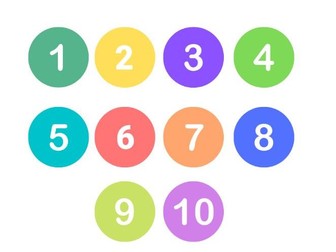
Numbers 1-10 for Young Learners (ESL).
If you are a busy teacher and have no time to prepare the resources for your class, this is for you!
*PPT and PDF included.
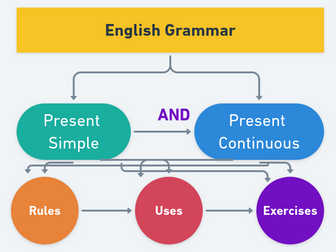
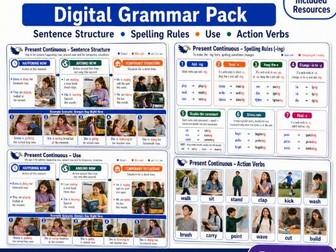
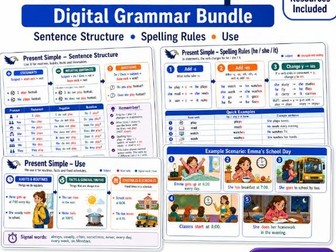
Present Simple and Present Continuous.
The first 2 pages contain explanations of present simple and continuous use and forms.
The next 3 pages contain exercises to practice present simple and continuous.
The last page contains answer keys.
Recommended for ages +10, beginner/elementary levels.
Designed for English teachers but also for individual learners.
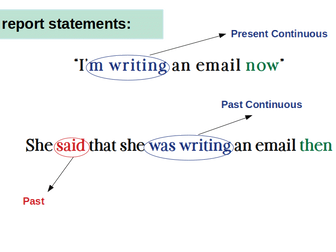
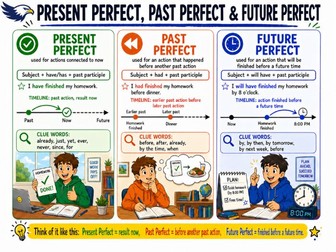
Sequences of tenses in reported speech. Types of question and everything that is needed to transform direct speech in indirect speech + exercises to practice
Teach Spanish as a Second Language!
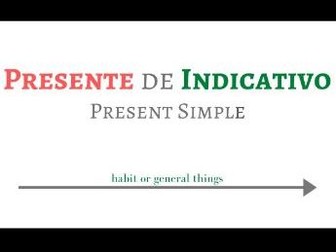
Presente de indicativo: Verbos Regulares (Present Simple: regular verbs): explanation, practice and answer keys.
If you are a Spanish teacher, a parent or you just want to learn Spanish, this resource is for you. This Power Point can be used in classroom and at home.
*Easy to make any changes and to adapt it to your lesson. You can also delete or add something!
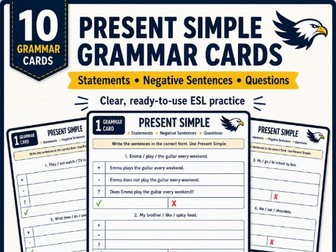
Practise the Present Simple tense with professionally designed English grammar cards for ESL and EFL learners.
This set includes 10 ready-to-use Present Simple Grammar Cards that help students practise positive sentences, negative sentences, and questions in a clear and structured way. The cards are perfect for revising sentence structure, improving accuracy, and building confidence with everyday English grammar.
They can be used both digitally and in print. For classroom use, you can print and laminate them to create durable grammar practice cards for repeated use.
Perfect for:
Present Simple grammar practice
ESL / EFL lessons
quick grammar checks
individual work
extra practice in class
revision stations
early finishers
homework support
These Present Simple Grammar Cards are ideal for English teachers who want practical, low-prep materials that make grammar practice simple, visual, and effective.
Visuals for creating learning cards.
Step by step guide:
1: Open the PDF file
2. Print the files => Page Size & Handling (Multiple) => Pages per sheet (2) => Print page border => Orientation (Landscape) => Print on both sides
3. Laminate them
4. Cut the cards
5. Make a hole on the top left corner with a Hole Punch
6. Use a metal ring to keep all the cards together
 Quick View

 Quick View
 Quick View
 Quick View
 Quick View
 Quick View
 Quick View
 Quick View
 Quick View
 Quick View
 Quick View