New Form Tutor Getting To Know You Pack | First Day / First Week | KS3 Form TimeQuick View
Calumvalentine19

New Form Tutor Getting To Know You Pack | First Day / First Week | KS3 Form Time

(0)
Start the new school year with a brand-new form the easy way. This fully editable, zero-prep pack gives you a complete first session that runs itself - welcome your form, set the tone, learn names, and get even a shy group talking and laughing within minutes. Perfect for the first day or first week with a new tutor group (ideal for KS3, but works right across secondary). Open it, drop in your name and form, and you’re ready to teach. What’s included: • A 15-slide PowerPoint presentation - a complete ~55-minute first session, ready to deliver • A matching 2-page printable pupil worksheet pack (PDF-ready Word document) • Full teacher notes with timings and how-to-run tips on every activity slide The session covers: • A warm welcome and a “meet your tutor” template you make your own • How tutor time works / form expectations (fully editable to match your school) • Six tried-and-tested icebreakers: Two Truths and a Lie, Find Someone Who… (human bingo), This or That, Would You Rather, Me in Numbers, and a Snowball Fight • Building a shared form identity and co-creating a form charter • A look at the year ahead and a quick, reflective exit activity Why teachers love it: • 100% editable - change anything to suit your school, your form and you • Zero prep - print the worksheets, edit the brackets, press play • Clear instructions on every slide, so it works for new and experienced tutors alike • Designed for mixed-ability groups with low-pressure, inclusive activities • Clean, professional design that works for any secondary setting
Form Time News Quiz | Weekly Current AffairsQuick View
Calumvalentine19

Form Time News Quiz | Weekly Current Affairs

(0)
A ready-to-use weekly news quiz for form time and tutor time (KS3 & KS4 / Years 7–11). 12 multiple-choice questions on the week’s biggest stories. Perfect for tutor time, form time or a lesson starter. Covers world news, UK news, sport, science, space, technology, entertainment and a faith question — Fully editable PowerPoint with a fun, TV-news-studio design. Includes: title slide • how-to-play instructions (presenter + scorekeeper, hands-up voting) • 12 questions each with its own answer-reveal slide and a fun fact • a full answer sheet. Just project and play.
BTEC IT (AAQ) Unit 2 Cyber Security: Section A PackQuick View
Calumvalentine19

BTEC IT (AAQ) Unit 2 Cyber Security: Section A Pack

(0)
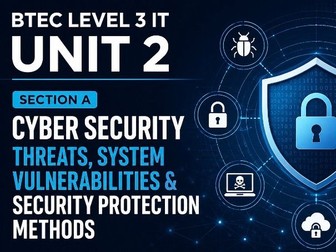
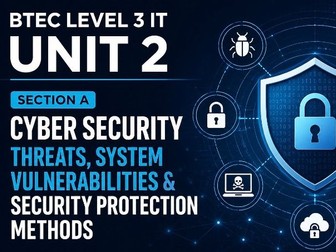
Complete BTEC Level 3 IT AAQ Unit 2 (Cyber Security) Section A teaching pack: 20 lesson PowerPoints plus two student workbooks covering threats, vulnerabilities, the law and system protection. **What’s included • 20 teacher PowerPoint decks (Lessons 1–14), fully resourced with starters, scenario-based tasks, key-word work, structured notes and speaker notes throughout • Three combined student workbooks (Autumn 1 , Autumn 2, Spring 1) with self-contained tasks, key-word tables, exam-style practice, generous extension challenges and homework **Topics covered • Internal and external threats; malware; hacking, social engineering and physical attacks; the impact of attacks; threat intelligence • System vulnerabilities; cloud and IoT; assessment tools; penetration testing; passive risk management • Legal responsibilities: data protection and computer-misuse law • Protecting systems: physical security, backup and recovery, antivirus and firewalls, authentication, access control, encryption and wireless security Exam-focused throughout: real command words, realistic tariffs, and explicit teaching of the 9-mark “Evaluate” technique. British English. Editable PowerPoint and Word files. Ideal as a complete, low-prep teaching package or to supplement your existing scheme. Independently created. Not affiliated with, endorsed by, or officially associated with Pearson. “BTEC” is a trademark of Pearson Education Ltd, used here for identification only.
BTEC IT Unit 2 Cyber: Free Sample LessonQuick View
Calumvalentine19

BTEC IT Unit 2 Cyber: Free Sample Lesson

(2)
Free sample lesson from my BTEC Level 3 IT Unit 2 (Cyber Security) Content Area A pack: a complete teacher PowerPoint and student worksheet on the human factor in security. What’s included (free) • One fully-resourced teacher PowerPoint (Lesson 3: weak practices and the human factor) with starter, scenario-based tasks, key-word work, structured notes and speaker notes throughout • The matching student worksheet, with a task, key-word table, exam-style practice, an extension challenge and homework What it covers • Why most breaches involve human error and weak habits • Spotting and fixing unsafe practices • Building a security culture, with exam-style questions using real command words This is a free taster so you can see the style, quality and exam focus before buying. The full Content Area A pack has 20 lesson PowerPoints and 3 student workbooks covering threats, vulnerabilities, the law and protecting systems. British English. Editable PowerPoint and Word files. Ideal for low-prep teaching or to supplement your scheme. Independently created. Not affiliated with, endorsed by, or officially associated with Pearson. “BTEC” is a trademark of Pearson Education Ltd, used here for identification only.
BTEC Level 3 IT Unit 1 AAQ– Flowcharts & Network Diagrams Worksheet (A1.3) | FREE Sample LessonQuick View
Calumvalentine19

BTEC Level 3 IT Unit 1 AAQ– Flowcharts & Network Diagrams Worksheet (A1.3) | FREE Sample Lesson

(0)
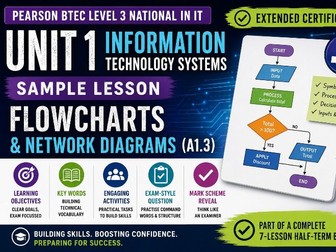
A free sample from my complete BTEC Level 3 IT Unit 1 Autumn Term bundle. A ready-to-use, write-in worksheet on flowcharts and network diagrams (Content Area A1.3) for the Pearson BTEC National in IT (Extended Certificate), Unit 1: Information Technology Systems. Print and teach — no prep needed. Students complete a key-words table, identify the standard flowchart symbols, draw a flowchart with a decision, sketch a simple network diagram, and tackle a 6-mark exam-style “Draw” question, all with built-in answer and drawing space. What’s included: • Clear learning objectives and a key-words table to complete • A starter to get students thinking about everyday processes and decisions • A flowchart symbols task (terminator, process, decision, input/output, flow line) • Two guided drawing tasks: a login flowchart and a simple LAN • An exam-style 6-mark “Draw” question with answer space • A plenary and a student self-assessment grid Why download it: • Clean and professional design • Self-contained — works as a one-off lesson or homework, no prior lessons required • Builds exam technique on a topic students regularly meet in the Unit 1 exam If you find it useful, the full Autumn Term 1 bundle gives you seven fully-resourced lessons covering Content Area A, with editable PowerPoints, a complete student workbook and a teacher pack of mark schemes written to Pearson conventions (with examiner notes and common pitfalls).
BTEC L3 IT Unit 1 (AAQ) : Information Technology Systems – Half-Term 1 Full Lesson Pack (A1 & A2)Quick View
Calumvalentine19

BTEC L3 IT Unit 1 (AAQ) : Information Technology Systems – Half-Term 1 Full Lesson Pack (A1 & A2)

(0)
A complete, ready-to-teach half-term for Pearson BTEC Level 3 National in IT (Extended Certificate), Unit 1: Information Technology Systems (Issue 5). This bundle covers the whole of the first half-term — seven fully-resourced lessons taking students through Content Area A: digital devices (A1) and peripherals and data (A2), finishing with an end-of-topic progress check. What’s included: • 7 editable PowerPoint lesson decks, each following a consistent, exam-focused structure: title → objectives & key words → starter → content → activity → exam-style question → teacher mark-scheme reveal → plenary & homework • A write-in student workbook mapped lesson-by-lesson to the slides (key-word tables, completable activities, flowchart and network draw boxes, exam practice and self-assessment) • A teacher pack with full mark schemes written to Pearson conventions, including examiner notes and common pitfalls for every exam-style question Lessons: 1. What an IT system is (command words; digital vs analogue) 2. Features of digital devices (A1.1) 3. Digital devices in context (A1.2) 4. Flowcharts and network diagrams (A1.3) 5. Peripheral devices (A2.1) 6. Assistive technologies and storage media (A2.2 / A2.3) 7. Data processing, plus a 22-mark progress check (A2.4) Why teachers will like it: • Genuinely ready to teach — minimal prep, every lesson built to the same reliable rhythm • Builds exam technique from day one, with command-word practice and mark schemes that think like a moderator • Natural differentiation through tasks, draw activities and extension questions • British English throughout; clean, consistent design Ideal for the full first half-term, or pick out individual lessons as you need them. Suitable for new and experienced BTEC teachers alike.