HTML / CSS: My first recipe (Beginner level)Quick View
sumaker

HTML / CSS: My first recipe (Beginner level)

(0)
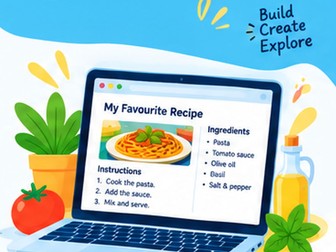
In this hands-on introduction to web development, students learn to create and customise a web page that presents a cooking recipe. Through a simple, motivating project, they discover how HTML and CSS are used to structure and design content on the internet. What will students learn? HTML: create headings, organise ingredients into lists and present step-by-step instructions. CSS: customise text colours, backgrounds and other visual elements of the page. Web design: add images and improve the presentation of content. Digital competence: develop basic skills for creating digital content. Creativity: design an original web page based on their own interests. How does the activity work? Students follow a sequence of small challenges to build their web page from scratch. First, they organise the ingredients and the preparation steps of a recipe using HTML tags. Then, they apply CSS styles to customise colours, lists and other design elements. Finally, they can add images and complete their project with their own personal touches. Who is it for? Recommended for secondary school students, especially ages 12 to 15 (Years 1 to 3 of Spanish ESO), as an introduction to web development and programming. Methodology: hands-on Project-Based Learning. Level: beginner. No prior knowledge of HTML or CSS is needed. Reference resource: free educational project from the Raspberry Pi Foundation: “Recipe”.
HTML and CSS -  My First Web Page: Create Your Own RecipeQuick View
sumaker

HTML and CSS - My First Web Page: Create Your Own Recipe

(0)
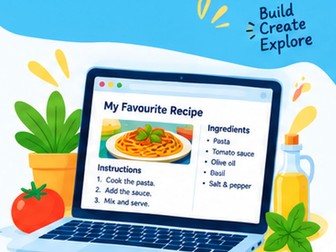
In this hands-on introduction to web development, students learn to create and customise a web page that presents a cooking recipe. Through a simple, motivating project, they discover how HTML and CSS are used to structure and design content on the internet. What will students learn? HTML: create headings, organise ingredients into lists and present step-by-step instructions. CSS: customise text colours, backgrounds and other visual elements of the page. Web design: add images and improve the presentation of content. Digital competence: develop basic skills for creating digital content. Creativity: design an original web page based on their own interests. How does the activity work? Students follow a sequence of small challenges to build their web page from scratch. First, they organise the ingredients and the preparation steps of a recipe using HTML tags. Then, they apply CSS styles to customise colours, lists and other design elements. Finally, they can add images and complete their project with their own personal touches. Who is it for? Recommended for secondary school students, especially ages 11 to 15 , as an introduction to web development and programming. Methodology: hands-on Project-Based Learning. Level: beginner. No prior knowledge of HTML or CSS is needed. Reference resource: free educational project from the Raspberry Pi Foundation: “Recipe”.
Scratch Coding Lab: 32 Interactive Programming Challenges & Workbook (Grades 6–8 / Key Stage 3)Quick View
sumaker

Scratch Coding Lab: 32 Interactive Programming Challenges & Workbook (Grades 6–8 / Key Stage 3)

(0)
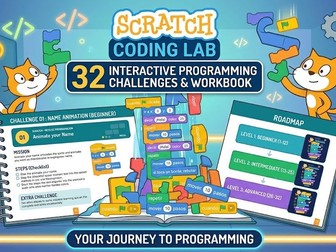
**Boost your students’ computational thinking with this comprehensive, ready-to-use Scratch coding workbook! ** Designed specifically for middle school and international school computer science classes (Key Stage 3 / Ages 11–14), this resource includes 32 structured, step-by-step programming challenges spanning three difficulty levels (Beginner, Intermediate, and Advanced). Each challenge is carefully formatted onto a single, clear page following a proven pedagogical structure to foster independence, problem-solving, and algorithmic thinking. **What’s Included: ** 32 Guided Coding Challenges covering events, motion, looks, variables, loops, conditions, cloning, and game physics. **Structured Learning Path per Challenge: ** Mission: Clear objective outlining what to build. Step-by-Step Construction: Guided building steps to prevent student frustration. Checklist: Built-in self-assessment criteria Extra Challenge (Extension): Differentiation task for fast finishers. Roadmap & Teacher Guide: Visual overview of all 32 tasks categorized by difficulty levels (Level 1: Beginner, Level 2: Intermediate, Level 3: Advanced). Format: Clean, visually engaging PDF layout ready for printing or digital classroom use (fully in English). Key Topics Covered: Animation & interactive greeting card Keyboard & mouse event handling Variables, math operators, and scoring systems Conditional logic (if / else statements) Clones, gravity, and complete arcade game projects (Platformers, Pong, Space Invaders, Maze navigation, and more!) Perfect as a standalone coding curriculum, term-long project booklet, homework tasks, or enrichment material for ICT and Computer Science classrooms.