Future Technologies Consequences for Life and CareerQuick View
agiesens

Future Technologies Consequences for Life and Career

(0)
This ready-to-teach lesson helps students derive personal and career consequences from current information technology developments, building directly on prior learning about Artificial Intelligence, Cyber-Physical Systems, and Blockchain. It is designed for upper secondary Computer Science / Informatics courses and fits a 45-minute lesson. Students begin with structured retrieval of key benefits and risks of AI, CPS, and blockchain, then move beyond technical understanding to analyse real consequences for their own behaviour, decision-making and future skill development. The lesson explicitly teaches the difference between describing a technology and deriving consequences from it, supporting deeper reasoning and stronger exam responses. Activities include paired impact mapping, an individual personal-consequences task, a career-orientation group task distinguishing affected roles and emerging roles, a hinge question to check conceptual understanding, a transfer scenario, and an evaluation task requiring justified judgement. A short exit ticket provides a clear assessment checkpoint. The slide deck is fully self-contained and suitable both for classroom delivery and revision use. It includes model answers, structured tasks, and progression (knowledge, application, evaluation). No additional preparation or printing is required. Ideal for units on future technologies, digital responsibility and career orientation in computing-related subjects.
Artificial Intelligence and EthicsQuick View
agiesens

Artificial Intelligence and Ethics

(0)
This lesson introduces students to Artificial Intelligence through real-world decision-making scenarios, with a strong focus on understanding, analysis, and ethical evaluation. It is designed for secondary Computer Science / Informatics classes and follows a structured progression from core definitions to higher-level critical thinking. Students first build secure foundational knowledge of what AI is and is not, including how machine learning systems use data, patterns, and probabilities rather than human understanding. The lesson then explores how AI systems are trained, how bias can arise from data, and the differences between supportive and automated decision systems. Everyday AI applications are used to anchor understanding. A central case study on AI-based job applicant screening runs through the lesson and is used for structured analysis and perspective-taking. Students examine benefits, risks, stakeholders, and ethical concerns such as fairness, transparency, accountability, and data protection. Activities include individual judgement tasks, group role perspectives, and guided ethical evaluation. The slide deck is fully self-contained and suitable for revision or absent students. It includes clear learning objectives aligned to three cognitive levels (knowledge, analysis, evaluation), scenario tasks, discussion prompts, and exam-style questions with model answers and mark guidance. It works well for a 45 to 90 minute lesson and fits units on AI, future technologies, or digital responsibility.
Blockchain TechnologyQuick View
agiesens

Blockchain Technology

(0)
This lesson introduces students to blockchain technology through the themes of trust, record integrity, and responsibility in digital systems. It is designed for secondary Computer Science / Informatics classes and builds from conceptual foundations to technical mechanisms and critical evaluation. Students begin with a recap of risks in AI and cyber-physical systems, then move into the core problem of how digital decisions and records can be trusted over long periods of time. A realistic scenario involving AI-based job application decisions is used to motivate the need for tamper-resistant records and to anchor the purpose of blockchain. The lesson develops a clear, student-friendly explanation of blockchain as a shared digital ledger built from linked blocks. Key technical mechanisms are taught step by step, including hashing as a data fingerprint, Proof of Work as a cost-based protection mechanism, and distributed ledgers as a safeguard against single-party control. Each concept is reinforced with hinge questions, short applied tasks, and model answers so the slide deck works both for classroom teaching and independent revision. Students then examine limitations and risks, including energy consumption, 51% attacks, irreversibility of errors, and the difference between anonymity and pseudonymity. Real-world use cases such as cryptocurrencies, school records, land registers, and financial transactions are evaluated with advantages and constraints. The resource is fully self-contained and explicitly sequenced, with recap tasks, diagnostic questions, consolidation activities, and model answers throughout. It is suitable for a 45–90 minute lesson and fits well within units on AI, data integrity, and future technologies.
Cyber-Physical SystemsQuick View
agiesens

Cyber-Physical Systems

(0)
This lesson introduces students to Cyber-Physical Systems (CPS) by exploring how software-controlled systems interact directly with the physical world. It is designed for secondary Computer Science / Informatics classes and builds clear conceptual understanding before moving into applied analysis and evaluation. Students begin by identifying where computers already control real physical processes, then develop a precise definition of a cyber-physical system and its key characteristics, including real-time operation, integration of digital and physical components, feedback loops, and partial autonomy. The lesson breaks CPS down into core components such as sensors, processors, and actuators, and reinforces these through guided examples such as smart traffic lights and smart thermostats. Understanding is strengthened through structured knowledge checks, short application tasks, and model answers, making the slide deck suitable both for classroom use and independent revision. Students analyse how feedback loops enable continuous adjustment and safe operation, and they apply the CPS model to new examples. The lesson also gives strong attention to risk and responsibility. Students examine typical CPS risks such as faulty sensor data, software errors, cyber-attacks, and loss of human control, then evaluate responsibility using accident scenarios involving autonomous systems. A final consolidation task uses mark-weighted questions with technical vocabulary expectations, supporting exam preparation. The resource is fully self-contained, clearly sequenced, and suitable for a 45–60 minute lesson or structured revision. It aligns well with units on AI, cyber-physical systems, and future technologies, and supports progression from knowledge to analysis and evaluation.
Digital Security Mini-ProjectQuick View
agiesens

Digital Security Mini-Project

(3)
Students are given a business based scenario that highlights many different data security risks. From the information, they have to identify the risks and come up with a plan of action for how to deal with them. They then create a presentation for the staff of the company.
Encryption and Decryption PowerPointQuick View
agiesens

Encryption and Decryption PowerPoint

(1)
An introductory PowerPoint on encryption and decryption, including information about the Caesar Cipher and the Pigpen Cipher. Powerpoint has been updated: 12th April 2024
SWOT and PESTEL AnalysisQuick View
agiesens

SWOT and PESTEL Analysis

(0)
PowerPoints for introducing the concepts of SWOT and PESTEL/PESTLE Analyses. The SWOT PowerPoint explores what a SWOT analysis is and why it is used by businesses. It explores what might be found within the areas of strengths, weaknesses, opportunities and risks. The PESTEL PowerPoint looks at what it is and why it is used and what might be found within each area.
Using AI in School: Best Practices for StudentsQuick View
agiesens

Using AI in School: Best Practices for Students

(0)
This editable resource is a set of guidelines aimed students on how to effectively and ethically use Artificial Intelligence (AI) in a school setting. Its aim is to educate students on the benefits and limitations of AI, and to guide them on how to integrate it into their learning process in a responsible manner. This resource aims to equip students with the knowledge and skills necessary to leverage AI as a valuable learning tool while also maintaining academic integrity and ethical standards. It promotes critical thinking, responsible use, and a balanced approach to AI in education. Schools can adapt the resource to suit their own needs and guidelines.
Introduction to Python ProgrammingQuick View
agiesens

Introduction to Python Programming

(0)
A comprehensive introduction to Python programming for complete beginners. This resource covers fundamental concepts including variables, data types, lists, conditional statements, input/output operations (input()), basic and advanced operators (arithmetic, comparison, logical), for loops, and while loops. The package includes engaging exercises, mini-tasks, and PowerPoint presentations designed to build a solid foundation in Python programming. Learn how to manipulate data, control program flow, and write interactive programs. File types included: .docx, .pptx Keywords: Python, variables, lists, conditionals, loops, beginner, programming, exercises, tasks, data types, control flow More files will be added soon.
HTML For Beginners - QuizzesQuick View
agiesens

HTML For Beginners - Quizzes

(0)
Learn HTML with HTML Quizzes. Beginner-friendly tests on key concepts. Solutions included. Ideal for self-study or classroom use. Two introductory HTML quizzes designed to reinforce basic HTML concepts for beginners. These quizzes have been designed to provide an engaging way to test understanding. Includes answer keys/solutions. Perfect for self-study or classroom use at KS3/4. One quiz involves multiple choice, the other identifying errors in HTML code and adding code of their own. Keywords: HTML, quiz, beginner, web development, KS3, KS4, interactive, self-study, classroom
Spreadsheet Modelling ProjectQuick View
agiesens

Spreadsheet Modelling Project

(0)
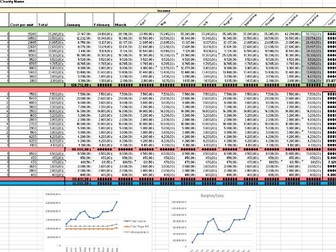
A larger spreadsheet project that allows students to see what happens when they change values within a spreadsheet using a fictional charity’s finances as a basis. I have also attached the completed spreadsheet as a guide to what it might look like. Developed and adapted from the excellent spreadsheet project uploaded by “Digital Anything”. EDITED for an input error and to add answers for Task 3