Ks3 Art and Design Assessment criteria matrixQuick View
jamesgreenwood

Ks3 Art and Design Assessment criteria matrix

(0)
An assessment framework for assessing Ks3 Art and Design without levels. Mapped to/with progression to GCSE in mind, using similar marks and assessment objectives to help students use/learn assessment language. Use: > Teacher reference for assessing the arts > Student reference for understanding the assessment criteria and process
Ks3 Photography L1Quick View
jamesgreenwood

Ks3 Photography L1

(1)
The first of a series of lessons designed to introduce Ks3 students to photography. This is a theory lesson where students have opportunity to investigate and explore key historical events about photography. The main task/assignment is to create a timeline of events. Includes detailed instructions and a home learning challenge.
Abstraction L2 - MondrianQuick View
jamesgreenwood

Abstraction L2 - Mondrian

(0)
The second of a series of lessons for the unit of work called: Abstraction Ks3 SoL - (https://www.tes.com/teaching-resource/-11448734) It includes notes, with sub-links to the relevant/required resources.
Ks3 Art & Design Unit: Advanced Colour TheoryQuick View
jamesgreenwood

Ks3 Art & Design Unit: Advanced Colour Theory

7 Resources
A complete unit of work for Ks3 Art & Design using the theme/topic of Advanced Colour Theory, inc: > Initial lesson slideshow > Supporting resources > Printable worksheets > Teacher Scheme of Learning > Lesson Slideshows to deliver the project
iMedia Revision: R081 Pre-Production Skills [1/3]Quick View
jamesgreenwood

iMedia Revision: R081 Pre-Production Skills [1/3]

(0)
A workbook to help students revise and study for the iMedia R081 Examination. Includes: A checklist for students to manage their revision 45 Slides of content and activities 10 topics including: Storyboards, Mood boards, Spider-grams, Visualization Diagrams, Scripts, File Types, Health & Safety, Version Control, Legislation, Work Plans.
Ks3 Art and Design Assessment GridQuick View
jamesgreenwood

Ks3 Art and Design Assessment Grid

(0)
A resource/ worksheet for Ks3 students to use for tracking, recording and progress in Art and Design. Use: > Students could secure a copy of this resource inside sketchbooks and record marks following an assessment. > Over time, student progress can be measured against the criteria/objectives.
GCSE Art and Design Sketchbook assessment feedback promptsQuick View
jamesgreenwood

GCSE Art and Design Sketchbook assessment feedback prompts

(0)
A resource that includes helpful guidance for students studying GCSE Art & Design. With direct reference to the four assessment objectives. Originally designed as a reference sheet/ handout following sketchbook assessment(s), for students to self-assess by identifying areas for development. During the assessment of sketchbooks, attach relevant coloured markers (cropped post-its) to pages/items of work that require students to revisit and improve. Following the assessment(s), students then refer to this resource to help identify how they could improve/develop further. Once a marker/post-it has been re-worked (developed further) students can record on the marker/post-it when they conducted the work (re-visit) and present these inside sketchbooks as evidence of re-visiting and developing further their own work. This resource encourages and supports students in independence.
Ks3 Art and Design Assessment Feedback sheetQuick View
jamesgreenwood

Ks3 Art and Design Assessment Feedback sheet

(0)
An assessment feedback sheet, can be used by the teacher when assessing students work (sketchbooks/outcomes) and glued into sketchbooks. > Uses new Ks3 Framework assessment criteria (four assessment objectives). > Spaces for teacher comments. > Student assessment table.
GCSE ICT Revision workbook 1: Personal Digital DevicesQuick View
jamesgreenwood

GCSE ICT Revision workbook 1: Personal Digital Devices

(0)
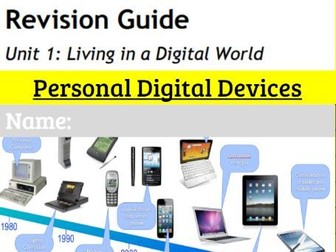
Workbook 1 of 6. Includes 37 slides of revision activities.A checklist to help students manage revision and instructions for each activity/task within the slide notes. 7 Topics covered: 1.1 Mobile Phones 1.2 Personal Computers 1.3 Cameras and Camcorders 1.4 Games Consoles 1.5 Home Entertainment Systems 1.6 Media Players 1.7 Navigation Aids Created to support students preparing for examinations, however this resource could also be use as a set of lesson activities too.
Ks4 GCSE Art and Design Assessment feedback sheetQuick View
jamesgreenwood

Ks4 GCSE Art and Design Assessment feedback sheet

(0)
An assessment feedback sheet, can be used by the teacher when assessing students work (sketchbooks/outcomes) and glued into sketchbooks. > Uses new Ks4 Framework assessment criteria (four assessment objectives). > Spaces for teacher comments. > Student self-assessment table.
Hues, Tints, Shades and Tones templateQuick View
jamesgreenwood

Hues, Tints, Shades and Tones template

(0)
A template/worksheet to help students practice painting skills. This resource is part of the Advanced Colour Theory Ks3 Art and Design unit. Can be used for students as a reference or printed directly onto drawing paper.
GCSE ICT Revision workbook 4: Online Goods & ServicesQuick View
jamesgreenwood

GCSE ICT Revision workbook 4: Online Goods & Services

(0)
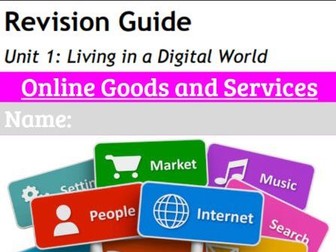
Workbook 4 of 6. Includes 28 slides of revision activities.A checklist to help students manage revision and instructions for each activity/task within the slide notes. 12 Topics covered: 4.1 Online Shops and Physical Goods 4.2 Booking Systems 4.3 Banking 4.4 Education & Training 4.5 Gaming 4.6 News & Information Services 4.7 Auctions 4.8 On Demand Entertainment 4.9 Software as a Service 4.10 Software Download 4.11 Data Storage 4.12 Search Engines Created to support students preparing for examinations, however this resource could also be use as a set of lesson activities too.
Ks4 GCSE Art and Design Assessment GridQuick View
jamesgreenwood

Ks4 GCSE Art and Design Assessment Grid

(0)
A resource/ worksheet for Ks4 GCSE Art & Design students to use for tracking, recording and progress in Art and Design. Use: > Students could secure a copy of this resource inside sketchbooks and record marks following an assessment. > All four assessment objectives allow students to record individual marks for each objective, each term (using a 6 term calendar). > Over time, student progress can be measured against the criteria/objectives.
Ks3 Photography L3Quick View
jamesgreenwood

Ks3 Photography L3

(0)
The third of a series of lessons designed to introduce Ks3 students to photography. This is a theory lesson where students have opportunity to investigate, explore and record knowledge about the DSLR Camera. The main task/assignment is to evidence knowledge about the DSLR camera. Includes detailed instructions and a home learning challenge Supporting resources: https://www.tes.com/teaching-resource/ks3-photography-a3-getting-to-know-the-camera-11458932
iMedia Revision: R081 Pre-Production Skills [2/3]Quick View
jamesgreenwood

iMedia Revision: R081 Pre-Production Skills [2/3]

(0)
Revision slides to help students revise for the R081 Pre Production Skills unit/exam. This is the 2nd of 3 revision resources. This one is designed to be used off-line by students studying the content and then recording their work/notes into a paper book. Covers all topics within the R081 unit of work.
Google Slides Introduction Activity 2Quick View
jamesgreenwood

Google Slides Introduction Activity 2

(0)
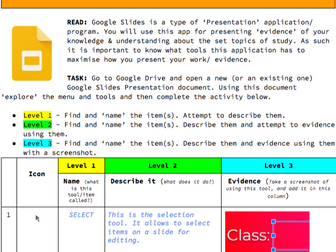
A worksheet/ activity to be use by students to help explore and understand the tool bar and menu options on the Google Slides interface. Reintegrate WPS skills in your students. 7 Pages of activity 43 Tasks Inclusive of: The Main Tool bar The Menu options Originally designed to be used with Google Classroom, as a digital resource/ worksheet. Includes a PDF version for printing. This resource will offer both offline and online use.
Google Sheets Introduction Activity 3Quick View
jamesgreenwood

Google Sheets Introduction Activity 3

(0)
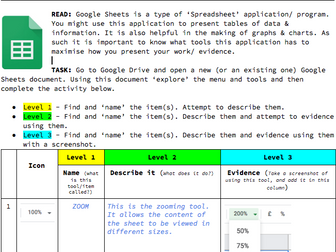
A worksheet/ activity to be use by students to help explore and understand the tool bar and menu options on the Google Doc interface. Reintegrate WPS skills in your students. 8 Pages of activity 48 Tasks Inclusive of: The Main Tool bar The Menu options Originally designed to be used with Google Classroom, as a digital resource/ worksheet. Includes a PDF version for printing. This resource will offer both offline and online use.
GCSE ICT Revision workbook 3: Operating OnlineQuick View
jamesgreenwood

GCSE ICT Revision workbook 3: Operating Online

(0)
Workbook 3 of 6. Includes 12 slides of revision activities.A checklist to help students manage revision and instructions for each activity/task within the slide notes. 6 Topics covered: 3.1 World Wide Web 3.2 Identification & Authentication 3.3 Online Accounts 3.4 Personal Spaces 3.5 Profiling (public & private) 3.6 Data Protection Created to support students preparing for examinations, however this resource could also be use as a set of lesson activities too.
GCSE ICT Revision workbook 6: IssuesQuick View
jamesgreenwood

GCSE ICT Revision workbook 6: Issues

(0)
Workbook 6 of 6. Includes 28 slides of revision activities.A checklist to help students manage revision and instructions for each activity/task within the slide notes. 5 Topics covered: 6.1 Security 6.2 Privacy 6.3 Health & Safety 6.4 Legal & Ethical 6.5 Environmental Created to support students preparing for examinations, however this resource could also be use as a set of lesson activities too.
GCSE ICT Revision workbook 2: ConnectivityQuick View
jamesgreenwood

GCSE ICT Revision workbook 2: Connectivity

(0)
Workbook 2 of 6. Includes 12 slides of revision activities.A checklist to help students manage revision and instructions for each activity/task within the slide notes. 2 Topics covered: 2.1 Digital Communications 2.2 Digital Data Created to support students preparing for examinations, however this resource could also be use as a set of lesson activities too.