BTEC Business Level 3  Unit 20: Investigating Corporate Social ResponsibilityQuick View
christopherberry

BTEC Business Level 3 Unit 20: Investigating Corporate Social Responsibility

(0)
A lesson planned for a 90 minute session to cover: A.P1 Explain how CSR issues impact on the stakeholders of businesses. A.M1 Compare and contrast the effect two CSR issues have had on two different businesses. The resources include a 5 minute lesson plan with differentiation strategies PowerPoint presentation paper based quizzes/activities. There may be errors or omissions as this was created when challenged by time, so please check before use.

Intoduction to Python FunctionsQuick View
christopherberry

Intoduction to Python Functions

(0)
An basic introduction to the use of Functions in python. This resource should give about a fifty minute lesson. There is a supporting powerpoint worksheets for the students to take notes on and also includes examples of the code within the worksheets. There is also sample code and tasks each bit of code is prefixed with a “T” and referenced on the relevant slide. There is a txt file with all the tasks on as some firewalls delete files wit .py on as harmful. There is also a compressed folder with the code in. As an extension there is a printable mini quiz if required
20 Computing Word SearchesQuick View
christopherberry

20 Computing Word Searches

(0)
This resources contains powerpoints with 10 wordsearches in each powerpoint for differing areas of computing. Each wordsearch can be copied and pasted into any document or workbook or used as a standalone activity.
Logo Quiz - Social MediaQuick View
christopherberry

Logo Quiz - Social Media

(0)
Logo identification activity. This activity could be used as a starter activity or in form time. The Logos in this quiz mainly relate to social media. Quiz There is one Logo quiz in several different formats. It can be printed off displayed on an interactive whiteboard there is a answer sheet that can be hand written if required too. Also included is a word search containing the names of the organisations the logos relate to.
Sound Editing With Audacity an IntroductionQuick View
christopherberry

Sound Editing With Audacity an Introduction

(0)
This PowerPoint can be used as a classroom resource to introduce features of the free open source software audacity. Included is a simple worksheet that can be used as a stand alone activity or plenary. The idea is that student create a simple set of ring tones that could be used on a mobile phone
Computer Hardware Worksheets 2Quick View
christopherberry

Computer Hardware Worksheets 2

(0)
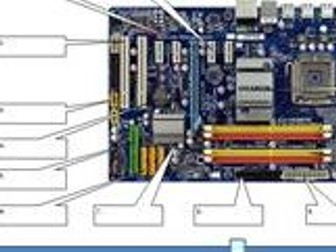
Used with Level 1 student as evidence for assessment that they can identify components within the computer. Has also been used as a starter activity with other groups. Could be used at KS3 or KS4 Various other worksheets, PowerPoint presentations and word searches have been added related to computer systems hardware
Application Design:  Modelling Diagrams and ToolsQuick View
christopherberry

Application Design: Modelling Diagrams and Tools

(0)
Covers most of the diagrams required for Cambridge Technicals Unit 6 Application Design. This covers other CT Units too System and application development modelling diagrams and tools Understanding ERDs Entity Relationship Diagrams Explains how ERDs are composed and the relationships between tables in a database Understanding UML use case diagrams Understanding the IPO Model for Program Design
Computer Components Input and Output devicesQuick View
christopherberry

Computer Components Input and Output devices

(0)
This was created for an interview. The class was Year 8 mixed ability but would be suitable for Year 9 as well. Contained within these resources activities that will be required to be printed on A3 paper and could be used as a group activity . To be covid safe it would require one student to be directed by the other group members (ideally three) in the positioning of the hexagonal shaped component images on the large printout of the motherboard you can see in the image
Programming in Visual Studio - Simple Dice Program  using IF StatementsQuick View
christopherberry

Programming in Visual Studio - Simple Dice Program using IF Statements

(0)
A popular program with students Developed for the old BTEC unit 6 but I currently use it for Cambridge Technicals Level 2 Units 22 and 27 also CT Level 3 Units 6 and 14 There is also a VB6 version included. This demonstrates the use of relative addressing of files contained within select statements. Selection in both programs is triggered by a button press, a timer, and random number this is used in a variable.
LOGO QUIZQuick View
christopherberry

LOGO QUIZ

(0)
Logo identification activity. This activity could be used as a starter in form time. The original activity was made for a Year 8 Digital Graphics Unit, but could equally be used in Business Studies. This has been update to be and is intended to be used for Level 1 Web Development as part of developing a house style.
AAQ F162 UX/UI Solutions - 1.6 UX/UI interface design standardisationQuick View
christopherberry

AAQ F162 UX/UI Solutions - 1.6 UX/UI interface design standardisation

(0)
Lesson resources for 1. 6 UX/UI interface design standardisation The resources cover the following areas: • common user interface layouts, icons and labels throughout the application • cross-platform standards • standard interface widgets • standard protocols. The lesson resources including a PowerPoint presentation student workbook for taking notes during the lesson a printable quiz to check learning with 15 questions and research activity within the presentation. Please check these resources before use as there maybe errors due to the challenges of time constrains when creating them.
AAQ F162 UX/UI Solutions - 1.5.2 UX/UI Experience (Features of UI)Quick View
christopherberry

AAQ F162 UX/UI Solutions - 1.5.2 UX/UI Experience (Features of UI)

(0)
Lesson resources for 1.5.2 Features of UI. These resources cover: □ Types of UI Command line interface (CLI) Form-based user interface Graphical user interface (GUI) Menu-driven user interface Natural language user interface Touch user interface Voice user interface (VUI) □ Interaction types Function keys Gestures Voice WIMP (Windows Icons Menus Pointers) There is a PowerPoint presentation that covers types of UI and Interaction types. The lesson resources including a PowerPoint presentation student workbook for taking notes during the lesson a printable quiz to check learning check learning. Please check these resources before use as there maybe errors due to the challenges of time constrains when creating them.
AAQ F162 UX/UI Solutions - 1.5.1 UX/UI Experience (Factors that impact UX)Quick View
christopherberry

AAQ F162 UX/UI Solutions - 1.5.1 UX/UI Experience (Factors that impact UX)

(0)
Lesson resources for 1.5.1 Factors that impact UX. There is a PowerPoint presentation that covers factors that affect UX as identified by Peter Marvel in his UX Honeycomb model. Accessible, Creditable, Desirable, Findable, Usable, Useful and Valuable. The lesson resources including a PowerPoint presentation student workbook for taking notes during the lesson a printable quiz to check learning with 10 questions to check learning. Please check these resources before use as there maybe errors due to the challenges of time constrains when creating them.
AAQ F162 UX/UI Solutions -  Schneiderman's 8 Golden Rules of interface designQuick View
christopherberry

AAQ F162 UX/UI Solutions - Schneiderman's 8 Golden Rules of interface design

(0)
Lesson resources for part of 1.3 Design principles. These resources focus on Schneiderman’s 8 Golden Rules of interface design. These resources including a PowerPoint presentation student workbook for taking notes during the lesson a printable quiz to check learning with 15 questions. There may be a need to add tasks for students to under take after delivering this content. Please check these resources before use as there maybe errors due to the challenges of time constrains when creating them.
AAQ F162 UX/UI Solutions - 1.4 Design PsychologyQuick View
christopherberry

AAQ F162 UX/UI Solutions - 1.4 Design Psychology

(0)
Lesson resources for 1.4 Design Psychology design principle that focuses on the understanding of Cognitive Load, Hick’s Law in UX/UI Design , Law of Proximity in user interface layouts The Von Restorff effect and Serial Position. The lesson resources including a PowerPoint presentation student workbook for taking notes during the lesson a printable quiz to check learning with 15 questions and research activity within the presentation. Please check these resources before use as there maybe errors due to the challenges of time constrains when creating them
AAQ F162 UX/UI Solutions - 1.3 Design Principles Lesson 3Quick View
christopherberry

AAQ F162 UX/UI Solutions - 1.3 Design Principles Lesson 3

(0)
These resources comprise of a PowerPoint presentation and student workbook for the students to write/take notes in. The content covers the OCR AAQ unit F162 Designing and communicating UX/UI solutions. This session is part of TA1: Principles of UX design and covers 1.3 UX/UI Design Principles.
Logo Quiz 2Quick View
christopherberry

Logo Quiz 2

(0)
Logo identification activity. This activity could be used as a starter in form time. The original activity was made for a Year 8 Digital Graphics Unit, but could equally be used in Business Studies. This has been update to be and is intended to be used for Level 1 Web Development as part of developing a house style.