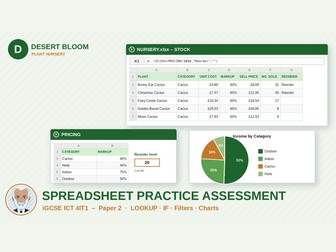
iGCSE ICT Spreadsheets: Plant NurseryQuick View
leroysalih

iGCSE ICT Spreadsheets: Plant Nursery

(0)
Pearson Edexcel iGCSE ICT (4IT1) Paper 2-style spreadsheet practice assessment: LOOKUP, IF, PRODUCT, absolute references, filters, pie chart, mark scheme. Give your iGCSE ICT pupils realistic practice for the spreadsheet tasks in Paper 2 (Practical). This complete, ready-to-use practice assessment covers specification topic 6.3 Spreadsheets and is set in a plant nursery, Desert Bloom Plant Nursery. What’s included Question paper (PDF, 3 pages) Teacher mark scheme (PDF, 4 pages) and an editable DOCX version Completed model answer spreadsheet (XLSX) Data files zip: NURSERY (workbook with STOCK, PRICING and SUMMARY worksheets) and an EVIDENCE document for screenshots and written answers Assessment format 45 marks, 1 hour 15 minutes. Section A – Practical (32 marks) Task 1 – Formatting (4 marks): fonts, shading, row height, text wrap and alignment of field headings. Task 2 – Calculations (15 marks): a LOOKUP for the markup, a sell price formula, the PRODUCT function, a SUM total, a percentage using an absolute cell reference, an IF that returns Reorder or a blank, replication and percentage formats. Task 3 – Functions (4 marks): MAX, MIN and COUNTIF. Task 4 – Currency (1 mark): currency format with two decimal places. Task 5 – Filtering (3 marks): filtering on two criteria and hiding columns, with screenshot evidence. Task 6 – Chart (3 marks): a pie chart with title, percentage data labels and legend. Task 7 – Printing (2 marks): portrait, fit to one page wide, footer with name and automated file name, print to PDF. Section B – Short answer (13 marks): PRODUCT, absolute references, COUNT and COUNTA, choosing a pie chart, hidden columns, lookup tables, testing a formula and using multiple worksheets. Mark scheme Point-by-point marking grids with “award the mark for” and “check / do not accept” guidance, expected values for checking pupils’ work quickly (for example the first plant’s sell price, income and percentage, the total income and the number of plants to reorder), and every mark mapped to a learning objective and to the 4IT1 specification references (6.3.1–6.3.8, 5.4). Ideal for End-of-unit practice, mock preparation, timed lab practice, homework or cover lessons. Notes Designed for Microsoft Excel. Currency is shown in pounds (£). The scenario and all data are fictional. A second spreadsheet practice paper, Oasis Bike Hire, is also available.
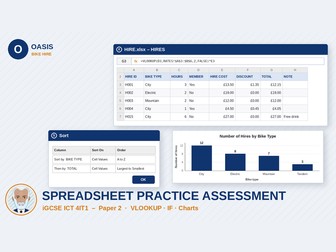
iGCSE ICT Spreadsheets: Bike Hire PaperQuick View
leroysalih

iGCSE ICT Spreadsheets: Bike Hire Paper

(0)
Pearson Edexcel iGCSE ICT (4IT1) Paper 2-style spreadsheet practice assessment: VLOOKUP, IF, named cells, functions, sorting, charts and mark scheme. Give your iGCSE ICT pupils realistic practice for the spreadsheet tasks in Paper 2 (Practical). This complete, ready-to-use practice assessment covers specification topic 6.3 Spreadsheets and is set in a bike hire business, Oasis Bike Hire. What’s included Question paper (PDF, 3 pages) Teacher mark scheme (PDF, 4 pages) and an editable DOCX version Completed model answer spreadsheet (XLSX) Data files zip: HIRE (workbook with HIRES, RATES and SUMMARY worksheets) and an EVIDENCE document for screenshots and written answers Assessment format 45 marks, 1 hour 15 minutes. Section A – Practical (32 marks) Task 1 – Layout and formatting (4 marks): inserting a row, merge and centre, row height, text wrap, shading and alignment. Task 2 – Calculations (13 marks): a named cell, a VLOOKUP to calculate hire cost, an IF to calculate a member discount, a total formula, an IF that returns a message or a blank, and replication. Task 3 – Functions (5 marks): SUM, AVERAGE and COUNTIF. Task 4 – Formatting and sorting (3 marks): currency format and a two-level sort. Task 5 – Chart (4 marks): a column chart with title, axis labels and data labels. Task 6 – Printing (3 marks): formula view, landscape, fit to one page wide, gridlines and headings, header with name and automated date, print to PDF. Section B – Short answer (13 marks): data types, named cells, LEN, COUNTIF, choosing chart types, automated dates, evaluating the worksheet and the benefits of formulae. Mark scheme Point-by-point marking grids with “award the mark for” and “check / do not accept” guidance, expected values for checking pupils’ work quickly (for example the hire cost, discount and total for the first hire and the total income), and every mark mapped to a learning objective and to the 4IT1 specification references (6.3.1–6.3.8, 5.4). Ideal for End-of-unit practice, mock preparation, timed lab practice, homework or cover lessons. Notes Designed for Microsoft Excel. Currency is shown in pounds (£). The scenario and all data are fictional. A second spreadsheet practice paper, Desert Bloom Plant Nursery, is also available.
iGCSE ICT Presentation Practice PaperQuick View
leroysalih

iGCSE ICT Presentation Practice Paper

(0)
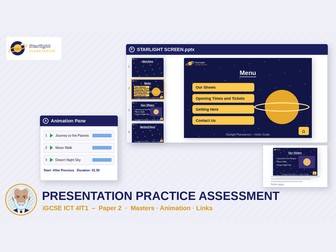
Pearson Edexcel iGCSE ICT (4IT1) Paper 2-style presentation practice assessment: master slides, animation, hyperlinks, printing and mark scheme. Give your iGCSE ICT pupils realistic practice for the presentation tasks in Paper 2 (Practical). This complete, ready-to-use practice assessment covers specification topic 6.5 Presentation software. Pupils build a touch-screen information presentation for a planetarium, Starlight Planetarium. What’s included Question paper (PDF, 4 pages) and an editable DOCX version Teacher mark scheme (PDF, 4 pages) and an editable DOCX version Completed model answer presentation (PPTX) Data files zip: IMAGES folder (LOGO, BACKGROUND, MAP, SATURN, MOON, ROCKET, TELESCOPE, CUPCAKE), STARLIGHT TEXT, TICKET PRICES spreadsheet and an EVIDENCE document Assessment format 45 marks, 1 hour 15 minutes. Section A – Practical (32 marks) Task 1 – Master slide (10 marks): slide size, background image with transparency, title styles, a logo on every slide, footer text, an automatic date and slide numbers (hidden on the title slide), and editing layout masters. Task 2 – Slides (6 marks): six slides on the correct layouts, short bullet points, relevant images in placeholders, replacing long text with a map, exact image sizes and fitness for purpose. Task 3 – Animations and transitions (5 marks): entrance effects in the Animation Pane, After Previous timing, durations and an automatic timed transition. Task 4 – Hyperlinks and action buttons (6 marks): a menu linked to slides, Home action buttons, website and email hyperlinks and a link to a file. Task 5 – Speaker notes and printing (5 marks): speaker notes, notes and handouts footers, and printing handouts, notes pages and full page slides to PDF. Section B – Short answer (13 marks). Mark scheme Point-by-point marking grids with “award the mark for” and “check / do not accept” guidance, every mark mapped to a learning objective and to the 4IT1 specification reference 6.5. Ideal for End-of-unit practice, mock preparation, timed lab practice, homework or cover lessons. Notes Designed for Microsoft PowerPoint. The scenario and all data are fictional.
EdExcel ICT iGCSE Databases Practice  MS AccessQuick View
leroysalih

EdExcel ICT iGCSE Databases Practice MS Access

(0)
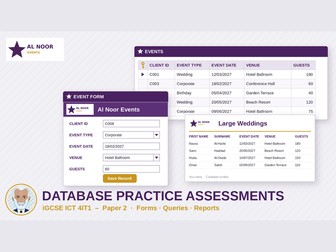
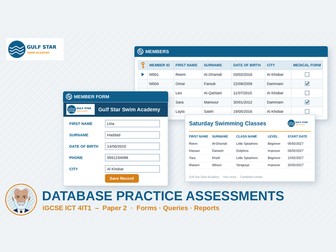
Two Pearson Edexcel iGCSE ICT (4IT1) Paper 2-style database practice assessments with ready-made Access databases, question papers and full mark schemes. Give your iGCSE ICT pupils real practice for the database task in Paper 2 (Practical). This pack has two complete, ready-to-use practice assessments for specification topic 6.2 Database management. Each one is set in a realistic business scenario and comes with everything you need to run it in the lab: the pupil question paper, a working Microsoft Access database, a logo image, an evidence document, and a teacher mark scheme in PDF and editable Word format. What’s included Practice Assessment 1 – Al Noor Events An events company in Saudi Arabia’s Eastern Province plans weddings, birthdays and corporate events. It keeps its data in a relational database with two linked tables, CLIENTS and EVENTS, with referential integrity enforced. Question paper (PDF, 3 pages) Mark scheme (PDF and editable DOCX, 3 pages) AL NOOR EVENTS.accdb, the Access database with sample data AL NOOR LOGO.png, for the form and report tasks EVIDENCE.docx, a structured answer document for screenshots and written answers Specification coverage (4IT1 6.2) Relational database structure, primary and foreign keys, data types, validation and lookup lists, sorting, single- and multiple-criteria queries (AND, OR, NOT, relational operators, dates), forms for consistent data entry, and reports produced from saved queries. Ideal for End-of-unit practice before a database assessment Mock exam preparation for Paper 2 Timed lab practice, homework or cover lessons Teaching examination technique: screenshot evidence, exact field order, sort order and house-style requirements Notes The databases are .accdb files for Microsoft Access. Dates use DD/MM/YYYY format. Set Windows’ regional settings to English (United Kingdom) so date queries work correctly. The scenarios and data are original and fictional.
iGCSE ICT Word Processing Practice PaperQuick View
leroysalih

iGCSE ICT Word Processing Practice Paper

(0)
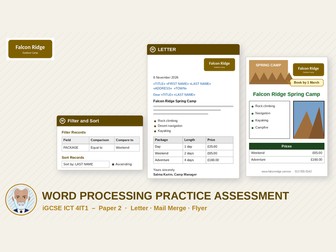
Pearson Edexcel iGCSE ICT (4IT1) Paper 2-style word processing practice assessment with mail merge, letter and flyer tasks, data files and mark scheme. Give your iGCSE ICT pupils realistic practice for the word processing tasks in Paper 2 (Practical). This complete, ready-to-use practice assessment covers specification topic 6.1 Word processing and is set in an outdoor activity camp, Falcon Ridge Camp. What’s included Question paper (PDF, 3 pages) Teacher mark scheme (PDF, 4 pages) and an editable DOCX version Model answer for the merged letter (DOCX) Data files zip: LETTER, FAMILIES (spreadsheet data source), FLYER TEXT, IMAGES (CAMP, CLIMBING, LOGO) and an EVIDENCE document for screenshots and written answers Assessment format 45 marks, 1 hour 15 minutes. Section A – Practical (32 marks) Task 1 – Letter (10 marks): logo in the header, an automatic date, a bold subject line, bullets, converting prices into a formatted three-column table, applying a house style, complimentary close and proofreading. Task 2 – Mail merge (7 marks): merge fields in the address, salutation and body, correct spacing and punctuation, filtering recipients by package, sorting by surname and finishing the merge. Task 3 – Flyer (15 marks): A5 portrait layout, images with text and a callout, a title to a given style, a text box with bullets, text wrap and borders, alt text, a formatted price table with merged cells, footer details and checking the flyer is fit for purpose. Section B – Short answer (13 marks): advantages of mail merge, complimentary closes, alt text, evaluating the flyer design, accuracy tools, sans serif fonts, page breaks and templates. Mark scheme Point-by-point marking grids with “award the mark for” and “check / do not accept” guidance, every mark mapped to a learning objective and to the 4IT1 specification references (6.1.1–6.1.8, 5.3, 5.4). Ideal for End-of-unit practice, mock preparation, timed lab practice, homework or cover lessons, and teaching exam technique such as screenshot evidence and following a house style. Notes Designed for Microsoft Word with a spreadsheet data source for the mail merge. The scenario and all data are fictional.