KS3 Binary: Year 7 Computing Unit (5 Lessons)Quick View
fatihunal

KS3 Binary: Year 7 Computing Unit (5 Lessons)

(0)
Why computers use two states, and the core conversions pupils meet again at GCSE: denary to binary, binary to denary, addition and storage units. 5 complete 55-minute lessons for Year 7, ready to teach. The lessons Why binary? On/off, switches and bits. Denary to 8-bit binary with the biggest-first method. Binary to denary. Binary addition, and spotting overflow. Bits, nibbles, bytes and storage units, with a conversion and addition test. What is included for every lesson A PowerPoint deck of 26 to 33 slides with speaker notes on every slide and click animations for reveals A 55-minute lesson plan with timings A printable worksheet An answer sheet How it is taught A Do Now at the start of every lesson, to bring back earlier learning Hinge questions to check understanding before pupils move on Worked examples (I do, we do, you do), then pupil practice Unplugged games and mini-whiteboard activities. Each lesson mixes unplugged activities with hands-on work. Real photos and clear diagrams, with the photo credit on each deck A short exit ticket and a summary slide Lesson 5 ends with a conversion and addition test, self-marked from a key. Slides are editable PowerPoint (.pptx). Each lesson plan fills a full 55-minute lesson, minute by minute. British English throughout. Part of a complete KS3 Computer Science course for Years 7 to 9.
KS3 Digital Citizenship: Year 7 Computing Unit (7 Lessons)Quick View
fatihunal

KS3 Digital Citizenship: Year 7 Computing Unit (7 Lessons)

(0)
A first unit for Year 7 that sets up good habits for the next five years: classroom routines, secure log-ins, organised files and knowing what to do when something online goes wrong. 7 complete 55-minute lessons for Year 7, ready to teach. The lessons Routines, rules and logging in: how the computing room works and why. A baseline check of what pupils already know about computers and algorithms. Usernames, strong passwords, how passwords get cracked and multi-factor authentication. Files, folders and file paths, good file names, extensions and cloud versus local storage. Digital footprint and online identity: what stays online and who can see it. Inappropriate content, contact and conduct, and how to report concerns. Email and online etiquette, finished with a unit quiz. What is included for every lesson A PowerPoint deck of 26 to 33 slides with speaker notes on every slide and click animations for reveals A 55-minute lesson plan with timings A printable worksheet An answer sheet How it is taught A Do Now at the start of every lesson, to bring back earlier learning Hinge questions to check understanding before pupils move on Worked examples (I do, we do, you do), then pupil practice Unplugged games and mini-whiteboard activities. Each lesson mixes unplugged activities with hands-on work. Real photos and clear diagrams, with the photo credit on each deck A short exit ticket and a summary slide The unit has a baseline check (lesson 2) and an online-safety quiz (lesson 7). Slides are editable PowerPoint (.pptx). Each lesson plan fills a full 55-minute lesson, minute by minute. British English throughout. Part of a complete KS3 Computer Science course for Years 7 to 9.
KS3 Inside a Computer: Year 7 Computing Unit (6 Lessons)Quick View
fatihunal

KS3 Inside a Computer: Year 7 Computing Unit (6 Lessons)

(0)
From input, process, output to the parts inside the box. Pupils learn the hardware vocabulary that later courses assume, and finish by choosing parts for a real user. 6 complete 55-minute lessons for Year 7, ready to teach. The lessons What makes something a computer: the input, process, output model. Input and output devices, matched to users and their needs. The CPU: what it does (not yet how). Memory versus storage: RAM, ROM and secondary storage. Hardware, software and the operating system. Spec a computer for a real user: choose and justify components. What is included for every lesson A PowerPoint deck of 26 to 33 slides with speaker notes on every slide and click animations for reveals A 55-minute lesson plan with timings A printable worksheet An answer sheet How it is taught A Do Now at the start of every lesson, to bring back earlier learning Hinge questions to check understanding before pupils move on Worked examples (I do, we do, you do), then pupil practice Unplugged games and mini-whiteboard activities. Each lesson mixes unplugged activities with hands-on work. Real photos and clear diagrams, with the photo credit on each deck A short exit ticket and a summary slide Lesson 6 is an assessed task: pupils choose and justify components for a given user. Slides are editable PowerPoint (.pptx). Each lesson plan fills a full 55-minute lesson, minute by minute. British English throughout. Part of a complete KS3 Computer Science course for Years 7 to 9.
KS3 Python Programming 1: Year 7 Computing Unit (6 Lessons)Quick View
fatihunal

KS3 Python Programming 1: Year 7 Computing Unit (6 Lessons)

(0)
Pupils start programming in Python: output, variables, input, arithmetic and if/else. Each construct is named with its correct term from the first lesson. 6 complete 55-minute lessons for Year 7, ready to teach. The lessons Hello Python: print() and reading error messages. Variables and data types. input() and casting: build a chatbot. Arithmetic operators: a simple calculator. Selection with if and else. Build and evaluate a mini quiz (assessed). What is included for every lesson A PowerPoint deck of 26 to 33 slides with speaker notes on every slide and click animations for reveals A 55-minute lesson plan with timings A printable worksheet An answer sheet How it is taught A Do Now at the start of every lesson, to bring back earlier learning Hinge questions to check understanding before pupils move on Worked examples (I do, we do, you do), then pupil practice Unplugged games and mini-whiteboard activities. Each lesson mixes unplugged activities with hands-on work. Real photos and clear diagrams, with the photo credit on each deck A short exit ticket and a summary slide Lesson 6 is an assessed mini quiz using input, a score variable and if/else. Slides are editable PowerPoint (.pptx). Each lesson plan fills a full 55-minute lesson, minute by minute. British English throughout. Part of a complete KS3 Computer Science course for Years 7 to 9.
KS3 Computational Thinking: Year 7 Computing Unit (5 Lessons)Quick View
fatihunal

KS3 Computational Thinking: Year 7 Computing Unit (5 Lessons)

(0)
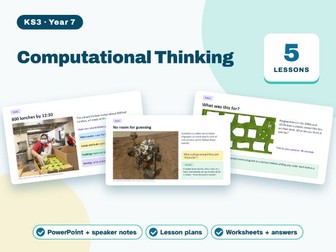
Computational thinking, taught after pupils have met Python: break a problem down, keep what matters, write precise instructions and draw programs as flowcharts. 5 complete 55-minute lessons for Year 7, ready to teach. The lessons Decomposition: breaking down a school-day problem. Pattern recognition and abstraction. Algorithms as precise, unambiguous instructions. Flowchart symbols and drawing your first flowchart. Tracing and fixing a broken flowchart (assessed task). What is included for every lesson A PowerPoint deck of 26 to 33 slides with speaker notes on every slide and click animations for reveals A 55-minute lesson plan with timings A printable worksheet An answer sheet How it is taught A Do Now at the start of every lesson, to bring back earlier learning Hinge questions to check understanding before pupils move on Worked examples (I do, we do, you do), then pupil practice Unplugged games and mini-whiteboard activities. Each lesson mixes unplugged activities with hands-on work. Real photos and clear diagrams, with the photo credit on each deck A short exit ticket and a summary slide Lesson 5 is an assessed trace-and-fix flowchart task. Slides are editable PowerPoint (.pptx). Each lesson plan fills a full 55-minute lesson, minute by minute. British English throughout. Part of a complete KS3 Computer Science course for Years 7 to 9.
KS3 Networks: Year 8 Computing Unit (6 Lessons)Quick View
fatihunal

KS3 Networks: Year 8 Computing Unit (6 Lessons)

(0)
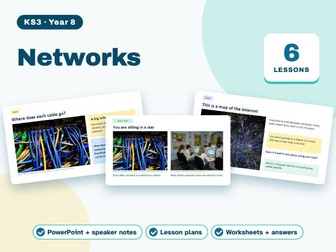
How data actually gets from a server to a phone. Pupils build the network vocabulary they need, from LANs to the web. 6 complete 55-minute lessons for Year 8, ready to teach. The lessons What is a network? LAN and WAN. Network hardware: router, switch, NIC and wireless access points. Star and mesh topologies. Packets and packet switching, with an unplugged activity. IP and MAC addresses, URLs and DNS. The internet versus the World Wide Web, HTTP and HTTPS, and an explain-a-journey task (assessed). What is included for every lesson A PowerPoint deck of 26 to 33 slides with speaker notes on every slide and click animations for reveals A 55-minute lesson plan with timings A printable worksheet An answer sheet How it is taught A Do Now at the start of every lesson, to bring back earlier learning Hinge questions to check understanding before pupils move on Worked examples (I do, we do, you do), then pupil practice Unplugged games and mini-whiteboard activities. Each lesson mixes unplugged activities with hands-on work. Real photos and clear diagrams, with the photo credit on each deck A short exit ticket and a summary slide Lesson 6 is an assessed explain-a-journey task: trace a web request step by step. Slides are editable PowerPoint (.pptx). Each lesson plan fills a full 55-minute lesson, minute by minute. British English throughout. Part of a complete KS3 Computer Science course for Years 7 to 9.
KS3 Python Turtle Graphics: Year 7 Computing Unit (3 Lessons)Quick View
fatihunal

KS3 Python Turtle Graphics: Year 7 Computing Unit (3 Lessons)

(0)
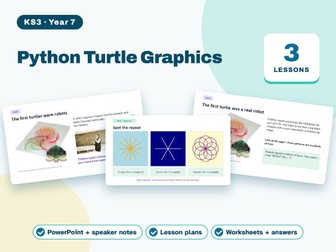
A short end-of-year unit that brings programming and computational thinking together. Pupils draw with Python turtle, meet their first for loop and design a picture of their own. 3 complete 55-minute lessons for Year 7, ready to teach. The lessons Turtle graphics: drawing with sequence. Loops and patterns: repeating with for. Design a turtle picture, using a loop, a variable and if/else, with a plan and tests (assessed). What is included for every lesson A PowerPoint deck of 26 to 33 slides with speaker notes on every slide and click animations for reveals A 55-minute lesson plan with timings A printable worksheet An answer sheet How it is taught A Do Now at the start of every lesson, to bring back earlier learning Hinge questions to check understanding before pupils move on Worked examples (I do, we do, you do), then pupil practice Unplugged games and mini-whiteboard activities. Every lesson is hands-on coding. Real photos and clear diagrams, with the photo credit on each deck A short exit ticket and a summary slide Lesson 3 is an assessed turtle picture with a plan and tests. Slides are editable PowerPoint (.pptx). Each lesson plan fills a full 55-minute lesson, minute by minute. British English throughout. Part of a complete KS3 Computer Science course for Years 7 to 9.
KS3 Images and Sound: Year 8 Computing Unit (5 Lessons)Quick View
fatihunal

KS3 Images and Sound: Year 8 Computing Unit (5 Lessons)

(0)
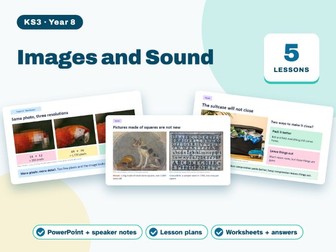
Pixels, colour depth, resolution and sampling, with file-size calculations done step by step. 5 complete 55-minute lessons for Year 8, ready to teach. The lessons Pixels and bitmap images. Colour depth and resolution. Calculating image file size (assessed). Sound: sample rate and sample resolution. Compression: lossy versus lossless (assessed). What is included for every lesson A PowerPoint deck of 26 to 33 slides with speaker notes on every slide and click animations for reveals A 55-minute lesson plan with timings A printable worksheet An answer sheet How it is taught A Do Now at the start of every lesson, to bring back earlier learning Hinge questions to check understanding before pupils move on Worked examples (I do, we do, you do), then pupil practice Unplugged games and mini-whiteboard activities. Each lesson mixes unplugged activities with hands-on work. Real photos and clear diagrams, with the photo credit on each deck A short exit ticket and a summary slide Lesson 3 (file-size calculations) and lesson 5 (a compression decision task) are assessed. Slides are editable PowerPoint (.pptx). Each lesson plan fills a full 55-minute lesson, minute by minute. British English throughout. Part of a complete KS3 Computer Science course for Years 7 to 9.
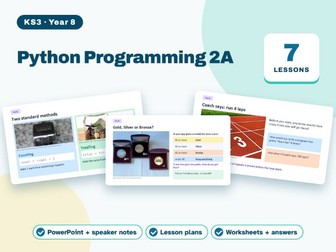
KS3 Python Programming 2A: Year 8 Computing Unit (7 Lessons)Quick View
fatihunal

KS3 Python Programming 2A: Year 8 Computing Unit (7 Lessons)

(0)
Builds straight on Year 7 Python: more complex decisions, both kinds of loop, counting and totalling, testing and debugging. 7 complete 55-minute lessons for Year 8, ready to teach. The lessons Welcome back: Year 7 retrieval quiz and a Python warm-up. Selection with elif and Boolean operators. While loops and input validation. For loops and range(). Counting and totalling. Testing and debugging with normal, boundary and erroneous data. Build a number game (assessed). What is included for every lesson A PowerPoint deck of 26 to 33 slides with speaker notes on every slide and click animations for reveals A 55-minute lesson plan with timings A printable worksheet An answer sheet How it is taught A Do Now at the start of every lesson, to bring back earlier learning Hinge questions to check understanding before pupils move on Worked examples (I do, we do, you do), then pupil practice Unplugged games and mini-whiteboard activities. Each lesson mixes unplugged activities with hands-on work. Real photos and clear diagrams, with the photo credit on each deck A short exit ticket and a summary slide Lesson 7 is an assessed number game using a loop, selection and a running total. Slides are editable PowerPoint (.pptx). Each lesson plan fills a full 55-minute lesson, minute by minute. British English throughout. Part of a complete KS3 Computer Science course for Years 7 to 9.
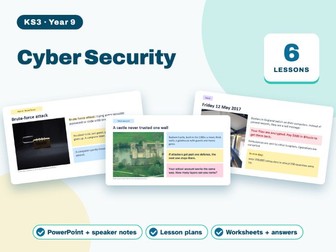
KS3 Cyber Security: Year 9 Computing Unit (6 Lessons)Quick View
fatihunal

KS3 Cyber Security: Year 9 Computing Unit (6 Lessons)

(0)
Threats and defences in the language of exam mark schemes, ending with how encryption works. 6 complete 55-minute lessons for Year 9, ready to teach. The lessons Why systems are attacked. Malware: viruses, worms, trojans and ransomware. Phishing, pharming and social engineering. Defences: firewalls, strong passwords and 2FA. Encryption: from the Caesar cipher to symmetric and asymmetric keys. Case study: investigate a real breach (assessed). What is included for every lesson A PowerPoint deck of 26 to 33 slides with speaker notes on every slide and click animations for reveals A 55-minute lesson plan with timings A printable worksheet An answer sheet How it is taught A Do Now at the start of every lesson, to bring back earlier learning Hinge questions to check understanding before pupils move on Worked examples (I do, we do, you do), then pupil practice Unplugged games and mini-whiteboard activities. Each lesson mixes unplugged activities with hands-on work. Real photos and clear diagrams, with the photo credit on each deck A short exit ticket and a summary slide Lesson 6 is an assessed breach case study. Slides are editable PowerPoint (.pptx). Each lesson plan fills a full 55-minute lesson, minute by minute. British English throughout. Part of a complete KS3 Computer Science course for Years 7 to 9.
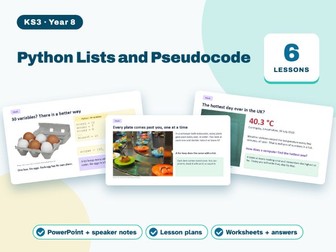
KS3 Python Lists and Pseudocode: Year 8 Computing (6 Lessons)Quick View
fatihunal

KS3 Python Lists and Pseudocode: Year 8 Computing (6 Lessons)

(0)
The first data structure, plus first contact with exam-style pseudocode and trace tables, so Key Stage 4 does not start from zero. 6 complete 55-minute lessons for Year 8, ready to teach. The lessons Lists: create, index and append. Looping through a list. Totals, maximum and average from a list. Reading exam-style pseudocode. Trace tables for loops. Challenge: a high-score table program (assessed). What is included for every lesson A PowerPoint deck of 26 to 33 slides with speaker notes on every slide and click animations for reveals A 55-minute lesson plan with timings A printable worksheet An answer sheet How it is taught A Do Now at the start of every lesson, to bring back earlier learning Hinge questions to check understanding before pupils move on Worked examples (I do, we do, you do), then pupil practice Unplugged games and mini-whiteboard activities. Each lesson mixes unplugged activities with hands-on work. Real photos and clear diagrams, with the photo credit on each deck A short exit ticket and a summary slide Lesson 6 is an assessed high-score table program. Slides are editable PowerPoint (.pptx). Each lesson plan fills a full 55-minute lesson, minute by minute. British English throughout. Part of a complete KS3 Computer Science course for Years 7 to 9.
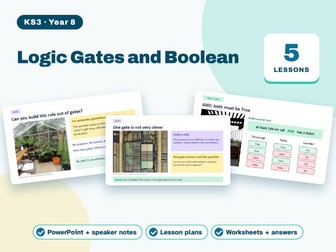
KS3 Logic Gates and Boolean: Year 8 Computing Unit (5 Lessons)Quick View
fatihunal

KS3 Logic Gates and Boolean: Year 8 Computing Unit (5 Lessons)

(0)
AND, OR and NOT as truth tables and circuits, then back into Python conditions. 5 complete 55-minute lessons for Year 8, ready to teach. The lessons True and false in everyday decisions. AND, OR and NOT, with truth tables. Combining gates into circuits. From a logic expression to a circuit (assessed). Boolean operators in Python conditions. What is included for every lesson A PowerPoint deck of 26 to 33 slides with speaker notes on every slide and click animations for reveals A 55-minute lesson plan with timings A printable worksheet An answer sheet How it is taught A Do Now at the start of every lesson, to bring back earlier learning Hinge questions to check understanding before pupils move on Worked examples (I do, we do, you do), then pupil practice Unplugged games and mini-whiteboard activities. Each lesson mixes unplugged activities with hands-on work. Real photos and clear diagrams, with the photo credit on each deck A short exit ticket and a summary slide Lesson 4 is an assessed circuit and truth-table task. Slides are editable PowerPoint (.pptx). Each lesson plan fills a full 55-minute lesson, minute by minute. British English throughout. Part of a complete KS3 Computer Science course for Years 7 to 9.
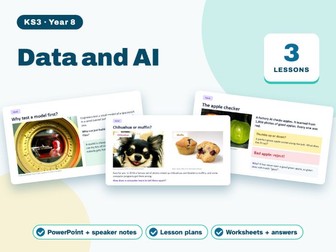
KS3 Data and AI: Year 8 Computing Unit (3 Lessons)Quick View
fatihunal

KS3 Data and AI: Year 8 Computing Unit (3 Lessons)

(0)
A short end-of-year unit: from spreadsheet models to how a machine learns from labelled data, and why bias matters. 3 complete 55-minute lessons for Year 8, ready to teach. The lessons Spreadsheets as models: formulas and functions. How machines learn: train a classifier. Bias and fairness in AI (assessed written reflection). What is included for every lesson A PowerPoint deck of 26 to 33 slides with speaker notes on every slide and click animations for reveals A 55-minute lesson plan with timings A printable worksheet An answer sheet How it is taught A Do Now at the start of every lesson, to bring back earlier learning Hinge questions to check understanding before pupils move on Worked examples (I do, we do, you do), then pupil practice Unplugged games and mini-whiteboard activities. Each lesson mixes unplugged activities with hands-on work. Real photos and clear diagrams, with the photo credit on each deck A short exit ticket and a summary slide Lesson 3 is an assessed short written reflection on AI bias. Slides are editable PowerPoint (.pptx). Each lesson plan fills a full 55-minute lesson, minute by minute. British English throughout. Part of a complete KS3 Computer Science course for Years 7 to 9.
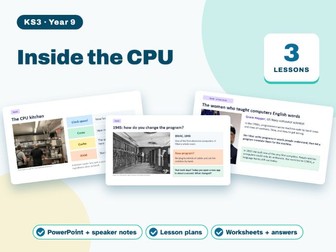
KS3 Inside the CPU: Year 9 Computing Unit (3 Lessons)Quick View
fatihunal

KS3 Inside the CPU: Year 9 Computing Unit (3 Lessons)

(0)
A three-lesson bridge into Key Stage 4: how instructions are stored and executed, and how code becomes something a CPU can run. 3 complete 55-minute lessons for Year 9, ready to teach. The lessons Von Neumann architecture and the fetch, decode, execute cycle. Performance: clock speed, cores and cache. Compilers, interpreters, the operating system, and a first look at the GCSE course (assessed quiz). What is included for every lesson A PowerPoint deck of 26 to 33 slides with speaker notes on every slide and click animations for reveals A 55-minute lesson plan with timings A printable worksheet An answer sheet How it is taught A Do Now at the start of every lesson, to bring back earlier learning Hinge questions to check understanding before pupils move on Worked examples (I do, we do, you do), then pupil practice Unplugged games and mini-whiteboard activities. Each lesson mixes unplugged activities with hands-on work. Real photos and clear diagrams, with the photo credit on each deck A short exit ticket and a summary slide Lesson 3 ends with an assessed short-answer quiz on the cycle and on performance. Slides are editable PowerPoint (.pptx). Each lesson plan fills a full 55-minute lesson, minute by minute. British English throughout. Part of a complete KS3 Computer Science course for Years 7 to 9.
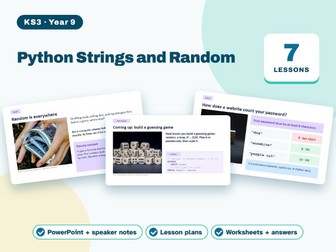
KS3 Python Strings and Random: Year 9 Computing Unit (7 Lessons)Quick View
fatihunal

KS3 Python Strings and Random: Year 9 Computing Unit (7 Lessons)

(0)
The last KS3 programming unit: text handling, random numbers and turning exam-style pseudocode into Python. Functions are left for Key Stage 4. 7 complete 55-minute lessons for Year 9, ready to teach. The lessons Welcome back: Year 8 retrieval quiz and a Python warm-up. String handling: len(), upper(), lower() and indexing. Slicing and joining strings: making usernames. Random numbers and random choices. Bug hunt: finding and fixing errors on paper. From pseudocode to Python: exam-style tasks. Build a guessing game (assessed). What is included for every lesson A PowerPoint deck of 26 to 33 slides with speaker notes on every slide and click animations for reveals A 55-minute lesson plan with timings A printable worksheet An answer sheet How it is taught A Do Now at the start of every lesson, to bring back earlier learning Hinge questions to check understanding before pupils move on Worked examples (I do, we do, you do), then pupil practice Unplugged games and mini-whiteboard activities. Each lesson mixes unplugged activities with hands-on work. Real photos and clear diagrams, with the photo credit on each deck A short exit ticket and a summary slide Lesson 7 is an assessed guessing game using a loop, selection and random. Slides are editable PowerPoint (.pptx). Each lesson plan fills a full 55-minute lesson, minute by minute. British English throughout. Part of a complete KS3 Computer Science course for Years 7 to 9.
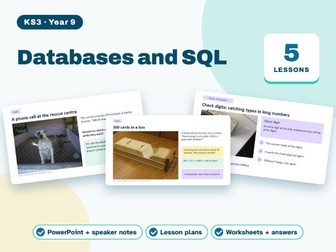
KS3 Databases and SQL: Year 9 Computing Unit (5 Lessons)Quick View
fatihunal

KS3 Databases and SQL: Year 9 Computing Unit (5 Lessons)

(0)
Single-table databases and SQL queries, written exactly as exam papers expect. 5 complete 55-minute lessons for Year 9, ready to teach. The lessons Tables, records and fields. Data types and primary keys. SQL: SELECT, FROM and WHERE. ORDER BY, AND, OR, COUNT and SUM (assessed query-writing task). Validation and verification. What is included for every lesson A PowerPoint deck of 26 to 33 slides with speaker notes on every slide and click animations for reveals A 55-minute lesson plan with timings A printable worksheet An answer sheet How it is taught A Do Now at the start of every lesson, to bring back earlier learning Hinge questions to check understanding before pupils move on Worked examples (I do, we do, you do), then pupil practice Unplugged games and mini-whiteboard activities. Each lesson mixes unplugged activities with hands-on work. Real photos and clear diagrams, with the photo credit on each deck A short exit ticket and a summary slide Lesson 4 is an assessed query-writing task against a sample table. Slides are editable PowerPoint (.pptx). Each lesson plan fills a full 55-minute lesson, minute by minute. British English throughout. Part of a complete KS3 Computer Science course for Years 7 to 9.
KS3 Searching and Sorting: Year 9 Computing Unit (5 Lessons)Quick View
fatihunal

KS3 Searching and Sorting: Year 9 Computing Unit (5 Lessons)

(0)
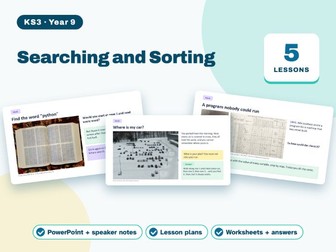
The standard algorithms, run by hand with cards first. Python stays light: pupils read and adapt a short linear search. 5 complete 55-minute lessons for Year 9, ready to teach. The lessons Linear search with cards. Linear search in Python: looping through a list. Binary search, and comparing it with linear search. Bubble sort by hand. Trace tables and dry runs, with exam-style questions (assessed). What is included for every lesson A PowerPoint deck of 26 to 33 slides with speaker notes on every slide and click animations for reveals A 55-minute lesson plan with timings A printable worksheet An answer sheet How it is taught A Do Now at the start of every lesson, to bring back earlier learning Hinge questions to check understanding before pupils move on Worked examples (I do, we do, you do), then pupil practice Unplugged games and mini-whiteboard activities. Each lesson mixes unplugged activities with hands-on work. Real photos and clear diagrams, with the photo credit on each deck A short exit ticket and a summary slide Lesson 5 is an assessed set of trace-table, exam-style questions. Slides are editable PowerPoint (.pptx). Each lesson plan fills a full 55-minute lesson, minute by minute. British English throughout. Part of a complete KS3 Computer Science course for Years 7 to 9.
KS3 Project Design, Build, Test: Year 9 Computing (6 Lessons)Quick View
fatihunal

KS3 Project Design, Build, Test: Year 9 Computing (6 Lessons)

(0)
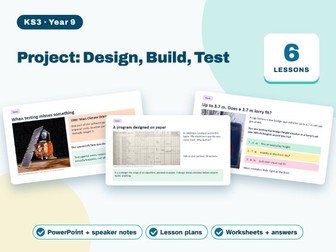
A small end-to-end project that mirrors an exam-style scenario question: analyse, design, build, test, refine and evaluate. 6 complete 55-minute lessons for Year 9, ready to teach. The lessons Problem analysis and requirements. Design with pseudocode and a flowchart. Build a first working version using Year 8 to 9 Python. Test plan: normal, abnormal, extreme and boundary data. Refine and evaluate against the requirements. GCSE taster: an exam-style scenario question (assessed). What is included for every lesson A PowerPoint deck of 26 to 33 slides with speaker notes on every slide and click animations for reveals A 55-minute lesson plan with timings A printable worksheet An answer sheet How it is taught A Do Now at the start of every lesson, to bring back earlier learning Hinge questions to check understanding before pupils move on Worked examples (I do, we do, you do), then pupil practice Unplugged games and mini-whiteboard activities. Each lesson mixes unplugged activities with hands-on work. Real photos and clear diagrams, with the photo credit on each deck A short exit ticket and a summary slide The project portfolio (design, code, test table and evaluation) and the taster question in lesson 6 are assessed. Slides are editable PowerPoint (.pptx). Each lesson plan fills a full 55-minute lesson, minute by minute. British English throughout. Part of a complete KS3 Computer Science course for Years 7 to 9.
KS3 English: Treasure Island, Year 7 Unit (8 Lessons)Quick View
fatihunal

KS3 English: Treasure Island, Year 7 Unit (8 Lessons)

(0)
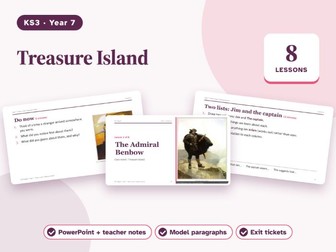
Pupils read Stevenson’s adventure novel through key chapters, track character and suspense, and write about Long John Silver. 8 complete lessons for Year 7, ready to teach as editable PowerPoint. The lessons The Admiral Benbow: Explain what a first-person narrator shows and hides. The black spot: Explain how a writer builds suspense. The treasure map: Predict events using evidence. Long John Silver: Infer character from clues. The apple barrel: Explain dramatic irony. The island: Analyse how setting creates atmosphere. Pirates and dialect: Explain how dialogue shows character. Who is the hero?: Write analytical paragraphs. Texts: Treasure Island by Robert Louis Stevenson (1883), key chapters, with a summary of the rest. Key words: protagonist, antagonist, first-person narrator, foreshadowing, suspense, dialect, inference, evidence. Assessment: Reading: how does Stevenson make Long John Silver both likeable and frightening? Two point–evidence–explain paragraphs. What is included 8 editable PowerPoint decks (10 to 11 slides each) with teacher notes on every slide A Do Now starter, with a photograph or artwork as a prompt (credited on the slide) Reading passages and tasks with sentence starters Model paragraphs and answer slides for self-marking A reveal slide for answers, so you can skip it if you want pupils to work without them An exit ticket to close every lesson Picture credits slide in every deck Everything is in real text boxes, so you can change wording, add your own slides and print handouts. Planned against the National Curriculum for English in England (Key Stage 3). British English throughout. Part of a complete KS3 English course for Years 7 to 9.
KS3 English: Myths and Legends, Year 7 Unit (8 Lessons)Quick View
fatihunal

KS3 English: Myths and Legends, Year 7 Unit (8 Lessons)

(0)
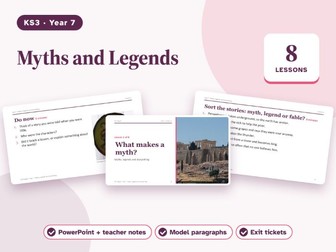
Pupils read retellings of Greek and Norse myths and British legends, learn how stories are built, and write a myth of their own. 8 complete lessons for Year 7, ready to teach as editable PowerPoint. The lessons What makes a myth?: Tell myths from legends and fables. Heroes and quests: Follow a hero’s journey through a story. Story structure: Use exposition, rising action, climax and resolution. Characters and gods: Infer character from actions and speech. Settings that speak: Describe a setting with noun phrases and the senses. Legends of Britain: Compare a legend with a myth. Planning my myth: Plan a story with a clear structure. Writing and improving: Draft and redraft narrative writing. Texts: Our own retellings of Prometheus, Pandora, Theseus and the Minotaur, Thor’s hammer and King Arthur and the sword in the stone. Key words: myth, legend, hero, quest, narrator, setting, climax, resolution, moral, archetype. Assessment: Narrative writing: the opening and climax of your own myth (40 minutes), plus a short reading quiz. What is included 8 editable PowerPoint decks (9 to 11 slides each) with teacher notes on every slide A Do Now starter, with a photograph or artwork as a prompt (credited on the slide) Reading passages and tasks with sentence starters Model paragraphs and answer slides for self-marking A reveal slide for answers, so you can skip it if you want pupils to work without them An exit ticket to close every lesson Picture credits slide in every deck Everything is in real text boxes, so you can change wording, add your own slides and print handouts. Planned against the National Curriculum for English in England (Key Stage 3). British English throughout. Part of a complete KS3 English course for Years 7 to 9.
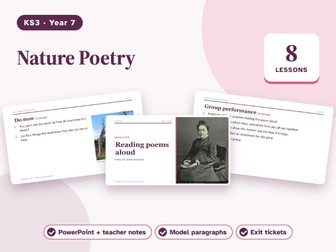
KS3 English: Nature Poetry, Year 7 Unit (8 Lessons)Quick View
fatihunal

KS3 English: Nature Poetry, Year 7 Unit (8 Lessons)

(0)
Pupils read, perform and analyse short nature poems, learn the main poetic techniques, and write a poem about a place they know. 8 complete lessons for Year 7, ready to teach as editable PowerPoint. The lessons Reading poems aloud: Hear rhythm and rhyme. Pictures in words: Explain how imagery and similes work. Nature alive: Explain personification. The sound of a poem: Explain alliteration and sound effects. Big questions: Explore tone and symbolism. Comparing two poems: Compare poems on a theme. Writing a place poem: Use three techniques on purpose. Unseen poem: Read a new poem with confidence. Texts: Wordsworth, “I Wandered Lonely as a Cloud”; Christina Rossetti, “Who Has Seen the Wind?”; Tennyson, “The Eagle”; Hopkins, “Pied Beauty”; Blake, “The Tyger”. Key words: imagery, simile, metaphor, personification, alliteration, rhyme, rhythm, stanza, tone. Assessment: Analyse an unseen nature poem (guided questions), and write your own place poem. What is included 8 editable PowerPoint decks (10 to 11 slides each) with teacher notes on every slide A Do Now starter, with a photograph or artwork as a prompt (credited on the slide) Reading passages and tasks with sentence starters Model paragraphs and answer slides for self-marking A reveal slide for answers, so you can skip it if you want pupils to work without them An exit ticket to close every lesson Picture credits slide in every deck Everything is in real text boxes, so you can change wording, add your own slides and print handouts. Planned against the National Curriculum for English in England (Key Stage 3). British English throughout. Part of a complete KS3 English course for Years 7 to 9.