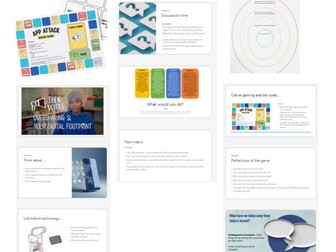
Online Safety Lesson: My Digital Life (KS2/KS3 PSHE & Computing)Quick View
Jolene3007

Online Safety Lesson: My Digital Life (KS2/KS3 PSHE & Computing)

(0)
A complete online safety lesson exploring how technology affects our lives and how to stay safe in a digital world. This engaging PowerPoint includes discussion tasks, paired activities, and scenario-based learning covering: Personal information and privacy Online vs offline relationships Safe online behaviour Digital responsibility Includes links to an interactive board game activity to reinforce learning. Fully editable and ready to teach – ideal for KS2–KS3. Keywords / Tags online safety lesson, PSHE, computing, digital literacy, internet safety, safeguarding, personal information, digital behaviour, KS2, KS3, e safety lesson, teaching resources
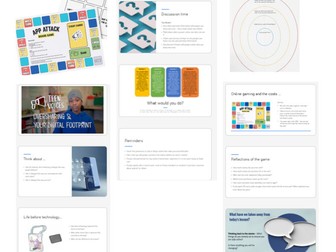
Online Safety Bundle: Lesson, Worksheet & Board Game (KS2/KS3 PSHE) & FREE EXTRASQuick View
Jolene3007

Online Safety Bundle: Lesson, Worksheet & Board Game (KS2/KS3 PSHE) & FREE EXTRAS

3 Resources
**Purchasing this bundle will provide you with a free scavenger hunt activity and scheme of work planner as a thank you for supporting my shop. ** Please leave a review if you found these resources useful! A complete online safety bundle designed to teach students about digital behaviour, personal information, and online spending in an engaging and interactive way. This pack combines a full lesson, reflective worksheet, and a fun board game to help students understand the impact of their choices online. Includes: ✔️ Full “My Digital Life” lesson (PowerPoint) ✔️ Personal information “Circle of Trust” worksheet ✔️ Interactive board game on in-app purchases Students will explore: How to stay safe online Who to trust with personal information The risks of online spending and gaming Perfect for KS2–KS3 PSHE and Computing, this low-prep bundle encourages discussion, critical thinking, and active learning.
Online Safety Board Game: App Purchases & Digital Spending (KS2/KS3 PSHE)Quick View
Jolene3007

Online Safety Board Game: App Purchases & Digital Spending (KS2/KS3 PSHE)

(0)
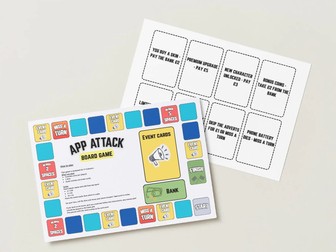
Engage your students with this interactive online safety board game exploring the real cost of in-app purchases and online gaming. Students play in groups, making spending decisions as they move around the board, encountering realistic scenarios such as buying skins, upgrades, and limited-time offers. This fun activity builds awareness of digital spending habits, financial literacy, and online safety risks. Includes printable board, event cards, and game money, plus reflection questions to deepen learning. Perfect for KS2–KS3 PSHE and Computing lessons. Keywords / Tags online safety, board game, PSHE, computing, digital literacy, internet safety, in app purchases, financial literacy, money skills, gaming, KS2, KS3, digital wellbeing, classroom game
Online Safety Worksheet: Personal Information & Trust (KS2/KS3 PSHE)Quick View
Jolene3007

Online Safety Worksheet: Personal Information & Trust (KS2/KS3 PSHE)

(0)
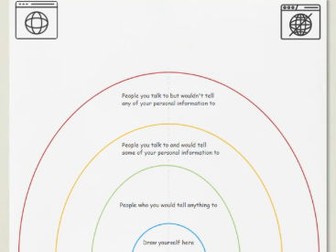
A visually engaging online safety worksheet that helps students explore who they trust with personal information. Using a clear “circle of trust” activity, pupils reflect on their relationships and consider the differences between online and offline safety. Ideal as a starter, main task, or discussion prompt. Supports key topics including privacy, digital identity, and safe sharing online. Great for KS2–KS3 PSHE or Computing lessons. Keywords / Tags online safety worksheet, personal information, internet safety, PSHE, computing, digital literacy, privacy, trust, safeguarding, KS2, KS3, e safety, digital identity
KS3 Design & Technology Projects Bundle – Workbooks, Instructions & Planning ResourcesQuick View
Jolene3007

KS3 Design & Technology Projects Bundle – Workbooks, Instructions & Planning Resources

6 Resources
SAVE over 50% if you purchase this bundle!! Save time and deliver engaging, practical lessons with this comprehensive KS3 Design & Technology bundle. This collection includes a range of popular, classroom-tested project workbooks, instruction guides, and planning tools designed to support both specialist and non-specialist teachers. Perfect for developing core designing and making skills, creativity, and independence, these resources provide clear structure while allowing flexibility for adaptation to your department and students. Included in this bundle: • Desk Tidy / Pen Tidy Project – Full workbook and instructions guiding students through the design and manufacture of a functional desk organiser. • LEGO-Inspired Coat Hook Project – A highly engaging project combining creativity with practical woodworking skills. Includes step-by-step workbook and guidance. • Wooden Fishing Game Project – Fun and accessible project ideal for introducing basic tools, shaping, and finishing techniques. • Timepiece / Clock Project – Comprehensive workbook supporting students through designing and making a working clock. • Personal Machine Training Record – Essential document for tracking student competency and machine safety training. • KS3 Scheme of Work – Year Plan (Week by Week) – Structured overview to support curriculum planning and progression across the year. Key features: • Ready-to-use student workbooks • Clear, structured project guidance • Ideal for KS3 Design & Technology • Supports practical skills, design thinking, and evaluation • Helps reduce planning workload • Suitable for mixed ability groups • Easily adaptable to suit your school’s equipment and curriculum This bundle provides excellent value and a complete foundation for delivering engaging and well-organised KS3 D&T projects across the academic year. Perfect for both new and experienced teachers looking to enhance their KS3 provision while saving valuable preparation time.
KS3 Python Programming Bundle – 6 Lessons + Adventure Game Project (Full Unit)Quick View
Jolene3007

KS3 Python Programming Bundle – 6 Lessons + Adventure Game Project (Full Unit)

(0)
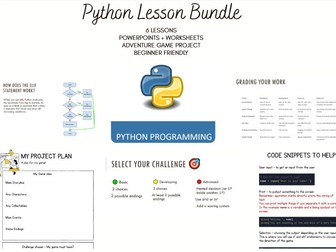
The images are previews of the lesson slides and worksheets provided This complete Python programming unit is designed for Year 8/9 students and provides everything needed to teach beginners how to code, from basic output to creating their own interactive adventure game. Students progress through carefully scaffolded lessons that build confidence and independence, culminating in a fully interactive mini-project. Perfect for teachers delivering KS3 Computing or introducing Python for the first time. WHAT’S INCLUDED: • 6 fully resourced PowerPoint lessons • Adventure game mini-project lesson • Scaffolded worksheet • Advanced challenge worksheet (for higher ability students) • Planning worksheet to support project design • Editable lesson template TOPICS COVERED: Lesson 1 – Using print and understanding algorithms Lesson 2 – Variables and user input Lesson 3 – Syntax, comments and debugging Lesson 4 – Selection using if and else Lesson 5 – Using elif and comparison operators Lesson 6 – Mini project: Create an interactive adventure game Students learn how to: • Write basic Python programs • Use variables and input • Debug syntax and logic errors • Use if, elif and else statements • Apply comparison and logical operators • Design and build an interactive text-based adventure game KEY FEATURES: • Ready-to-teach – no preparation required • Ideal for non-specialists and specialists • Fully scaffolded learning • Differentiated worksheets included • Clear progression and structured lessons • Highly engaging final project Perfect for: • KS3 Computing • Year 8 or 9 Python units • Beginner programmers • Cover lessons • Non-specialist teachers All files are fully editable. This unit has been successfully used with Year 8 students and is designed to build both confidence and independence in programming.
Safer internet day - scavenger huntQuick View
Jolene3007

Safer internet day - scavenger hunt

(0)
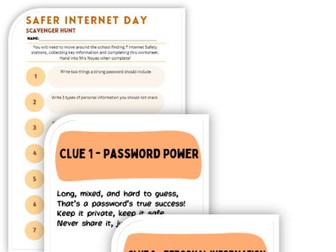
Make Internet Safety Day active, engaging and memorable with this whole-school scavenger hunt! Pupils move around the school finding Internet Safety clues, reading clear, child-friendly information and completing a worksheet to reinforce key online safety messages. The resource includes ready-to-print posters and an easy-to-use pupil worksheet, making it perfect for assemblies, class activities or themed days. Ideal for KS1–KS3, it encourages teamwork, movement and meaningful discussion while helping pupils learn how to stay safe, kind and smart online. THIS COMES WITH 7 CLUE POSTERS & WORKSHEET
KS3 project - Desk tidy/Pen tidyQuick View
Jolene3007

KS3 project - Desk tidy/Pen tidy

(0)
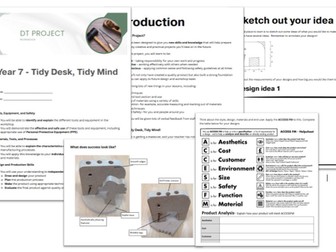
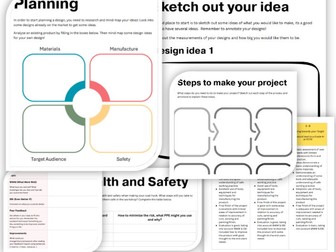
Desk Tidy Project Workbook – KS3 (Year 7/8) This student-friendly workbook is designed to support KS3 pupils—particularly in Year 7 or Year 8—through the planning, designing, testing, and evaluating stages of a Desk Tidy (Pen Tidy) project in Design and Technology. Rather than providing step-by-step making instructions, the workbook focuses on developing pupils’ independent design thinking and understanding of the design process. It encourages autonomy and creativity while reinforcing key DT concepts such as: Investigating user needs and product requirements Generating and developing design ideas Planning for materials, tools, and construction methods Testing ideas and evaluating outcomes This resource also supports lessons on materials, measuring, marking out, and the safe use of tools, making it an ideal companion to hands-on workshop sessions. It can be used alongside practical lessons or as part of homework, assessment, or project planning tasks. This workbook is made up on 17 pages, including a success criteria and feedback section for marking. it is a PDF document but I can send across the editable version if required.
Workbook and Instructions – KS3 Design & Technology Project making a Timepiece /ClockQuick View
Jolene3007

Workbook and Instructions – KS3 Design & Technology Project making a Timepiece /Clock

(0)
Timepiece/Clock Project Workbook – KS3 (Year 7/8/9) This student-friendly workbook is designed to support KS3 pupils—particularly in Year 8 or Year 9—through the planning, designing, testing, and evaluating stages of a timepiece/clock project in Design and Technology. Rather than providing step-by-step making instructions, the workbook focuses on developing pupils’ independent design thinking and understanding of the design process. It encourages autonomy and creativity while reinforcing key DT concepts such as: Investigating user needs and product requirements Generating and developing design ideas Planning for materials, tools, and construction methods Testing ideas and evaluating outcomes This resource also supports lessons on materials, measuring, marking out, and the safe use of tools, making it an ideal companion to hands-on workshop sessions. It can be used alongside practical lessons or as part of homework, assessment, or project planning tasks. This workbook is made up on 17 pages, including a success criteria and feedback section for marking. it is a PDF document but I can send across the editable version if required.
Wooden fishing game - Workbook and Instructions – KS3 Design & Technology ProjectQuick View
Jolene3007

Wooden fishing game - Workbook and Instructions – KS3 Design & Technology Project

(0)
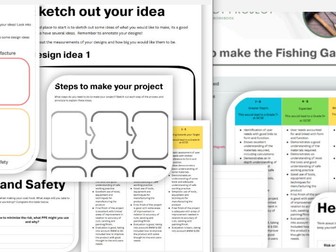
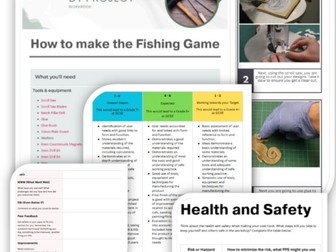
This KS3 Design & Technology workbook supports pupils through the Design, Make and Evaluate process to create their own Fishing-inspired game. It’s an ideal introductory project for Year 7 or 8 , helping students build confidence with workshop routines, tools, and materials. The workbook guides pupils in developing design ideas, planning their practical work, and evaluating their finished product. It is designed to be used alongside the set of separate, step-by-step practical instructions included , which can be laminated and reused to support independent learning in the workshop. This resource is perfect for teachers looking for a fun, creative, and structured project that introduces key D&T skills while engaging students with a playful theme. The workbook includes a success criteria and marking section for the project.
LEGO-Inspired Coat Hook Workbook and Instructions – KS3 Design & Technology ProjectQuick View
Jolene3007

LEGO-Inspired Coat Hook Workbook and Instructions – KS3 Design & Technology Project

(0)
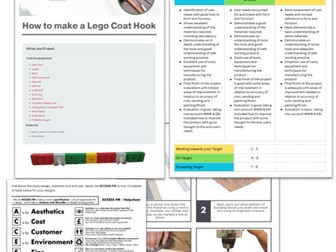
This KS3 Design & Technology workbook supports pupils through the Design, Make and Evaluate process to create their own LEGO-inspired coat hook. It’s an ideal introductory project for Year 7, helping students build confidence with workshop routines, tools, and materials. The workbook guides pupils in developing design ideas, planning their practical work, and evaluating their finished product. It is designed to be used alongside the set of separate, step-by-step practical instructions included , which can be laminated and reused to support independent learning in the workshop. This resource is perfect for teachers looking for a fun, creative, and structured project that introduces key D&T skills while engaging students with a familiar and playful LEGO theme. The workbook includes a success criteria and marking section for the project.
Scheme of work year plan - Week by weekQuick View
Jolene3007

Scheme of work year plan - Week by week

(0)
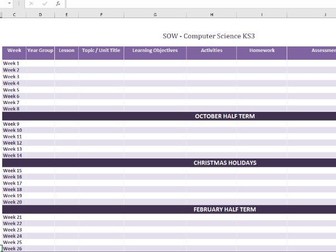
A simple plan to outline your scheme of work for the year. This allows you to plan week by week the lessons, learning outcomes, assessments and homework. There are two templates included, one can be used for individual year groups/classes, the other is for KS3. I use this to track my year 7,8 and 9 classes. You can edit this design fully, no restrictions.
Design and Technology GCSE NEA Guidance documentQuick View
Jolene3007

Design and Technology GCSE NEA Guidance document

(0)
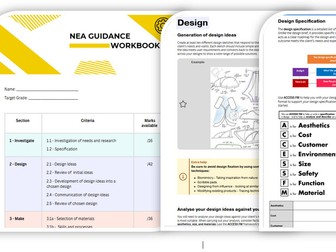
This document is designed to support and guide pupils through their Design and Technology (DT) coursework. While it is tailored to the Edexcel GCSE in Design and Technology, it is also suitable for students following the AQA specification, as both follow a similar structure and approach. The document outlines the marking criteria along with the available marks, helping students understand exactly what is required. It includes a clear checklist and detailed guidance for each section of the coursework. Colour-coded throughout, the workbook features real student examples, prompts, and additional hints and tips to support progress. This resource encourages independent learning, allowing pupils to take ownership of their projects while reducing workload for teachers. Many pupils achieve strong outcomes when using this workbook as a structured guide.
Python Cheat Sheet Learning Mat (Ages 11–16)Quick View
Jolene3007

Python Cheat Sheet Learning Mat (Ages 11–16)

(0)
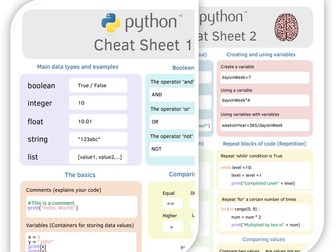
This Python cheat sheet is designed to support pupils aged 11 to 16 as they learn the fundamentals of programming. Covering key concepts and syntax, it provides clear, visual guidance to help students understand and apply Python code effectively. Once laminated, the sheet can be used as a reusable learning mat—perfect for classroom desks or homework support. It offers built-in scaffolding and encourages independent learning by giving pupils quick access to essential information, reducing the need for constant teacher input. Ideal for beginners and those building confidence in coding, this resource promotes visual learning and helps reinforce core programming skills during lessons and revision.
Exam Good Luck Cards – Set of 22 Unique DesignsQuick View
Jolene3007

Exam Good Luck Cards – Set of 22 Unique Designs

(0)
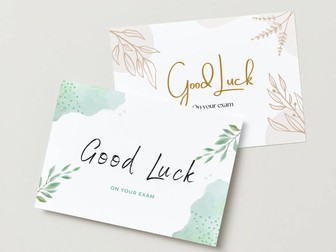
This set includes 22 individually designed good luck cards, perfect for encouraging and motivating pupils ahead of their exams. Each card features a unique layout to help it stand out, offering a personal touch that pupils will appreciate. These cards can be printed onto card stock and handed out before GCSEs, A-levels, music exams, or any other assessments. Whether used by teachers, tutors, or schools, they’re a thoughtful way to boost student confidence and show your support during exam season.
Chalkboard displays for Computer Science - Attitude to learningQuick View
Jolene3007

Chalkboard displays for Computer Science - Attitude to learning

(0)
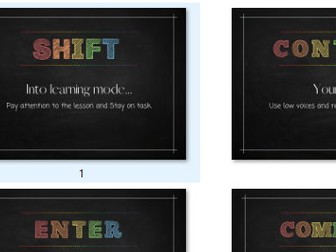
An engaging classroom display, styled in the format of a chalkboard, designed to support the teaching of Computer Science. It promotes positive learning attitudes and reinforces key computing terminology in a visually accessible format for children. This comes with 6 print outs.
Display for Diversity in Computer Science and ICTQuick View
Jolene3007

Display for Diversity in Computer Science and ICT

(0)
A classroom display designed to showcase notable historical figures in computer science from a range of cultural and demographic backgrounds, emphasizing the importance of diversity and representation within the field. This can be printed and used to create an engaging display for pupils. This comes with 7 documents to print.
Computer Science / ICT Careers DisplayQuick View
Jolene3007

Computer Science / ICT Careers Display

(0)
An engaging display to highlight careers in Computing. It highlights potential jobs in the industry with key facts. I print this and laminate to create a display in the classroom that pupils can engage with. There are 7 print outs included. These are: A title page Quick facts Web designer App developer Computer Engineer Cyber security Video Game designer