Nature of design
Concepts and principle
International mindedness
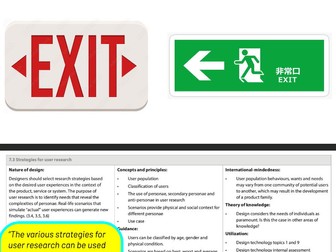
The various strategies for user research can be used by designer to explore the true nature of the problem.
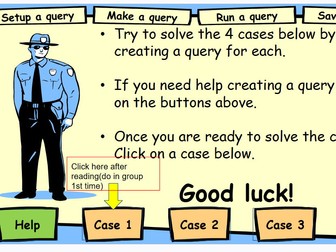
A ready-to-teach ICT lesson (Grade/KS3 level) using a “stolen FA Cup” crime mystery to teach database query skills in Microsoft Access. Students use a pre-built Suspects database and witness statements to design queries with AND/OR criteria, narrowing down suspects by age, gender, and other attributes. Includes a full -style lesson plan (objectives, differentiation, cross-curricular links, UAE/real-world links), an Access suspects database, and supporting suspect data. Great for building query-design skills through an engaging investigative narrative.
Brief lesson structure (this is basically already encoded in the lesson plan, just laid out clearly):
Starter (5 min) – Present the Stolen FA Cup case; show suspects table and witness statements; students brainstorm which fields could narrow down suspects.
Model (10 min) – Teacher demonstrates building a query in Query Design view (adding fields, setting criteria like Age > 65 AND Gender = Male), running it, and saving it.
Group task (15 min) – Groups get a case variant, build their own query in the Suspects database to identify a suspect, then present findings and reasoning.
Challenge/extension – Faster groups create a second, more precise query (2+ criteria) or solve additional mini-cases.
Review/plenary – Groups share their query logic; class discusses what happens if criteria are too broad/narrow.
Assessment – Success criteria tiered (AT: identify fields for a basic query; Above: create 2+ queries; Above+: solve extension cases).
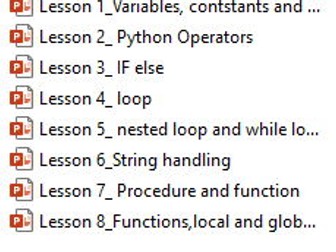
A complete, ready-to-teach 8-lesson Python programming unit for KS3/KS4 Computer Science, covering everything from variables and data types through to local and global functions. Every lesson follows the same tried-and-tested structure — retrieval starter, spec-referenced explanation, modelled examples (Python + pseudocode side by side), collaborative tasks, self/peer AFL quizzes with answers, tiered challenge and extension tasks, and a plenary — so students build routine and confidence lesson after lesson, and you spend zero time reformatting or rewriting slides. Fully editable, classroom-tested, and ideal for both specialist and non-specialist CS teachers.
The consistent slide structure (worth calling out explicitly in your listing)
Section Purpose
1 Unit/Topic title Orients students to the lesson
2 Learning Objective (LO) Clear, consistent LO stated up front and repeated on every slide
3 “From the Spec” Direct link to exam specification content
4 Retrieval/starter (e.g. “Clips – Write Round”) Low-stakes recall of prior knowledge
5 Retrieval task Hands-on quick practice (e.g. live coding in an online compiler)
6 Critical thinking Code-reading/analysis task, deeper engagement
7–9 Explanation + worked examples Concept taught with Python + pseudocode comparisons
10 Collaboration task Pair/group application task
11–12 AFL quiz + answers Self/peer-assessed multiple choice for formative checking
13–14 Challenge + Extension tasks Tiered stretch for stronger students
15 Answers Model solutions for challenge/extension
16 Plenary Consolidation/exit task
This same 16-slide skeleton runs through all 8 topics, just with content swapped in — so in your listing you can honestly say "identical, easy-to-follow structure across the whole unit.
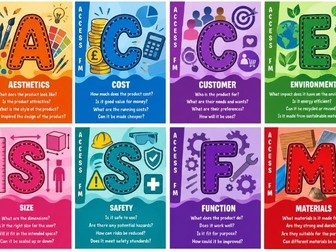
Design features:
Vertical ACCESS FM side bar
Large central letter with black outline
Warm abstract background
Orange wavy bottom panel
White title and question layout matching the original style
 Quick View

 Quick View
 Quick View
 Quick View
 Quick View
 Quick View