Python Debugging & Code Tracing | KS3 & GCSEQuick View
peterjgray999

Python Debugging & Code Tracing | KS3 & GCSE

(0)
Help pupils practise Python debugging and code tracing with 30 structured activities for KS3 and GCSE Computer Science. Includes printable worksheets, trace tables, optional hints, worked answers and Python files. Created by Pixel & Python, this pack is designed for Years 9 and 10 pupils who have already encountered basic Python programming. It provides focused practice in reading code, identifying errors, explaining corrections and checking results. A confused snack machine, an unstoppable robot and a ticket desk with two faults bring a little personality to the classroom while keeping the focus on programming. What’s included 20 debugging activities covering syntax errors, runtime errors and logic errors 10 code-tracing activities with structured trace tables and output prediction A two-page diagnostic assessment with answers and suggested follow-up activities Foundation, Developing and Stretch tasks Two graduated hints for each debugging activity Extension questions with teacher answers An exit check and pupil reflection sheet Teacher guidance, suggested timings, an activity map and assessment criteria Python topics covered Activities explore variables, assignment, input and type conversion, comparison operators, selection, Boolean logic, for loops, while loops and range endpoints. Further tasks cover running totals, list indexing, list methods, string handling, functions, parameters, return values, integer division, remainders, nested loops, sentinel values and finding a maximum. How pupils use the activities Each debugging worksheet gives pupils a clear requirement and a short faulty program. They identify the problem, explain its cause, write a repair and complete a test table. The tracing worksheets ask pupils to follow changing values, predict the exact output and explain how a change would affect the program. This gives teachers evidence of pupils’ understanding beyond whether their code runs. Flexible classroom use Choose individual activities for starters, homework, retrieval practice or intervention. Combine related tasks for a longer lesson, or use familiar topics for cover work. Most tasks have suggested timings of approximately 8 to 20 minutes, with additional time available for extensions and discussion. Pupils can work independently or in pairs. Printable activities can also be completed through manual tracing without a computer.
100 Python Coding Challenges Workbook for KS3 & GCSE, Editable Worksheets and Teacher AnswersQuick View
peterjgray999

100 Python Coding Challenges Workbook for KS3 & GCSE, Editable Worksheets and Teacher Answers

(0)
Make Python practice easier to plan with 100 progressive coding challenges for KS3 and GCSE Computer Science, an editable student workbook and a separate teacher answer guide. Pixel & Python takes learners from input, variables and arithmetic through to functions, file handling and larger programming projects. Choose individual challenges for lessons, homework, revision or coding clubs. WHAT YOU RECEIVE • 108-page A4 student workbook PDF, with one page per challenge. • Editable Word version of the student workbook, so you can adapt tasks and type responses. • 104-page teacher guide PDF containing all 100 core model solutions, teaching notes and test evidence. • 100 numbered Python solution files. • Sample input files for relevant file-handling tasks. • Python reference pages, progress trackers and getting-started instructions. The editable Word workbook contains the same student material as the PDF. WHAT’S ON EACH CHALLENGE PAGE? • A clear programming brief. • A skill focus and suggested completion time. • Supplied test cases with expected results. • A hint for learners who need support. • An optional extension challenge. • Space for planning, an additional test and a short explanation. TEN SECTIONS OF PYTHON PRACTICE Input, output, variables and arithmetic. Strings and formatting. Selection and Boolean logic. For loops and accumulators. While loops and validation. Lists, searching and sorting. Functions, parameters and return values. Dictionaries, grids and algorithms. Text files, CSV and saved data. Integrated programming projects. Project examples include a quiz, a shop calculator, a seat-booking system, a text adventure and a challenge progress tracker. DESIGNED FOR FLEXIBLE TEACHING Use selected pages for classroom practice, homework, revision, extension activities or coding clubs. Tasks progress from Foundation through Developing and Stretch to Project level. Teachers should select tasks according to learners’ prior knowledge. This is a programming practice bank, not a complete GCSE course or an exam-board-endorsed resource. MODEL ANSWERS INCLUDED All 100 core model programs were executed against 231 supplied tests using Python 3.12.13. Relevant checks also compared saved file contents. These checks cover the supplied cases, rather than every possible input.
Python Control Flow & Code Tracing Worksheet | KS3 / GCSE Computer ScienceQuick View
peterjgray999

Python Control Flow & Code Tracing Worksheet | KS3 / GCSE Computer Science

(0)
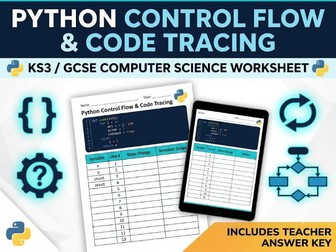
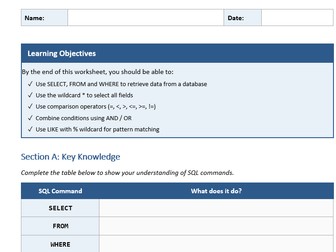
Complete, print-ready Python Control Flow & Code Tracing worksheet with a full Teacher Answer Key. Designed for KS3 and GCSE Computer Science students to practice trace tables, nested loops, conditional logic, and debugging. This comprehensive resource helps students master tracing variable states step-by-step and identifying real-world programming logic errors. What’s Included: Section 1: While Loops & Condition Tracking – Step-by-step variable trace table practice. Section 2: Nested Loops & Modulo Logic – Dual-variable tracking with condition evaluations. Section 3: Bug Identification & Debugging – Real-world code scenarios focusing on division-by-zero edge cases and loop validation. Section 4: Algorithm Design Challenge – Structured space for writing a standard FizzBuzz control flow algorithm. Teacher Answer Key: Dedicated solution page with fully populated trace tables, step-by-step line updates, and code solutions. File Formats Included: .docx – Fully editable Microsoft Word document for customizing questions or layout. .pdf – High-resolution, print-ready version with fixed formatting. Ideal For: Main classroom teaching & structured independent practice Homework assignments & revision sessions Cover lessons (includes step-by-step solutions for non-specialist cover staff)
GCSE Computer Science Python Mastery Worksheet Pack | Complete Beginner to Confident CoderQuick View
peterjgray999

GCSE Computer Science Python Mastery Worksheet Pack | Complete Beginner to Confident Coder

(0)
This premium GCSE Computer Science Python Mastery Worksheet Pack is a complete, ready-to-teach programming unit — fully structured, beautifully designed, and built around proven pedagogy. Whether you’re introducing Python for the first time or preparing students for their final exams, this pack takes every learner from their very first print() statement to confident, independent coding. What’s Inside (20+ Resources): Full Teacher Guide — pedagogy notes, lesson routines, IDE setup, accessibility guidance & exam board alignment (AQA, OCR, Edexcel, WJEC/Eduqas) 10 Structured Core Worksheets covering every key topic: Worksheet 1 – Output with print() Worksheet 2 – Variables & Data Types Worksheet 3 – Input & Type Casting Worksheet 4 – Selection (if, elif, else) Worksheet 5 – Iteration (for & while loops) Worksheet 6 – String Manipulation Worksheet 7 – Lists & Arrays (including linear search & bubble sort) Worksheet 8 – Functions & Procedures Worksheet 9 – File Handling & CSV Processing Worksheet 10 – Capstone Mini-Projects 5 Bonus Sheets: Bonus A – Validation Masterclass Bonus B – Testing & Debugging Lab Bonus C – Retrieval Grid Quiz Bonus D – Debugging Dojo
OCR J277 1.1 CPU Architecture Premium WorksheetQuick View
peterjgray999

OCR J277 1.1 CPU Architecture Premium Worksheet

(0)
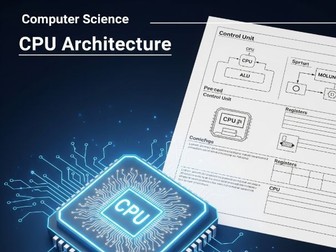
The worksheet is a professional, 45-mark assessment for OCR J277 GCSE Computer Science, covering Von Neumann architecture, CPU components, the Fetch-Execute cycle, performance factors, and embedded systems. It utilizes LaTeX for a premium aesthetic, featuring structured answer boxes, clear mark allocations, and a comprehensive marking scheme for educators.
J277 OCR Computer Science Worksheet: 1.1 Systems ArchitectureQuick View
peterjgray999

J277 OCR Computer Science Worksheet: 1.1 Systems Architecture

(0)
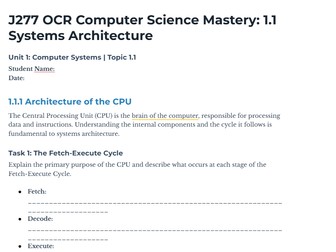
OCR J277 GCSE Computer Science Revision Worksheet: 1.1 Systems Architecture A comprehensive worksheet for the OCR J277 GCSE Computer Science syllabus, focusing on Unit 1.1 Systems Architecture. This resource is designed to test and reinforce mastery of foundational concepts, including: 1.1.1 Architecture of the CPU: The Fetch-Execute Cycle, the primary purpose of the CPU, and the function of key components and registers (e.g., ALU, CU, MAR, MDR, Program Counter). 1.1.2 CPU Performance: An analysis of performance factors like Clock Speed, Cache Size, and Number of Cores. 1.1.3 Embedded Systems: Characteristics and real-world examples. Exam Practice: Includes an 8-mark, scenario-based application question for exam-style revision. This is a valuable tool for classroom activities, homework, or independent GCSE Computer Science revision.
Internet Safety - Powerpoint & WorksheetQuick View
peterjgray999

Internet Safety - Powerpoint & Worksheet

(0)
Powerpoint and worksheet for a lesson on internet safety. This is a year 8 lesson. This contains information on 2 forms of internet scams, phishing and malware and concludes with how to protect against them.
Topic 2.1: Systems Architecture - Abstraction - OCR Computer ScienceQuick View
peterjgray999

Topic 2.1: Systems Architecture - Abstraction - OCR Computer Science

(0)
Think about using a smartphone. You tap icons, swipe screens, and press buttons. You don’t need to know about the complex code, the electronic signals, or how the processor chip works inside! You only interact with the essential features needed to use the phone. Abstraction is the process of removing unnecessary detail or hiding complexity to focus on the essential characteristics or features of a system or problem. It helps us manage complexity and make things easier to understand and use. Learning Objectives: Define abstraction in the context of computer science. Identify examples of abstraction in everyday life and computing systems. Explain why abstraction is useful in computational thinking and system design. Distinguish between abstraction and decomposition.
Networking PresentationQuick View
peterjgray999

Networking Presentation

(0)
A presentation on Computer Networks including the different types of computer networks, the advantages and disadvantages of computer networks and the definitions of each computer network and what they are used for.