Two document to use as a note taking template for GCSE Computer Science OCR (J277)
The documents are broken down in order of the spec to make notes.
One document has some example questions to test knowledge while the other just has the headings.
Students can go in order, or click on the hyperlink/table of contents to revise the topic they wish. Also works on Google Docs.
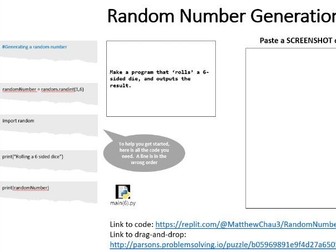
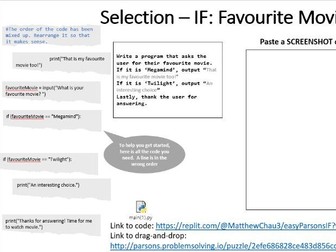
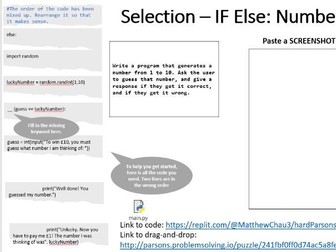
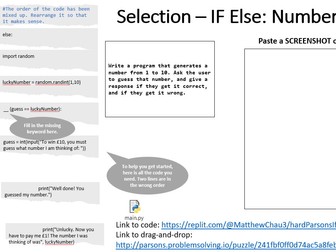
Parsons Problems are solutions to a coding problem but the lines are jumpled up.
Good for differentiation as it can help reduce cogitive load (Bean, 2022).
Parsons Problems target specific topics to expose students to good programming practices (Parsons and Haden, 2006).
Good for visual and kinaesthetic learners.
Great for starter or extension activities for the students to go on, while you can set up for any other activity.
This resource is a custom set of PowerPoint slides that provides three different ways to attempt them:
Draging and dropping lines on the PowerPoint itself
Download the code to solve on your own IDE, also available in Replit.com (an online IDE) to fork as well.
An online drag and drop website which shuffles all the lines that can check if it is correct
The feature of the ‘Normal’ difficulty is that the at around two lines are shuffled, and some questions have missing variables or keywords that are highlighted with underscores that need filling in.
The PowerPoint has at least one problem for the topics needed for GCSE:
Outputs
Variables and Outputs
Variables, Outputs, and Inputs
Maths Operators (input integers)
Random numbers
Strings and casting
Booleans
If
If/Else
If/Elif/Else
Nested Ifs
For loops
While loops
Nested loops
Arrays/Lists
2D Lists
File handling
Subprograms (functions/procedures)
Link updated.
Parsons Problems are solutions to a coding problem but the lines are jumpled up.
Good for differentiation as it can help reduce cogitive load and teach good programming practices. Good for visual and kinaesthetic learners.
Great for starter or extension activities for the students to go on, while you can set up for any other activity.
This resource is a custom set of PowerPoint slides that provides three different ways to attempt them:
Draging and dropping lines on the PowerPoint itself
Download the code to solve on your own IDE, also available in Replit.com (an online IDE) to fork as well.
An online drag and drop website which shuffles all the lines that can check if it is correct
The feature of the ‘Easy’ difficulty is that one line is shuffled.
The PowerPoint has at least one problem for the topics needed for GCSE:
Outputs
Variables and Outputs
Variables, Outputs, and Inputs
Maths Operators (input integers)
Random numbers
Strings and casting
Booleans
If
If/Else
If/Elif/Else
Nested Ifs
For loops
While loops
Nested loops
Arrays/Lists
2D Lists
File handling
Subprograms (functions/procedures)
Update: The previous website link does not work, A new website link is provided.
Inspired by Family Fortunes, this resource has 4 questions for GCSE OCR Programming maintainability and testing/sanitation. 2.3.1 Defencive Design.
Can be used as a template to add your own questions.
2 Teams. One Representative from each side required to provide final answer.
Rock, Paper, Scissors.
Winner gets to hear topic and decides if they want to attempt the challenge or pass to the other team.
Click on the red crosses and yellow rectangles to be removed.
Answers in notes section too.
First team to go up gets 3 lives to guess everything on the board. If they run out of lives, the other team gets one chance (one life, so delete all but one cross) to steal the point. If they get it wrong, the first team gets the point.
The representative can communicate with their team for answers. They must be the one to tell me their final answer.
Adapt as necessary to your classroom.
Good for plenary activity.
Parsons Problems are solutions to a coding problem but the lines are jumpled up.
Good for differentiation as it can help reduce cogitive load and teach good programming practices. Good for visual and kinaesthetic learners.
Great for starter or extension activities for the students to go on, while you can set up for any other activity. Good for a debugging session and great to expand upon (Modify - PRIMM).
This resource is a custom set of PowerPoint slides that provides three different ways to attempt them:
Draging and dropping lines on the PowerPoint itself
Download the code to solve on your own IDE, also available in Replit.com (an online IDE) to fork as well.
An online drag and drop website which shuffles all the lines that can check if it is correct
The feature of the ‘Hard’ difficulty is that a few lines are shuffled with more “scenarios” than tutorials. You can edit the slides so that it requires the user to fill in missing key words. Adapt as necessary for your class.
The PowerPoint has at least one problem for the topics needed for GCSE:
Outputs
Variables and Outputs
Variables, Outputs, and Inputs
Maths Operators (input integers)
Random numbers
Strings and casting
Booleans
If
If/Else
If/Elif/Else
Nested Ifs
For loops
While loops
Nested loops
Arrays/Lists
2D Lists
File handling
Subprograms (functions/procedures)
Update: The previous website link does not work, A new website link is provided.
Great for differentiation in the classroom. Provides Easy, Normal, and Hard difficulty Parsons Problems.
3 PowerPoints with slides of questions for the code to be dragged and dropped.
Available in code to attempt on and IDE.
Also available to a web drag and drop, where it can be marked.
Easy has one line of code in the wrong order.
Normal has 2 lines in the wrong order, and sometimes has missing variables.
Hard has more of normal, and near the end, has a distractor line (a line that does not belong).
The online drag and drop method shuffles are the lines of code.
Each PowerPoint covers:
Outputs
Variables and Outputs
Variables, Outputs, and Inputs
Maths Operators (input integers)
Random numbers
Strings and Casting
Booleans
If
If/Else
If/Elif/Else
Nested Ifs
For loops
While loops
Nested loops
Arrays/Lists
2D Lists
File handling
Subprograms (functions/procedures)
A MS Word document with screenshots and text to help learn how to make a simple animation in Krita. Example of a bouncing ball shown.
You can print it off or share it for self-study/working:
Animation using “Keyframes” (page 2) and Animation using an “Animation Curve” (pg7)
Screenshots are taken by me using Krita.
I put some links that I think are good to watch for those that want to expand their knowledge.
Share the love of art and creativity. Put a comment if it has helped.
Two MS Excel files to be used as a revision resource or lesson task to consolidate learning.
One file has sheets more specific to Countif and If.
The other file is a general revision spreadsheet for students to practice on such as formatting, functions and formulas.
There is help and tips on all pages so the students can refer to that first before asking the teacher for help.
If you found it helpful, please leave a comment!
A twenty page .pdf/PowerPoint document for students to read and follow along to help them find success in programming.
Would recommend to print out so students have a physical copy to look and rather than have students split screen or flick back and forth.
I have used this to pass onto student when they have finished their theory lesson questions, or as a lesson for them to complete at their own pace (Y10/11)
There are some flowchart images as well - encourage students to draw flowcharts as well as attempt challenges.
Each page is a topic that students can go straight into - with information, structured code, along with challenges of that programming topic
(e.g. Output, Variables, Input)
Links to the code of the screenshots are provided.
(answers not provided on challenge questions)
Images used are from free stock image website (credited in notes) / screenshots of my own code or drawing made in Trinket.io and Draw.io
PowerPoint Slides to play Taboo in the classroom as a fun activity or plenary to get the students to explain key words to each other in a fast-paced way with some restrictions to get them thinking on thier feet.
These are some slides with network key terms. Add or remove as necessary.
Parsons Problems are solutions to a coding problem but the lines are jumbled up.
Good for differentiation as it can help reduce cognitive load and teach good programming practices. Good for visual and kinaesthetic learners.
Great for starter or extension activities for the students to go on while you can set up for any other activity.
This is a sample Parsons Problem resource for the other versions.
Adapt it to your needs.
Update: Website link updated for online Parsons
Android Studio - How to add a button to change text + How to Add Videos
Two PowerPoint + videos added in, to help guide you through adding a button to change text in your android app, and a video widget to play a stored video.
Feedback from students have found it helpful, so I hope this would help other classrooms too that are trying to learn Android Studio/ iMedia.