The Complete GCSE Computer Science Arcade — 16 Interactive Games, Simulators & Escape RoomsQuick View
julienmckenzie

The Complete GCSE Computer Science Arcade — 16 Interactive Games, Simulators & Escape Rooms

(0)
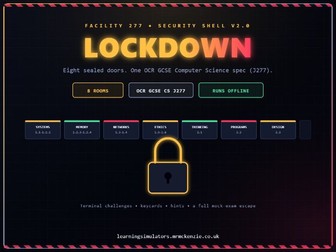
15 self-marking interactive games covering the entire OCR GCSE Computer Science specification — 800+ questions, jobs and cases across every topic on Papers 1 and 2, from an escape room to a courtroom to a CPU-climbing platformer. No login, no install, no prep. Full description: Most Computer Science resource bundles are a folder of worksheets with a bow on top. This one isn’t. Every resource in this bundle is a genuine interactive game — built to be played, not printed — and together they cover every single section of the OCR GCSE Computer Science (J277) specification, both Component 1 and Component 2, without a single topic gap. Your students will drag real hardware into a PC case, flip physical binary switches, climb a platform tower powered by CPU knowledge, escape a locked-down facility using the whole spec, and deliver courtroom verdicts on real digital ethics cases — all while a full XP, rank, streak and badge system keeps them coming back for one more round. Every question, job and case is self-marking with a full worked explanation, so students learn from mistakes. What’s included: Resource What it is Facility 277 An 8-room escape room across the entire spec — 204 cases, keycards, a lockdown timer, a printable certificate The Verdict A courtroom tribunal on ethics, law, culture & environmental impact (1.6) — 63 cases, stamp-your-ruling mechanic, printable certificate PC Builders Inc. Drag real CPU, RAM and storage into a working PC build — 62 jobs across 6 worlds (1.1–1.2) Network Builder Drag routers, switches and cabling to build real networks — 52 jobs across 6 worlds (1.3) CPU Climb A genuine platform game — answer right, jump higher up a tower of CPU components (1.1) Bit Board Flip physical binary switches to match a target value, watching binary/denary/hex update live (1.2) Malware & Social Engineering 70 questions on threats and prevention, arcade-style (1.4) Logic Gate Arcade & Circuit Builder 49 questions + 15 build puzzles on Boolean logic (2.4) Defensive Design Quiz 58 questions on validation, authentication & maintainability (2.3) Terminal Sort Speed-sort translators, compilers and IDE tools before the clock runs out (2.5) Search & Sorting Algorithm Quizzes 40 questions each, grades 1–9 (2.1) Trace Table Simulator 20 self-marking pseudocode trace exercises (2.1–2.2) Flowchart Simulator 15 abstraction & decomposition scenarios (2.1) Programming Simulator Free-response exam practice marked against real mark-scheme keywords, across every topic
The Verdict — Ethics, Law, Culture & Environmental Impact Tribunal (OCR GCSE CS 1.6)Quick View
julienmckenzie

The Verdict — Ethics, Law, Culture & Environmental Impact Tribunal (OCR GCSE CS 1.6)

(0)
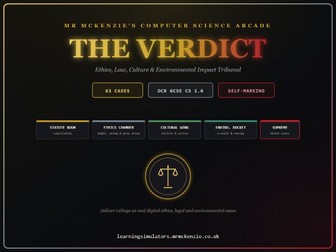
63 self-marking cases across legislation, ethics, culture and environmental impact — deliver rulings on real digital dilemmas and rise through the ranks from Trainee Clerk to Chief Justice. Full description: Ethical, legal, cultural and environmental impact is one of the driest topics on the OCR spec to teach from a worksheet, and one of the easiest to make genuinely engaging as a game. The Verdict turns it into a courtroom: students are presented with real cases — a hacked school account, a biased hiring AI, a phone designed to fail after two years — and must deliver a ruling, backed by a satisfying stamp of APPROVED or DENIED. Every ruling comes with a full explanation, so mistakes teach as much as correct answers do. • 63 auto-marked cases across five dockets: legislation (Computer Misuse Act, Data Protection Act, Copyright, Designs and Patents Act, Freedom of Information Act), ethics (AI bias, self-driving cars, surveillance, deepfakes), culture (digital divide, accessibility, employment), environment (e-waste, energy use, planned obsolescence), and a Supreme Court finale of harder mixed-issue cases • A genuine courtroom mechanic — every ruling gets a stamp animation, not just a coloured tick or cross • Career progression through six ranks (Trainee Clerk to Chief Justice), Points, streaks and ten unlockable Honours • A printable Certificate of Achievement — a commercial-quality certificate with an official seal, the student’s name, rank and score, ready to print for a wall display or portfolio • A Law Library glossary of every key legal and ethical term, linked directly to the OCR specification • A Court of Appeal boss round that replays anything missed, for double points • Runs as a single HTML file: no login, no install, works on any school device Use it as the primary teaching resource for the Component 1 ethical/legal/cultural/environmental unit, as a whole-lesson revision event, or as focused independent exam preparation — and print certificates at the end for a display board or student portfolio.
Facility 277 - OCR GCSE Computer Science Escape RoomQuick View
julienmckenzie

Facility 277 - OCR GCSE Computer Science Escape Room

(0)
An 8-room lockdown escape room covering the entire OCR GCSE Computer Science spec (J277) — solve terminal challenges, collect keycards and enter the exit code before the clock runs out. Full description: Most revision games are a quiz with a theme bolted on. Facility 277 is a genuine escape room: the facility AI has sealed eight doors, each mapped to a section of the OCR GCSE Computer Science specification, and students must solve terminal challenges behind each one to collect keycards, then enter the exit code before the lockdown timer reaches zero. It works as a single, focused, whole-lesson event rather than a five-minute starter, and covers the full breadth of J277 in one sitting. • 8 sealed rooms, each mapped to a J277 spec section: systems architecture, memory & storage, networks, cyber security & ethical issues, computational thinking, programming fundamentals and program design • Three difficulty tiers (Trainee, Operative, Specialist) with adjustable challenges per room, hints and time limits, so the same resource stretches from an introductory activity to a genuine mock-exam challenge • A real lockdown countdown timer plus a per-question timer that flashes red in the final 15 seconds, building genuine exam-style time pressure • Progress saves automatically in the browser, so a run can be paused and resumed later without losing keycards or scores • Every challenge includes a full worked explanation, not just a correct answer • Runs as a single HTML file: no login, no install, no internet required once downloaded — nothing is ever uploaded anywhere Use it as a full-lesson revision event to close out a unit, a whole-class ‘escape the lockdown’ activity, or focused independent exam preparation in the final weeks before Component 1 and Component 2.
Logic Gate Arcade — Interactive Boolean Logic Quiz Game (OCR GCSE CS 2.4)Quick View
julienmckenzie

Logic Gate Arcade — Interactive Boolean Logic Quiz Game (OCR GCSE CS 2.4)

(0)
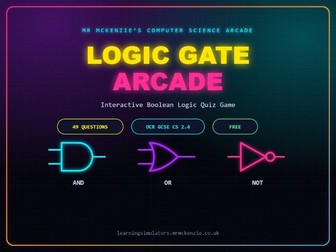
A retro arcade-style quiz that turns AND/OR/NOT gates and truth tables into a game your students actually want to play — 49 questions, instant feedback, zero setup. Full description: Stop watching eyes glaze over during Boolean logic. Logic Gate Arcade repackages OCR spec 2.4 (Boolean logic) as a neon, combo-scoring arcade game — and students play it like they’re trying to beat a high score, not complete a worksheet. What’s inside: 49 auto-marked questions covering AND, OR, NOT gates, gate symbols, and truth tables Live scoring with combo streaks and an accuracy tracker, so pace and progress are visible at a glance Instant worked explanations after every answer — no waiting for the teacher to go through it Runs as a single HTML file: no login, no install, no internet required after download — works on any school laptop, Chromebook, or interactive whiteboard Use it as: A starter to activate prior knowledge before a logic gates lesson A plenary to check understanding before moving to circuits Independent revision homework ahead of a Paper 1 mock Cover work that doesn’t need a specialist teacher to mark it Built by a working CS teacher for real GCSE classes — not a generic template. Download once, use with every class, every year.
Circuit Builder Arcade - Logic Gate PuzzlesQuick View
julienmckenzie

Circuit Builder Arcade - Logic Gate Puzzles

(0)
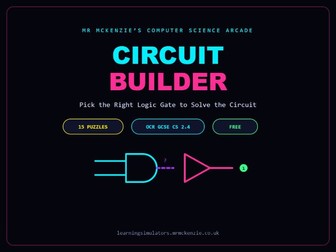
15 arcade-style puzzles where students pick the correct logic gate to complete a circuit and hit the target output — instant feedback, zero setup, zero marking. Full description: Circuit Builder Arcade turns “which gate goes here?” into a game instead of a worksheet. Students are shown a partially built circuit and a target output, and have to choose the AND, OR, NOT or NOR gate that makes it work — building real intuition for how gates combine, not just memorising truth tables in isolation. • 15 hand-built logic puzzles covering AND, OR, NOT and NOR gates • Students select the gate needed to hit the target output, not just answer multiple choice about a gate in isolation • Instant right/wrong feedback with an explanation for every puzzle • Neon arcade visual style that keeps disengaged students on task • Runs as a single HTML file: no login, no install, works on any school laptop, Chromebook or whiteboard Use it as a starter to activate prior knowledge before a circuits lesson, a plenary to check understanding, or self-marking homework ahead of a Component 2 assessment.
Abstraction and Decomposition Flowchart SimulatorQuick View
julienmckenzie

Abstraction and Decomposition Flowchart Simulator

(0)
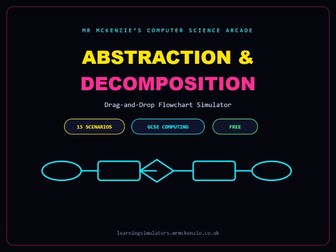
15 real-world scenarios — a login system, an ATM withdrawal, sending an email — where students drag flowchart symbols to build the abstracted, decomposed solution themselves. Full description: Abstraction and decomposition are two of the hardest computational thinking concepts to make concrete, because most resources just define them rather than making students apply them. This simulator gives students a realistic scenario, a hint about what detail to abstract away, and a drag-and-drop canvas of flowchart symbols — then shows a full model answer with an explanation of the thinking behind it. • 15 scenario-based questions: login systems, ATM withdrawals, sending an email, and more • Students drag terminal, process, decision and input/output symbols to build a working flowchart • Each scenario includes a hint on what to abstract away, plus a full model answer with reasoning explained afterwards • Explicitly teaches the difference between abstraction (ignoring irrelevant detail) and decomposition (breaking a problem into sub-tasks) • Runs as a single HTML file: no login, no install, works on any school device Use it to introduce computational thinking at the start of a unit, as a hands-on lesson activity in place of a static worksheet, or as revision before questions on abstraction and decomposition come up in Paper 1.
Defensive Design Quiz - GCSE Computer ScienceQuick View
julienmckenzie

Defensive Design Quiz - GCSE Computer Science

(0)
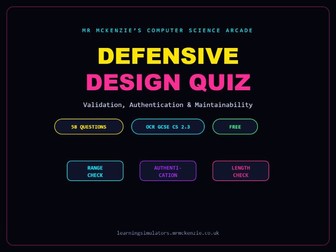
58 auto-marked questions covering input validation, authentication and maintainability — one of the most exam-heavy, mark-losing topics in Component 2. Full description: Defensive design is a topic students consistently underperform on, because it’s easy to confuse validation with authentication, or miss the difference between a range check and a type check. This quiz drills exactly those distinctions with 58 targeted questions, each with a full explanation so mistakes actually get corrected rather than just marked wrong. • 58 auto-marked questions, straight from the OCR/Cambridge specification, section 2.3 • Covers input validation (range, length, presence and type checks), authentication, and maintainability (comments, indentation, naming conventions) • Every question includes a full worked explanation, not just a correct answer • Self-marking — ideal for independent revision with no teacher input needed • Runs as a single HTML file: no login, no install, works on any device Use it as a revision homework set before a Component 2 mock, a retrieval-practice starter, or cover work that still tests real understanding.
Trace Table Simulator - GCSE Computer ScienceQuick View
julienmckenzie

Trace Table Simulator - GCSE Computer Science

(0)
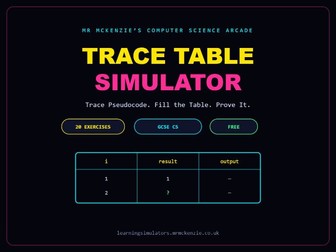
Students trace real pseudocode line by line and fill in the variable columns themselves — loops, arrays, functions, sorting, searching and more — the exact skill Paper 1 tests and static worksheets can’t mark. Full description: Trace tables are one of the few GCSE skills that genuinely can’t be taught by reading about it — students have to practise stepping through code and tracking variable values themselves. This simulator presents 20 real pseudocode exercises, from simple loops through to bubble sort and binary search, with a live table students fill in as they trace and instant marking against the correct execution. • 20 pseudocode tracing exercises, from foundational (variables, for loops, arrays) through to applied (bubble sort, linear search, binary search, factorial) • Students fill in a live variable trace table as they step through each algorithm • Instant self-marking against the correct execution, with a full explanation for every exercise • Covers the full range of GCSE pseudocode constructs: while loops, nested selection, MOD/DIV, type casting, string slicing, functions with parameters • Runs as a single HTML file: no login, no install, works on any school device Use it as a structured homework set building from easy to hard, as exam-technique practice before Paper 1, or as an intervention resource for students who consistently lose marks on trace table questions.
Terminal Sort - Translators and IDEs Speed ChallengeQuick View
julienmckenzie

Terminal Sort - Translators and IDEs Speed Challenge

(0)
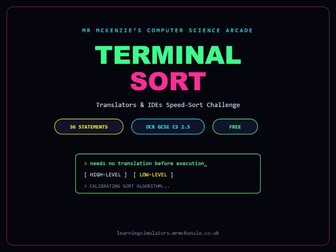
A fast-paced “sort it before time runs out” game covering high-level vs low-level languages, compilers vs interpreters, and IDE tools — 36 statements, one spec point, zero prep. Full description: Systems software and translators is a small but fiddly spec point where students blur together compilers, interpreters and IDE tools. Terminal Sort turns revision of that one topic into a retro terminal-themed speed challenge: statements fly in and students sort them into the correct category before time runs out, which drives far more repetition than a static comparison table ever will. • 36 statements across three rounds: high-level vs low-level language, compiler vs interpreter, and identifying IDE tools • Fast-paced, timed speed-sort mechanic keeps students engaged through repetition • Instant feedback with a short explanation on every statement • Retro terminal visual theme that fits naturally into a starter or plenary slot • Runs as a single HTML file: no login, no install, works on any school device Use it as a 5-minute starter or plenary on systems software, or as quick retrieval practice before this spec point comes up on Paper 2.
Sorting Algorithms Quiz - GCSE Computer ScienceQuick View
julienmckenzie

Sorting Algorithms Quiz - GCSE Computer Science

(0)
40 questions drilling bubble sort, merge sort, insertion sort, selection sort, plus linear and binary search — the algorithms topic students forget fastest. Full description: Sorting and searching algorithms are usually taught once and then forgotten, because students memorise the steps for a lesson and never revisit them. This quiz forces genuine recall with 40 questions that mix “how does this algorithm work” with applied questions about passes, comparisons and efficiency, so the difference between bubble sort and insertion sort actually sticks. • 40 auto-marked questions covering bubble sort, merge sort, insertion sort and selection sort • Also covers linear search and binary search • Mixes recall questions (how the algorithm works) with applied questions (number of passes, comparisons, efficiency) • Every question includes a full worked explanation • Runs as a single HTML file: no login, no install, works on any school device Use it as retrieval practice a few weeks after teaching sorting algorithms, as revision homework before a mock, or as a starter to check which algorithm students are still mixing up.
Search Algorithms Exam - GCSE Computer ScienceQuick View
julienmckenzie

Search Algorithms Exam - GCSE Computer Science

(0)
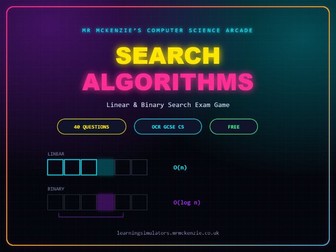
40 exam-style questions on linear and binary search, with a live streak and timer — built to drill the O(n) vs O(log n) distinction that trips students up on Paper 2. Full description: Linear and binary search look simple until an exam question asks students to justify why binary search is faster, or to trace through a search on a specific list — and that’s exactly where marks get lost. This exam-style game covers both algorithms in depth, including their step-by-step mechanics and their efficiency, with a streak-and-timer format that pushes students to answer quickly and confidently rather than second-guessing. • 40 auto-marked exam-style questions covering linear search and binary search • Tests both algorithm mechanics (how each search works, step by step) and efficiency (O(n) vs O(log n) reasoning) • Live streak and timer mechanic keeps pace high and rewards consistent accuracy, not just single correct answers • Instant feedback with a full explanation for every question • Runs as a single HTML file: no login, no install, works on any school device Use it as timed retrieval practice before a Paper 2 mock, a starter to sharpen recall at speed, or independent revision homework on algorithm efficiency.
PC Builders Inc - Trainee Computer Engineer SimulatorQuick View
julienmckenzie

PC Builders Inc - Trainee Computer Engineer Simulator

(0)
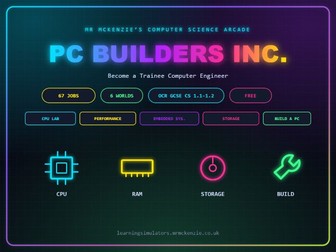
A genuinely physical build simulator — students drag real CPU, RAM and storage components into a PC case to match each customer’s brief, across 62 jobs and 6 colourful themed worlds. Full description: Most hardware resources on TES are static PDFs and PowerPoints — hardware is one of the least gamified topics on the whole platform. PC Builders Inc. changes that with a genuine drag-and-drop assembly mechanic: in the “Build the Perfect PC” world, students physically drag component cards — each with real specs like cores, clock speed, cache and capacity — into CPU, RAM and Storage bays to match a customer’s brief and budget. The other five worlds (Inside the Computer, CPU Lab, Embedded Systems, Storage Challenge, and a final Boss Battles round) use fast-paced knowledge and diagnostic questions, so the whole game reads as a genuinely varied, hands-on experience rather than one long static quiz. • 62 auto-marked jobs across 6 colour-coded worlds, each with its own icon and visual theme • A real physical drag-and-drop PC assembly mechanic: drag CPU, RAM and storage components — each with genuine specs — into case bays to match a customer brief and budget • Covers the full OCR spec 1.1–1.2 hardware syllabus: CPU components and the fetch-decode-execute cycle, performance (clock speed, cores, cache), embedded systems, RAM vs ROM, secondary storage (HDD/SSD/optical) and virtual memory • Career progression through six engineer ranks (Trainee to Chief Engineer), XP, coins, streaks and unlockable badges • A Field Manual (glossary) of every key hardware term, linked directly to the OCR specification • Every job includes a full worked explanation, not just a correct answer • Runs as a single HTML file: no login, no install, works on any school device (touch, mouse and trackpad all supported) Use it as the primary teaching resource for the Component 1 hardware unit, as a highly visual revision tool before a mock, or as a reward activity that’s still genuinely on-spec.
Network Builder - Trainee Network Technician SimulatorQuick View
julienmckenzie

Network Builder - Trainee Network Technician Simulator

(0)
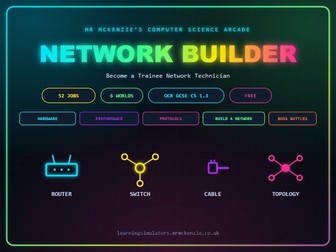
A physical network-building simulator: students drag real hardware — routers, switches, cables and topologies — into a network build to match a customer brief, across 52 jobs and 6 colourful worlds. Full description: Networking hardware and topologies are usually taught through static diagrams, but this simulator makes students actually build the network. In the “Build a Network” world, students drag virtual parts that represent real physical hardware — routers, switches, hubs, wireless access points, cable types and network topologies — into a network build to match a customer’s brief and budget, learning to justify device choice, cabling, and star vs mesh topology through real trade-offs (cost, reliability, distance, interference). The other five worlds (The Network, Network Hardware, Performance Factory, Protocol Post Office, and a final Boss Battles round) cover LAN/WAN, client-server vs peer-to-peer, factors affecting performance, and common protocols, giving full coverage of OCR spec 1.3 in one resource. • 52 auto-marked jobs across 6 colour-coded worlds, each with its own icon and visual theme • A physical drag-and-drop network-building mechanic: drag routers, switches, hubs, wireless access points, cable types and topologies into a build to match a customer brief and budget • Covers the full OCR spec 1.3 syllabus: LAN vs WAN, client-server vs peer-to-peer, network hardware roles, factors affecting performance (bandwidth, interference, error rate), common protocols (TCP/IP, HTTP/HTTPS, FTP, email protocols), and star vs mesh topology • Career progression through six technician ranks (Trainee Technician to Chief Network Architect), XP, coins, streaks and unlockable badges • A Field Manual (glossary) of every key networking term, linked directly to the OCR specification • Every job includes a full worked explanation, not just a correct answer • Runs as a single HTML file: no login, no install, works on any school device (touch, mouse and trackpad all supported) Use it as the primary teaching resource for the Component 1 networks unit, as a highly visual revision tool before a mock, or paired with PC Builders Inc. as a two-part hardware and networking bundle
CPU Climb - Answer Right Jump HigherQuick View
julienmckenzie

CPU Climb - Answer Right Jump Higher

(0)
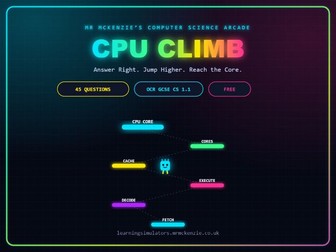
A genuine platform game, not a quiz — a chip character climbs a tower of platforms (Fetch, Decode, Execute, ALU, Cache and more), jumping higher the more CPU questions you answer correctly in a row. Full description: CPU Climb is a proper platformer, not a quiz dressed up as one: a chip-shaped character stands on a tower of platforms, each labelled with a stage of CPU operation. Every question answered correctly makes the character jump — and the jump gets bigger the longer the correct-answer streak runs, animated live on a canvas scene with a genuine parabolic jump arc. A wrong answer breaks the streak and the character stumbles in place. The whole climb is built entirely around OCR spec 1.1: the fetch-decode-execute cycle, CPU components (ALU, Control Unit, registers), the three performance factors (clock speed, cores, cache), and embedded systems — with the CPU Core waiting at the summit. • 45 auto-marked questions, 100% focused on OCR spec 1.1 (systems architecture) — no padding from other topics • A real platform-game mechanic: streaks of correct answers unlock bigger jumps (1, 2 or 3 platforms at once), visualised with a live animated jump arc • Covers the fetch-decode-execute cycle, CPU components and registers (ALU, Control Unit, MAR, MDR, PC, Accumulator), the three performance factors (clock speed, cores, cache), and embedded systems • Career progression through six climber ranks (Ground Level to Core Conqueror), XP, coins and unlockable badges • A Field Manual (glossary) of every key CPU term, linked directly to the OCR specification • Every question includes a full worked explanation, not just a correct answer • Runs as a single HTML file: no login, no install, works on any school device Use it as a high-energy starter or plenary purely on CPU content, as a focused revision tool before questions on systems architecture come up on Paper 1, or as a reward activity that’s still 100% on-spec.
Malware & Social Engineering Quiz — Spot the Threat (OCR GCSE CS 1.4)Quick View
julienmckenzie

Malware & Social Engineering Quiz — Spot the Threat (OCR GCSE CS 1.4)

(0)
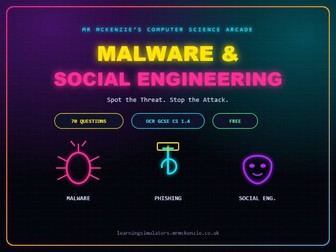
70 questions on malware, phishing, blagging and the wider network-threats topic — the entire Component 1 security section, in one arcade-style quiz, with almost no interactive competition on TES. Full description: Network security is one of the most heavily examined topics on Paper 1, but it’s also one of the most poorly served by interactive resources — most listings are static PDFs and PowerPoints. This quiz covers the full breadth of OCR spec 1.4: every malware type, every social engineering technique, the wider threat landscape (brute-force, DoS, data interception, SQL injection), and every prevention method, all auto-marked with a full explanation for every question. • 70 auto-marked questions covering viruses, worms, trojans, ransomware and spyware • Full coverage of social engineering: phishing, blagging/pretexting and shouldering • Also covers brute-force attacks, denial-of-service attacks, data interception and SQL injection • Prevention methods included: penetration testing, anti-malware software, firewalls, user access levels, passwords, encryption and physical security • Every question includes a full worked explanation, not just a correct answer • Runs as a single HTML file: no login, no install, works on any school device Use it as the primary resource for teaching network security from scratch, as revision homework before a Component 1 mock, or as retrieval practice spread across the year — this topic is tested every single paper.
OCR GCSE Computer Science Boolean LogicQuick View
julienmckenzie

OCR GCSE Computer Science Boolean Logic

(0)
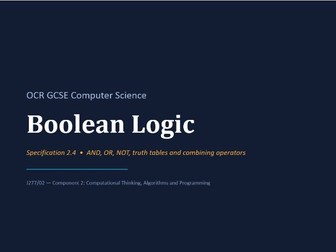
Description: A complete, ready to teach lesson pack covering OCR GCSE Computer Science (J277) specification 2.4 - Boolean Logic. Built directly from the OCR spec and past paper question style, with no XOR or other off-spec content to confuse students. Includes: 10 slide teaching PowerPoint covering AND, OR and NOT gates, truth tables, combining operators, worked real world examples, common exam mistakes, and a step by step method for building truth tables. Practice worksheet with 3 sections, 10 questions, and 26 marks. Progresses from single gates to combined expressions to exam style scenario questions. Full answer key with mark scheme guidance for teachers. 15 question multiple choice quiz with a separate answer key. Ideal for retrieval practice, starters, or homework. Perfect for a single lesson or split across two, and ideal for cover lessons thanks to the fully resourced, self contained format. Specification coverage: AND, OR and NOT operators, logic diagrams, truth tables, and combining Boolean operators, matching OCR J277/02 2.4 exactly.
Complete KS3 Computing & IT Scheme of Learning - Years 7-9 - Full 3-Year Curriculum 2026-27Quick View
julienmckenzie

Complete KS3 Computing & IT Scheme of Learning - Years 7-9 - Full 3-Year Curriculum 2026-27

(0)
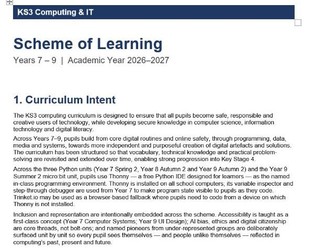
Description: Stop rebuilding your KS3 curriculum from scratch every year. This is a complete, ready-to-teach Computing and IT scheme of learning covering all three years of Key Stage 3 (Years 7 to 9) for the 2026-27 academic year, built to take a department from the first week of September to the last week of July with no gaps to fill in yourself. This is not a single lesson or a single topic. It is the full three-year curriculum map that most departments spend months building, written to the standard of a published scheme rather than a quick set of slides. 18 fully planned half-term units across Years 7, 8 and 9, covering: Online safety and digital routines, computational thinking and flowcharts, spreadsheets and data modelling, Python programming from first principles through to advanced (using Thonny), living with AI, computer systems and binary, cyber security and digital resilience, data representation, computer networks and the internet, web development with HTML and CSS, image editing with GIMP, UI design with Canva, computer systems architecture and logic gates, algorithms including searching and sorting, and physical computing with the micro:bit. Every single unit includes: A half-term overview with teaching weeks, National Curriculum links and taxonomy coding. A lesson by lesson breakdown with learning objectives, vocabulary focus and assessment notes. Tier 1, Tier 2 and Tier 3 vocabulary lists for explicit vocabulary instruction. Common misconceptions specific to each topic, so you can address them before they take root. Low stakes retrieval practice checkpoints, with spaced recall intervals mapped out within and across units. SMSC and British Values links for every topic. Cognitive load tagging per lesson, showing schema dependencies so you can sequence teaching around what pupils already know. Motivation and engagement strategies grounded in Self-Determination Theory for every unit. Named pioneers and representation woven into the curriculum itself, not bolted on as an afterthought. An iDEA Award extension homework structure that builds a pupil e-portfolio across all three years. A clear, department-wide assessment model covering baseline testing, end of topic tests, practical rubric assessment and project evaluation, with a taxonomy legend mapping every lesson to the strands it covers. This is the document Heads of Department wish they had time to write. Use it as your department’s curriculum map for a full Ofsted-ready review, hand it to a new or trainee teacher as a complete starting point, or use it to benchmark and strengthen your existing KS3 provision. Ideal for: Heads of Computing planning a curriculum review, new and trainee teachers who need a fully resourced starting point, departments moving toward explicit, retrieval-based curriculum design, and any school wanting a coherent, evidenced pathway from Year 7 straight through into GCSE.
Bit Board - Binary and Hexadecimal Challenge (FREE)Quick View
julienmckenzie

Bit Board - Binary and Hexadecimal Challenge (FREE)

(0)
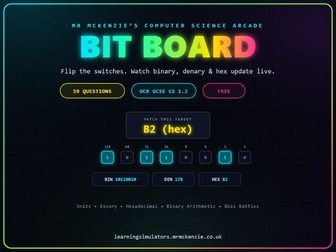
A completely free 59-question resource — students toggle real binary switches to match a target value, watching binary, denary and hex update live, plus quizzes on units, conversions and binary arithmetic. Full description: Binary and hexadecimal conversion is usually taught with pen-and-paper place-value tables, so students rarely see cause and effect in real time. Bit Board fixes that: an interactive board of 8 physical binary switches lets students flip individual bits and watch the binary, denary and hexadecimal readouts update instantly, building genuine number sense instead of memorised steps. It is offered completely free, making it an ideal way for schools to trial the quality of these resources before exploring the rest of the collection. • 59 auto-marked questions and interactive rounds across 6 colour-coded worlds, each with its own icon and visual theme • A genuine interactive binary board: students physically flip 8 bit switches and see binary, denary and hex values update live across 15 target-matching rounds • Covers the full OCR spec 1.2 syllabus: units of data (bit, nibble, byte, KB, MB, GB, TB), denary-binary conversion, hexadecimal, and binary arithmetic (addition, overflow, shifts) • Career progression through six ranks (Bit Novice to Byte Master), XP, coins, streaks and unlockable badges • A Field Manual (glossary) of every key term, linked directly to the OCR specification • Every question includes a full worked explanation, not just a correct answer • Completely free — no cost, no login, no install — runs as a single HTML file on any school device Use it as the primary teaching resource for the Component 1 binary/hex unit, as a self-marking homework set, or as a free taster before browsing the rest of the shop; because there’s no cost barrier, it’s also ideal to share directly with students for independent revision at home.