Classroom Rules, Expectations & Procedures Mega Pack | Editable Back to School ResourceQuick View
gidi521

Classroom Rules, Expectations & Procedures Mega Pack | Editable Back to School Resource

(0)
Teach classroom rules, routines and expectations clearly from the first week of school with this editable Back to School classroom management mega pack. This resource is designed to help teachers introduce, model, practise and reinforce classroom procedures without starting from scratch. WHAT IS INCLUDED • 5 positive classroom rules posters • 20 editable classroom procedure teaching pages • 24 what-would-you-do scenario cards • Teacher classroom procedures checklist • Student expectations reflection worksheet • Classroom rules review worksheet • Expectations exit ticket • Class agreement template • Blank editable procedure template • Fully editable PowerPoint • Colour print-ready PDF • Ink Saver PDF • 800 x 600 cover image • 3 preview images CLASSROOM RULES INCLUDED • Be Ready • Be Respectful • Be Safe • Be Kind • Be Responsible PROCEDURES INCLUDED • Entering the Classroom • Morning / Start Routine • Listening Time • Carpet / Whole Class Time • Asking for Help • Independent Work • Group Work • Transitions • Lining Up • Moving Around School • Using Resources • Technology • Toilet / Water • Lunch / Snack • Tidy Up • Handing in Work • Finished Early • Mistakes • Disagreements • End of Day IDEAL FOR • Back to School • First week of school • Establishing routines • Classroom management • KS1 and KS2 • New teachers • Supply teachers • Behaviour expectations • Positive classroom culture • Transition days • Reviewing expectations after holidays The PowerPoint file is editable, so teachers can change wording, add their own procedures and adapt expectations for their own class. The ink saver version is included for economical printing. FILES INCLUDED Editable PowerPoint Colour printable PDF Ink Saver printable PDF 800 x 600 cover image Three preview images KEYWORDS / TAGS classroom rules, classroom expectations, classroom procedures, back to school, first week of school, classroom routines, behaviour management, classroom management, class rules, class agreement, rules posters, procedure checklist, expectations worksheet, KS1, KS2, primary classroom, transition day, new class, first day routines, classroom culture
Back to School First Day & First Week Activities | 20 Editable Icebreakers & WorksheetsQuick View
gidi521

Back to School First Day & First Week Activities | 20 Editable Icebreakers & Worksheets

(0)
Start the new school year with a ready-to-use pack of 20 first day and first week activities for primary pupils. This practical Back to School resource combines getting-to-know-you activities, classroom routines, goal setting, reflection and community-building tasks so teachers can cover more than just the first morning. WHAT IS INCLUDED • 20 no-prep activities • Fully editable PowerPoint version • Colour print-ready PDF • Ink Saver PDF • Suitable for the first day, transition day and first week back ACTIVITIES INCLUDED All About Me My Summer Snapshot Find Someone Who… Classroom Scavenger Hunt This or That? My Learning Profile My Goals for This Year Worries & Wonders A Good Friend Our Classroom Expectations Create Our Class Agreement Meet the Teacher Our Class Predictions Two Truths and a Tale Common Ground Challenge My Support Map My First Week Checklist First Week Reflection First Day Exit Ticket Early Finisher: My New Classroom IDEAL FOR • First day of school • First week back • Back to School • Transition / move-up day • New class activities • KS1 and KS2 • Supply teachers • Tutor / class time • Classroom community building • Establishing expectations and routines The editable PowerPoint lets teachers change prompts, wording and activities to suit their own class. The Ink Saver version keeps printing costs low. FILES INCLUDED Editable PowerPoint Colour printable PDF Ink Saver printable PDF Cover image Three preview images KEYWORDS / TAGS back to school, first day of school, first week activities, all about me, getting to know you, icebreakers, classroom scavenger hunt, find someone who, classroom expectations, class rules, transition activities, primary transition, KS1, KS2, new class, first day activities, goal setting, classroom community, first week back
Editable Classroom Labels Mega Pack | Tray, Peg, Drawer, Desk & Book Labels | Back to SchoolQuick View
gidi521

Editable Classroom Labels Mega Pack | Tray, Peg, Drawer, Desk & Book Labels | Back to School

(0)
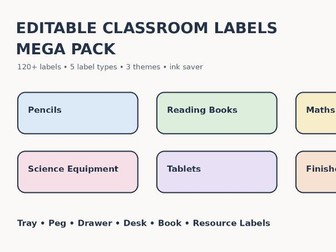
Get your classroom organised quickly with this editable Classroom Labels Mega Pack. This practical back-to-school resource contains more than 120 classroom labels and editable templates covering everyday classroom storage, pupil names and resource organisation. WHAT IS INCLUDED • 100+ ready-made classroom resource labels • Peg labels • Tray labels • Drawer labels • Desk name labels • Book labels • Blank editable label templates • Calm Pastel theme • Bright Primary theme • Neutral Classroom theme • Colour print-ready PDF • Ink Saver PDF • Fully editable PowerPoint file READY-MADE LABEL CATEGORIES • Stationery • Paper and books • Maths • English • Creative resources • Continuous provision • General classroom organisation • Computing • Science The editable PowerPoint allows teachers to replace any wording, duplicate labels and create classroom-specific versions for pupils, groups, areas and equipment. Ideal for: • Back to school classroom setup • EYFS, KS1 and KS2 • Classroom organisation • Resource trays and drawers • Coat pegs • Pupil workbooks • Desk spaces • Continuous provision areas • Primary classroom displays The pack is designed to be clear, practical and quick to prepare, with an additional ink-saving version for economical printing. FILES INCLUDED Editable PowerPoint Colour printable PDF Ink Saver printable PDF Preview images KEYWORDS / TAGS classroom labels, editable classroom labels, tray labels, peg labels, drawer labels, desk name labels, book labels, classroom organisation, back to school, classroom setup, primary classroom, EYFS, KS1, KS2, classroom display, resource labels, editable labels, pupil name labels, teacher organisation
Editable Choice Board and Communication Cards | SEND Visual Support PackQuick View
gidi521

Editable Choice Board and Communication Cards | SEND Visual Support Pack

(0)
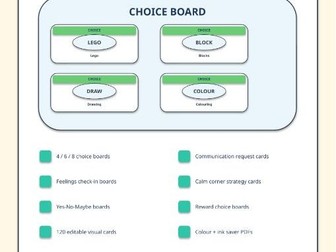
A practical editable SEND choice board and communication card pack for EYFS, KS1, KS2 and primary classrooms. This resource is designed to support pupil communication, choice making, emotions, calm corner routines, reward choices, Autism, ADHD, SEND learners, speech and language support, nurture groups and individual classroom support. What is included: Editable PowerPoint file Print-ready colour PDF Ink saver PDF Mini cards PDF 4-choice board 6-choice board 8-choice board Yes / No / Maybe communication board Feelings check-in board Communication board for needs, wants, feelings and answers Calm corner choice board Reward choice board Blank editable board 120 editable visual cards covering choices, needs, feelings, communication responses, classroom contexts and calm strategies Suggested uses: SEND visual communication Autism and ADHD classroom support Choice making Speech and language support Calm corner displays Feelings check-ins Reward choices Nurture groups Individual pupil support plans Transition support Teacher notes: Everything is editable in PowerPoint, so you can change wording, headings, card names and colours to match your classroom or individual learner. The pack includes colour versions for display and ink saver versions for everyday classroom printing. No external links are required to use this resource. Suggested tags: choice board, communication cards, SEND, autism, ADHD, visual support, feelings check in, calm corner, speech and language, visual cards, reward choice, EYFS, KS1, KS2
Editable Now & Next and First Then Boards | SEND Visual Support PackQuick View
gidi521

Editable Now & Next and First Then Boards | SEND Visual Support Pack

(0)
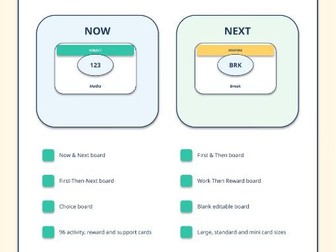
A practical editable SEND transition board pack for EYFS, KS1, KS2 and primary classrooms. This resource includes Now & Next, First & Then, First-Then-Next, Work Then Reward, Choice Board and blank editable boards, plus 96 visual activity, routine, reward and support cards. Designed to support classroom routines, transitions, Autism, ADHD, SEND learners, nurture groups, interventions and individual visual schedules. What is included: Editable PowerPoint file Print-ready colour PDF Ink saver PDF Mini cards PDF Now & Next board First & Then board First-Then-Next board Work Then Reward board 4-choice board Blank editable board 96 visual cards covering lessons, routines, SEND supports, emotions, needs, classroom logistics and rewards Large, standard and mini card formats Suggested uses: SEND transition support Autism and ADHD routines First/then motivation boards Visual schedules Choice boards Reward choices Classroom routine displays Individual pupil support Teacher notes: Everything is editable in PowerPoint, so you can change wording, headings and card labels to match your classroom. The simple clean design is suitable for colour printing or everyday ink saver printing. No external links are required to use this resource. Suggested tags: now and next, first then, first then board, send, autism, adhd, visual support, visual schedule, transition board, choice board, reward board, classroom routine, eyfs, ks1, ks2, sen
Editable Visual Timetable & SEND Support Pack | 150+ Classroom Schedule CardsQuick View
gidi521

Editable Visual Timetable & SEND Support Pack | 150+ Classroom Schedule Cards

(0)
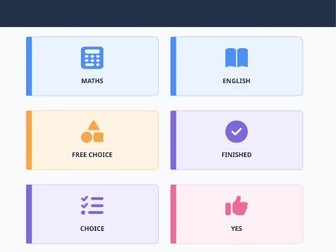
A low-prep editable visual timetable and SEND support pack for EYFS, KS1 and primary classrooms. Includes 150+ classroom schedule cards, SEND transition cards, Now & Next boards, First & Then boards, personal visual schedule templates, daily and weekly timetable templates, blank editable cards and digital time cards. This resource is designed to help teachers quickly create clear routines for the whole class or individual learners. Useful for classroom setup, daily schedules, autism support, ADHD routines, transitions, communication support and visual classroom management. WHAT IS INCLUDED Editable PowerPoint file Colour printable PDF Ink saver printable PDF Mini card printable PDF Preview PDF 150+ visual timetable cards Digital time cards from 08:00 to 16:30 in 30-minute intervals Now & Next board First & Then board Personal visual schedule Daily visual timetable Weekly classroom timetable Finished area Blank editable cards Colour and ink saver versions IDEAL FOR EYFS, KS1, KS2, SEND, autism support, ADHD routines, visual timetables, classroom routines, transition support, morning routines, intervention sessions and individual learner schedules. IMPORTANT Please check that your TES category choices match your intended audience. This pack uses licensed Font Awesome Free icons with attribution included in the files.
Editable Classroom Jobs & Responsibilities Display Pack | Back to School | 48 Job CardsQuick View
gidi521

Editable Classroom Jobs & Responsibilities Display Pack | Back to School | 48 Job Cards

(0)
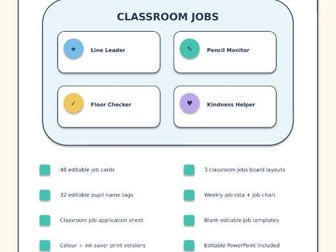
Create an organised, responsible classroom from the first week back with this editable Classroom Jobs & Responsibilities Display Pack for EYFS, KS1 and KS2. This practical back-to-school resource includes 48 classroom job cards covering leadership, learning resources, classroom care, daily routines and class community roles. Everything is designed to be easy to print, laminate and reuse, with editable PowerPoint files so wording can be adapted to suit your classroom. WHAT IS INCLUDED • 48 editable classroom job cards • 3 editable classroom jobs boards: 8-role, 12-role and 18-role layouts • 32 editable pupil name tags • Weekly classroom jobs rota • Classroom job application worksheet for the first week back • Blank editable job card templates • Print-ready colour PDF • Ink-saver PDF • Editable PowerPoint master file JOB EXAMPLES Line Leader, Door Holder, Register Monitor, Messenger, Calendar Helper, Time Keeper, Weather Reporter, Paper Passer, Pencil Monitor, Class Librarian, Reading Corner Helper, Maths Resource Helper, Science Helper, Art Monitor, Tech Helper, Board Cleaner, Chair Checker, Recycling Monitor, Plant Carer, Cloakroom Monitor, Lunch Monitor, Homework Collector, Buddy, Kindness Helper, Table Captain and many more. IDEAL FOR • Back to school classroom setup • Classroom organisation and routines • Building responsibility and independence • EYFS, KS1 and KS2 • Primary classroom displays • Pupil voice and classroom community • Weekly rotating classroom helper systems All wording can be edited in PowerPoint. The print files are supplied in both colour and ink-saver versions. No external links are required to use this resource. SUGGESTED SUBJECT Whole school AGE RANGE 5-7 and 7-11 RESOURCE TYPE Visual aid / Display TAGS classroom jobs, classroom helpers, back to school, classroom display, classroom organisation, classroom responsibilities, class jobs, pupil jobs, classroom management, primary classroom, EYFS, KS1, KS2, editable classroom, jobs board, classroom routines
EAL New Arrival 14-Day Induction TrackerQuick View
gidi521

EAL New Arrival 14-Day Induction Tracker

(0)
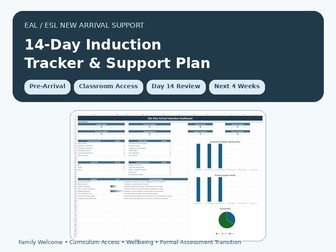
Support EAL and ESL newcomers during their first two weeks with this editable Excel onboarding toolkit, daily tracker and progress dashboard. This practical resource helps primary and elementary teachers welcome pupils who are new to English, collect important family and language information, organise classroom support and review the child’s first 14 days in school. Teachers can record each pupil’s language background, previous schooling, home-language literacy, preferred family contact arrangements and initial English starting point. The workbook also provides a structured First 3 Days checklist and a simple daily observation tracker covering classroom routines, essential needs communication, listening, spoken communication, peer interaction and literacy access. What is included Editable Microsoft Excel workbook Space for up to 30 pupils Student newcomer register Family and language information form Previous schooling record Home-language literacy information Initial English starting point Interpreter requirement record Welcome buddy and safe adult planning First 3 Days onboarding checklist Automatic checklist completion percentage 14-day daily observation tracker Attendance and wellbeing monitoring Classroom engagement observations Essential needs communication tracking Listening and understanding observations Spoken communication observations Peer interaction observations Literacy access observations Automatic daily progress scores First three days and final three days comparison Parent communication log Buddy and classroom support plan Day 14 review form Printable pupil review summary EAL newcomer dashboard Review-date and missing-information alerts Printable essential classroom communication cards Fictional example pupil data Step-by-step instructions Essential communication cards include Toilet Water Help Break Hurt Hungry Yes No I do not understand Home time Stop Friend Each card includes space for a teacher or family member to add the pupil’s home-language translation. Suitable for EAL teachers ESL teachers Primary school teachers Elementary school teachers Classroom teachers Teaching assistants EAL coordinators Inclusion leads Newly arrived pupils International new starters Refugee and migrant pupil support School admission and induction Parent welcome meetings Initial classroom observation This toolkit supports onboarding and classroom observation. It is not a formal language assessment, diagnostic instrument, safeguarding record or replacement for school policies, interpreter support or specialist professional advice. The pupil examples included in the workbook are fictional. Microsoft Excel or compatible spreadsheet software is required.
EYFS SEND Assess Plan Do Review SystemQuick View
gidi521

EYFS SEND Assess Plan Do Review System

(0)
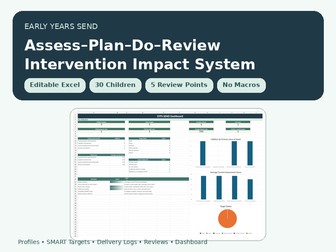
Manage EYFS SEND assess-plan-do-review cycles in one editable Excel system with child profiles, SMART targets, intervention logs and dashboards. This editable Excel system helps early years settings organise the complete SEND assess-plan-do-review process in one workbook. Record child profiles, monitor the four broad areas of need, create measurable SMART targets, log intervention delivery, review impact and generate clear child summaries for meetings and internal record keeping. Information entered into the workbook is automatically reused across the child register, assessment tracker, targets, intervention logs, review records, printable review pack and SENCO dashboard. Included Editable Excel workbook Space for up to 30 children Five assessment review points Communication and interaction Cognition and learning Social, emotional and mental health Sensory and physical needs One-page child profiles SMART target completeness checks Intervention delivery log Planned and delivered session comparison Evidence and observation log Automatic delivery-rate calculation Impact judgement Next-decision recording Review-date warnings Child SEND review pack SENCO and inclusion dashboard Fictional sample data Step-by-step instructions Sources and independent-product statement This resource supports professional observation, organisation and record keeping. It is not a diagnostic tool and does not replace professional advice, local authority procedures or setting policies. The workbook is independently produced and is not endorsed by the Department for Education, Ofsted or any other organisation. Microsoft Excel or compatible spreadsheet software is required.
Pre-K Student Progress Tracker & DashboardQuick View
gidi521

Pre-K Student Progress Tracker & Dashboard

(0)
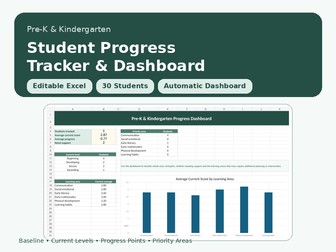
Track Pre-K and kindergarten student progress with this editable Excel assessment tracker and automatic whole-class dashboard. This teacher-friendly spreadsheet helps early years educators record baseline and current attainment, monitor individual progress and identify areas where children may need additional support. Teachers simply enter student names and select assessment levels from the dropdown menus. The workbook automatically calculates each child’s baseline average, current average, progress points, current attainment level and priority learning area. The included dashboard provides a clear whole-class overview, making it easier to prepare progress reports, plan interventions, review provision and discuss student development with colleagues or families. Learning areas included Communication and language Social-emotional development Early literacy Early mathematics Physical development Learning habits What this resource includes Editable Microsoft Excel workbook Space for up to 30 students Baseline and current assessment columns Beginning, Developing, Secure and Exceeding levels Automatic baseline and current averages Automatic progress-point calculations Automatic current attainment level Automatic identification of each child’s priority area Whole-class progress dashboard Average scores by learning area Number of students requiring additional support Priority-area analysis Teacher notes column Editable assessment and class-group lists Sample student data Step-by-step teacher instructions Suitable for Pre-K teachers Kindergarten teachers Preschool practitioners Early years educators Homeschool educators Progress monitoring Baseline assessment End-of-term assessment Parent conference preparation Intervention planning Class data reviews The workbook contains sample student information to demonstrate how the formulas and dashboard work. Replace the sample names and assessment information with your own class data. Assessment information should always be reviewed alongside teacher observations, school assessment policies and other available evidence. Microsoft Excel or compatible spreadsheet software is required.
Pre-K Student Report Comment GeneratorQuick View
gidi521

Pre-K Student Report Comment Generator

(0)
Save time writing Pre-K and kindergarten student reports with this editable Excel comment generator for literacy, maths, communication and behaviour. This easy-to-use resource helps early years teachers create clear, positive and professional student report comments in minutes. Simply enter the child’s name and select the most appropriate options from the dropdown menus. The spreadsheet automatically creates a complete report comment that can be copied, edited and personalised for each child.
Head of Year Pastoral Tracker | Behaviour, Attendance & Rewards | Automated Excel DashboardQuick View
gidi521

Head of Year Pastoral Tracker | Behaviour, Attendance & Rewards | Automated Excel Dashboard

(0)
Head of Year Pastoral Tracker for Excel: monitor attendance, behaviour, punctuality, homework, rewards, actions and parent contact in one dashboard. Designed for Heads of Year, pastoral leads, form tutors and school leaders, this editable macro-free Excel workbook brings the key pastoral information for a year group into one organised system. Enter or paste weekly pupil data and the workbook automatically helps identify pupils who may need Form Tutor, Head of Year or SLT attention. WHAT IS INCLUDED The workbook contains 9 linked sheets: