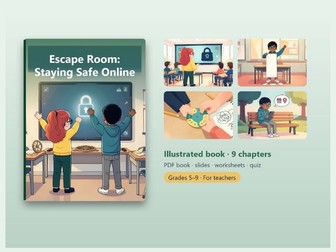
Online Safety Escape Room: No-Prep 45-Minute LessonQuick View
skusmo

Online Safety Escape Room: No-Prep 45-Minute Lesson

(0)
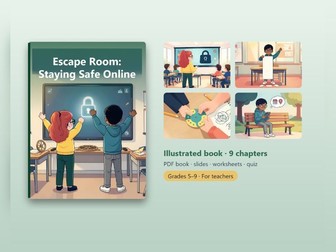
A complete classroom escape room on online safety that you can run in one lesson with no prep: 6 stations, 6 digits and one locked class account. Cyberbug, a hacker, has locked the class account and threatens to publish the class photos. Your students have 45 minutes to get it back. This is a ready-made escape room for a single lesson. Teams of 4–5 students work through six stations: a strong password, phishing, the Caesar cipher, truth or hoax, privacy on social media, and the right steps to take against cyberbullying. Each station gives one digit. Put the six digits together and you get the code that unlocks the account. The teacher’s guide has complete task descriptions, solutions, hints, the story and rules of the game, and a section on teacher preparation. It ends with a finale that includes scoring and the team’s 10 Golden Rules. You also get a 16-slide editable presentation, a 2-page lesson plan, and a 14-page worksheet with an answer key that has 12 tasks. The illustrated book for students has 35 pages and a clickable table of contents. The interactive quiz (10 questions) and 12 flashcards run in a web browser, and the quiz can read the questions aloud. What saves you time: the 45-minute lesson is already planned and the materials are made. Open the lesson plan, start the presentation, hand out the worksheets and run the game. The book text comes as a Word file, so you can adjust wording, names or level to suit your class. What’s included: Book text for editing (Word) Illustrated book for students (PDF), 35 pages, with a clickable table of contents Presentation (PowerPoint, editable), 16 slides Lesson plan (PDF), 2 pages Interactive quiz + flashcards in the browser, with read-aloud (HTML): 10 quiz questions, 12 flashcards Worksheet with answer key (PDF), 14 pages, 12 tasks Who it’s for: Computing, ICT, PSHE and form tutors who want a ready-made, engaging 45-minute lesson on online safety. It works best for KS3 / upper KS2 students working in teams of 4–5. Club leaders can also use it. Digital download. Thank you for visiting - follow skusmo for more ready-to-teach resources!
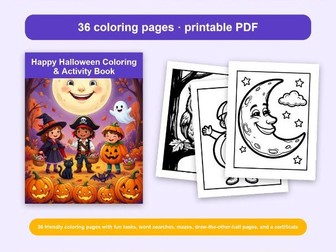
Halloween Coloring Pages and ActivitiesQuick View
skusmo

Halloween Coloring Pages and Activities

(0)
A happy, no-scares Halloween activity book for kids aged 4-10: 36 friendly coloring pages with fun tasks, word searches, mazes, draw-the-other-half pages and a certificate. Inside you’ll find smiling pumpkins, cute little bats, friendly ghosts, kids in costumes and cozy autumn scenes. Each picture comes with a short task that gets children laughing, moving or using their imagination. Perfect for EYFS, KS1 and lower KS2 classrooms, after-school clubs, wet-play or at home during half-term. Read the tasks aloud to younger children; older ones can read them independently. In the back you’ll find word searches with secret words, mazes, draw-the-other-half pages, an answer key and a certificate. Print the pages as many times as you like and use them in any order. Sample pages: Smiley Pumpkin Kitty Cat Wise Little Owl Upside-Down Bat Friendly Ghost What’s inside: 48 pages, printable A4 PDF, no prep.
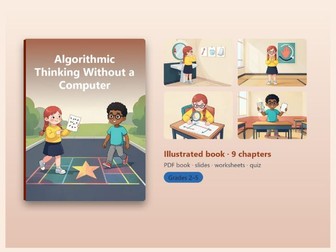
Unplugged Coding: Algorithmic Thinking LessonQuick View
skusmo

Unplugged Coding: Algorithmic Thinking Lesson

(0)
A complete unplugged lesson on algorithms, loops, conditions, debugging, binary and pixels that you can open and teach with no prep. An algorithm is a precise step-by-step procedure, and children already know it from everyday life. This pack lets you teach that idea in one ready-made 45-minute lesson, without a single computer in the room and without evenings spent on preparation. Everything is built around the illustrated student book, “Algorithmic Thinking Without a Computer”. Students try out eight unplugged activities with paper, pencil, cards and chalk. They act out how a robot follows commands, shorten a long program with repetition, decide based on a condition, and find a mistake in a program. Then they sort cards, write numbers using only ones and zeros, and encode pictures into numbers. At the end, they see that computers, robots and block-based programs do the very same things. Each activity includes a goal, a time estimate, materials, exact instructions, and a variation for both more advanced and less confident students, so you can adjust the lesson to your class. What saves you time: the lesson plan is written, the slides are made, the worksheet comes with an answer key, and the quiz and flashcards are ready to run. The book has a clickable table of contents. The interactive quiz can read questions aloud, which helps younger students and those still building their reading confidence. You also get the book text in Word, so you can edit wording, shorten sections or adapt examples for your students. The PowerPoint is editable too. What’s included: Book text for editing (Word) Illustrated student book with clickable table of contents (PDF, 29 pages) Presentation (PowerPoint, editable, 16 slides) Lesson plan for one 45-minute lesson (PDF, 2 pages) Interactive quiz (10 questions) and flashcards (12 cards) in the browser, with read-aloud (HTML) Worksheet with answer key (PDF, 9 pages, 12 tasks) Who it’s for: KS2 and KS3 computing teachers, homeschooling parents and tutors who want to introduce algorithms and computational thinking without computers, tablets or any prep time. Works well for mixed-ability classes. Digital download. Thank you for visiting - follow skusmo for more ready-to-teach resources!
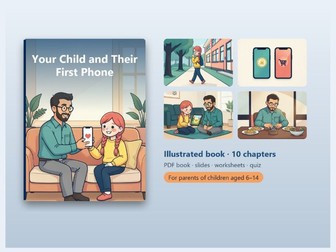
First Phone and Screen Time Lesson: Online SafetyQuick View
skusmo

First Phone and Screen Time Lesson: Online Safety

(0)
A complete, editable lesson on first phones, family agreements, screen time, safety and calm conversations, ready to teach with no prep. This kit gives you a finished 45-minute lesson on a topic every family faces: a child’s first phone. The core is an illustrated 31-page student book with a clickable table of contents. It covers how to tell whether a child is ready for a phone, how to build a family agreement together, how parental controls work on Android and iOS, what matters more than counting minutes of screen time, how social media age limits, games, in-app purchases and loot boxes work, and how to talk about online risks without scaring anyone. It ends with a checklist and a sample family agreement to print and sign. Around the book, everything is already built. An editable PowerPoint presentation with 17 slides guides the lesson. An interactive browser quiz with 10 questions and 12 flashcards can read the questions aloud. A 9-page worksheet with 12 tasks comes with an answer key, so checking takes minutes. Nothing is locked. The book text arrives as a Word file, so you can shorten it, adjust the wording or adapt it to your school’s policies. The tone is practical and calm. It builds understanding and shared rules, not fear. What’s included: Book text for editing (Word) Illustrated student book with clickable table of contents (PDF, 31 pages) Editable presentation (PowerPoint, 17 slides) Interactive quiz (10 questions) and flashcards (12 cards) in the browser, with read-aloud (HTML) Worksheet with answer key (PDF, 9 pages, 12 tasks) Who it’s for: Computing, PSHE and form tutors, school counsellors and homeschooling parents who want a finished 45-minute lesson on a child’s first phone, screen time and online safety, with materials they can edit to fit their own class. Digital download. Thank you for visiting - follow skusmo for more ready-to-teach resources!
Kindness Advent Calendar: 24 Colouring PagesQuick View
skusmo

Kindness Advent Calendar: 24 Colouring Pages

(0)
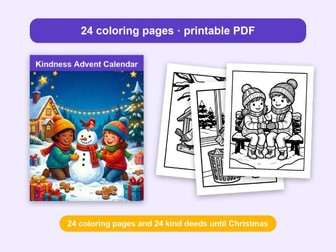
Kindness Advent Calendar – 24 colouring pages and 24 kind deeds until Christmas The Kindness Advent Calendar pairs colouring with small acts of kindness. For each day from 1 to 24 December, there is one colouring page and one simple task. Every task is free, safe, and takes just a few minutes. The tasks grow little by little, from a smile all the way to a handmade gift. In the classroom, read the task of the day during circle time and let children share who they would like to help. Hang finished pages on a display board to build a winter kindness gallery. At home, read the page together at breakfast and talk in the evening about how the kind deed went. When a child completes a task, they tick the box under the picture and colour one star on the calendar page. The goal is not a contest or perfection, but the joy of helping. If a day gets missed, that’s okay – kindness can happen tomorrow, too. A kindness certificate waits at the end. Sample pages: Good Morning Smiles: Say “good morning” to everyone at home with a big smile. The Magic Words: Say “thank you” at least three times today. A Feast for Birds: With a grown-up, put some seeds in a bird feeder. Kind Words for a Friend: Give a classmate or friend a compliment today. Toys Back Home: Put your toys away without being asked. What’s inside: 24 colouring pages, intro for adults, progress tracker, certificate. Printable A4 PDF. Digital download. Thank you for visiting - follow skusmo for more ready-to-teach resources!
Feelings Colouring Pages: 20 Animal EmotionsQuick View
skusmo

Feelings Colouring Pages: 20 Animal Emotions

(0)
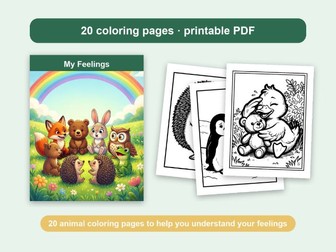
My Feelings – 20 animal colouring pages that help children recognise and name their feelings (PSHE / SEL, ages 4-9) This colouring book helps children aged 4 to 9 recognise and name 20 different feelings. Each page shows an animal whose face and body clearly show one feeling. Under each picture there is a simple question, and for harder feelings, a tip that can help. Remind children that no feeling is bad. All feelings are okay – what matters is what we do with them. In nursery or primary school, use a page during circle time as the “feeling of the day.” Finished pages can go on a feelings board where children show how they feel right now. At home, the pages are great for calm conversations while colouring, at bedtime, or after a tough day. School counsellors can use them as a gentle way to start a conversation. A child never has to answer out loud if they don’t want to. Colouring and thinking about the feeling is enough. On the first page, children colour a shape for each feeling they have already felt. A certificate is waiting for them at the end. Sample pages: Joy: When do you feel happy like the little fox? Sadness: When was the last time you felt sad? Tell someone you trust. Anger: What made you angry last time? Stop and slowly count to 10. Fear: What makes you feel scared? Tell a grown-up and hold their hand. Surprise: What surprised you last time? What’s inside: 20 colouring pages, intro for adults, progress tracker, certificate. Printable A4 PDF. Digital download. Thank you for visiting - follow skusmo for more ready-to-teach resources!
Christmas Maths Colour by Code Worksheets KS1Quick View
skusmo

Christmas Maths Colour by Code Worksheets KS1

(0)
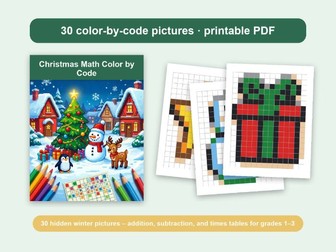
Christmas Maths Colour by Code – 30 hidden winter pictures – addition, subtraction and times tables for ages 5-8 (KS1 / Year 1-3) Dear teachers and parents, this winter collection turns maths practice into a colouring adventure. Each page is a grid of problems, and every answer tells children which colour to use. Square by square, a hidden pixel-art picture appears – a tree, a snowman, a penguin, and many more. The book has three levels of ten pictures each: addition within 20, subtraction within 20, and basic multiplication. You can easily pick the pages that match where your children are right now. The picture is a built-in self-check: if something looks off, children can spot and fix their own mistakes. Use the pages for morning work, early finishers, homework, or as a classroom Advent countdown – one picture a day. At the back you’ll find a progress tracker, a certificate, and full-colour answer keys for every picture. Sample pages: What’s Hiding Under the Snow? What Shines Up High? Who Loves the Cold? What’s Wrapped Up Tight? Guess What Jingles! What’s inside: 30 pages, printable A4 PDF, no prep. Digital download. Thank you for visiting - follow skusmo for more ready-to-teach resources!
Mandala Colouring Pages: 50 Calming DesignsQuick View
skusmo

Mandala Colouring Pages: 50 Calming Designs

(0)
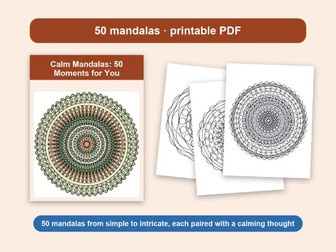
Calm Mandalas: 50 Moments for You – 50 mandala colouring pages from simple to intricate, each paired with a calming thought (teens & adults, staff wellbeing) This book is an invitation to take a little time just for yourself. Inside you’ll find 50 mandalas, starting with simpler shapes and building up to highly detailed designs. Each one comes with a short, calming thought you can pause on for a moment. Colouring repeating patterns can help you slow down, focus on one thing, and unwind after a busy day. It’s not a task or a contest. You don’t have to finish anything or make it perfect. This is about enjoyment, not performance. Start wherever you like: on page one, or with whichever mandala catches your eye. At the back of the book there’s a colour test page where you can try out your pencils, markers, or colour combinations before you begin. Perfect for staff wellbeing, calm corners, mindfulness sessions, form time, early finishers and wet play. Sample thoughts: Breathe in slowly. There’s nowhere else you need to be. One colour at a time is enough. Your shoulders can drop a little lower now. Slow is a perfectly good speed. This moment asks nothing of you. What’s inside: 50 pages, printable A4 PDF, no prep. Digital download. Thank you for visiting - follow skusmo for more resources!
Financial Literacy Unit: Budgeting, Saving, ScamsQuick View
skusmo

Financial Literacy Unit: Budgeting, Saving, Scams

(0)
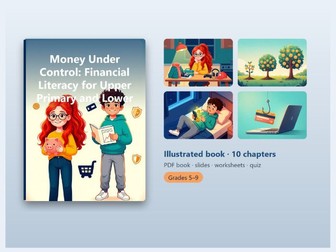
Financial literacy unit for KS3: an illustrated pupil book with a ready-made presentation, lesson plan, quiz, flashcards and worksheet - your money lessons prepared in one download. Money Under Control is a complete teaching pack for financial education (ages 10-15). It is built around an illustrated 37-page book for pupils that follows ten clear sections: money and what it does, budgeting, saving and goals, bank accounts and payment cards, shopping and advertising, purchases in games and apps, debt and loans, financial scams, work and income, and the 10 Golden Rules of Smart Money Management. The book uses real-life examples that pupils recognise, from pocket money to a first part-time job. It explains needs versus wants, a simple budget, saving for a specific goal, how interest works, why a loan “in just a few clicks” is expensive, how to spot a scam, and the difference between gross and net pay. The closing Golden Rules page can be displayed in your classroom. The pack includes an editable PowerPoint presentation (16 slides), a 2-page lesson plan, a 10-page worksheet with an answer key (12 tasks), and 18 flashcards you can import into Quizlet or Anki. The browser-based quiz (12 questions) and flashcards can read aloud, and the book has a clickable table of contents. The book text comes as a Word file, so you can adapt wording and examples to your class. What’s included: Book text for editing (Word) Illustrated book for pupils (PDF), 37 pages, with clickable table of contents Presentation (PowerPoint, editable), 16 slides Flashcards for import into Quizlet/Anki (Excel), 18 cards Lesson plan (PDF), 2 pages Interactive quiz and flashcards in the browser, with read-aloud (HTML), 12 quiz questions Worksheet with answer key (PDF), 10 pages, 12 tasks Who it’s for: PSHE, citizenship and form tutors teaching financial education to upper KS2 and KS3 pupils. Digital download. Thank you for visiting - follow skusmo for more ready-to-teach resources!
AI for Teachers: 100 ChatGPT Prompts and a LessonQuick View
skusmo

AI for Teachers: 100 ChatGPT Prompts and a Lesson

(0)
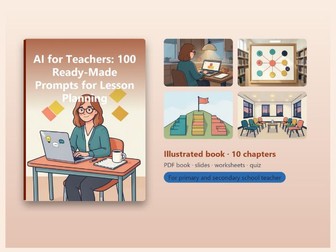
100 copy-and-paste AI prompts for planning, assessment, differentiation and parent emails, plus a ready-to-teach 45-minute lesson that needs no preparation. Most teachers have heard that AI can save time. Fewer have the time to work out how to use it well. This kit gives you both: a practical guide with 100 ready-made prompts, and a complete 45-minute lesson you can run without preparing anything. The guide first shows how to build a good prompt from five parts (role, task, context, format and constraints) and how to improve an answer with follow-up questions. Then come 100 prompts in ten areas of a teacher’s work: lesson preparation, explaining material, tests and checking understanding, assessment and feedback, differentiation and inclusion, worksheets and activities, communication with parents and colleagues, administration and planning, and form time and pastoral care. The prompts work in the free versions of ChatGPT, Claude, Gemini and Copilot. Safe use runs through the whole book. Do not enter pupils’ personal data, check facts before you use them, and keep assessment in your own hands. The guidance is written with GDPR in mind. The lesson is already built. The illustrated book has a clickable table of contents, the presentation has 16 slides you can edit, and the worksheet comes with an answer key. Flashcards import into Quizlet or Anki. You can adapt the book text in Word to your class, your subject and your school. What’s included: Book text for editing (Word) Illustrated book (PDF), 48 pages, with a clickable table of contents Presentation (PowerPoint, editable), 16 slides Flashcards for import into Quizlet/Anki (Excel), 16 cards Worksheet with answer key (PDF), 11 pages Who it’s for: Primary and secondary teachers, form tutors, school leaders planning staff CPD and teacher trainers who want to start using AI safely, without trial and error. No technical knowledge is needed. Digital download. Thank you for visiting - follow skusmo for more ready-to-teach resources!
Media Literacy Unit: Fake News, Hoaxes and AdsQuick View
skusmo

Media Literacy Unit: Fake News, Hoaxes and Ads

(0)
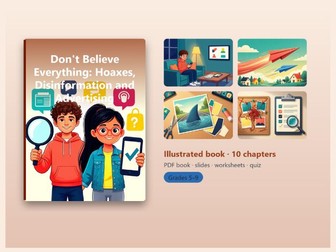
Media literacy unit on fake news, hoaxes, disinformation, deepfakes and advertising, with an illustrated student book, slides, quiz, flashcards and worksheet. Students meet hundreds of news stories, videos, ads and posts every day. “Don’t Believe Everything: Hoaxes, Disinformation and Advertising” is a media education unit for ages 10-15. It helps them see who makes the media, why those creators want their attention, and how to tell truth from fiction. The illustrated 36-page student book has a clickable table of contents and ten sections. It covers who makes the media, how to tell news, opinion and advertising apart, and the difference between a hoax, disinformation and misinformation. It then moves on to verifying information, clickbait and emotions, edited photos, videos and deepfakes, algorithms and information bubbles, conspiracy theories, and being a responsible author. It ends with the 10 Golden Rules of a Media-Literate Person, which you can display in your classroom. The pack includes an editable PowerPoint presentation (16 slides), a 2-page lesson plan, and a worksheet with 12 tasks and an answer key. For revision there is a 12-question interactive quiz and 16 flashcards that run in a browser and can read the text aloud. The flashcards also come as an Excel file for Quizlet or Anki. The book text is provided as a Word file, so you can adapt it for your class. What’s included: Book text for editing (Word) Illustrated student book (PDF), 36 pages, with clickable table of contents Presentation (PowerPoint, editable), 16 slides Flashcards for import into Quizlet/Anki (Excel), 16 cards Lesson plan (PDF), 2 pages Interactive quiz (12 questions) + flashcards in the browser, with read-aloud (HTML) Worksheet with answer key (PDF), 11 pages, 12 tasks Who it’s for: Media studies, English, PSHE, citizenship and computing teachers working with upper KS2 and KS3 students. Digital download. Thank you for visiting - follow skusmo for more ready-to-teach resources!
30 Form Time Lessons: Whole-Year PSHE Pack KS3Quick View
skusmo

30 Form Time Lessons: Whole-Year PSHE Pack KS3

(0)
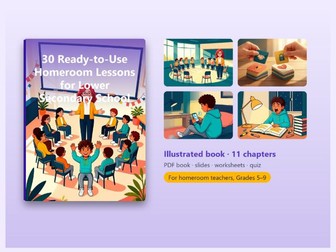
30 ready-to-use form time / tutor time lessons in a fixed 45-minute structure, with slides, worksheet, quiz and flashcards - plan the whole school year without starting from scratch. Form time comes round every week, and it is hard to come up with something meaningful each time. This guide gives you 30 complete lessons for KS3 (ages 10-15), arranged in the order of the school year. The lessons are grouped into 10 chapters: getting to know each other and class rules, relationships and cooperation, communication and conflicts, bullying prevention, the digital world, emotions and stress, learning and motivation, decision-making and responsibility, careers, and end-of-year reflection and farewell. Every lesson follows the same structure: introduction (5 min), activity (25 min), reflection (10 min) and conclusion (5 min). Each one states a specific goal, the materials you need, step-by-step instructions and discussion questions. Once you have taught one lesson, you know how to run the rest. The opening chapter covers how to build a safe atmosphere and set discussion rules. It also explains when a situation should not be dealt with in front of the class, and when to turn to the DSL, school counsellor or senior leadership. The pack also includes an editable PowerPoint presentation (16 slides), a worksheet with 12 tasks and an answer key, and a sample lesson plan. For revision there is a browser-based quiz (10 questions) and 12 flashcards. The quiz can read questions aloud. The Word text is fully editable, so you can adapt wording and examples to your class. What’s included: Book text for editing (Word) Illustrated book (PDF), 47 pages, with clickable table of contents Presentation (PowerPoint, editable), 16 slides Lesson plan (PDF), 2 pages Interactive quiz + flashcards in the browser, with read-aloud (HTML) Worksheet with answer key (PDF), 11 pages Who it’s for: Form tutors, heads of year and PSHE leads working with KS3 pupils who want a ready-made plan for tutor time across the school year. Digital download. Thank you for visiting - follow skusmo for more ready-to-teach resources!
AI Literacy KS4/KS5: Critical and Ethical Use of AIQuick View
skusmo

AI Literacy KS4/KS5: Critical and Ethical Use of AI

(0)
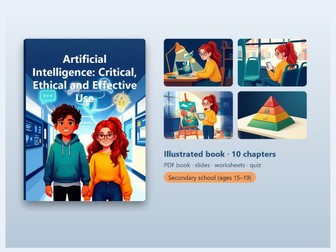
AI literacy for ages 15-19 (KS4 / KS5): understand how AI works, check its output, and use it critically, ethically and effectively. Students already use AI tools, but few of them know how those tools produce answers or why the answers can be wrong. This kit gives you everything you need to teach the topic without building materials from scratch. At the centre is an illustrated 40-page book for students aged 15-19. It explains that language models predict the most likely continuation of a text based on patterns in huge amounts of data. They don’t think like humans. That is why they can explain a topic well and still “hallucinate” convincingly, for example by inventing facts and sources. The book covers fact-checking, using AI as a study helper, academic integrity, privacy and data, copyright, deepfakes and manipulation, bias and fairness, AI regulation (the EU AI Act), and AI and the future of work. It ends with the 10 Golden Rules of responsible AI use as a poster. Around the book you get an editable PowerPoint with 17 slides, a 2-page lesson plan, a 13-page worksheet with 12 tasks and an answer key, and a browser-based quiz with 12 questions and 17 flashcards. The quiz can read questions aloud. The flashcards are also provided as an Excel file for Quizlet or Anki, and the Word file lets you adapt the text to your class. What’s included: Editable book text (Word) Illustrated book for students (PDF), 40 pages, with clickable table of contents Presentation (PowerPoint, editable), 17 slides Flashcards for import into Quizlet/Anki (Excel), 17 cards Lesson plan (PDF), 2 pages Interactive quiz (12 questions) + flashcards in the browser, with read-aloud (HTML) Worksheet with answer key (PDF), 13 pages, 12 tasks Who it’s for: Secondary and sixth-form teachers of computing, philosophy and ethics, PSHE and EPQ / study skills who want ready-made materials on critical and ethical AI use. Digital download. Thank you for visiting - follow skusmo for more ready-to-teach resources!
AI Literacy Lesson: Using ChatGPT Safely (KS2/KS3)Quick View
skusmo

AI Literacy Lesson: Using ChatGPT Safely (KS2/KS3)

(0)
AI literacy lesson pack: how AI works, why it gets things wrong, and how to use ChatGPT and other AI tools safely and honestly. AI tools are now part of everyday school life, but most pupils were never taught how they work or where they fail. This pack gives you a clear, practical way to teach exactly that. The core idea is simple: AI looks for patterns in huge amounts of data and predicts the most likely answer. It does not think like a person, and it has no feelings or consciousness. That is why it can be wrong, sometimes very confidently. You will cover where we meet AI every day, how it learns and makes mistakes, and how to check facts with the Three-Source Rule. You will discuss what should never be typed into a chat, how to spot fake images, voices and videos, and where the line sits between AI as a homework helper and cheating. Further sections deal with writing a good prompt, bias in AI, and why a chatbot is not a friend. The pack includes an illustrated student book, a 16-slide presentation, a 12-question quiz, a 12-task worksheet and 16 flashcards, so you can move from explanation to practice and review without preparing extra materials. It ends with the Ten Commandments of Safe and Smart AI Use, a printable poster. What’s included: Book text for editing (Word) Illustrated student book (PDF) Presentation (PowerPoint, editable), 16 slides Lesson plan (PDF), 2 pages Interactive quiz (12 questions) + flashcards in the browser, with read-aloud (HTML) Flashcards for import into Quizlet/Anki (Excel), 16 cards Worksheet with answer key (PDF), 12 tasks Who it’s for: Computing, PSHE and form tutors teaching upper KS2 and KS3, plus tutors and homeschooling parents who want a ready-made introduction to responsible AI use. Digital download. Thank you for visiting - follow skusmo for more ready-to-teach resources!
10 No-Prep Cover Lessons: Digital Literacy (KS3)Quick View
skusmo

10 No-Prep Cover Lessons: Digital Literacy (KS3)

(0)
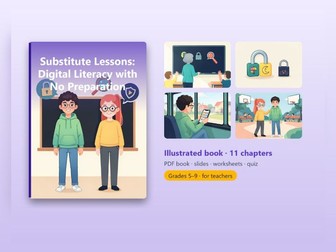
Covering a class you don’t know, in a subject that isn’t yours? These 10 digital literacy lessons are ready to teach with zero prep and no IT knowledge. No computers needed – just a board and a printed worksheet. EVERY LESSON INCLUDES Learning goal · materials · minute-by-minute plan · exact “Tell the students:” script · step-by-step activity · exit question · tips for faster and slower classes. Lessons are independent – use them in any order. 10 LESSONS My digital footprint – what the internet knows about me Passwords that can’t be guessed Is it true? Checking news and hoaxes Phishing – spot the scam message Algorithms around us – why does the app show me this? Artificial intelligence – a helper, not a wizard Polite online – class chats and cyberbullying prevention Screen time – my digital week Copyright and images from the internet The big digital literacy quiz WHAT’S INCLUDED Illustrated teacher guide (PDF) with clickable contents + editable Word version Student worksheet (12 tasks) with answer key Lesson plan · 17-slide presentation Interactive 15-question quiz and flashcards Perfect for cover lessons, supply teachers, emergency plans, form time and Safer Internet Day. Ages 10–14 · Single-teacher licence. Created by a computer science teacher; text and illustrations were made with the help of AI and checked by the author.
Online Safety Escape Room – 45-Minute LessonQuick View
skusmo

Online Safety Escape Room – 45-Minute Lesson

(0)
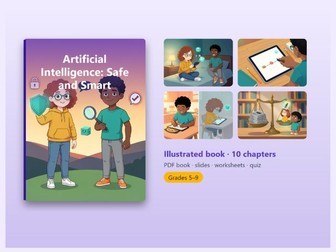
Online safety escape room for KS2/KS3 (ages 10–14): a no-prep 45-minute lesson where teams crack 6 e-safety puzzles – passwords, phishing, hoaxes, privacy and cyberbullying. The story: the hacker “Cyberbug” has locked the class account and will post the class photos in 40 minutes. Student teams have one chance: solve 6 stations, collect 6 digits and unlock the account – learning how to stay safe online while they have fun. 6 stations Strong passwords – which password resists an attacker? Phishing – spot the scam messages Caesar cipher – crack the secret message Truth or hoax – the hoaxes spell a secret word Social media privacy – what does the profile give away? Cyberbullying – put the right steps in order Every puzzle has one clear solution plus two hints (a gentle one and a stronger one), so no team gets stuck. The game ends with the big unlock, a debrief and the class’s own 10 Golden Rules of staying safe online. What’s included Illustrated teacher guide (PDF): story, setup, station layout, solutions and hints Editable Word version of the guide Printable student materials: all 6 station cards, code sheet and answer key 45-minute lesson plan 16-slide PowerPoint: story intro, rules and the final “Account unlocked” screen Interactive 10-question review quiz (opens in the browser, can read aloud) Perfect for Safer Internet Day · computing / e-safety lessons · PSHE · form time · end-of-unit reward Ages 10–14 (KS2 Year 6 – KS3) · 4–6 teams of 4–5 students · Single-teacher licence. Created by a computing teacher. Text and illustrations were made with the help of AI and checked by the author.
Morning Circles Guide – 100 Questions, Printables & Slides (Primary)Quick View
skusmo

Morning Circles Guide – 100 Questions, Printables & Slides (Primary)

(0)
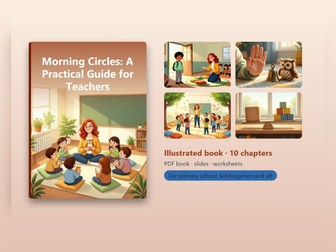
A circle time routine you can start tomorrow. A short daily morning circle builds safety, speaking and listening skills and a calmer classroom – and this guide saves you hours of planning. INSIDE THE 43-PAGE ILLUSTRATED GUIDE Proven structure: greeting – sharing – activity – morning message (5, 10 and 20-minute versions) Circle rules with a talking object and the right to “pass” 15 greetings and a bank of 100 sharing questions (easy to deeper) Games, energisers, calming activities, mood thermometer, appreciations, class agreements Challenging situations: nobody talks, a dominant child, shy children, SEND – and what to do if a child says something serious A whole-year topic calendar (September–June) and a “What would you do?” teacher quiz ALSO INCLUDED 12 classroom printables (rules poster, emotion cards, mood thermometer, Question of the Day cards, question cube, morning message template, parent invitation…) 16 editable “Question of the Day” PowerPoint slides A sample morning circle step by step Full text in Word Perfect for PSHE, wellbeing, SEL, form time and building classroom community in KS1 and KS2. Single-teacher licence. Created by a teacher; text and illustrations were made with the help of AI and checked by the author.
Staying Safe Online – 10-Chapter E-Safety Unit (KS2/KS3)Quick View
skusmo

Staying Safe Online – 10-Chapter E-Safety Unit (KS2/KS3)

(0)
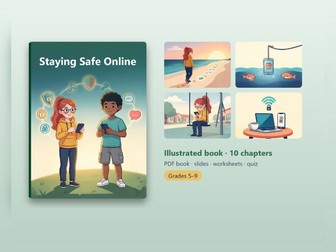
Your students are online every day – in group chats, on YouTube, Roblox and Instagram. This practical e-safety unit shows them how to stay safe without scare tactics, focusing on what they can do themselves. 10 CHAPTERS My digital footprint Strong passwords, password managers & 2FA Phishing and scam messages Social media and privacy Strangers online Cyberbullying Scams in games & in-app purchases A secure device What to do when something happens The 10 Golden Rules (classroom poster) WHAT’S INCLUDED Illustrated student book (PDF, clickable contents) + editable Word version Worksheet with 12 tasks and answer key (spot the scam, “What would you do?” scenarios, privacy checklist) Lesson plan · 16-slide presentation Interactive 12-question quiz and flashcards Ideal for computing, PSHE, digital citizenship, tutor time and Safer Internet Day. Ages 10–14 · Single-teacher licence. Created by a computer science teacher; text and illustrations were made with the help of AI and checked by the author.
FREE Halloween Colouring Pages & Activities - Word Search, MazeQuick View
skusmo

FREE Halloween Colouring Pages & Activities - Word Search, Maze

(0)
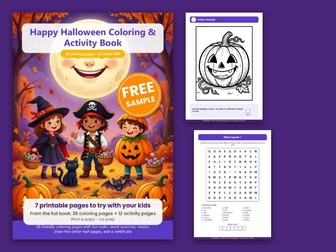
FREE Halloween printables for children aged 4-10: 7 friendly (not scary!) pages to try from our Happy Halloween Colouring & Activity Book. Perfect for October morning work, early finishers, a class Halloween party or a quiet afternoon at home. What’s included 3 Halloween colouring pages, each with a fun little task (Smiley Pumpkin, Friendly Ghost, Trick-or-Treat) Halloween word search with a secret word Maze: help the kitty get to the pumpkin Draw-the-other-half pumpkin (symmetry practice) Answer key Why teachers love it No prep - just print and go Builds fine motor skills, vocabulary and focus Cute, child-friendly illustrations for EYFS and KS1 (ages 4-10) A4 PDF Love these pages? The full Happy Halloween Colouring & Activity Book has 36 colouring pages, 4 word searches, 4 mazes, 4 draw-the-other-half pages, a pumpkin progress tracker and a certificate - find it in the skusmo shop. If you enjoy this free resource, a quick review would mean a lot. Thank you!
FREE Christmas Maths Colour by Code - KS1 Addition & SubtractionQuick View
skusmo

FREE Christmas Maths Colour by Code - KS1 Addition & Subtraction

(0)
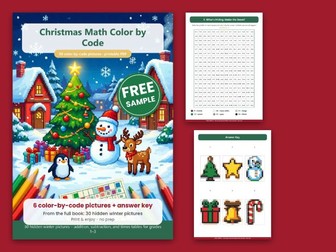
FREE Christmas maths colour by code for KS1/lower KS2: 6 hidden-picture worksheets with answer key. Children solve each sum, colour the square by the answer and watch a festive winter picture appear - December maths practice that feels like a treat. What’s included 6 Christmas colour-by-code worksheets (tree, star, snowman, present, bell, candy cane) Addition and subtraction practice Answer key for all 6 pictures Why teachers love it No prep - print and go Self-checking: if the picture looks right, the maths is right Ideal for December maths starters, early finishers, cover lessons or homework Years 1-3, A4 PDF Love these pages? The full Christmas Maths Colour by Code has 30 hidden winter pictures with addition, subtraction AND times tables, a snowflake progress tracker, a Winter Maths Champion certificate and full answer keys - find it in the skusmo shop. If you enjoy this free resource, a quick review would mean a lot. Thank you and happy Christmas!
FREE: First Chapters of 7 Digital Literacy PacksQuick View
skusmo

FREE: First Chapters of 7 Digital Literacy Packs

(0)
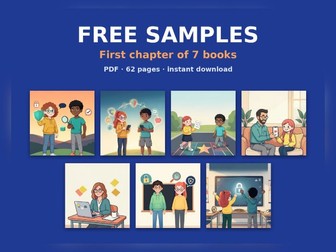
Try 7 illustrated digital literacy resources for free! One 62-page PDF with the first chapter of each pack – e-safety, artificial intelligence and unplugged coding for ages 10–14. WHAT’S INSIDE Artificial Intelligence – Safe and Smart Staying Safe Online Algorithmic Thinking Without a Computer (unplugged coding) Your Child’s First Phone (parent guide) AI for Teachers: 100 Prompts No-Prep Cover Lessons: Digital Literacy Escape Room: Staying Safe Online Use the samples in your classroom and share them with colleagues. Full versions of several packs are available in my Tes shop. If you find it useful, a short review helps other teachers find it – thank you! Created by a computer science teacher; text and illustrations were made with the help of AI and checked by the author.