FREE Waves & Sound Simulator + 2 Labs — Wave Lab FREEQuick View
ohm4698

FREE Waves & Sound Simulator + 2 Labs — Wave Lab FREE

(0)
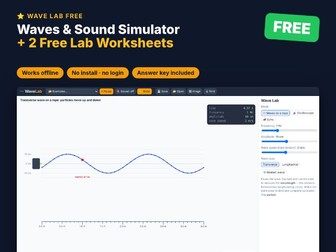
Try it free! Wave Lab FREE is an interactive simulator that runs in any web browser — plus 2 ready-to-print lab worksheets with a full answer key. Covers the parts of a wave and longitudinal waves. WHAT’S INCLUDED (zip file) Wave_Lab_FREE.html — the interactive simulator (4 ready-made examples). One HTML file that works offline in Chrome, Edge, Safari or Firefox on Windows, Mac and Chromebook. No install, no login, no ads, no data collected. Student worksheets PDF — 2 two-page labs, a reference sheet and teacher notes. US Letter + A4. Answer key PDF — every table filled in and model answers to every question. US Letter + A4. Quick start guide PDF. THE LABS Parts of a Wave Longitudinal Waves WANT MORE? The full Wave Lab has 10 labs and 10 ready-made examples. Search ManiDigitalTH for 11 more science simulators. HOW TO OPEN Download and unzip, then double-click Wave_Lab_FREE.html. It opens in your web browser. Best on a laptop, desktop or Chromebook. If you find it useful, a quick review helps other teachers find it. Thank you!
FREE Light & Optics Simulator + 2 Labs — Optics Lab FREEQuick View
ohm4698

FREE Light & Optics Simulator + 2 Labs — Optics Lab FREE

(0)
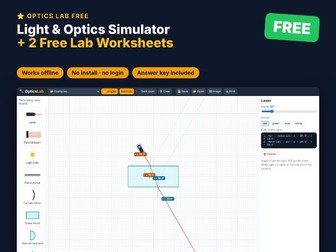
Try it free! Optics Lab FREE is an interactive simulator that runs in any web browser — plus 2 ready-to-print lab worksheets with a full answer key. Covers the law of reflection and refraction through a glass block. WHAT’S INCLUDED (zip file) Optics_Lab_FREE.html — the interactive simulator (3 ready-made examples). One HTML file that works offline in Chrome, Edge, Safari or Firefox on Windows, Mac and Chromebook. No install, no login, no ads, no data collected. Student worksheets PDF — 2 two-page labs, a reference sheet and teacher notes. US Letter + A4. Answer key PDF — every table filled in and model answers to every question. US Letter + A4. Quick start guide PDF. THE LABS The Law of Reflection Refraction Through a Glass Block WANT MORE? The full Optics Lab has 10 labs and 13 ready-made examples. Search ManiDigitalTH for 11 more science simulators. HOW TO OPEN Download and unzip, then double-click Optics_Lab_FREE.html. It opens in your web browser. Best on a laptop, desktop or Chromebook. If you find it useful, a quick review helps other teachers find it. Thank you!
FREE Magnetism Simulator + 2 Labs — Magnet Lab FREEQuick View
ohm4698

FREE Magnetism Simulator + 2 Labs — Magnet Lab FREE

(0)
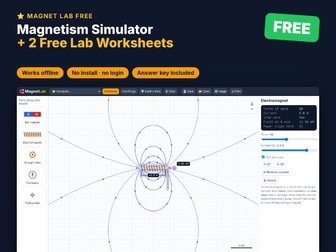
Try it free! Magnet Lab FREE is an interactive simulator that runs in any web browser — plus 2 ready-to-print lab worksheets with a full answer key. Covers magnetic poles and mapping fields with compasses. WHAT’S INCLUDED (zip file) Magnet_Lab_FREE.html — the interactive simulator (4 ready-made examples). One HTML file that works offline in Chrome, Edge, Safari or Firefox on Windows, Mac and Chromebook. No install, no login, no ads, no data collected. Student worksheets PDF — 2 two-page labs, a reference sheet and teacher notes. US Letter + A4. Answer key PDF — every table filled in and model answers to every question. US Letter + A4. Quick start guide PDF. THE LABS Magnetic Poles: Attract and Repel Mapping a Field with Compasses WANT MORE? The full Magnet Lab has 10 labs and 10 ready-made examples. Search ManiDigitalTH for 11 more science simulators. HOW TO OPEN Download and unzip, then double-click Magnet_Lab_FREE.html. It opens in your web browser. Best on a laptop, desktop or Chromebook. If you find it useful, a quick review helps other teachers find it. Thank you!
FREE Motors & Generators Simulator + 2 Labs — Motor Lab FREEQuick View
ohm4698

FREE Motors & Generators Simulator + 2 Labs — Motor Lab FREE

(0)
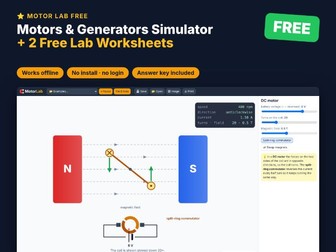
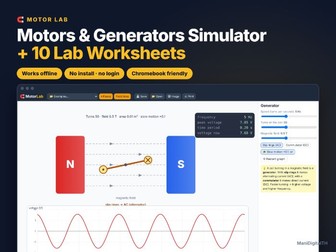
Try it free! Motor Lab FREE is an interactive simulator that runs in any web browser — plus 2 ready-to-print lab worksheets with a full answer key. Covers the motor effect and the DC motor. WHAT’S INCLUDED (zip file) Motor_Lab_FREE.html — the interactive simulator (3 ready-made examples). One HTML file that works offline in Chrome, Edge, Safari or Firefox on Windows, Mac and Chromebook. No install, no login, no ads, no data collected. Student worksheets PDF — 2 two-page labs, a reference sheet and teacher notes. US Letter + A4. Answer key PDF — every table filled in and model answers to every question. US Letter + A4. Quick start guide PDF. THE LABS The Motor Effect The DC Motor WANT MORE? The full Motor Lab has 10 labs and 9 ready-made examples. Search ManiDigitalTH for 11 more science simulators. HOW TO OPEN Download and unzip, then double-click Motor_Lab_FREE.html. It opens in your web browser. Best on a laptop, desktop or Chromebook. If you find it useful, a quick review helps other teachers find it. Thank you!
FREE Logic Gates Simulator + 2 Labs — Logic Lab FREEQuick View
ohm4698

FREE Logic Gates Simulator + 2 Labs — Logic Lab FREE

(0)
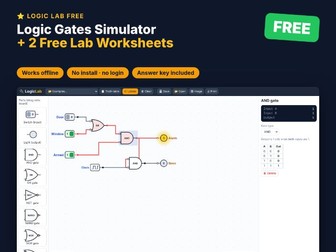
Try it free! Logic Lab FREE is an interactive simulator that runs in any web browser — plus 2 ready-to-print lab worksheets with a full answer key. Covers NOT and AND gates with truth tables. WHAT’S INCLUDED (zip file) Logic_Lab_FREE.html — the interactive simulator (3 ready-made examples). One HTML file that works offline in Chrome, Edge, Safari or Firefox on Windows, Mac and Chromebook. No install, no login, no ads, no data collected. Student worksheets PDF — 2 two-page labs, a reference sheet and teacher notes. US Letter + A4. Answer key PDF — every table filled in and model answers to every question. US Letter + A4. Quick start guide PDF. THE LABS The NOT Gate The AND Gate WANT MORE? The full Logic Lab has 10 labs and 12 ready-made examples. Search ManiDigitalTH for 11 more science simulators. HOW TO OPEN Download and unzip, then double-click Logic_Lab_FREE.html. It opens in your web browser. Best on a laptop, desktop or Chromebook. If you find it useful, a quick review helps other teachers find it. Thank you!
FREE Forces & Motion Simulator + 2 Labs — Motion Lab FREEQuick View
ohm4698

FREE Forces & Motion Simulator + 2 Labs — Motion Lab FREE

(0)
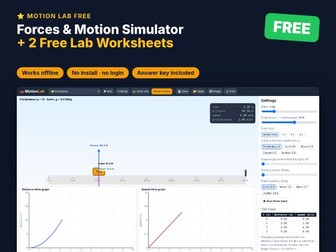
Try it free! Motion Lab FREE is an interactive simulator that runs in any web browser — plus 2 ready-to-print lab worksheets with a full answer key. Covers balanced and unbalanced forces and distance–time graphs. WHAT’S INCLUDED (zip file) Motion_Lab_FREE.html — the interactive simulator (3 ready-made examples). One HTML file that works offline in Chrome, Edge, Safari or Firefox on Windows, Mac and Chromebook. No install, no login, no ads, no data collected. Student worksheets PDF — 2 two-page labs, a reference sheet and teacher notes. US Letter + A4. Answer key PDF — every table filled in and model answers to every question. US Letter + A4. Quick start guide PDF. THE LABS Balanced and Unbalanced Forces Constant Speed: Distance–Time Graphs WANT MORE? The full Motion Lab has 10 labs and 11 ready-made examples. Search ManiDigitalTH for 11 more science simulators. HOW TO OPEN Download and unzip, then double-click Motion_Lab_FREE.html. It opens in your web browser. Best on a laptop, desktop or Chromebook. If you find it useful, a quick review helps other teachers find it. Thank you!
FREE Current–Voltage Simulator + 2 Labs — I–V Lab FREEQuick View
ohm4698

FREE Current–Voltage Simulator + 2 Labs — I–V Lab FREE

(0)
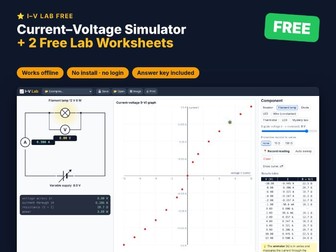
Try it free! I–V Lab FREE is an interactive simulator that runs in any web browser — plus 2 ready-to-print lab worksheets with a full answer key. Covers Ohm’s law and the filament lamp. WHAT’S INCLUDED (zip file) IV_Lab_FREE.html — the interactive simulator (3 ready-made examples). One HTML file that works offline in Chrome, Edge, Safari or Firefox on Windows, Mac and Chromebook. No install, no login, no ads, no data collected. Student worksheets PDF — 2 two-page labs, a reference sheet and teacher notes. US Letter + A4. Answer key PDF — every table filled in and model answers to every question. US Letter + A4. Quick start guide PDF. THE LABS Ohm’s Law The Filament Lamp WANT MORE? The full I–V Lab has 10 labs and 9 ready-made examples. Search ManiDigitalTH for 11 more science simulators. HOW TO OPEN Download and unzip, then double-click IV_Lab_FREE.html. It opens in your web browser. Best on a laptop, desktop or Chromebook. If you find it useful, a quick review helps other teachers find it. Thank you!
FREE Energy & Electricity Simulator + 2 Labs — Energy Lab FREEQuick View
ohm4698

FREE Energy & Electricity Simulator + 2 Labs — Energy Lab FREE

(0)
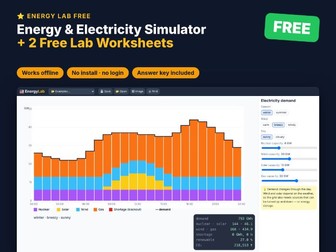
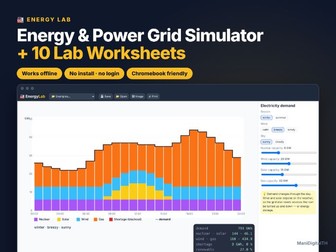
Try it free! Energy Lab FREE is an interactive simulator that runs in any web browser — plus 2 ready-to-print lab worksheets with a full answer key. Covers energy resources and efficient lighting. WHAT’S INCLUDED (zip file) Energy_Lab_FREE.html — the interactive simulator (3 ready-made examples). One HTML file that works offline in Chrome, Edge, Safari or Firefox on Windows, Mac and Chromebook. No install, no login, no ads, no data collected. Student worksheets PDF — 2 two-page labs, a reference sheet and teacher notes. US Letter + A4. Answer key PDF — every table filled in and model answers to every question. US Letter + A4. Quick start guide PDF. THE LABS Energy Resources Efficient Lighting WANT MORE? The full Energy Lab has 10 labs and 9 ready-made examples. Search ManiDigitalTH for 11 more science simulators. HOW TO OPEN Download and unzip, then double-click Energy_Lab_FREE.html. It opens in your web browser. Best on a laptop, desktop or Chromebook. If you find it useful, a quick review helps other teachers find it. Thank you!
FREE Simple Circuits for Kids + 2 Labs — Circuit Lab Junior FREEQuick View
ohm4698

FREE Simple Circuits for Kids + 2 Labs — Circuit Lab Junior FREE

(0)
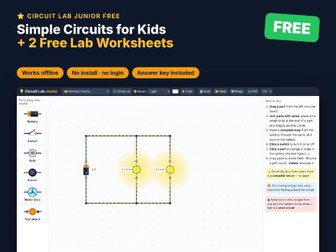
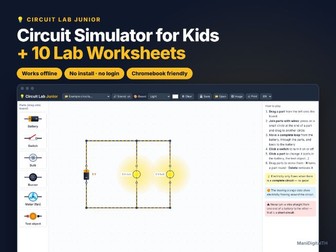
Try it free! Circuit Lab Junior FREE is an interactive simulator that runs in any web browser — plus 2 ready-to-print lab worksheets with a full answer key. Covers complete circuits, switches, conductors and insulators. WHAT’S INCLUDED (zip file) Circuit_Lab_Junior_FREE.html — the interactive simulator (5 ready-made examples). One HTML file that works offline in Chrome, Edge, Safari or Firefox on Windows, Mac and Chromebook. No install, no login, no ads, no data collected. Student worksheets PDF — 2 two-page labs, a reference sheet and teacher notes. US Letter + A4. Answer key PDF — every table filled in and model answers to every question. US Letter + A4. Quick start guide PDF. THE LABS Make a Bulb Light Conductors and Insulators WANT MORE? The full Circuit Lab Junior has 10 labs and 13 ready-made examples. Search ManiDigitalTH for 11 more science simulators. HOW TO OPEN Download and unzip, then double-click Circuit_Lab_Junior_FREE.html. It opens in your web browser. Best on a laptop, desktop or Chromebook. If you find it useful, a quick review helps other teachers find it. Thank you!
FREE Electric Circuit Simulator + 2 Labs — Circuit Lab FREEQuick View
ohm4698

FREE Electric Circuit Simulator + 2 Labs — Circuit Lab FREE

(0)
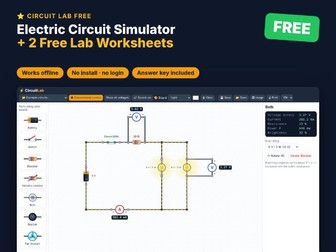
Try it free! Circuit Lab FREE is an interactive simulator that runs in any web browser — plus 2 ready-to-print lab worksheets with a full answer key. Covers a first circuit with meters and bulbs in series. WHAT’S INCLUDED (zip file) Circuit_Lab_FREE.html — the interactive simulator (6 ready-made examples). One HTML file that works offline in Chrome, Edge, Safari or Firefox on Windows, Mac and Chromebook. No install, no login, no ads, no data collected. Student worksheets PDF — 2 two-page labs, a reference sheet and teacher notes. US Letter + A4. Answer key PDF — every table filled in and model answers to every question. US Letter + A4. Quick start guide PDF. THE LABS Your First Circuit Bulbs in Series WANT MORE? The full Circuit Lab has 12 labs and 22 ready-made examples. Search ManiDigitalTH for 11 more science simulators. HOW TO OPEN Download and unzip, then double-click Circuit_Lab_FREE.html. It opens in your web browser. Best on a laptop, desktop or Chromebook. If you find it useful, a quick review helps other teachers find it. Thank you!
Energy and Power Simulator + 10 LabsQuick View
ohm4698

Energy and Power Simulator + 10 Labs

(0)
Make energy lessons click! Energy Lab is an interactive energy and electricity simulator that runs in any web browser — plus 10 ready-to-print lab worksheets with a full answer key. Students compare power stations, draw Sankey diagrams, work out electricity bills in kWh, see why the National Grid uses high voltages, and plan a low-carbon electricity supply through a winter’s day. WHAT’S INCLUDED (zip file) Energy_Lab.html — the interactive simulator. One HTML file that works offline in Chrome, Edge, Safari or Firefox on Windows, Mac and Chromebook. No install, no login, no ads, no data collected. Student worksheets PDF — 10 two-page labs (goal, key idea, method, results tables, questions), a key facts reference sheet and teacher notes. US Letter + A4. Answer key PDF — every table filled in with the simulator’s values and model answers to every question. US Letter + A4. Quick start guide PDF — setting up on each device and sharing with students through Google Classroom / Teams. SIMULATOR FEATURES Six power stations — coal, gas, nuclear, wind, solar, hydro — with energy transfers, efficiency and CO₂ per kWh Animated Sankey diagrams for power stations and appliances (filament vs LED bulbs, kettle, fan, TV…) Home energy use: set hours for 9 appliances and the price per kWh to see daily, monthly and yearly costs The National Grid: power, transmission voltage and cable resistance — current, I²R losses and % delivered 24-hour demand chart for winter and summer with nuclear, solar, wind and gas, shortages and CO₂ Change the weather (calm/breezy/windy, sunny/cloudy) and design a low-carbon grid THE LABS Energy Resources Power Station Efficiency Efficient Lighting Sankey Diagrams for Appliances Power and Energy: the kWh Paying for Electricity Why the Grid Uses High Voltage Power Lost in the Cables Demand and the Weather Design a Low-Carbon Grid GREAT FOR KS3–KS4 / GCSE energy topics (roughly ages 11–16), homeschool, tutoring, science clubs, cover lessons and remote learning. HOW TO OPEN Download and unzip, then double-click Energy_Lab.html. It opens in your web browser. Best on a laptop, desktop or Chromebook (iPads and phones are limited in opening downloaded HTML files). To share with students, upload the file to your class platform; students download it and open it from their Downloads folder. TERMS OF USE One purchase = one teacher, for use with their own students (classroom, homeschool or tutoring). Please purchase additional licences for colleagues. Do not post the files on public websites. © ManiDigitalTH
Motors and Generators Simulator + 10 LabsQuick View
ohm4698

Motors and Generators Simulator + 10 Labs

(0)
Bring electromagnetism to life! Motor Lab is an interactive motors, generators and transformers simulator that runs in any web browser — plus 10 ready-to-print lab worksheets with a full answer key. Students see the force on a current-carrying wire, spin a DC motor, push magnets into coils, turn AC and DC generators with live voltage–time graphs, and design step-up and step-down transformers. WHAT’S INCLUDED (zip file) Motor_Lab.html — the interactive simulator. One HTML file that works offline in Chrome, Edge, Safari or Firefox on Windows, Mac and Chromebook. No install, no login, no ads, no data collected. Student worksheets PDF — 10 two-page labs (goal, key idea, method, results tables, questions), a key facts reference sheet and teacher notes. US Letter + A4. Answer key PDF — every table filled in with the simulator’s values and model answers to every question. US Letter + A4. Quick start guide PDF — setting up on each device and sharing with students through Google Classroom / Teams. SIMULATOR FEATURES The motor effect with F = BIL readouts and Fleming’s left-hand rule (⊙ / ⊗ current symbols) DC motor with force arrows: change voltage, turns and field; reverse it; remove the split-ring commutator Electromagnetic induction: push or pull a magnet, centre-zero meter, turns, speed and magnet strength AC generator (slip rings) and DC dynamo (commutator) with a live voltage–time graph Transformers: primary and secondary turns, AC or DC supply, voltages, currents and power Field lines on/off and slow motion for clear demonstrations THE LABS The Motor Effect F = B I L The DC Motor Making a Motor Faster The Commutator Electromagnetic Induction The Size of the Induced Voltage The AC Generator AC and DC Generators Transformers GREAT FOR GCSE physics (KS4, ages 14–16) and KS3 electromagnets — plus homeschool, tutoring, revision, cover lessons and remote learning. HOW TO OPEN Download and unzip, then double-click Motor_Lab.html. It opens in your web browser. Best on a laptop, desktop or Chromebook (iPads and phones are limited in opening downloaded HTML files). To share with students, upload the file to your class platform; students download it and open it from their Downloads folder. TERMS OF USE One purchase = one teacher, for use with their own students (classroom, homeschool or tutoring). Please purchase additional licences for colleagues. Do not post the files on public websites. © ManiDigitalTH
Simple Circuits Simulator for Kids + 10 LabsQuick View
ohm4698

Simple Circuits Simulator for Kids + 10 Labs

(0)
Make electricity fun for young scientists! Circuit Lab Junior is a kid-friendly circuit simulator that runs in any web browser — plus 10 ready-to-print lab worksheets with a full answer key. Children drag batteries, bulbs, switches, buzzers and motors onto the board, join them with wires and watch electricity flow — then test which everyday objects are conductors or insulators. WHAT’S INCLUDED (zip file) Circuit_Lab_Junior.html — the interactive simulator. One HTML file that works offline in Chrome, Edge, Safari or Firefox on Windows, Mac and Chromebook. No install, no login, no ads, no data collected. Student worksheets PDF — 10 two-page labs (goal, key idea, method, results tables, questions), a key facts reference sheet and teacher notes. US Letter + A4. Answer key PDF — every table filled in with the simulator’s values and model answers to every question. US Letter + A4. Quick start guide PDF — setting up on each device and sharing with students through Google Classroom / Teams. SIMULATOR FEATURES Big, friendly parts: battery (choose 1–4 cells), switch, bulb, buzzer (with sound), motor with a spinning fan Test object: 12 everyday materials — coin, key, foil, pencil lead, eraser, plastic spoon, wood, paper and more Moving dots show electricity flowing around a complete circuit Bulbs in series and in parallel, two-switch circuits, short-circuit warnings 13 ready-made circuits, including ‘fix the broken circuit’, ‘find the fault’ and a design challenge English and Thai interface THE LABS Make a Bulb Light Switches Conductors and Insulators More Cells, Brighter Bulb Bulbs in a Row (Series) Bulbs Side by Side (Parallel) Buzzers and Motors Two Switches Find the Fault Design Challenge: Bulb and Buzzer GREAT FOR Primary science (KS2, Year 4 and Year 6 electricity, roughly ages 7–11), homeschool, science clubs, STEM centres, cover lessons and remote learning. HOW TO OPEN Download and unzip, then double-click Circuit_Lab_Junior.html. It opens in your web browser. Best on a laptop, desktop or Chromebook (iPads and phones are limited in opening downloaded HTML files). To share with students, upload the file to your class platform; students download it and open it from their Downloads folder. TERMS OF USE One purchase = one teacher, for use with their own students (classroom, homeschool or tutoring). Please purchase additional licences for colleagues. Do not post the files on public websites. © ManiDigitalTH
I-V Characteristics Simulator + 10 LabsQuick View
ohm4698

I-V Characteristics Simulator + 10 Labs

(0)
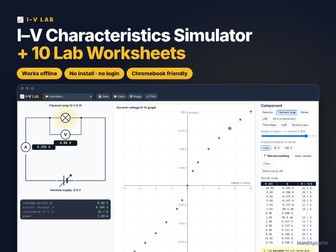
Make I–V characteristics click! I–V Lab is an interactive current–voltage simulator that runs in any web browser — plus 10 ready-to-print lab worksheets with a full answer key. Students set the supply voltage, read the ammeter and voltmeter, record readings and watch the I–V graph build up — for resistors, a filament lamp, a diode, an LED, a wire, a thermistor and an LDR. WHAT’S INCLUDED (zip file) IV_Lab.html — the interactive simulator. One HTML file that works offline in Chrome, Edge, Safari or Firefox on Windows, Mac and Chromebook. No install, no login, no ads, no data collected. Student worksheets PDF — 10 two-page labs (goal, key idea, method, results tables, questions), a key facts reference sheet and teacher notes. US Letter + A4. Answer key PDF — every table filled in with the simulator’s values and model answers to every question. US Letter + A4. Quick start guide PDF — setting up on each device and sharing with students through Google Classroom / Teams. SIMULATOR FEATURES Ammeter and voltmeter readings with a live four-quadrant I–V graph Record readings into a results table (V, I and R = V ÷ I) · auto sweep for demonstrations Resistors (10–100 Ω), 12 V filament lamp, silicon diode and red LED Constantan wire: change the length (10–100 cm) and diameter (0.2–0.5 mm) Thermistor from 0 to 100 °C and LDR from dark to bright light Reverse the supply, add a protective resistor, and identify three mystery components THE LABS Ohm’s Law Comparing Resistors The Filament Lamp The Diode The LED Resistance and Length of a Wire Resistance and Thickness of a Wire The Thermistor The Light-Dependent Resistor Mystery Components GREAT FOR GCSE physics (KS4, ages 14–16) — the I–V characteristics and resistance of a wire practicals — plus homeschool, tutoring, revision, cover lessons and remote learning. HOW TO OPEN Download and unzip, then double-click IV_Lab.html. It opens in your web browser. Best on a laptop, desktop or Chromebook (iPads and phones are limited in opening downloaded HTML files). To share with students, upload the file to your class platform; students download it and open it from their Downloads folder. TERMS OF USE One purchase = one teacher, for use with their own students (classroom, homeschool or tutoring). Please purchase additional licences for colleagues. Do not post the files on public websites. © ManiDigitalTH
Waves and Sound Simulator + 10 LabsQuick View
ohm4698

Waves and Sound Simulator + 10 Labs

(0)
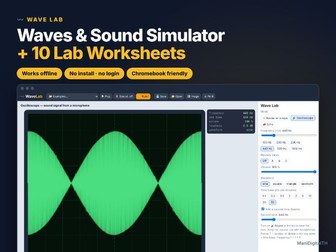
Make waves and sound visible! Wave Lab is an interactive waves & sound simulator that runs in any web browser — plus 10 ready-to-print lab worksheets with a full answer key. Students explore transverse and longitudinal waves on a rope, read a real oscilloscope (and hear the tones), and time echoes in air, water and steel. WHAT’S INCLUDED (zip file) Wave_Lab.html — the interactive simulator. One HTML file that works offline in Chrome, Edge, Safari or Firefox on Windows, Mac and Chromebook. No install, no login, no ads, no data collected. Student worksheets PDF — 10 two-page labs (goal, key idea, method, results tables, questions), a key facts reference sheet and teacher notes. US Letter + A4. Answer key PDF — every table filled in with the simulator’s values and model answers to every question. US Letter + A4. Quick start guide PDF — setting up on each device and sharing with students through Google Classroom / Teams. SIMULATOR FEATURES Waves on a rope with adjustable frequency, amplitude and speed, plus rulers to measure wavelength Longitudinal view showing compressions and rarefactions Oscilloscope with time base, volume and sine / square / triangle / sawtooth waveforms Real sound output (optional) · mystery tones to measure Two-tone beats Echo timer for the speed of sound in air, water and steel THE LABS Parts of a Wave Frequency and Wavelength Wave Speed Longitudinal Waves Using an Oscilloscope Pitch: Mystery Tones Loudness and Amplitude Waveforms and Timbre Beats Echoes and the Speed of Sound GREAT FOR KS2–KS4 / middle and high school science (roughly ages 10–16), homeschool, tutoring, science clubs, cover lessons and remote learning. HOW TO OPEN Download and unzip, then double-click Wave_Lab.html. It opens in your web browser. Best on a laptop, desktop or Chromebook (iPads and phones are limited in opening downloaded HTML files). To share with students, upload the file to your class platform; students download it and open it from their Downloads folder. TERMS OF USE One purchase = one teacher, for use with their own students (classroom, homeschool or tutoring). Please purchase additional licences for colleagues. Do not post the files on public websites. © ManiDigitalTH
Light and Optics Simulator + 10 LabsQuick View
ohm4698

Light and Optics Simulator + 10 Labs

(0)
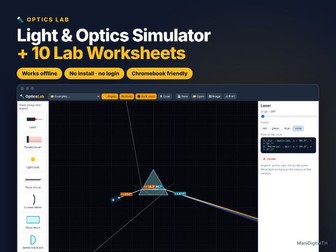
Light up your optics lessons! Optics Lab is an interactive ray simulator that runs in any web browser — plus 10 ready-to-print lab worksheets with a full answer key. Students place lasers, light beams, mirrors, glass blocks, prisms and lenses on the board and instantly see rays reflect, refract and focus — with live angle readings. WHAT’S INCLUDED (zip file) Optics_Lab.html — the interactive simulator. One HTML file that works offline in Chrome, Edge, Safari or Firefox on Windows, Mac and Chromebook. No install, no login, no ads, no data collected. Student worksheets PDF — 10 two-page labs (goal, key idea, method, results tables, questions), a key facts reference sheet and teacher notes. US Letter + A4. Answer key PDF — every table filled in with the simulator’s values and model answers to every question. US Letter + A4. Quick start guide PDF — setting up on each device and sharing with students through Google Classroom / Teams. SIMULATOR FEATURES Live angles of incidence, reflection and refraction, with normals drawn Glass blocks, semicircular blocks and prisms in water, acrylic, glass or diamond Total internal reflection and partial reflection shown realistically White light splits into a rainbow through a prism (dispersion) Convex and concave lenses with focal points, and real / virtual images that form live Plane and curved (concave / convex) mirrors · dark room mode for projectors THE LABS The Law of Reflection Make a Periscope Refraction Through a Glass Block Snell’s Law and Refractive Index Critical Angle and Total Internal Reflection Optical Fibres Dispersion: Splitting White Light Convex and Concave Lenses Images Formed by a Convex Lens Curved Mirrors GREAT FOR KS2–KS4 / middle and high school science (roughly ages 10–16), homeschool, tutoring, science clubs, cover lessons and remote learning. HOW TO OPEN Download and unzip, then double-click Optics_Lab.html. It opens in your web browser. Best on a laptop, desktop or Chromebook (iPads and phones are limited in opening downloaded HTML files). To share with students, upload the file to your class platform; students download it and open it from their Downloads folder. TERMS OF USE One purchase = one teacher, for use with their own students (classroom, homeschool or tutoring). Please purchase additional licences for colleagues. Do not post the files on public websites. © ManiDigitalTH
Magnetism Simulator + 10 LabsQuick View
ohm4698

Magnetism Simulator + 10 Labs

(0)
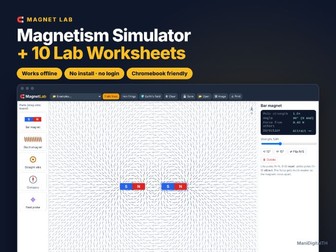
Make magnetism visible! Magnet Lab is an interactive magnetism simulator that runs in any web browser — plus 10 ready-to-print lab worksheets with a full answer key. Students drag bar magnets, electromagnets, current-carrying wires, compasses and field probes onto the board and instantly see field lines, iron-filing patterns and compass needles respond. WHAT’S INCLUDED (zip file) Magnet_Lab.html — the interactive simulator. One HTML file that works offline in Chrome, Edge, Safari or Firefox on Windows, Mac and Chromebook. No install, no login, no ads, no data collected. Student worksheets PDF — 10 two-page labs (goal, key idea, method, results tables, questions), a key facts reference sheet and teacher notes. US Letter + A4. Answer key PDF — every table filled in with the simulator’s values and model answers to every question. US Letter + A4. Quick start guide PDF — setting up on each device and sharing with students through Google Classroom / Teams. SIMULATOR FEATURES Field lines with direction arrows, or a realistic iron-filings view Bar magnets (adjustable strength), electromagnets (turns, current, iron core) and straight wires Compasses with bearings, and a field probe that reads µT / mT and distance Electromagnets pick up paper clips — more turns or current, more clips Earth’s magnetic field on/off · force between magnets (attract / repel) 10 built-in examples: poles, neutral point, Earth’s field, electromagnet poles, field of a wire THE LABS Magnetic Poles: Attract and Repel Mapping a Field with Compasses Field Patterns and the Neutral Point Field Strength and Distance Earth’s Magnetic Field Building an Electromagnet: Number of Turns Electromagnet Strength: Current The Iron Core Poles of an Electromagnet Magnetic Field of a Wire GREAT FOR KS2–KS4 / middle and high school science (roughly ages 10–16), homeschool, tutoring, science clubs, cover lessons and remote learning. HOW TO OPEN Download and unzip, then double-click Magnet_Lab.html. It opens in your web browser. Best on a laptop, desktop or Chromebook (iPads and phones are limited in opening downloaded HTML files). To share with students, upload the file to your class platform; students download it and open it from their Downloads folder. TERMS OF USE One purchase = one teacher, for use with their own students (classroom, homeschool or tutoring). Please purchase additional licences for colleagues. Do not post the files on public websites. © ManiDigitalTH
Forces and Motion Simulator + 10 LabsQuick View
ohm4698

Forces and Motion Simulator + 10 Labs

(0)
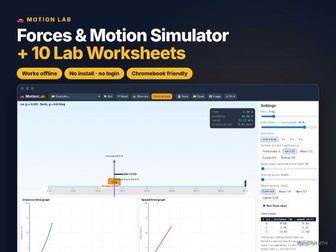
Make Newton’s laws click! Motion Lab is an interactive forces & motion simulator that runs in any web browser — plus 10 ready-to-print lab worksheets with a full answer key. Students set the mass, push, surface, slope and planet, press run, and watch the box move with live force arrows, distance–time and speed–time graphs. WHAT’S INCLUDED (zip file) Motion_Lab.html — the interactive simulator. One HTML file that works offline in Chrome, Edge, Safari or Firefox on Windows, Mac and Chromebook. No install, no login, no ads, no data collected. Student worksheets PDF — 10 two-page labs (goal, key idea, method, results tables, questions), a key facts reference sheet and teacher notes. US Letter + A4. Answer key PDF — every table filled in with the simulator’s values and model answers to every question. US Letter + A4. Quick start guide PDF — setting up on each device and sharing with students through Google Classroom / Teams. SIMULATOR FEATURES Live free-body diagram: push, friction, weight, normal and net force Distance–time and speed–time graphs drawn as the box moves Data logger with exact distance and speed every second 5 surfaces from frictionless to rubber · ramps up to 45° Gravity on Earth, the Moon, Mars and Jupiter Push for the whole time or just 1–3 s (Newton’s first law) · slow-motion mode THE LABS Balanced and Unbalanced Forces Constant Speed: Distance–Time Graphs Newton’s First Law Acceleration: Speed–Time Graphs F = ma: Changing the Force F = ma: Changing the Mass Friction on Different Surfaces Stopping Distance Sliding Down a Ramp Gravity on Other Planets GREAT FOR KS2–KS4 / middle and high school science (roughly ages 10–16), homeschool, tutoring, science clubs, cover lessons and remote learning. HOW TO OPEN Download and unzip, then double-click Motion_Lab.html. It opens in your web browser. Best on a laptop, desktop or Chromebook (iPads and phones are limited in opening downloaded HTML files). To share with students, upload the file to your class platform; students download it and open it from their Downloads folder. TERMS OF USE One purchase = one teacher, for use with their own students (classroom, homeschool or tutoring). Please purchase additional licences for colleagues. Do not post the files on public websites. © ManiDigitalTH
Logic Gates Simulator + 10 LabsQuick View
ohm4698

Logic Gates Simulator + 10 Labs

(0)
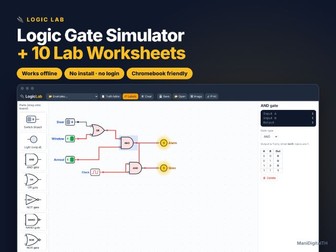
Bring computer science to life! Logic Lab is an interactive logic gate simulator that runs in any web browser — plus 10 ready-to-print lab worksheets with a full answer key. Students drag switches, lights and gates onto the board, wire them up and instantly see 1s and 0s flow through the circuit. WHAT’S INCLUDED (zip file) Logic_Lab.html — the interactive simulator. One HTML file that works offline in Chrome, Edge, Safari or Firefox on Windows, Mac and Chromebook. No install, no login, no ads, no data collected. Student worksheets PDF — 10 two-page labs (goal, key idea, method, results tables, questions), a key facts reference sheet and teacher notes. US Letter + A4. Answer key PDF — every table filled in with the simulator’s values and model answers to every question. US Letter + A4. Quick start guide PDF — setting up on each device and sharing with students through Google Classroom / Teams. SIMULATOR FEATURES 7 gates: AND, OR, NOT, NAND, NOR, XOR, XNOR — with standard symbols Switches, output lights and a clock for flashing signals One-click truth table for any circuit (up to 5 inputs) Click a gate to see its rule and truth table, or change its type Rename inputs and outputs (Door, Window, Sum, Carry…) 12 built-in examples: every gate, burglar alarm, half & full adders, voting machine, De Morgan’s law, SR latch memory THE LABS The NOT Gate The AND Gate The OR Gate NAND and NOR Gates XOR and XNOR Gates Combining Gates Design a Burglar Alarm Binary Addition: The Half Adder The Full Adder Memory: The SR Latch GREAT FOR KS3–KS4 / GCSE computer science, middle and high school (roughly ages 11–16), homeschool, tutoring, coding clubs, cover lessons and remote learning. HOW TO OPEN Download and unzip, then double-click Logic_Lab.html. It opens in your web browser. Best on a laptop, desktop or Chromebook (iPads and phones are limited in opening downloaded HTML files). To share with students, upload the file to your class platform; students download it and open it from their Downloads folder. TERMS OF USE One purchase = one teacher, for use with their own students (classroom, homeschool or tutoring). Please purchase additional licences for colleagues. Do not post the files on public websites. © ManiDigitalTH
Electric Circuits Simulator + 12 LabsQuick View
ohm4698

Electric Circuits Simulator + 12 Labs

(0)
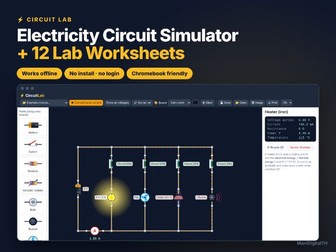
Bring electricity lessons to life! Circuit Lab is an interactive circuit simulator that runs in any web browser — plus 12 ready-to-print lab worksheets with a full answer key. Students drag batteries, switches, bulbs, resistors, buzzers, fans, meters and transistors onto the board, wire them up and instantly see what happens: bulbs glow by real power, current flows as moving dots, and every part shows its voltage, current, resistance and power. WHAT’S INCLUDED (zip file) Circuit_Lab.html — the interactive simulator. One HTML file that works offline in Chrome, Edge, Safari or Firefox on Windows, Mac and Chromebook. No install, no login, no ads, no data collected. Student worksheets PDF — 12 two-page labs (goal, key idea, method, results tables, questions), a key facts reference sheet and teacher notes. US Letter + A4. Answer key PDF — every table filled in with the simulator’s values and model answers to every question. US Letter + A4. Quick start guide PDF — setting up on each device and sharing with students through Google Classroom / Teams. SIMULATOR FEATURES 12 parts: battery, switch, 2-way switch, resistor, variable resistor, bulb, buzzer, fan/motor, heater, NPN transistor, ammeter, voltmeter 22 built-in example circuits Live meter readings and the potential at every junction Conventional current or electron flow · short-circuit warnings English and Thai interface THE LABS Your First Circuit Ohm’s Law Bulbs in Series Bulbs in Parallel Sharing Voltage in Series Sharing Current in Parallel Combined Series–Parallel Dimmer Switch Switch Logic AND/OR Two-Way Stair Light Power and Energy at Home Transistor as an Amplifier GREAT FOR Middle school and early high school physical science (roughly ages 10–16, KS3/GCSE electricity topics), homeschool, tutoring and cover lessons. HOW TO OPEN Download and unzip, then double-click Circuit_Lab.html. It opens in your web browser. Best on a laptop, desktop or Chromebook (iPads and phones are limited in opening downloaded HTML files). To share with students, upload the file to your class platform; students download it and open it from their Downloads folder. TERMS OF USE One purchase = one teacher, for use with their own students (classroom, homeschool or tutoring). Please purchase additional licences for colleagues. Do not post the files on public websites. © ManiDigitalTH
Static Electricity Simulator + 10 LabsQuick View
ohm4698

Static Electricity Simulator + 10 Labs

(0)
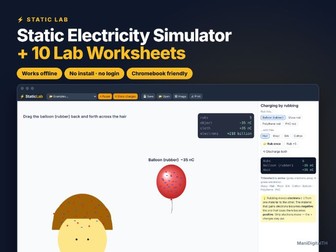
Make the invisible visible! Static Lab is an interactive static electricity simulator that runs in any web browser — plus 10 ready-to-print lab worksheets with a full answer key. Students rub balloons and rods on hair, wool and silk, watch electrons move, hang charged balloons that repel and attract, lift paper, bend water, charge a gold-leaf electroscope and trigger lightning. WHAT’S INCLUDED (zip file) Static_Lab.html — the interactive simulator. One HTML file that works offline in Chrome, Edge, Safari or Firefox on Windows, Mac and Chromebook. No install, no login, no ads, no data collected. Student worksheets PDF — 10 two-page labs (goal, key idea, method, results tables, questions), a key facts reference sheet and teacher notes. US Letter + A4. Answer key PDF — every table filled in with the simulator’s values and model answers to every question. US Letter + A4. Quick start guide PDF — setting up on each device and sharing with students through Google Classroom / Teams. SIMULATOR FEATURES Charging by rubbing with 8 materials, following the triboelectric series and − charges shown on every object (can be hidden for prediction) Hanging balloons that repel and attract, with force and angle readouts Coulomb’s law with exact forces for any charge and distance Polarisation: lift paper pieces, bend a water stream, stick a balloon to a wall Gold-leaf electroscope: charging by contact and by induction (earthing with a finger) Thunderstorm with lightning strikes, tall buildings and a lightning rod THE LABS Charging by Rubbing The Triboelectric Series Like and Unlike Charges Charged and Neutral Objects Paper and Water Coulomb’s Law: Distance Coulomb’s Law: Charge The Gold-Leaf Electroscope Charging by Induction Lightning and Lightning Rods GREAT FOR KS2–KS4 / middle and high school science (roughly ages 10–16), homeschool, tutoring, science clubs, cover lessons and remote learning. HOW TO OPEN Download and unzip, then double-click Static_Lab.html. It opens in your web browser. Best on a laptop, desktop or Chromebook (iPads and phones are limited in opening downloaded HTML files). To share with students, upload the file to your class platform; students download it and open it from their Downloads folder. TERMS OF USE One purchase = one teacher, for use with their own students (classroom, homeschool or tutoring). Please purchase additional licences for colleagues. Do not post the files on public websites. © ManiDigitalTH