A range of Python starter activities to introduce your student to the lesson.
Resources include:
Practicing functions
Syntax errors
Spot the error
Give me examples
Dirt feedback sheet
Practice questions
Pseudocode practice
Spot the error
A 6 lesson scheme of work for introducing students to Python. It includes
Lesson 1:
PowerPoint
Tasks
Help Sheet
Lesson 2:
PowerPoint
Tasks
Help Sheet
Lesson 3:
PowerPoint
Tasks
Help Sheet
Lesson 4:
PowerPoint
Tasks
Help Sheet
Lesson 5:
PowerPoint
Tasks
Help Sheet
Lesson 6:
PowerPoint
Tasks
Help Sheet
Homework booklet
Description
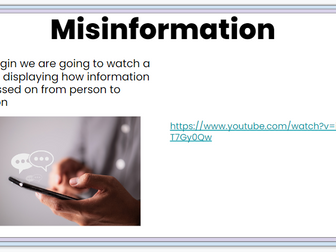
This package includes two worksheets and a editable PowerPoint presentation that gives the teacher definitions for Misinformation and fake news. The PowerPoint also includes different tasks for students to complete. Great lesson linking E-Safety. Misinformation and Fake news. Could be used as a standalone lesson or as part of a E-Safety curriculum. The PowerPoint can be edited.
Includes:
Microsoft PowerPoint
2 links to YouTube videos
3 separate tasks for students to complete including
Pair tasks
Discussion tasks
quick fire writing tasks
poster task as the finale
Product information guide
Teacher guidance in the note section at the bottom of the page
Features include
Questions
PowerPoint of definitions set out as both a teaching tool
Definitions set out to be used as Posters
Use of videos
Tasks for students to complete (Pair tasks, Discussion tasks and physical hand in task)
Editable sections - PowerPoint only
All text (font, colours, sizes)
Addition slides
Any issues please contact missgarnercomputerscience@gmail.com any time and I am happy to help or add future features.
This is a work book full of questions about app and app design. I have used this as a long term homework booklet for low KS3 but could be used as a class activity.
5 different flowchart starter activities to help students get settled and to check upstanding about:
Flow chart symbols
Their uses
Matching instructions to their correct symbol
Putting instructions into the correct order
A word of the week for every week of the school year. Includes
40 words with
definitions
types
quotes / sometimes questions for no quotional words
question of the day / thought of the day
synonyms
French and Spanish translation
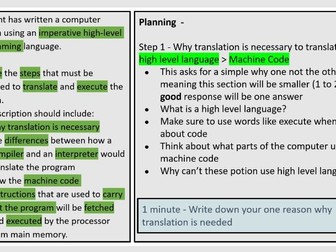
This package includes one worksheet and a editable PowerPoint presentation that gives the teacher a walkthrough task for answering a 12 mark question based around compilers, interpreters and the fetch decode execute cycle. Great as an practice and walkthrough session for one of the larger questions found on A-Level Papers. The PowerPoint can be edited. This lesson and its resources are based on UK AQA A-LEVEL COMPUTER SCIENCE.
Includes:
1 word file of questions and tasks
1 PDF file with the answers to the questions
1 PDF file of questions and tasks
Microsoft PowerPoint
Features include
Answer grid
Questions
PowerPoint of definitions set out as both a teaching tool
Use of graphics
Editable sections - PowerPoint only
All text (font, colours, sizes)
Addition slides
Any issues please contact missgarnercomputerscience@gmail.com any time and I am happy to help or add future features.
A quick selection of tasks and descriptions to help students practice using apostrophe
correctly.
I have used this with both year 7 as a starter and low ability year 10's as a lesson.
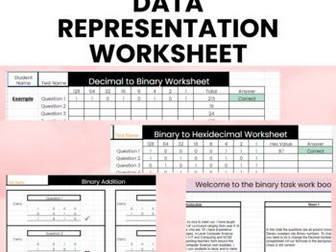
These Editable google / excel sheets give the students access to five different work booklets that are automatically marked as the student enters their answers. Great for tracking progress, ability and less teacher marking! All of the questions can be edited and updated, and the formulas in the background will continue to automatically mark and correct the students work.
Includes:
Google sheets
Product information guide
Questions on the following topics
Binary to Denary
Denary to Binary
Binary to Hexadecimal
Hexadecimal to Binary
Binary addition
Features include
Automatic marking
Coloured coded correct / incorrect
Use of graphics
Student names automatically added to each sheet after they enter the first bo
Fully editable through Google sheets and Excel
Editable sections
All text (font, colours, sizes)
Addition sheets, columns or rows
Any issues please contact missgarnercomputerscience@gmail.com any time and I am happy to help or add future features.
Total Pages - 5 pages
Answer Key - Included
Teaching Duration - 2 hours
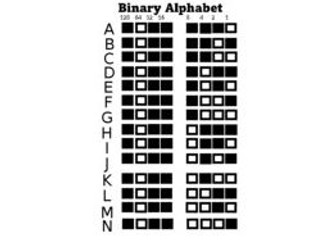
Binary Alphabet classroom display. Includes smaller versions of the full alphabet, and individual letters ready for a display. Used as class display and room boarder
Includes:
Slides of each binary number
Both binary and denary number included
Editable sections
All text (font, colours, sizes)
Any issues please contact missgarnercomputerscience@gmail.com any time and I am happy to help or add future features.
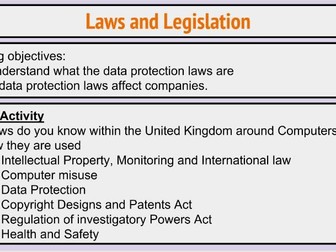
This package contains one worksheet and an editable PowerPoint presentation that walks students through the basics of the Data Protection Act. This PowerPoint includes different tasks for the students to complete include note taking, a quiz and table activities. Great activity for 11-16 year old students as an introduction into the law, along with T-Level and A-Level students as a revision session on the law. The PowerPoint can be editted.
This was originally created as a revision session for a T-Level Production Design and Development (PDD) session.
includes:
Microsoft PowerPoint
4 seperate tasks for the students to complete including
Discussion activity
Writing activity
Quiz that can be completed independent or as a group
Information guide
Features include
Questions
PowerPoint of definitions set out as both a teaching tool
Definitions set out to be used as Posters
Tasks for students to complete (Pair tasks, Discussion tasks and physical hand in task)
Editable sections - PowerPoint only
All text (font, colours, sizes)
Addition slides
Any issues please contact missgarnercomputerscience@gmail.com any time and I am happy to help or add future features.
This package includes the Quiz as a PowerPoint presentation with 42 different questions, over 4 topics. It also includes the answers for each round. It also includes a answer sheet to print off for students, as well as a guidance sheet. It could be used as a stand alone lesson, tutor session or assembly game. The PowerPoint can be edited.
Includes:
Microsoft PowerPoint of the quiz
Four topics including
Question for each month of the year
Gaming round
Film / Tv Round
TikTok Music round
Answer sheets
Answer for each question for each round
Product information guide
Editable sections - PowerPoint only
All text (font, colours, sizes)
Addition slides
Any issues please contact missgarnercomputerscience@gmail.com any time and I am happy to help or add future features.


 Quick View
 Quick View
 Quick View
 Quick View
 Quick View
 Quick View
 Quick View
 Quick View