Adobe Photoshop Bundle 1Quick View
enjoycomputing

Adobe Photoshop Bundle 1

11 Resources
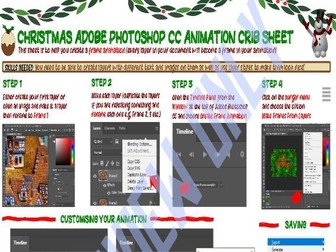
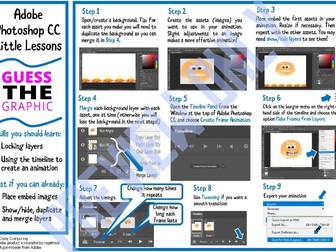
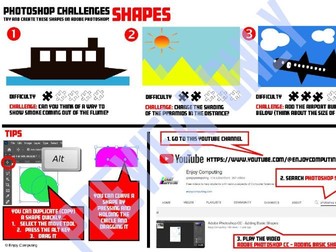
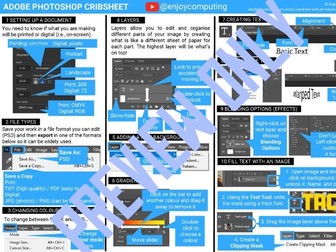
My Adobe Photoshop CC 5 lessons, videos and a few supplementary sheets. Please note: lessons available separately and videos appear on my YouTube channel). Originally for R082, so ignore references to standard and advanced tools!) Includes NEW Adobe Photoshop CC Crib sheet!
Adobe Photoshop: Option 2Quick View
enjoycomputing

Adobe Photoshop: Option 2

20 Resources
My Adobe Photoshop CC 5 lessons and key skills sheets I used alongside them for differentiation and revision. My videos (not narrated) for all of the skills to cover the R082 specification Vanish and animation exercise sheets Please note: lessons available separately and videos will appear on my YouTube channel in the future. (originally for R082, so ignore references to standard and advanced tools!) Includes NEW Photoshop CC Cribsheet
Adobe Photoshop CC Key Skills - 1 - EssentialsQuick View
enjoycomputing

Adobe Photoshop CC Key Skills - 1 - Essentials

(0)
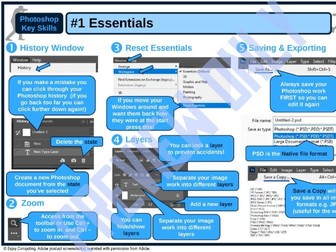
Part of a mini-range of visual aids to help students learn the graphics package All sheets, except this one have a small set of activities on the second sheet PDF format so could be shared electronically or printed if you want students to tick the boxes Useful for Key Stage 3 (particuarly for differentiation) and/or Creative iMedia R082/R094 This sheet covers some of the important menu areas students should know
R082 Adobe Photoshop vs PhotopeaQuick View
enjoycomputing

R082 Adobe Photoshop vs Photopea

(0)
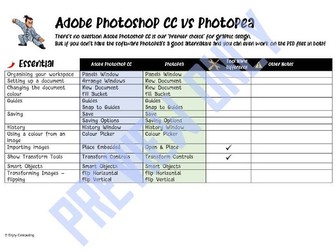
A quick overview of the skills needed for Creative iMedia R082 and how these could be achieved using Adobe Photoshop CC and Photopea We don’t claim to be experts, it is based on our experience of both! You may find useful if students are self-isolating and using a mixture of the software
Adobe Photoshop CC Video Tutorials: Advanced SkillsQuick View
enjoycomputing

Adobe Photoshop CC Video Tutorials: Advanced Skills

(0)
Video tutorials that cover a range of ‘standard skills’ including: Blur, sharpen and smudge Burn, dodge and smudge Cloning and healing tools Curves Feathering Gradient effects Layer styles Levels Manipulating layers Masks Modifying shapes with effects Selection tools Stroke and fill Text special effects Transformation techniques Using adjustment layers There is a student ticksheet for R082 with some guidance on use/explanaton which is particularly useful if they are using Adobe Photoshop to complete this Creative iMedia unit.
Vanish Exercises (Adobe Photoshop CC/Photopea)Quick View
enjoycomputing

Vanish Exercises (Adobe Photoshop CC/Photopea)

(0)
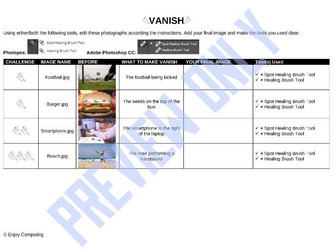
A little exercise providing students with some images that need editing using the Spot Healing Brush Tool / Healing Brush Tool Images and editable table provided for students to add their final image and tick/cross which tool(s) they used
Adobe Photoshop CC Video Tutorials: Essential SkillsQuick View
enjoycomputing

Adobe Photoshop CC Video Tutorials: Essential Skills

(0)
Video tutorials that cover a range of ‘essential skills’ including: Changing the document colour Colour picker Guides History Opening a file Panels Place embedded Saving Setting up the document Show transform tools Smart objects Transforming images - flip There is a student ticksheet for R082 with some guidance on use/explanaton which is particularly useful if they are using Adobe Photoshop to complete this Creative iMedia unit.
Adobe Photoshop CC Video Tutorials: Standard SkillsQuick View
enjoycomputing

Adobe Photoshop CC Video Tutorials: Standard Skills

(0)
Video tutorials that cover a range of ‘standard skills’ including: Adding basic shapes Adding text Applying filters Auto colour Auto levels Basic painting with a brush Brightness and contrast Eraser Move tool There is a student ticksheet for R082 with some guidance on use/explanaton which is particularly useful if they are using Adobe Photoshop to complete this Creative iMedia unit.
Adobe Photoshop CC Paper-Based QuizQuick View
enjoycomputing

Adobe Photoshop CC Paper-Based Quiz

(0)
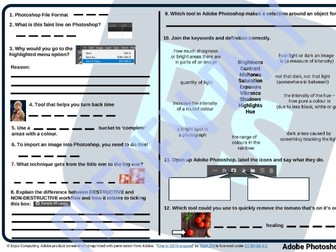
Two pages of questions which could be used for revision, homework or an assessment. Resource also comes with printed answers and a teacher’s presentation which has each answer animated so you can go through them.
Adobe Photoshop CC Key Skills Bundle (Mini Worksheets)Quick View
enjoycomputing

Adobe Photoshop CC Key Skills Bundle (Mini Worksheets)

9 Resources
A range of visual aids to help students learn the graphics package The sheets have a small set of activities on the second sheet (except 1) PDF format so could be shared electronically or printed if you want students to tick the boxes Useful for Key Stage 3 (particuarly for differentiation) and/or Creative iMedia R082/R094
Adobe Photoshop CC Key Skills - 5 - Quick Image EditingQuick View
enjoycomputing

Adobe Photoshop CC Key Skills - 5 - Quick Image Editing

(0)
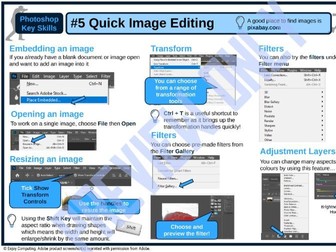
Part of a mini-range of visual aids to help students learn the graphics package The sheet has a small set of activities on the second sheet PDF format so could be shared electronically or printed if you want students to tick the boxes Useful for Key Stage 3 (particuarly for differentiation) and/or Creative iMedia R082/R094 This sheet covers opening an image, embedding one, resizing/transforming images; filters and adjustment layers
Adobe Photoshop CC Key Skills - 2 - Setting Up A DocumentQuick View
enjoycomputing

Adobe Photoshop CC Key Skills - 2 - Setting Up A Document

(0)
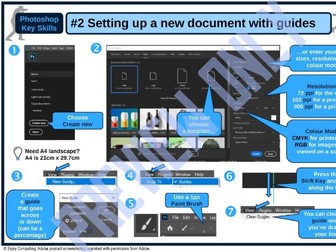
Part of a mini-range of visual aids to help students learn the graphics package The sheet has a small set of activities on the second sheet PDF format so could be shared electronically or printed if you want students to tick the boxes Useful for Key Stage 3 (particuarly for differentiation) and/or Creative iMedia R082/R094 This sheet covers how to set up a document and use guides
Adobe Photoshop CC Key Skills - 6 - Retouching ImagesQuick View
enjoycomputing

Adobe Photoshop CC Key Skills - 6 - Retouching Images

(0)
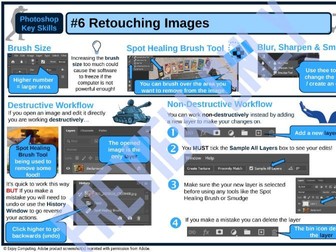
Part of a mini-range of visual aids to help students learn the graphics package The sheet has a small set of activities on the second sheet PDF format so could be shared electronically or printed if you want students to tick the boxes Useful for Key Stage 3 (particuarly for differentiation) and/or Creative iMedia R082/R094 This sheet covers changing the brush size, spot healing brush tool; blur/sharpen/smudge and destructive/non-destructive workflow