BTEC Tech Award in Digital Information Technology Component 3 - Lesson 4Quick View
mrappleton

BTEC Tech Award in Digital Information Technology Component 3 - Lesson 4

(1)
BTEC Tech Award in Digital Information Technology Component 3 incudes; Lesson 1 - – Communication Technologies (Powerpoint) & Worksheet. Lesson 2 - – Cloud Storage (Powerpoint) & Worksheet. Lesson 3 - – Selection of platform services (Powerpoint) & Worksheet. Lesson 4 - – Using cloud and traditional systems together (Powerpoint) & Worksheet. Lesson 5 - – Choosing cloud technologies (Powerpoint) & Worksheet. Lesson 6 - – Maintenance, set up and performance considerations (Powerpoint) & Worksheet. Each lesson is taken from a page of BTEC Tech Awards students book. Some of the activities are designed to be completed on Google Docs/Classroom but can be edited to whatever you choose. The worksheets have been created so students can take notes by completing small tasks. Peer or self-assessment can be used to show student progress.
BTEC Tech Award in Digital Information Technology Homework Project (6 weeks)Quick View
mrappleton

BTEC Tech Award in Digital Information Technology Homework Project (6 weeks)

(0)
The following homeworks are intended to support the SOW for the BTEC Tech awards in Digital Information Technology. I have used the project GameExchange123 found in the Appendix A of the SOW. Students can improve or comment on their drafts during lessons after they have completed the tasks at home. The tasks could also be completed in lessons.
BTEC Tech Award in Digital Information Technology Component 3 - Lesson 2Quick View
mrappleton

BTEC Tech Award in Digital Information Technology Component 3 - Lesson 2

(0)
BTEC Tech Award in Digital Information Technology Component 3 incudes; Lesson 1 - – Communication Technologies (Powerpoint) & Worksheet. Lesson 2 - – Cloud Storage (Powerpoint) & Worksheet. Lesson 3 - – Selection of platform services (Powerpoint) & Worksheet. Lesson 4 - – Using cloud and traditional systems together (Powerpoint) & Worksheet. Lesson 5 - – Choosing cloud technologies (Powerpoint) & Worksheet. Lesson 6 - – Maintenance, set up and performance considerations (Powerpoint) & Worksheet. Each lesson is taken from a page of BTEC Tech Awards students book. Some of the activities are designed to be completed on Google Docs/Classroom but can be edited to whatever you choose. The worksheets have been created so students can take notes by completing small tasks. Peer or self-assessment can be used to show student progress.
BTEC Tech Award in Digital Information Technology Component 3 - Lesson 3Quick View
mrappleton

BTEC Tech Award in Digital Information Technology Component 3 - Lesson 3

(0)
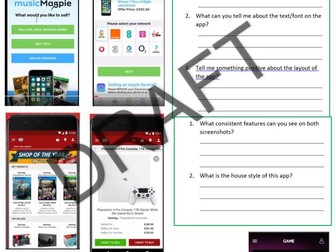
Lesson 3 - – Selection of platform services (Powerpoint) & Worksheet. Each lesson is taken from a page of BTEC Tech Awards students book. Some of the activities are designed to be completed on Google Docs/Classroom but can be edited to whatever you choose. The worksheets have been created so students can take notes by completing small tasks. Peer or self-assessment can be used to show student progress.
BTEC Tech Award in Digital Information Technology Component 3 - Lesson 5Quick View
mrappleton

BTEC Tech Award in Digital Information Technology Component 3 - Lesson 5

(0)
BTEC Tech Award in Digital Information Technology Component 3 incudes; Lesson 1 - – Communication Technologies (Powerpoint) & Worksheet. Lesson 2 - – Cloud Storage (Powerpoint) & Worksheet. Lesson 3 - – Selection of platform services (Powerpoint) & Worksheet. Lesson 4 - – Using cloud and traditional systems together (Powerpoint) & Worksheet. Lesson 5 - – Choosing cloud technologies (Powerpoint) & Worksheet. Lesson 6 - – Maintenance, set up and performance considerations (Powerpoint) & Worksheet. Each lesson is taken from a page of BTEC Tech Awards students book. Some of the activities are designed to be completed on Google Docs/Classroom but can be edited to whatever you choose. The worksheets have been created so students can take notes by completing small tasks. Peer or self-assessment can be used to show student progress.
BTEC Tech Award in Digital Information Technology Component 3 - Lesson 6Quick View
mrappleton

BTEC Tech Award in Digital Information Technology Component 3 - Lesson 6

(0)
BTEC Tech Award in Digital Information Technology Component 3 incudes; Lesson 1 - – Communication Technologies (Powerpoint) & Worksheet. Lesson 2 - – Cloud Storage (Powerpoint) & Worksheet. Lesson 3 - – Selection of platform services (Powerpoint) & Worksheet. Lesson 4 - – Using cloud and traditional systems together (Powerpoint) & Worksheet. Lesson 5 - – Choosing cloud technologies (Powerpoint) & Worksheet. Lesson 6 - – Maintenance, set up and performance considerations (Powerpoint) & Worksheet. Each lesson is taken from a page of BTEC Tech Awards students book. Some of the activities are designed to be completed on Google Docs/Classroom but can be edited to whatever you choose. The worksheets have been created so students can take notes by completing small tasks. Peer or self-assessment can be used to show student progress.

100 Lesson Starters - ComputingQuick View
mrappleton

100 Lesson Starters - Computing

(0)
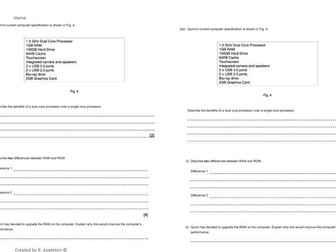
This is taylored towards OCR however can be used for exam practice and getting students used to the wording of questions. Suitable for 100 lessons. Instructions. Students complete the exam question on the left. Teacher Models the answer on the left. Student update the answer to get full marks. Add your own logo to the footer to suit your school.
BTEC Tech Award in Digital Information Technology Component 3 - Lesson 1Quick View
mrappleton

BTEC Tech Award in Digital Information Technology Component 3 - Lesson 1

(1)
BTEC Tech Award in Digital Information Technology Component 3 incudes; Lesson 1 - – Communication Technologies (Powerpoint) & Worksheet. Lesson 2 - – Cloud Storage (Powerpoint) & Worksheet. Lesson 3 - – Selection of platform services (Powerpoint) & Worksheet. Lesson 4 - – Using cloud and traditional systems together (Powerpoint) & Worksheet. Lesson 5 - – Choosing cloud technologies (Powerpoint) & Worksheet. Lesson 6 - – Maintenance, set up and performance considerations (Powerpoint) & Worksheet. Each lesson is taken from a page of BTEC Tech Awards students book. Some of the activities are designed to be completed on Google Docs/Classroom but can be edited to whatever you choose. The worksheets have been created so students can take notes by completing small tasks. Peer or self-assessment can be used to show student progress.
BTEC Tech Awards Learning Aim A spelling testQuick View
mrappleton

BTEC Tech Awards Learning Aim A spelling test

(0)
Use the key words as a spelling test for lesson 1. Repeat the test again during lesson 13. Any corrections can be repeated 3 times at the bottom of the test to improve literacy. This is for learning aim A only.