GCSE Foundation Maths - Revision BookletsQuick View
keyffsmyff

GCSE Foundation Maths - Revision Booklets

(3)
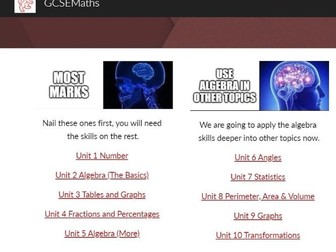
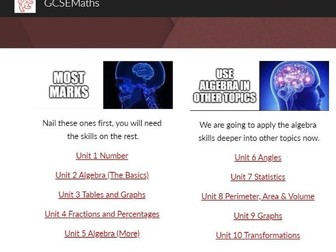
I started writing these short revision document for each unit as a help to those with lower literacy skills and those who are unlikely to read too much from a commercial book. My background is DT/Electronics and definitely not English. I am not precious about any of it so please email me with additions/alterations/errors so I can correct and re-share. These sit literally side by side on my Maths website with a similar document linking to resources for each section. https://sites.google.com/view/gcsemaths/home
Diary / OrganiserQuick View
keyffsmyff

Diary / Organiser

(2)
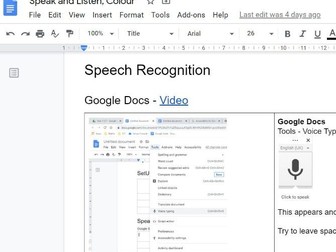
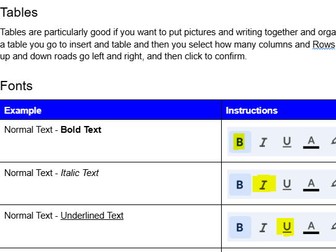
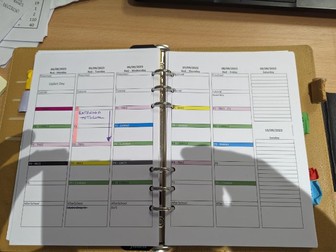
I struggled for years with a Diary and Organisers both leaving me to fill in loads of information. I came up with this spreadsheet. I type in my timetable once and a formatted diary picks up my timetable and writes it into a 2 page for 1 week diary page. Works with a 5 lesson 1 or 2 week timetable. Before printing I have to write in the first Monday of the term’s date and then the spreadsheet will fill in the rest of the dates. I can type in before and after school duties and clubs, then they will print out on each of the rest of the pages. Print this out as a booklet and away you go. I split it and put it in a filofax or just Print it out onto A4. Here you will get a copy of the spreadsheet and a video of me talking through the instructions of what to do. Edit July 23 I have updated this added ToDo Notes 1 page per month Diary Increased Font Size in Diary I have left my timetable in for next year just so you can see what I have done. I copy my who timetable as a picture to the front of the Diary page it is very helpful (See pics)
ICT - Painting by Numbers - Conditional FormattingQuick View
keyffsmyff

ICT - Painting by Numbers - Conditional Formatting

(1)
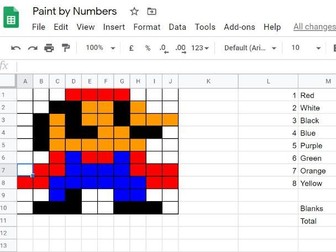
Fun activity that introduces Conditional Formating. Written for Google Docs but works as well on Excel. Set up a 10 by 10 grid that changes colour of both the background and text depending on what you set up. Instructions are step by step. An example, sheet is done. Extension task using countif to add up the numbers of each colour. I did a video to help some. https://youtu.be/cQuXENAkkn8
Enrichment - Enlarging 1 Pt PerspectiveQuick View
keyffsmyff

Enrichment - Enlarging 1 Pt Perspective

(1)
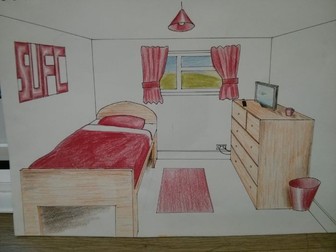
A cross over Maths and DT enrichment activity. With some Fibonacci thrown in as an extension task. Step by Step on how to draw a bedroom in 1 point perspective using the principles applied to enlargement. You will needs lots of rulers, rubbers and teach them to use light construction lines until the end.
GCSE Foundation Maths - Worksheets LinksQuick View
keyffsmyff

GCSE Foundation Maths - Worksheets Links

(0)
I have roughly and quickly have collated the wonderful resources produced by others and organised them by Edexcel Specification Point. I have not downloaded their work or am I trying to steal their thunder or clicks. If people download it it should increase their web traffic. This sits side by side with the revision notes from my website. https://sites.google.com/view/gcsemaths/home Where the documents will be updated as we go. I am not precious about these and would love to collaborate, please email me any additions you make so I can make them available for all.
Secondary Numeracy Summer WorkQuick View
keyffsmyff

Secondary Numeracy Summer Work

(0)
5 Booklets (with Answers) with 3 pages of questions per week. S2 is Year 2 NC levels TTs 1,2,5,10 plus place value S3 is Year 3 NC level TTs 1,2,3,4,5,8,10 S4 is Year 4 NC levels TTs 1 to 12 S5 is KS(ish) TT’s -12 to +12 S6 is KS4 Foundation(ish)
KS3 Coding for Non-SpecialistsQuick View
keyffsmyff

KS3 Coding for Non-Specialists

(0)
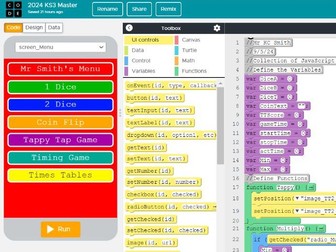
This is a set of 17 videos that walk you through a code.org JavaScript app. It has a menu screen, single and double dice screens, coin flip, Tappy tap game (From Computing First), a timer game and a times tables game. This will actually load on your phone which is amazing if you are 12 (or mid 50’s). I wrote and recorded this with non specialists in mind. Non-Specialists please remember that fault finding is a key skill so don’t feel mean telling them to rewatch the videos and sort it out themselves. In the next few months I will do 3 other Non-Specialist Sets of Materials. We do Programming 1 - Scratch - Coming Soon - 1 off lessons Programming 2 - Scratch - - Videos Comin Soon Programming 3 - JavaScript - This Scheme Programming 4 - Python - Coming Soon Please write a review if useful and feel free to feedback both insults and inspiration.
Computer Science Scratch StorylineQuick View
keyffsmyff

Computer Science Scratch Storyline

(0)
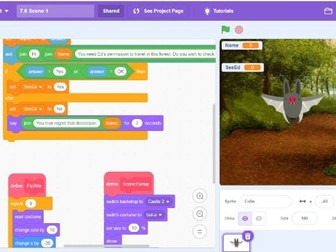
This is a teacher prompt to work with students when you copy to the board. I have found this method useful as our SEND students benefit from me not flicking back and forward between slides and coding screens. So I do the instruction and type in front of them. I demonstrate mine works and they then have to fault find. It is broken down into 6 lessons the first 3 are very much modeling and the last 3 freeplay with scaffold. The story is set in a magical kingdom.
Arithmetic Question GeneratorQuick View
keyffsmyff

Arithmetic Question Generator

(0)
This is a spreadsheet that is set up to generate lots of different types of questions. Including 1to12 multiplication, mixed arithmetic, multiple digit addition, subtraction, division and multiplication. FDP and ordering. Press F9 and bingo a new set of sums.
Selection of Mental Arithmatic ProgramsQuick View
keyffsmyff

Selection of Mental Arithmatic Programs

(0)
As I was looking to expand my skill set in Python I wrote some scripts that allow the user to:- select the length of time between questions select the quantity of questions Most offer 3 levels of Question. Spiral 2 Lowest (2,5,10 Times tables), Spiral 3 Mid (3,4 & 8) Spiral 4 Highest to 12 Give a countdown from 3 seconds before changing questions Show the answers at the end I then used Auto-py-to-exe to create .exe files. If you don’t trust me .exe files then let me know and I will release the python code and you can do it yourself. TIP Font Size. When you run it for the first time, right click the top title bar of the window and select settings, then select an appropriate font size. I use 28.
J277 OCR - Video Lessons Walking through making an App for Computer ScienceQuick View
keyffsmyff

J277 OCR - Video Lessons Walking through making an App for Computer Science

(0)
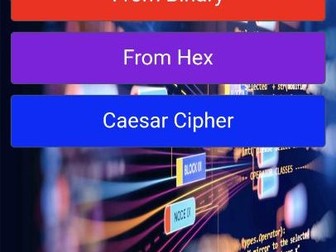
I talk through the process of making algorithms, screen design and coding making a conversion between Denary, Binary and Hex using Javascript. Follow along and make the apps. I will be adding the Caesar Cipher and some Maths screens later. Video Playlist https://youtube.com/playlist?list=PLkQRbLWqm8G3aOnFxGRRoisQ3-MZ2jRT3
Sheep - Game for StaffQuick View
keyffsmyff

Sheep - Game for Staff

(0)
The opposite of pointless. Send out 10 questions a week (Supplied) to staff and the spreadsheet collates points for the same answers. For example Flavour of crisps - Ready Salted will get more reposnses (hence points) than sweet thia chilli. The Spreadsheet collates most popular answers, calculates the scores and creates a league table. What do you have to do? Copy and paste the questions into a form - Distribute form Copy and paste the reponses to the spreadsheet Adjust for spellings and typos S/ V, Salt and Vinegar, Salt & Vinegar Send out league table and most popular answers with next weeks form