While Loops in Micro.bit Editor  Step-By-Step GuideQuick View
nathanielmahon25

While Loops in Micro.bit Editor Step-By-Step Guide

(0)
Hands-On Coding with While Loops in Micro:bit! This While Loops in Micro:bit – Step-by-Step Guide is a student-friendly resource designed to teach programming fundamentals using the Micro:bit block editor. Perfect for classroom use, STEM clubs, or individual learners, this PowerPoint walks users through building their first interactive program using loops, logic, variables, and LED output. What’s Included: A visual tutorial on building and testing your first while loop Step-by-step instructions to integrate logic blocks and variables A progressive coding structure: from simple loops to nested conditions Interactive mini-tasks encouraging experimentation and understanding LED output activities that bring your code to life on the Micro:bit Why Educators & Learners Love It: Beginner-friendly with drag-and-drop visuals Encourages computational thinking through guided challenges Promotes creativity with hands-on microproject tasks Supports both individual and collaborative learning environments By the end of this resource, learners will confidently use while loops in creative ways—combining conditions, button inputs, and LED feedback to make their Micro:bit projects interactive and fun.
Conditional Formatting - Step By Step GuideQuick View
nathanielmahon25

Conditional Formatting - Step By Step Guide

(0)
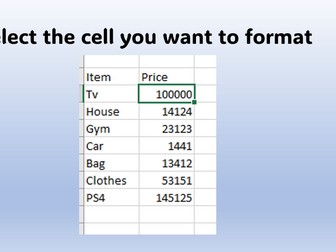
Master Excel’s Conditional Formatting in Minutes! This Step-by-Step Guide to Conditional Formatting in Excel is a beginner-friendly, visually clear resource designed to help users quickly understand and apply conditional formatting rules to their spreadsheets. Whether you’re a student, professional, or data enthusiast, this PowerPoint tutorial walks you through the process with simple instructions and practical examples. You’ll learn how to: Select target cells for formatting Navigate Excel’s Home tab to access conditional formatting Create a custom rule to highlight values within a defined range Choose formatting colors for visual emphasis Instantly see results when conditions are met The guide demonstrates formatting for numeric ranges (e.g., highlighting values between 1000 and 2000), making it ideal for financial, sales, or data-driven tasks.
Opening Python IDLE and running your first program!Quick View
nathanielmahon25

Opening Python IDLE and running your first program!

(0)
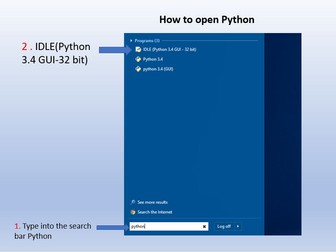
Learn How to Open and Run Python Code in IDLE – Made Easy! This Opening Python IDLE Step-by-Step Guide is the perfect beginner resource for students, educators, and self-learners starting their journey with Python programming. Presented in a simple, visual PowerPoint format, it walks users through the entire process of launching Python IDLE and running their first program. What’s Inside: Clear, step-by-step instructions to open Python IDLE (Python 3.x) Visual cues to guide you through each step Instructions on how to create a new Python file Tips for saving files properly in a designated workspace Easy guide to running your first Python script and viewing the output Why You’ll Love It: No prior experience needed Ideal for classrooms, coding workshops, or self-paced learning Simplified for absolute beginners By the end of this guide, users will feel confident launching IDLE, writing simple code, and running it successfully.