Maze Puzzle Worksheets Bundle | 10 Printable Mazes for KidsQuick View
AyashaSahla

Maze Puzzle Worksheets Bundle | 10 Printable Mazes for Kids

(0)
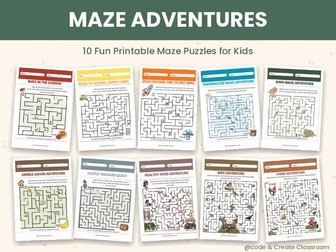
Keep kids engaged with 10 fun printable maze worksheets! Includes 10 unique themes. Perfect for Preschool, Kindergarten, Grade 1-3, early finishers, morning work, centers, homeschooling, back to school and fine motor skill practice. Terms of Use This resource is licensed for single-classroom use only. Sharing, distributing, posting online, or reproducing this resource for other teachers, schools, or commercial purposes is prohibited without written permission. For licensing inquiries, contact: ayashaths@gmail.com
Unplugged Coding Activities Bundle | 200+ Printable STEM WorksheetsQuick View
AyashaSahla

Unplugged Coding Activities Bundle | 200+ Printable STEM Worksheets

5 Resources
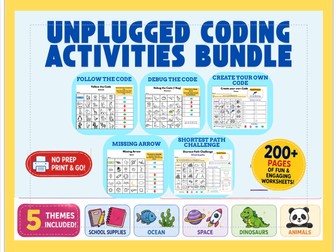
Build computational thinking with this Unplugged Coding Activities Bundle! This printable resource includes 200+ pages of engaging coding worksheets featuring Follow the Code, Debug the Code, Missing Arrow, Create Your Own Code, Shortest Path Challenge across School Supplies, Ocean, Space, Dinosaur, and Animal themes. Students develop sequencing, algorithms, debugging, problem-solving, optimization, and collaboration skills—without using computers. Perfect for Kindergarten–Grade 5, STEM lessons, computer science, centers, morning work, early finishers, homeschooling, and no-prep classroom activities. Terms of Use This resource is licensed for single-classroom use only. Sharing, distributing, posting online, or reproducing this resource for other teachers, schools, or commercial purposes is prohibited without written permission. For licensing inquiries, contact: ayashaths@gmail.com
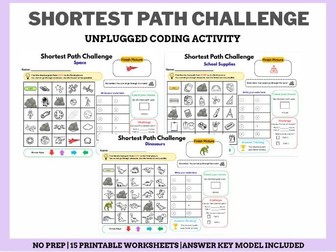
Shortest Path Challenge Worksheets |  15 Printable TasksQuick View
AyashaSahla

Shortest Path Challenge Worksheets | 15 Printable Tasks

(0)
Strengthen computational thinking with this Shortest Path Challenge Coding Worksheets Bundle! Students find the shortest route from START to the target picture while avoiding obstacles and using the fewest moves possible. This bundle includes 15 printable worksheets (3 each in School Supplies, Ocean, Space, Dinosaur, and Animal themes). Perfect for Kindergarten–Grade 3, STEM lessons, coding without computers, centers, early finishers, morning work, homeschooling, and no-prep classroom activities. Terms of Use This resource is licensed for single-classroom use only. Sharing, distributing, posting online, or reproducing this resource for other teachers, schools, or commercial purposes is prohibited without written permission. For licensing inquiries, contact: ayashaths@gmail.com
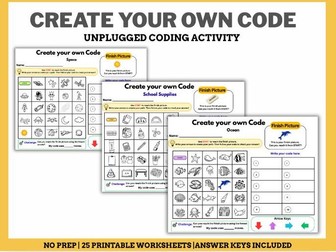
Create Your Own Code | 25 Printable STEM TasksQuick View
AyashaSahla

Create Your Own Code | 25 Printable STEM Tasks

(0)
Encourage creativity and computational thinking with this Create Your Own Code Worksheets Bundle! Students start at START, create their own algorithm to reach the target picture, and test their code. This bundle includes 25 printable worksheets (5 each in School Supplies, Ocean, Dinosaur, Space, and Animal themes). Perfect for Kindergarten–Grade 3, STEM centers, computer science lessons, early finishers, morning work, Back to school activities, homeschooling, and no-prep classroom activities. Terms of Use This resource is licensed for single-classroom use only. Sharing, distributing, posting online, or reproducing this resource for other teachers, schools, or commercial purposes is prohibited without written permission. For licensing inquiries, contact: ayashaths@gmail.com
Missing Arrow Coding Worksheets | Unplugged STEM ActivitiesQuick View
AyashaSahla

Missing Arrow Coding Worksheets | Unplugged STEM Activities

(0)
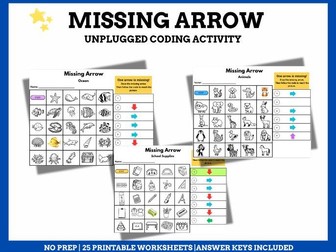
Build computational thinking with fun Missing Arrow coding worksheets! Students draw the missing arrow, complete the algorithm, and solve engaging unplugged coding puzzles featuring School Supplies, Ocean, Animals, Space, and Dinosaur themes. Perfect for Kindergarten–Grade 3, Back-to-school, early finishers, morning work, and no-prep classroom activities. Terms of Use This resource is licensed for single-classroom use only. Sharing, distributing, posting online, or reproducing this resource for other teachers, schools, or commercial purposes is prohibited without written permission. For licensing inquiries, contact: ayashaths@gmail.com
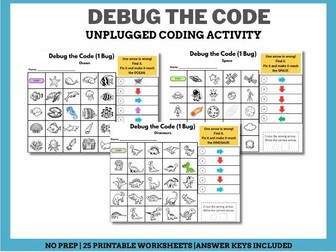
Debug the Code Worksheets | Unplugged Coding Activities for KidsQuick View
AyashaSahla

Debug the Code Worksheets | Unplugged Coding Activities for Kids

(0)
Build coding and debugging skills with fun unplugged worksheets! Includes 5 themed sets—Ocean, School Supplies, Dinosaurs, Animals, and Space. Students debug the code by finding the wrong arrow and replacing it with the correct arrow to reach the destination. Perfect for K–3 STEM, computer science, back-to-school, homeschooling, and early finishers. Terms of Use This resource is licensed for single-classroom use only. Sharing, distributing, posting online, or reproducing this resource for other teachers, schools, or commercial purposes is prohibited without written permission. For licensing inquiries, contact: ayashaths@gmail.com
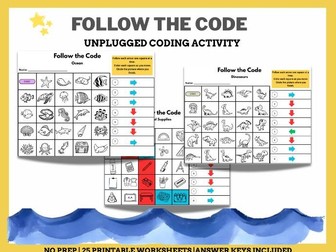
Follow the Code – Unplugged Coding ActivitiesQuick View
AyashaSahla

Follow the Code – Unplugged Coding Activities

(0)
Help students build computational thinking skills with these engaging Follow the Code worksheets! These printable unplugged coding activities teach algorithms, sequencing, following directions, spatial reasoning, and problem-solving without requiring computers. Students begin at the START square, follow a series of directional arrows, and identify the picture where they finish. These activities are perfect for introducing coding concepts before using ScratchJr, Scratch, or other programming platforms. Includes 25 printable worksheets across 5 themes: School Supplies Dinosaurs Space Ocean Animals Perfect for: STEM & Computer Science Coding Centers Back to School Activity Independent Practice Early Finisher Terms of Use This resource is licensed for single-classroom use only. Sharing, distributing, posting online, or reproducing this resource for other teachers, schools, or commercial purposes is prohibited without written permission. For licensing inquiries, contact: ayashaths@gmail.com
Learn to Code with Scratch: 4-Week Bundle for Elementary Computer ScienceQuick View
AyashaSahla

Learn to Code with Scratch: 4-Week Bundle for Elementary Computer Science

5 Resources
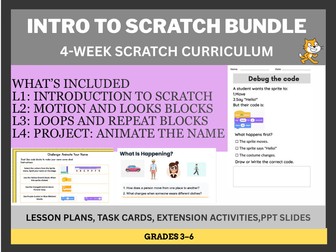
This 4-week Introduction to Scratch bundle is designed to take students from absolute beginners to confident coders. Week 1: Introduction to the Scratch Interface (Sprites, Backdrops, and the Coding Palette). Week 2: Motion & Looks: Animating your first characters. Week 3: Loops & Repeat: Mastering control structures to save time and code. Week 4: Capstone Project: A step-by-step guide for students to build and share their own interactive project. No Prior Experience Needed: Step-by-step tutorials allow both teachers and students to jump right in. Print-and-Go: Includes student-friendly slides and handouts. Engaging & Creative: Students build animations and stories, promoting self-expression. Standards-Based: Clearly mapped to CSTA standards for easy reporting. Terms of Use This resource is licensed for single-classroom use only. Sharing, distributing, posting online, or reproducing this resource for other teachers, schools, or commercial purposes is prohibited without written permission. For licensing inquiries, contact: ayashaths@gmail.com
Scratch Coding Project: Apple Catch Game Bundle- Task Cards and Lesson PlanQuick View
AyashaSahla

Scratch Coding Project: Apple Catch Game Bundle- Task Cards and Lesson Plan

(0)
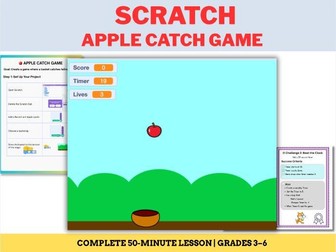
Get your students coding with this ready-to-use “Apple Catch Game” project for Scratch (Grades 3–6). This comprehensive bundle includes everything needed for a successful 2-period STEM lesson. What’s Included: Teacher Guide: Lesson plan, learning objectives, vocabulary, and discussion questions. Differentiated Task Cards: Step-by-step guides for Level 1 (Setup/Movement) and Level 2 (Scoring/Collision). 5 Extension Challenges: Including timers, bonus items, lives systems, and sound effects. Reflection Sheet: A simple worksheet for students to document progress and troubleshoot. Video Explanation: For teachers and Students. Learning Objectives: Students will learn to use keyboard controls, loops, conditionals, and variables while practicing debugging and game design logic.
Introduction to Artificial Intelligence (AI) for Kids | STEM Lesson | WorksheetsQuick View
AyashaSahla

Introduction to Artificial Intelligence (AI) for Kids | STEM Lesson | Worksheets

(0)
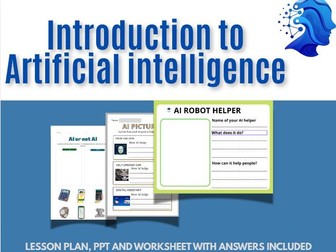
This interactive STEM lesson helps students explore what AI is, how it learns, where it is used in everyday life, and how it helps people solve problems. Perfect for STEM, Computer Science, Technology, Digital Literacy, and Future Skills classrooms. What’s Included Interactive Presentation What Is Artificial Intelligence? Real-World AI Applications How AI Learns from Data and Finds Patterns 8 Knowledge Check Quiz Questions AI Helper Activity AI Classification Activity Identify How AI Is Used in Pictures Activity Simply assign or present the PPT and guide students through the activities. No prior AI knowledge is required.
Animate Your Name: A Beginner Scratch Animation ProjectQuick View
AyashaSahla

Animate Your Name: A Beginner Scratch Animation Project

(0)
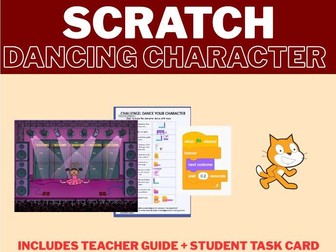
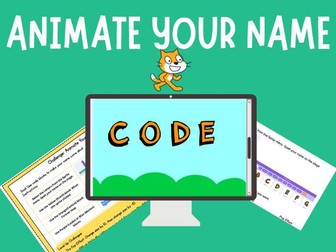
This Dancing Character Coding Challenge is the perfect way to teach animation, loops, and event handling in Scratch. Designed for grades 3–6, this resource provides everything you need to get your students coding, dancing, and creating in one class period. Zero Prep: Simply print the Student Task Cards or share the digital guide. Self-Guided: Students follow step-by-step instructions, allowing you to support those who need extra help. Skill-Building: Teaches core CS concepts: Events (when green flag clicked), Loops (forever), and Sequencing (next costume). Extension Activities: Includes “Ready for a Challenge?” prompts for early finishers to keep them engaged. Video Tutorial: A step-by-step walkthrough of the coding process—perfect for teacher preparation or for direct student viewing.
No-Prep Scratch Coding Activity: Create a Dancing CharacterQuick View
AyashaSahla

No-Prep Scratch Coding Activity: Create a Dancing Character

(0)
This Dancing Character Coding Challenge is the perfect way to teach animation, loops, and event handling in Scratch. Designed for grades 3–6, this resource provides everything you need to get your students coding, dancing, and creating in one class period. Zero Prep: Simply print the Student Task Cards or share the digital guide. Self-Guided: Students follow step-by-step instructions, allowing you to support those who need extra help. Skill-Building: Teaches core CS concepts: Events (when green flag clicked), Loops (forever), and Sequencing (next costume). Extension Activities: Includes “Ready for a Challenge?” prompts for early finishers to keep them engaged. Video Tutorial: A step-by-step walkthrough of the coding process—perfect for teacher preparation or for direct student viewing.
Traffic Light Simulator in Scratch | Coding Project, Lesson Plans, Task CardsQuick View
AyashaSahla

Traffic Light Simulator in Scratch | Coding Project, Lesson Plans, Task Cards

(0)
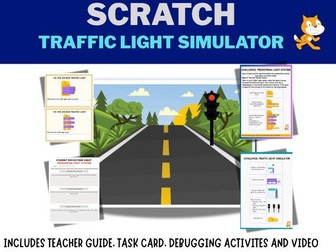
Teach Sequencing, Loops, Timing, and Computational Thinking with this engaging Scratch Traffic Light Simulator Project! This ready-to-use Scratch coding resource includes everything needed for two complete computer science lessons. Students learn how to create a realistic traffic light simulator using Scratch while developing problem-solving, debugging, and programming skills. Perfect for ICT, Computer Science, STEM, Coding Clubs, Technology, and Digital Technologies classrooms. This resource includes: Teacher Guide 2 Detailed Lesson Plans Student Task Cards Step-by-Step Coding Instructions Debugging Activities Extension Challenge (Pedestrian Crossing System) Sample Codes Troubleshooting Guide Reflection Sheets Video Tutorial Script for Students and Teachers
Python Input & Variables Task Cards | Debugging Activities & QuizQuick View
AyashaSahla

Python Input & Variables Task Cards | Debugging Activities & Quiz

(0)
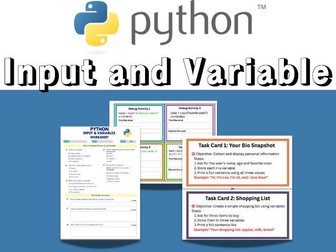
This resource is designed for students who are learning the fundamentals of Python programming. Through hands-on coding tasks, debugging challenges, and an assessment worksheet, students will practice collecting user input, creating variables, storing information, and displaying output. Perfect for introductory computer science, coding clubs, STEM classes, and middle school programming courses. What’s Included? ✔ 8 Python Task Cards ✔ 8 Debugging Task Cards ✔ 10-Mark Assessment Worksheet ✔ Complete Answer Key Learning Objectives Students will be able to: Create and use variables in Python Collect user input using the input() function Display information using the print() function Identify and correct common coding errors Demonstrate understanding through a short assessment
Python Coding Activities: 50 Debugging Exercises for Beginners (with Answer Key)Quick View
AyashaSahla

Python Coding Activities: 50 Debugging Exercises for Beginners (with Answer Key)

(0)
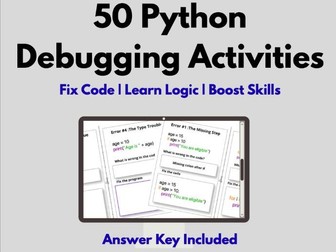
Help your students master Python syntax and logic with this collection of 50 hands-on Python Debugging Activities! Designed for computer science students, these exercises provide the perfect practice to help learners identify, troubleshoot, and fix common programming errors. What’s Inside: 50 Targeted Debugging Challenges: Covering syntax errors, logic errors, type mismatches, indentation issues, and more. Problem-Solving Practice: Each exercise encourages students to analyze “buggy” code and write the correct solution. Full Answer Key Included: Save hours of prep time with ready-to-go solutions for every single challenge. Perfect for: High School Computer Science (CS) Middle School Coding Clubs “Hour of Code” events Bell ringers or warm-up activities Independent practice for beginners Stop manually grading and start building confidence! Whether you are teaching Python for the first time or need supplemental enrichment, these debugging tasks are the ultimate tool for developing resilient coders.
STEM Coding Challenge: Build a Maze Game in Scratch (Full Resource Pack)Quick View
AyashaSahla

STEM Coding Challenge: Build a Maze Game in Scratch (Full Resource Pack)

(0)
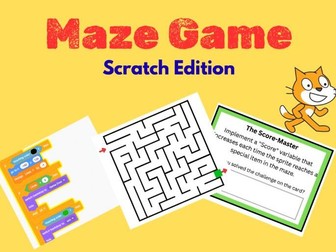
Introduce your students to the world of game design and computer science with this comprehensive Scratch Maze Game project. Designed specifically for Grades 3–6, this resource provides everything you need to guide students through building a functional maze game, from character movement to win/loss conditions. This resource is designed to be “ready-to-go” and includes: Teacher_Guide: A detailed 3-lesson plan complete with learning objectives, discussion questions and troubleshooting tips. Student Mission Sheet: Step-by-step guides for students to build their game, covering character movement, maze design, collision logic, and win conditions. Bonus Mission: Engaging extension activities including adding timers, scores, moving obstacles, and custom sound effects. Exit ticket -Bug report: A formative assessment tool for students to reflect on their code and debug their logic. Learning Outcomes By the end of this project, students will be able to: Understand and implement event-driven programming. Utilize conditional statements (if/then) and variables to control game behavior. Apply computational thinking to design and test their own unique game. Systematically identify and fix “bugs” within their code. Perfect For: Primary and Middle School STEM/ICT classes. Computer Science clubs or after-school coding programs. Educators looking for project-based learning (PBL) resources that are easy to implement with no prior specialized training required.
Scratch Lesson: Loops and Repeat Blocks |  No-Prep STEM LessonQuick View
AyashaSahla

Scratch Lesson: Loops and Repeat Blocks | No-Prep STEM Lesson

(0)
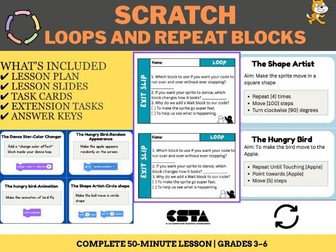
Includes a lesson plan, task cards, video explanation, exit tickets and teacher implementation guide. Perfect for teaching Loops and Repeat blocks in the classroom. Terms of Use This resource is licensed for single-classroom use only. Sharing, distributing, posting online, or reproducing this resource for other teachers, schools, or commercial purposes is prohibited without written permission. For licensing inquiries, contact: ayashaths@gmail.com
Scratch Coding Lesson: Motion and Looks Blocks | Elementary Computer Science LessonQuick View
AyashaSahla

Scratch Coding Lesson: Motion and Looks Blocks | Elementary Computer Science Lesson

(0)
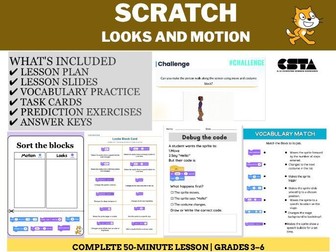
Introduce your students to the fundamentals of block-based programming with this engaging, no-prep Scratch bundle. Designed for elementary technology classrooms, this resource helps students understand how to make sprites move, talk, and change costumes using the blue Motion and purple Looks blocks. What’s Included in this Bundle: Lesson Slides (PPTX): A step-by-step presentation aligned with CSTA standards (1B-AP-10, 1B-AP-11, 1B-AP-12). Task Cards: Fun, independent challenges for students (e.g., “Walk and Talk,” “Thinking Character”). Vocabulary Practice: A matching worksheet to reinforce key coding terms. Debugging Activity: “Debug the code” worksheets that build critical thinking skills. Prediction Exercise: Prompts that ask students to analyze code flow before they run it. Answer Keys: Included for all worksheets to save you grading time! Key Learning Targets: Identify and categorize Motion and Looks blocks. Program a sprite to move, speak, and change appearance. Debug simple code sequences. Predict outcomes of block-based scripts. Help your students move from passive observers to active creators! Download this bundle today and get your students coding with confidence.
Back to School "All About Me" Bundle – Print & Digital | 1-8Quick View
AyashaSahla

Back to School "All About Me" Bundle – Print & Digital | 1-8

(0)
Make the first day of school easy and engaging with this “All About Me” activity bundle. Perfect for any classroom, this resource helps students share who they are, what they love, and their goals for the year ahead. Include: 1-2 Version Grades 3-5 Version Grades 6-8 Version PDF versions Editable PowerPoint versions (if you want buyers to edit them)
Back to School Maze: First Day of School Fun & Classroom IcebreakerQuick View
AyashaSahla

Back to School Maze: First Day of School Fun & Classroom Icebreaker

(0)
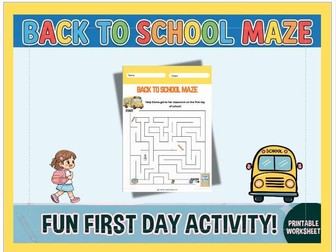
Looking for an easy, no-prep activity for the first day? This “Back to School Maze” is designed to welcome students to their new classroom in a fun, interactive way. Ideal for kindergarten to primary grade levels, this worksheet helps break the ice while testing problem-solving skills as students guide the character to their classroom. Simply print and go! Terms of Use This resource is licensed for single-classroom use only. Sharing, distributing, posting online, or reproducing this resource for other teachers, schools, or commercial purposes is prohibited without written permission. For licensing inquiries, contact: ayashaths@gmail.com
Introduction to Scratch Coding – Complete Lesson Pack | | PPT, Activities & Lesson PlanQuick View
AyashaSahla

Introduction to Scratch Coding – Complete Lesson Pack | | PPT, Activities & Lesson Plan

(0)
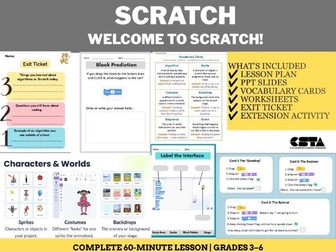
Help students take their first step into coding with Scratch! This complete lesson introduces the Scratch interface, coding vocabulary, and programming blocks through hands-on activities and assessments. Aligned with CSTA Standards 1B-CS-02 and 1B-AP-08. What’s Included? Detailed Lesson Plan Editable PowerPoint Presentation Scratch Vocabulary Cards Matching Activity Label the Scratch Interface Activity Block Prediction Activity Differentiation Task Extension Challenge Exit Ticket Assessment CSTA Standards Alignment 1B-CS-02: Model how computer hardware and software work together as a system. 1B-AP-08: Compare and refine multiple algorithms for the same task and Perfect For Computer Science Classes Coding Clubs STEM Programs Technology Lessons Homeschool Learning Beginning Scratch Courses Grade Levels: 3–6 Duration: 45–60 minutes Format: PDF + PowerPoint