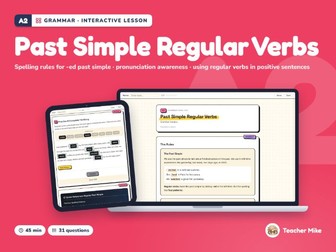
A2 ESL Grammar: Regular Past Tense Verbs, -ed Spelling & PronunciationQuick View
TeacherMike-UK

A2 ESL Grammar: Regular Past Tense Verbs, -ed Spelling & Pronunciation

(0)
Digital download for teaching on screen: the lessons open in a web browser (Chrome, Edge, Safari or Firefox) on a computer or tablet. This is not a printable PDF. Grammar practice for regular past simple verbs: -ed spelling rules, how -ed sounds, finding and fixing mistakes, and a story to complete. For beginner ESL, EFL and EAL students (CEFR A2), teens and adults. A 45-minute interactive lesson that marks itself: no prep, nothing to print. Features: Interactive HTML file: opens in any browser, no apps, no logins Lesson length: 45 minutes Self-checking answers with instant feedback Interactive drag-and-drop exercises Gap-fill exercises with answer checking Dark mode toggle Teacher panel (toggle on/off) with answers at a glance and a lesson overview Answer export for homework or self-study Works offline, no internet required after download This lesson includes: The Rules Examples Practice A: Spell the Past Simple Practice B: Complete the Sentences Practice C: Find and Fix the Mistake Practice D: Complete the Story Quick Reference: Regular Past Simple How to use: download the zip, extract it (right-click, Extract All), then double-click the lesson to open it in your browser. I’ve been teaching since 2017 and I build all my lessons from my own curriculum and classroom experience. I use AI to assist with the technical production (the HTML, CSS, and JavaScript that make the interactivity work), but the content, question design, scaffolding, and pedagogy are mine. I review everything before it goes out, and if you spot anything that needs fixing, just let me know and I’ll sort it.
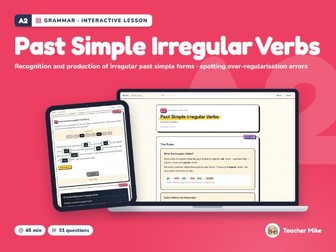
A2 ESL Grammar: Irregular Past Tense Verbs | Practice & Common MistakesQuick View
TeacherMike-UK

A2 ESL Grammar: Irregular Past Tense Verbs | Practice & Common Mistakes

(0)
Digital download for teaching on screen: the lessons open in a web browser (Chrome, Edge, Safari or Firefox) on a computer or tablet. This is not a printable PDF. Grammar practice for irregular past simple verbs: the forms, a verb table, sentences, finding and fixing mistakes like goed and buyed, and a story to complete. For beginner ESL, EFL and EAL students (CEFR A2), teens and adults. A 45-minute interactive lesson that marks itself: no prep, nothing to print. Features: Interactive HTML file: opens in any browser, no apps, no logins Lesson length: 45 minutes Self-checking answers with instant feedback Interactive drag-and-drop exercises Gap-fill exercises with answer checking Dark mode toggle Teacher panel (toggle on/off) with answers at a glance and a lesson overview Answer export for homework or self-study Works offline, no internet required after download This lesson includes: The Rules Examples Practice A: Complete the Verb Table Practice B: Complete the Sentences Practice C: Find and Fix the Mistake Practice D: Complete the Story Quick Reference: Irregular Verbs How to use: download the zip, extract it (right-click, Extract All), then double-click the lesson to open it in your browser. I’ve been teaching since 2017 and I build all my lessons from my own curriculum and classroom experience. I use AI to assist with the technical production (the HTML, CSS, and JavaScript that make the interactivity work), but the content, question design, scaffolding, and pedagogy are mine. I review everything before it goes out, and if you spot anything that needs fixing, just let me know and I’ll sort it.
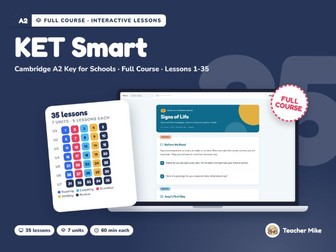
Cambridge A2 Key (KET) Exam Prep Course | 35 Interactive ESL Lessons, AudioQuick View
TeacherMike-UK

Cambridge A2 Key (KET) Exam Prep Course | 35 Interactive ESL Lessons, Audio

(0)
Digital download for teaching on screen: the lessons open in a web browser (Chrome, Edge, Safari or Firefox) on a computer or tablet. This is not a printable PDF. A complete preparation course for Cambridge English A2 Key for Schools: 35 interactive lessons of 60 minutes, in six thematic units plus an Exam Ready unit with masterclasses and a full mock exam day. For students aged 11 to 15 at solid A1 to emerging A2, taking them to exam-ready A2. Each lesson is a single HTML file that opens in any browser. Nothing to install, nothing to print, no logins, and it works offline once downloaded. Exam technique from lesson one. Every lesson carries a labelled exam task inside an ordinary language lesson, so students meet all fourteen assessed parts across the course and rehearse them under time in the final unit. Each part has its own teaching lesson and is practised again at least twice before the mock. Every lesson has: A speaking warm-up, key vocabulary with definitions and examples, and an optional Chinese gloss the teacher can switch on A reading text, a model email or exam-style audio as the input An exam task in the real format, with an explanation of why each wrong option is wrong Grammar in short rule-and-check cycles, then three or four practice activities: gap-fill, drag-and-drop, sorting, matching, sentence building, ordering Self-checking answers (retry first: a wrong answer is flagged, not revealed), a teacher sidebar with timing, answers at a glance and section notes, and an answer export Light and dark modes Listening lessons include recorded audio built to exam convention: a narrator frames each part, numbers every question, and each recording plays twice. Review lessons end with a timed Speaking simulation, the teacher playing examiner. Vocabulary is drawn from the official August 2025 A2 Key wordlist. British English throughout. The units: All About Me · School Days · Free Time Fun · Home and Town · Yesterday’s News · Out and About, Looking Ahead · Exam Ready. How to use: download the zip and extract it first (right-click, Extract All). Double-click any lesson to open it in your browser. Listening lessons find their audio in the “audio” folder beside them. The course guide in the zip lists every lesson and the exam parts it covers. This is exam-style practice aligned with Cambridge English A2 Key for Schools. It is not affiliated with or endorsed by Cambridge University Press & Assessment, and it contains no past-paper content. I’ve been teaching since 2017 and I build all my lessons from my own curriculum and classroom experience. I use AI to assist with the technical production (the HTML, CSS and JavaScript that make the interactivity work), but the content, question design, scaffolding and pedagogy are mine. I review everything before it goes out, and if you spot anything that needs fixing, let me know and I’ll sort it.
A2 ESL Curriculum for Beginners: Lessons 21-30 | Teen & Adult ELL CourseQuick View
TeacherMike-UK

A2 ESL Curriculum for Beginners: Lessons 21-30 | Teen & Adult ELL Course

(0)
Digital download for teaching on screen: the lessons open in a web browser (Chrome, Edge, Safari or Firefox) on a computer or tablet. This is not a printable PDF. Lessons 21 to 30 of the A2 Everyday English course: 10 interactive lessons, 60 minutes each. For beginner ESL, EFL and EAL students (CEFR A2), teens and adults. Each lesson is a single HTML file that opens in any browser. There is nothing to install and nothing to print, and it works offline once downloaded. Every lesson has: Self-checking exercises: Check Answers marks each answer and shows a score Show Answer buttons for the questions Drag-and-drop activities Teacher notes (toggle on/off) with timing and teaching tips Dark mode Answer export for homework or self-study Also in this pack: Audio for the 2 listening lessons (lessons 21 and 27) A live word count in the writing lessons Unit 5: Plans and Possibilities Lesson 21: What Are You Doing Saturday? (Listening) Lesson 22: I’m Going to Try (Grammar) Lesson 23: Let’s Make a Plan (Reading) Lesson 24: The Invitation (Writing) Lesson 25: Unit 5 Review Unit 6: Problems and Solutions Lesson 26: I Don’t Feel Well (Reading) Lesson 27: Something’s Not Right (Listening) Lesson 28: Can You Help Me? (Grammar) Lesson 29: A Formal Message (Writing) Lesson 30: End of Course Review How to use: each lesson downloads as its own file. Double-click a lesson to open it in your browser. Each listening lesson comes as a zip: extract it first (right-click -> Extract All) so the lesson and its “audio” folder stay together. I’ve been teaching since 2017 and I build all my lessons from my own curriculum and classroom experience. I use AI to assist with the technical production (the HTML, CSS, and JavaScript that make the interactivity work), but the content, question design, scaffolding, and pedagogy are mine. I review everything before it goes out, and if you spot anything that needs fixing, just let me know and I’ll sort it.
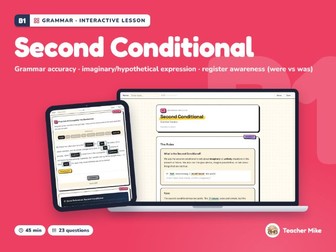
B1 ESL Grammar: Second Conditional & If I Were | Intermediate Digital LessonQuick View
TeacherMike-UK

B1 ESL Grammar: Second Conditional & If I Were | Intermediate Digital Lesson

(0)
Digital download for teaching on screen: the lessons open in a web browser (Chrome, Edge, Safari or Firefox) on a computer or tablet. This is not a printable PDF. Grammar practice for the second conditional and imaginary situations, including if I were, with error correction and rewriting. For intermediate ESL, EFL and EAL students (CEFR B1), teens and adults. A 45-minute interactive lesson that marks itself: no prep, nothing to print. Features: Interactive HTML file: opens in any browser, no apps, no logins Lesson length: 45 minutes Self-checking answers with instant feedback Interactive drag-and-drop exercises Gap-fill exercises with answer checking Dark mode toggle Teacher panel (toggle on/off) with answers at a glance and a lesson overview Answer export for homework or self-study Works offline, no internet required after download This lesson includes: The Rules Examples Practice A: Complete the Sentences Practice B: Find and Fix the Mistake Practice C: Rewrite the Sentences Practice D: Complete the Sentences Quick Reference: Second Conditional How to use: download the zip, extract it (right-click, Extract All), then double-click the lesson to open it in your browser. I’ve been teaching since 2017 and I build all my lessons from my own curriculum and classroom experience. I use AI to assist with the technical production (the HTML, CSS, and JavaScript that make the interactivity work), but the content, question design, scaffolding, and pedagogy are mine. I review everything before it goes out, and if you spot anything that needs fixing, just let me know and I’ll sort it.
B1 ESL Grammar: Reported Speech Statements, Say vs Tell | IntermediateQuick View
TeacherMike-UK

B1 ESL Grammar: Reported Speech Statements, Say vs Tell | Intermediate

(0)
Digital download for teaching on screen: the lessons open in a web browser (Chrome, Edge, Safari or Firefox) on a computer or tablet. This is not a printable PDF. Grammar practice for reported statements: tense backshift, pronoun and time changes, and say or tell, with error correction and a story to complete. For intermediate ESL, EFL and EAL students (CEFR B1), teens and adults. A 45-minute interactive lesson that marks itself: no prep, nothing to print. Features: Interactive HTML file: opens in any browser, no apps, no logins Lesson length: 45 minutes Self-checking answers with instant feedback Interactive drag-and-drop exercises Gap-fill exercises with answer checking Dark mode toggle Teacher panel (toggle on/off) with answers at a glance and a lesson overview Answer export for homework or self-study Works offline, no internet required after download This lesson includes: The Rules Examples Practice A: Complete the Reported Speech Practice B: Find and Fix the Mistake Practice C: Change to Reported Speech Practice D: Complete the Reported Story Quick Reference: Reported Speech How to use: download the zip, extract it (right-click, Extract All), then double-click the lesson to open it in your browser. I’ve been teaching since 2017 and I build all my lessons from my own curriculum and classroom experience. I use AI to assist with the technical production (the HTML, CSS, and JavaScript that make the interactivity work), but the content, question design, scaffolding, and pedagogy are mine. I review everything before it goes out, and if you spot anything that needs fixing, just let me know and I’ll sort it.
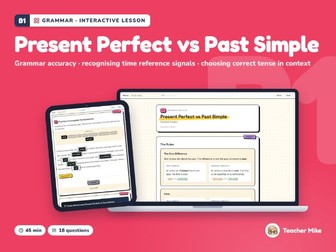
B1 ESL Grammar: Present Perfect vs Simple Past | Intermediate Digital LessonQuick View
TeacherMike-UK

B1 ESL Grammar: Present Perfect vs Simple Past | Intermediate Digital Lesson

(0)
Digital download for teaching on screen: the lessons open in a web browser (Chrome, Edge, Safari or Firefox) on a computer or tablet. This is not a printable PDF. Grammar practice for choosing between the present perfect and the past simple, using time signals, with gap-fill and rewriting practice. For intermediate ESL, EFL and EAL students (CEFR B1), teens and adults. A 45-minute interactive lesson that marks itself: no prep, nothing to print. Features: Interactive HTML file: opens in any browser, no apps, no logins Lesson length: 45 minutes Self-checking answers with instant feedback Interactive drag-and-drop exercises Gap-fill exercises with answer checking Dark mode toggle Teacher panel (toggle on/off) with answers at a glance and a lesson overview Answer export for homework or self-study Works offline, no internet required after download This lesson includes: The Rules Examples Practice A: Complete the Sentences Practice B: Rewrite the Sentences Practice C: Complete the Sentences Quick Reference: Present Perfect vs Past Simple How to use: download the zip, extract it (right-click, Extract All), then double-click the lesson to open it in your browser. I’ve been teaching since 2017 and I build all my lessons from my own curriculum and classroom experience. I use AI to assist with the technical production (the HTML, CSS, and JavaScript that make the interactivity work), but the content, question design, scaffolding, and pedagogy are mine. I review everything before it goes out, and if you spot anything that needs fixing, just let me know and I’ll sort it.
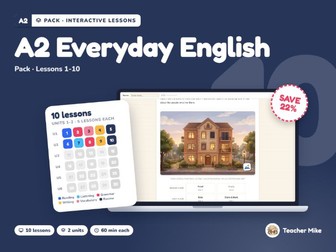
A2 ESL Curriculum for Beginners: Lessons 11-20 | Teen & Adult ELL CourseQuick View
TeacherMike-UK

A2 ESL Curriculum for Beginners: Lessons 11-20 | Teen & Adult ELL Course

(0)
Digital download for teaching on screen: the lessons open in a web browser (Chrome, Edge, Safari or Firefox) on a computer or tablet. This is not a printable PDF. Lessons 11 to 20 of the A2 Everyday English course: 10 interactive lessons, 60 minutes each. For beginner ESL, EFL and EAL students (CEFR A2), teens and adults. Each lesson is a single HTML file that opens in any browser. There is nothing to install and nothing to print, and it works offline once downloaded. Every lesson has: Self-checking exercises: Check Answers marks each answer and shows a score Show Answer buttons for the questions Drag-and-drop activities Teacher notes (toggle on/off) with timing and teaching tips Dark mode Answer export for homework or self-study Also in this pack: Audio for the 2 listening lessons (lessons 11 and 17) A live word count in the writing lessons Unit 3: Out and About Lesson 11: Can I Help You? (Listening) Lesson 12: How Do I Get There? (Reading) Lesson 13: Table for Two (Grammar) Lesson 14: The Review (Writing) Lesson 15: Unit 3 Review Unit 4: Past and Present Lesson 16: What Did You Do? (Reading) Lesson 17: It Was a Busy Weekend (Listening) Lesson 18: Something Went Wrong (Grammar) Lesson 19: Tell Me About Your Holiday (Writing) Lesson 20: Unit 4 Review How to use: each lesson downloads as its own file. Double-click a lesson to open it in your browser. Each listening lesson comes as a zip: extract it first (right-click -> Extract All) so the lesson and its “audio” folder stay together. I’ve been teaching since 2017 and I build all my lessons from my own curriculum and classroom experience. I use AI to assist with the technical production (the HTML, CSS, and JavaScript that make the interactivity work), but the content, question design, scaffolding, and pedagogy are mine. I review everything before it goes out, and if you spot anything that needs fixing, just let me know and I’ll sort it.
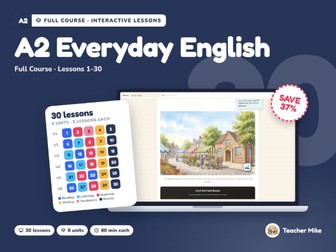
A2 ESL Curriculum for Beginners: 30 Digital Lessons | Teen & Adult CourseQuick View
TeacherMike-UK

A2 ESL Curriculum for Beginners: 30 Digital Lessons | Teen & Adult Course

(0)
Digital download for teaching on screen: the lessons open in a web browser (Chrome, Edge, Safari or Firefox) on a computer or tablet. This is not a printable PDF. The complete A2 Everyday English course: 30 interactive lessons in 6 units, 60 minutes each. For beginner ESL, EFL and EAL students (CEFR A2), teens and adults. Each lesson is a single HTML file that opens in any browser. There is nothing to install and nothing to print, and it works offline once downloaded. Every lesson has: Self-checking exercises: Check Answers marks each answer and shows a score Show Answer buttons for the questions Drag-and-drop activities Teacher notes (toggle on/off) with timing and teaching tips Dark mode Answer export for homework or self-study Also in this pack: Audio for the 5 listening lessons (lessons 7, 11, 17, 21 and 27) A live word count in the writing lessons Unit 1: People and Places Lesson 1: Meet the Neighbours (Reading) Lesson 2: Where Are You From? (Grammar) Lesson 3: Home Sweet Home (Vocabulary) Lesson 4: A Postcard from Barcelona (Writing) Lesson 5: Unit 1 Review Unit 2: Daily Life Lesson 6: A Typical Tuesday (Reading) Lesson 7: What Time Do You…? (Listening) Lesson 8: I Usually, But Today I’m… (Grammar) Lesson 9: Write About Your Week (Writing) Lesson 10: Unit 2 Review Unit 3: Out and About Lesson 11: Can I Help You? (Listening) Lesson 12: How Do I Get There? (Reading) Lesson 13: Table for Two (Grammar) Lesson 14: The Review (Writing) Lesson 15: Unit 3 Review Unit 4: Past and Present Lesson 16: What Did You Do? (Reading) Lesson 17: It Was a Busy Weekend (Listening) Lesson 18: Something Went Wrong (Grammar) Lesson 19: Tell Me About Your Holiday (Writing) Lesson 20: Unit 4 Review Unit 5: Plans and Possibilities Lesson 21: What Are You Doing Saturday? (Listening) Lesson 22: I’m Going to Try (Grammar) Lesson 23: Let’s Make a Plan (Reading) Lesson 24: The Invitation (Writing) Lesson 25: Unit 5 Review Unit 6: Problems and Solutions Lesson 26: I Don’t Feel Well (Reading) Lesson 27: Something’s Not Right (Listening) Lesson 28: Can You Help Me? (Grammar) Lesson 29: A Formal Message (Writing) Lesson 30: End of Course Review How to use: each lesson downloads as its own file. Double-click a lesson to open it in your browser. Each listening lesson comes as a zip: extract it first (right-click -> Extract All) so the lesson and its “audio” folder stay together. I’ve been teaching since 2017 and I build all my lessons from my own curriculum and classroom experience. I use AI to assist with the technical production (the HTML, CSS, and JavaScript that make the interactivity work), but the content, question design, scaffolding, and pedagogy are mine. I review everything before it goes out, and if you spot anything that needs fixing, just let me know and I’ll sort it.
A2 ESL Curriculum for Beginners: Lessons 1-10 | Teen & Adult ELL CourseQuick View
TeacherMike-UK

A2 ESL Curriculum for Beginners: Lessons 1-10 | Teen & Adult ELL Course

(0)
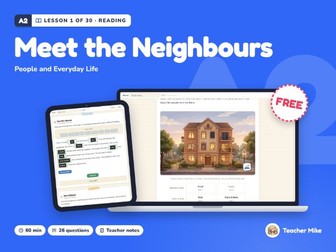
Digital download for teaching on screen: the lessons open in a web browser (Chrome, Edge, Safari or Firefox) on a computer or tablet. This is not a printable PDF. Lessons 1 to 10 of the A2 Everyday English course: 10 interactive lessons, 60 minutes each. For beginner ESL, EFL and EAL students (CEFR A2), teens and adults. Each lesson is a single HTML file that opens in any browser. There is nothing to install and nothing to print, and it works offline once downloaded. Every lesson has: Self-checking exercises: Check Answers marks each answer and shows a score Show Answer buttons for the questions Drag-and-drop activities Teacher notes (toggle on/off) with timing and teaching tips Dark mode Answer export for homework or self-study Also in this pack: Audio for the listening lesson (lesson 7) A live word count in the writing lessons Unit 1: People and Places Lesson 1: Meet the Neighbours (Reading) Lesson 2: Where Are You From? (Grammar) Lesson 3: Home Sweet Home (Vocabulary) Lesson 4: A Postcard from Barcelona (Writing) Lesson 5: Unit 1 Review Unit 2: Daily Life Lesson 6: A Typical Tuesday (Reading) Lesson 7: What Time Do You…? (Listening) Lesson 8: I Usually, But Today I’m… (Grammar) Lesson 9: Write About Your Week (Writing) Lesson 10: Unit 2 Review How to use: each lesson downloads as its own file. Double-click a lesson to open it in your browser. The listening lesson comes as a zip: extract it first (right-click -> Extract All) so the lesson and its “audio” folder stay together. I’ve been teaching since 2017 and I build all my lessons from my own curriculum and classroom experience. I use AI to assist with the technical production (the HTML, CSS, and JavaScript that make the interactivity work), but the content, question design, scaffolding, and pedagogy are mine. I review everything before it goes out, and if you spot anything that needs fixing, just let me know and I’ll sort it.
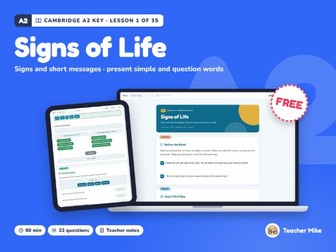
Cambridge A2 Key (KET) Reading Part 1 | ESL Exam Prep, Lesson 1 of 35Quick View
TeacherMike-UK

Cambridge A2 Key (KET) Reading Part 1 | ESL Exam Prep, Lesson 1 of 35

(0)
Digital download for teaching on screen: the lessons open in a web browser (Chrome, Edge, Safari or Firefox) on a computer or tablet. This is not a printable PDF. Lesson 1 of KET Smart, complete and free: a 60-minute A2 reading lesson that introduces Cambridge A2 Key for Schools Reading and Writing Part 1 (signs, notices and short messages) inside an ordinary lesson about a first day at a new school. Inside: key vocabulary with an optional Chinese gloss, a reading text, the exam task with an explanation of every wrong option, grammar and practice activities, a speaking round, self-checking answers and a teacher sidebar with timing. Single HTML file: opens in any browser, works offline, nothing to install. How to use: download the file and double-click it. The lesson opens in your browser, ready to teach. This is exam-style practice aligned with Cambridge English A2 Key for Schools. It is not affiliated with or endorsed by Cambridge University Press & Assessment, and it contains no past-paper content. If this lesson works for your class, a short rating helps other teachers find it. I’ve been teaching since 2017 and I build all my lessons from my own curriculum and classroom experience. I use AI to assist with the technical production (the HTML, CSS and JavaScript that make the interactivity work), but the content, question design, scaffolding and pedagogy are mine. I review everything before it goes out, and if you spot anything that needs fixing, let me know and I’ll sort it.
A2 ESL Reading Comprehension: People & Daily Life | Lesson 1 of 30Quick View
TeacherMike-UK

A2 ESL Reading Comprehension: People & Daily Life | Lesson 1 of 30

(0)
Digital download for teaching on screen: the lessons open in a web browser (Chrome, Edge, Safari or Firefox) on a computer or tablet. This is not a printable PDF. Lesson 1 of the A2 Everyday English course, complete and free: a reading comprehension lesson about the people in one apartment building, with true/false/not given, multiple-choice and short-answer questions. For beginner ESL, EFL and EAL students (CEFR A2), teens and adults. A 60-minute interactive lesson that marks itself: no prep, nothing to print. Features: Interactive HTML file: opens in any browser, no apps, no logins Lesson length: 60 minutes Self-checking answers with instant feedback Vocabulary tooltips with definitions, parts of speech, and example sentences Interactive drag-and-drop exercises Dark mode toggle Teacher notes (toggle on/off) with timing and teaching tips Answer export for homework or self-study Works offline, no internet required after download This lesson includes: Key Vocabulary My Building, My Neighbours Part A: True, False, or Not Given Part B: Multiple Choice Part C: Short Answer Use the Words Word Match Let’s Talk How to use: download the zip, extract it (right-click, Extract All), then double-click the lesson to open it in your browser. If this lesson works for your class, a short rating helps other teachers find it. I’ve been teaching since 2017 and I build all my lessons from my own curriculum and classroom experience. I use AI to assist with the technical production (the HTML, CSS, and JavaScript that make the interactivity work), but the content, question design, scaffolding, and pedagogy are mine. I review everything before it goes out, and if you spot anything that needs fixing, just let me know and I’ll sort it.
B2 ESL Writing: For and Against Essay, Technology in SchoolsQuick View
TeacherMike-UK

B2 ESL Writing: For and Against Essay, Technology in Schools

(0)
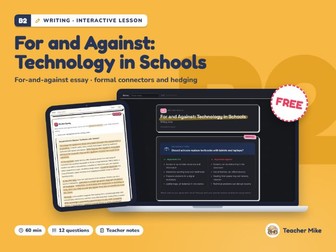
Digital download for teaching on screen: the lessons open in a web browser (Chrome, Edge, Safari or Firefox) on a computer or tablet. This is not a printable PDF. A free writing lesson on the for-and-against essay: a model essay on whether tablets and laptops should replace textbooks, formal connectors and hedging, then an essay of your own. For upper-intermediate ESL, EFL and EAL students (CEFR B2), teens and adults. A 60-minute interactive lesson that marks itself: no prep, nothing to print. Features: Interactive HTML file: opens in any browser, no apps, no logins Lesson length: 60 minutes Self-checking answers with instant feedback Annotated model text with hover teaching points Interactive drag-and-drop exercises Live word count (colour-coded progress) Self-check writing checklist Dark mode toggle Teacher notes (toggle on/off) with timing and teaching tips Answer export for homework or self-study Works offline, no internet required after download This lesson includes: Discussion Topic: Should schools replace textbooks with tablets and laptops? Model Essay Analyse the Essay Practice Your Writing Task Write Here How to use: download the zip, extract it (right-click, Extract All), then double-click the lesson to open it in your browser. If this lesson works for your class, a short rating helps other teachers find it. I’ve been teaching since 2017 and I build all my lessons from my own curriculum and classroom experience. I use AI to assist with the technical production (the HTML, CSS, and JavaScript that make the interactivity work), but the content, question design, scaffolding, and pedagogy are mine. I review everything before it goes out, and if you spot anything that needs fixing, just let me know and I’ll sort it.
A2 ESL Listening: Telling the Time & Making Plans | Beginner, AudioQuick View
TeacherMike-UK

A2 ESL Listening: Telling the Time & Making Plans | Beginner, Audio

(0)
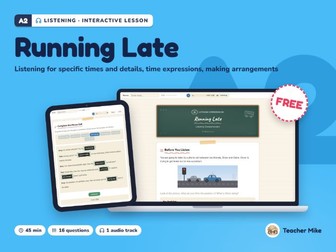
Digital download for teaching on screen: the lessons open in a web browser (Chrome, Edge, Safari or Firefox) on a computer or tablet. This is not a printable PDF. A free listening lesson about running late: listening for times and details and making arrangements on the phone, with recorded audio. For beginner ESL, EFL and EAL students (CEFR A2), teens and adults. A 45-minute interactive lesson that marks itself: no prep, nothing to print. Features: Interactive HTML file: opens in any browser, no apps, no logins Lesson length: 45 minutes Self-checking answers with instant feedback Interactive drag-and-drop exercises Gap-fill exercises with answer checking Audio file included Dark mode toggle Teacher notes (toggle on/off) with timing and teaching tips Answer export for homework or self-study Works offline, no internet required after download This lesson includes: Before You Listen Listen Comprehension Questions What Time Was It? Complete the Phone Call After Listening How to use: Download the zip and EXTRACT it first (right-click -> Extract All) so the lesson file and its “audio” folder stay together. Then just double-click the HTML: it opens in your browser and the audio loads automatically. (If the files get separated, the “Load Audio File” button inside the lesson lets you pick the audio manually.) If this lesson works for your class, a short rating helps other teachers find it. I’ve been teaching since 2017 and I build all my lessons from my own curriculum and classroom experience. I use AI to assist with the technical production (the HTML, CSS, and JavaScript that make the interactivity work), but the content, question design, scaffolding, and pedagogy are mine. I review everything before it goes out, and if you spot anything that needs fixing, just let me know and I’ll sort it.
B1 ESL Reading Comprehension: A Café Review | Intermediate LessonQuick View
TeacherMike-UK

B1 ESL Reading Comprehension: A Café Review | Intermediate Lesson

(0)
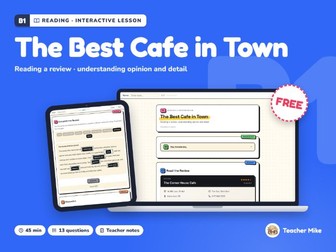
Digital download for teaching on screen: the lessons open in a web browser (Chrome, Edge, Safari or Firefox) on a computer or tablet. This is not a printable PDF. A free reading comprehension lesson built on a café review: understanding opinion and detail, putting the review in order and completing it. For intermediate ESL, EFL and EAL students (CEFR B1), teens and adults. A 45-minute interactive lesson that marks itself: no prep, nothing to print. Features: Interactive HTML file: opens in any browser, no apps, no logins Lesson length: 45 minutes Self-checking answers with instant feedback Annotated model text with hover teaching points Interactive drag-and-drop exercises Gap-fill exercises with answer checking Dark mode toggle Teacher notes (toggle on/off) with timing and teaching tips Answer export for homework or self-study Works offline, no internet required after download This lesson includes: Key Vocabulary Read the Review True, False, or Not Given? Put the Review in Order Complete the Review Discussion How to use: download the zip, extract it (right-click, Extract All), then double-click the lesson to open it in your browser. If this lesson works for your class, a short rating helps other teachers find it. I’ve been teaching since 2017 and I build all my lessons from my own curriculum and classroom experience. I use AI to assist with the technical production (the HTML, CSS, and JavaScript that make the interactivity work), but the content, question design, scaffolding, and pedagogy are mine. I review everything before it goes out, and if you spot anything that needs fixing, just let me know and I’ll sort it.