FREE KS2 Geography Quiz Game | Rivers and the Water Cycle | Football Retrieval SampleQuick View
EddC_123

FREE KS2 Geography Quiz Game | Rivers and the Water Cycle | Football Retrieval Sample

(0)
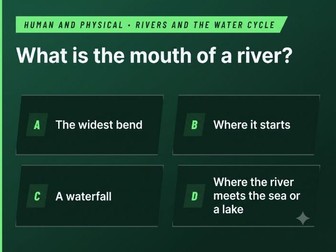
A free, complete sample of Quiz Cup — the KS2 Geography retrieval game where pupils build a football team by answering questions, then take it into a knockout cup. This sample covers KS2 Rivers and Water Cycle — 12 questions, the complete draft, the whole tournament with live matches and shouts, and the trophy celebration. Nothing is locked or cut short. Double-click the file and it opens in any browser. No installation, no logins, no internet needed. Takes 5–15 minutes depending on how you use it. Try it with your class. If it works for you, the full version covers all 20 statutory KS2 Geography units across Years 3–6 with 240 questions, all editable in the built-in Teacher Zone. Reviews are hugely appreciated — they help other teachers find it.
FREE KS2 History Quiz Game | The Vikings | Football Retrieval SampleQuick View
EddC_123

FREE KS2 History Quiz Game | The Vikings | Football Retrieval Sample

(0)
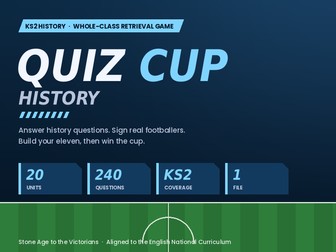
A free, complete sample of Quiz Cup — the KS2 history retrieval game where pupils build a football team by answering questions, then take it into a knockout cup. This sample covers KS2 The Vikings in full — 12 questions, the complete draft, the whole tournament with live matches and shouts, and the trophy celebration. Nothing is locked or cut short. Double-click the file and it opens in any browser. No installation, no logins, no internet needed. Takes 5–15 minutes depending on how you use it. Try it with your class. If it works for you, the full version covers all 20 statutory KS2 history units across Years 3–6 with 240 questions, all editable in the built-in Teacher Zone. Reviews are hugely appreciated — they help other teachers find it.
KS2 Science Quiz Game | Build a Football Team | 20 Units, 240 Questions | Plenary & Retrieval PractiQuick View
EddC_123

KS2 Science Quiz Game | Build a Football Team | 20 Units, 240 Questions | Plenary & Retrieval Practi

(0)
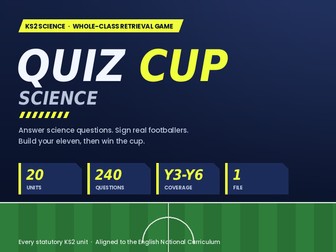
Turn your science plenary into a football tournament. Pupils answer questions on the unit you’ve just taught. Every correct answer earns them a signing — they pick a footballer from three scouted players and build their team, position by position, until they have a full starting eleven. Then their team enters a knockout cup with live animated matches, on-pitch shouts and penalty shoot-outs. The better the class remembers, the stronger the team, the further they go. It runs from a single file. Double-click it and it opens in any browser. No installation, no logins, no accounts, no internet connection required — it works on a locked-down school laptop and projects cleanly onto a whiteboard. What’s covered All 20 statutory KS2 science units, with 12 questions each: Year 3 — Plants · Animals including Humans · Rocks · Light · Forces and Magnets Year 4 — Living Things and their Habitats · Animals including Humans · States of Matter · Sound · Electricity Year 5 — Living Things and their Habitats · Animals including Humans · Properties and Changes of Materials · Earth and Space · Forces Year 6 — Living Things and their Habitats · Animals including Humans · Evolution and Inheritance · Light · Electricity Choose your year group, then the unit you’ve been teaching. The National Curriculum coverage statement is shown on screen before you start, so it’s ready for planning files and book scrutiny. Two modes Plenary — recap after teaching. Only correct answers earn a signing, so the team is a visible reflection of what’s stuck. Elicitation — find out what pupils already know. Every question earns a signing with the answer revealed for discussion, so it stays low stakes before you plan a new unit. Editable The built-in Teacher Zone lets you rewrite any question, change the answers, or add your own — matching your scheme’s vocabulary. No coding, no file editing, all done on screen. Export a unit you’ve customised and import it again next year. Also Takes 5–15 minutes depending on how you use it; matches can be skipped to full time if you’re short. Class chooses team name, kit colour and player pool — mixed, women’s only or men’s only. Women’s football is represented throughout. Footballers appear as names and ratings only: no photographs, club badges or kit designs. No pupil data collected, nothing stored, nothing transmitted. Reduced-motion settings respected. What you get The complete game (one HTML file) A six-page teacher guide with full curriculum coverage Works on Windows, Mac, Chromebook and iPad.
KS2 Geography Quiz Game | Build a Football Team | 20 Units, 240 Questions | Plenary & Retrieval PracQuick View
EddC_123

KS2 Geography Quiz Game | Build a Football Team | 20 Units, 240 Questions | Plenary & Retrieval Prac

(0)
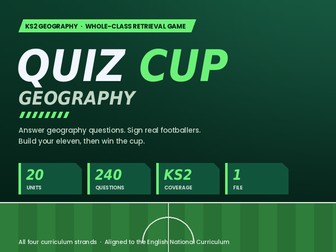
Turn your geography plenary into a football tournament. Pupils answer questions on the unit you’ve just taught. Every correct answer earns them a signing — they pick a footballer from three scouted players and build their team, position by position, until they have a full starting eleven. Then their team enters a knockout cup with live animated matches, on-pitch shouts and penalty shoot-outs. The better the class remembers, the stronger the team, the further they go. It runs from a single file. Double-click it and it opens in any browser. No installation, no logins, no accounts, no internet connection required — it works on a locked-down school laptop and projects cleanly onto a whiteboard. What’s covered — all 20 units, 12 questions each, across the four strands of the KS2 programme of study: Locational Knowledge — Europe and Its Countries · North and South America · The United Kingdom · Latitude, Longitude and Hemispheres · Time Zones and the Globe Place Knowledge — UK Regions Compared · A European Region · A Region of the Americas · Coasts and Coastal Places · Cities and Countryside Human and Physical — Rivers and the Water Cycle · Mountains and Volcanoes · Earthquakes and Tectonics · Climate Zones and Biomes · Settlements, Trade and Resources Skills and Fieldwork — Maps, Atlases and Globes · Compass Directions · Grid References and OS Maps · Fieldwork and Data Collection · Aerial Photos and Sketch Maps Choose your strand, then the unit you’ve been teaching. The National Curriculum coverage statement is shown on screen before you start, so it’s ready for planning files and book scrutiny. Two modes Plenary — recap after teaching. Only correct answers earn a signing, so the team is a visible reflection of what’s stuck. Elicitation — find out what pupils already know. Every question earns a signing with the answer revealed for discussion, so it stays low stakes before you plan a new unit. Editable The built-in Teacher Zone lets you rewrite any question, change the answers, or add your own — matching your scheme’s vocabulary. No coding, no file editing, all done on screen. Export a unit you’ve customised and import it again next year. Takes 5–15 minutes depending on how you use it; matches can be skipped to full time if you’re short. Class chooses team name, kit colour and player pool — mixed, women’s only or men’s only. Women’s football is represented throughout. Footballers appear as names and ratings only: no photographs, club badges or kit designs. No pupil data collected, nothing stored, nothing transmitted. Reduced-motion settings respected. What you get The complete game (one HTML file) A six-page teacher guide with full curriculum coverage Works on Windows, Mac, Chromebook and iPad.
KS2 History Quiz Game | Build a Football Team | 20 Units, 240 Questions | Plenary & Retrieval PractiQuick View
EddC_123

KS2 History Quiz Game | Build a Football Team | 20 Units, 240 Questions | Plenary & Retrieval Practi

(0)
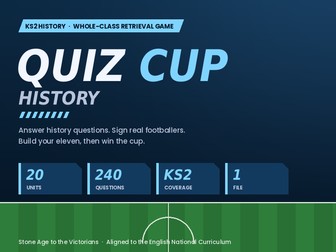
Turn your history plenary into a football tournament. Pupils answer questions on the unit you’ve just taught. Every correct answer earns them a signing — they pick a footballer from three scouted players and build their team, position by position, until they have a full starting eleven. Then their team enters a knockout cup with live animated matches, on-pitch shouts and penalty shoot-outs. The better the class remembers, the stronger the team, the further they go. It runs from a single file. Double-click it and it opens in any browser. No installation, no logins, no accounts, no internet connection required — it works on a locked-down school laptop and projects cleanly onto a whiteboard. What’s covered — all 20 units, 12 questions each: Ancient Britain — Stone Age Britain · Bronze Age Britain · Iron Age Britain · Prehistoric Monuments · Archaeology and Evidence Invaders and Settlers — The Roman Empire · Roman Britain · Anglo-Saxons and Scots · The Vikings · Struggle for the Kingdom of England Ancient Civilisations — Ancient Egypt · Ancient Greece · Ancient Sumer · The Indus Valley · The Shang Dynasty The Wider World — The Maya · Benin · Early Islamic Baghdad · The Tudors · The Victorians Replace “Choose your year group” with “Choose your topic area, then the unit you’ve been teaching.” Two modes Plenary — recap after teaching. Only correct answers earn a signing, so the team is a visible reflection of what’s stuck. Elicitation — find out what pupils already know. Every question earns a signing with the answer revealed for discussion, so it stays low stakes before you plan a new unit. Editable The built-in Teacher Zone lets you rewrite any question, change the answers, or add your own — matching your scheme’s vocabulary. No coding, no file editing, all done on screen. Export a unit you’ve customised and import it again next year. Also Takes 5–15 minutes depending on how you use it; matches can be skipped to full time if you’re short. Class chooses team name, kit colour and player pool — mixed, women’s only or men’s only. Women’s football is represented throughout. Footballers appear as names and ratings only: no photographs, club badges or kit designs. No pupil data collected, nothing stored, nothing transmitted. Reduced-motion settings respected. What you get The complete game (one HTML file) A six-page teacher guide with full curriculum coverage Works on Windows, Mac, Chromebook and iPad.
KS2 Science, History & Geography Quiz Game Bundle | Football Retrieval Game | 60 Units, 720 QuestionQuick View
EddC_123

KS2 Science, History & Geography Quiz Game Bundle | Football Retrieval Game | 60 Units, 720 Question

(0)
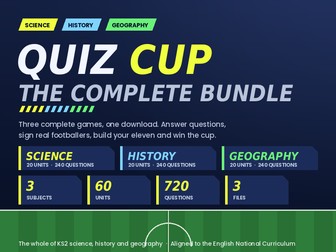
All three Quiz Cup games in one download — Science, History and Geography — at a saving on buying separately. Same game, three subjects: pupils answer questions on the unit you’ve just taught, sign footballers with every correct answer, build a starting eleven, then take it into a knockout cup with live matches, on-pitch shouts and penalty shoot-outs. Each game runs from a single file that opens in any browser. No installation, no logins, no internet needed. What’s included KS2 Science Quiz Cup — 20 units, 240 questions, Years 3–6 KS2 History Quiz Cup — 20 units, 240 questions, Stone Age to the Victorians KS2 Geography Quiz Cup — 20 units, 240 questions, all four curriculum strands That’s 60 units and 720 questions — a ready-made plenary for the whole of KS2 science, history and geography, all year, in every year group. Every unit is mapped to the English National Curriculum programme of study and shows its coverage statement on screen. Every question is editable in the built-in Teacher Zone. Each subject has its own colour scheme so classes know instantly which game they’re playing. Also includes three teacher guides with full curriculum coverage. KS2 bundle, science, history, geography, quiz game, retrieval practice, plenary, whole class, no prep, interactive, football, end of unit, foundation subjects, assessment for learning
FREE Year 3 Science Quiz Game | Forces and Magnets | Football Retrieval SampleQuick View
EddC_123

FREE Year 3 Science Quiz Game | Forces and Magnets | Football Retrieval Sample

(0)
A free, complete sample of Quiz Cup — the KS2 science retrieval game where pupils build a football team by answering questions, then take it into a knockout cup. This sample covers Year 3: Forces and Magnets in full — 12 questions, the complete draft, the whole tournament with live matches and commentary, and the trophy celebration. Nothing is locked or cut short. Double-click the file and it opens in any browser. No installation, no logins, no internet needed. Takes 5–15 minutes depending on how you use it. Try it with your class. If it works for you, the full version covers all 20 statutory KS2 science units across Years 3–6 with 240 questions, all editable in the built-in Teacher Zone. Reviews are hugely appreciated — they help other teachers find it.
SEND Tracker & MyPlan Manager — Excel SystemQuick View
EddC_123

SEND Tracker & MyPlan Manager — Excel System

(0)
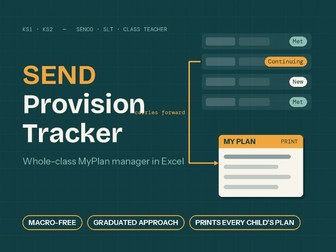
A macro-free Excel SEND system with a built-in smart target checker — it reads each target as you write it and flags anything missing, so every plan leaves your school SMART, evidence-ready and defensible. The integrated system is for SENCOs and class teachers to track SEND provision, targets and reviews — aligned to the graduated approach. Built and refined in real school use by a serving Deputy Headteacher with SEND oversight. Type each piece of information once — every other view builds itself. Weak targets are the thing advisers, inspectors and EHCP panels pick apart. This system checks every target live against five tests — names the child · says what they’ll do · under what conditions · to what degree of success · no provision wording mixed in — and shows green when it’s sound. Vague targets are flagged as “Cloudy” on the SLT view until reworded. It quietly trains your whole staff to write better targets, term after term. What’s included: Targets tab — teachers type across one row per target; it feeds the child’s My Plan and the whole-school Register automatically Printable My Plan per child — pick child and term; the plan, pupil & family voice, and carried-forward targets print on one sheet, headed with your school name (typed once in setup) Target quality checker — checks every target names the child, the action, the conditions and the success measure; weak targets are flagged until reworded Carry-forward logic — targets marked Continuing or Adjusted follow the child into next term automatically, labelled with their original cycle Intervention Log — tracks intervention groups for gap-closing children not on the SEND register, with entry/exit data: your graduated-response evidence trail SEND Intervention Map, Class OAIP Map, SLT Dashboard & Exceptions view — all auto-built, never typed Step-by-step staff guide (Word) plus a worked example tab inside the file Why this one: No macros — works on locked-down school laptops and networks No subscriptions, no logins — pupil data never leaves your building Structured on the SEND Code of Practice (2015) graduated approach — Assess, Plan, Do, Review — with the evidence trail Ofsted and EHCP requests look for One file per class; set up in under an hour Any questions before or after buying — ask in the comments and I’ll respond. If this saves you time, a quick review genuinely helps other SENDCOs find it — and I act on feedback in updates.