Microsoft Word Skills Activities Bundle | Text Size, Color, Formatting & Images | CountriesQuick View
Resources_Teaching96

Microsoft Word Skills Activities Bundle | Text Size, Color, Formatting & Images | Countries

(0)
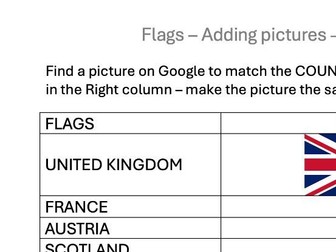
A beginner-friendly Microsoft Word skills bundle designed to help pupils build confidence with essential formatting tools through engaging, country-themed activities. This resource includes four ready-to-use activities focusing on: Changing text size Changing text color Formatting text Inserting images into word a document Each activity uses countries as a theme to make digital skills practice more engaging and meaningful. Pupils follow the task prompts to edit and improve their work while practicing key Microsoft Word features. This bundle is ideal for: Beginner computer skills lessons Primary and lower-secondary learners SEN settings Independent work, small-group support, or cover lessons A short digital skills unit A short teacher-notes page is included to explain how the activities can be used. Before beginning each task, demonstrate the relevant Microsoft Word feature, then allow pupils to complete the matching activity independently or with support.
Color Search Digital Skills Activity | Google Images & PowerPoint | KS1–KS2 / SENQuick View
Resources_Teaching96

Color Search Digital Skills Activity | Google Images & PowerPoint | KS1–KS2 / SEN

(0)
A simple, engaging digital skills activity that helps pupils practice using Google Images, searching by color, and organizing their ideas in PowerPoint. Pupils search for images in different colors using Google Images and the color-filter tool. They then copy and paste their favourite findings into a structured PowerPoint template, creating a personalized color collage as they work through each step. This resource includes: A Word document with clear, step-by-step instructions. An editable PowerPoint template organized by color. A low-pressure activity that supports independence, creativity and basic digital skills. A useful structure for pupils who benefit from a clear sequence and visual organization. Suitable for KS1–KS2, beginner digital-skills learners, and SEN settings. It can also work well as a calm starter activity, independent task, or introduction to image searching and PowerPoint.