The Midnight Editor: KS2-KS3 SPaG GameQuick View
Roseversedigital

The Midnight Editor: KS2-KS3 SPaG Game

(0)
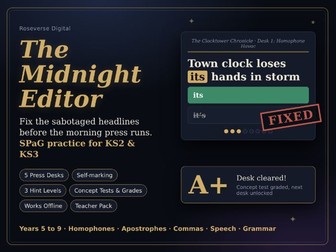
Fix the sabotaged newspaper headlines before the morning press runs! The Midnight Editor is an interactive, self-marking SPaG (spelling, punctuation and grammar) game for upper KS2 and KS3, Years 5 to 9. It’s ideal for Year 6 SATs revision, Year 7 and 8 English starters, plenaries and homework. Five press desks: • Homophone Havoc: their/there/they’re, affect/effect, practise/practice • Apostrophe Alert: contractions, singular and plural possession • Comma Splice & Sentence Boundaries: conjunctions, semicolons, subordinate clauses • Speech Marks & Capitalisation: direct speech, proper nouns, days, months • Front-Page Final Proof: mixed grammar, including subject-verb agreement, tenses, fewer/less, a/an and I/me Why teachers and pupils love it: • Instant, self-marking feedback with gentle explanations • Three hint levels and a Chief Editor rule for every headline • A concept test and grade after each desk, with the next desk unlocking only once the test is passed • Final Edition grade, printable front page and certificate • Randomised headlines, so no two shifts are the same • Hidden surprises, including Scoop headlines and a mystery torn note • Calm wind and bird sounds, off by default. No music. • Works offline in any browser (Chrome, Edge, Safari, Firefox) on PC, tablet or interactive whiteboard. No login or prep. Includes: the HTML game plus a Teacher Pack (PDF) with a teacher guide, curriculum links, lesson ideas, full answer key and a class record sheet. SPaG, grammar game, punctuation, KS2, KS3, Year 5, Year 6, Year 7, Year 8, Year 9, homophones, apostrophes, comma splice, speech marks, capital letters, SATs revision, English starter, plenary, interactive, self-marking, no prep.
Ch7: Clocktower Escape Room: KS3 AreaQuick View
Roseversedigital

Ch7: Clocktower Escape Room: KS3 Area

(0)
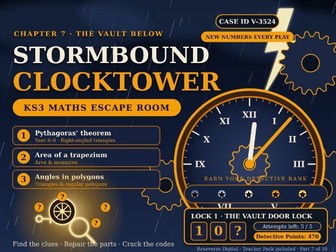
Pupils explore a hidden underground vault, piece together 3 torn case scraps, then unlock the giant gear mechanism using KS3 geometry and Pythagoras. It runs offline in any browser, with no login and no music. They calculate missing angles, find the area of shapes, and apply Pythagoras’ theorem in multi-step retrieval puzzles. The numbers randomise on every load. There are 3 levels of hints, 5 tries per question, and a detective rank. The teacher guide has a lesson plan, answer key and printable case notes. It’s about 45 minutes and suits Year 8–9. KS3 maths, Year 8, Year 9, angles, area, Pythagoras, geometry, escape room, mystery game, interactive, no pre
Ch8: Clocktower Escape Room: KS3 AveragesQuick View
Roseversedigital

Ch8: Clocktower Escape Room: KS3 Averages

(0)
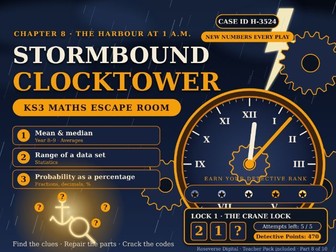
Pupils investigate rain-swept Dock 4 at 1 a.m., piece together 3 torn case scraps, then crack the harbour cargo puzzle with KS3 averages and probability. It runs offline in any browser, with no login and no music. They calculate mean, median, and range, and solve multi-step probability problems to clear the dockyard. The numbers randomise on every load. There are 3 levels of hints, 5 tries per question, and a detective rank. The teacher guide has a lesson plan, answer key and printable case notes. It’s about 45 minutes and suits Year 8–9. KS3 maths, Year 8, Year 9, mean, median, range, averages, probability, statistics, escape room, mystery game, interactive, no prep
Rain Garden Lab – Plant Life Cycle SimulationQuick View
Roseversedigital

Rain Garden Lab – Plant Life Cycle Simulation

(0)
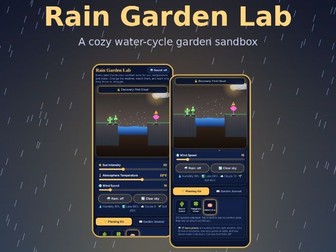
Rain Garden Lab is a calm, ad-free, offline-ready HTML5 plant life cycle and botany simulation lab for Primary Science classrooms (Ages 6–12) and homeschoolers.What’s Included (Single Offline HTML5 File – Works on Any Browser, Tablet, Chromebook, or Interactive Whiteboard):• Hands-On Botany Experiments: Students nurture plants across full growth stages by balancing sunlight, water, soil nutrients, and weather conditions. • Interactive Science Observation: Encourages real cause-and-effect scientific thinking without timers, ads, or noisy arcade distractions. • Zero Setup & 100% Offline: Opens directly in Chrome, Edge, Safari, or Firefox on Windows, Mac, Chromebooks, iPads, or classroom smartboards—no installation or student accounts needed
Ch10: Clocktower Escape Room: KS3 ReviewQuick View
Roseversedigital

Ch10: Clocktower Escape Room: KS3 Review

(0)
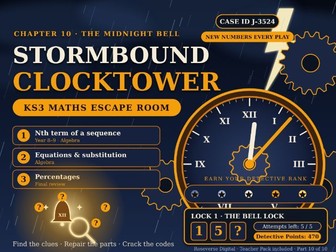
Pupils reach the top of the clocktower at midnight, piece together 3 torn case scraps, then solve the final bell mystery in this cumulative KS3 maths review. It runs offline in any browser, with no login and no music. They tackle mixed retrieval questions on sequences, linear equations, and percentages to complete the investigation. The numbers randomise on every load. There are 3 levels of hints, 5 tries per question, and a detective rank. The teacher guide has a lesson plan, answer key and printable case notes. It’s about 45 minutes and suits Year 8–9. KS3 maths, Year 8, Year 9, sequences, equations, percentages, revision, end of term, escape room, mystery game, interactive, no prep
Ch9: Clocktower Escape Room: KS3 SpeedQuick View
Roseversedigital

Ch9: Clocktower Escape Room: KS3 Speed

(0)
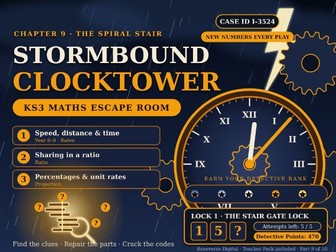
Pupils race back through the storm up the clocktower’s spiral stair, piece together 3 torn case scraps, then unlock the upper landing with KS3 ratio, percentages, and speed. It runs offline in any browser, with no login and no music. They solve multi-step ratio problems, calculate percentage changes, and work out speed, distance, and time. The numbers randomise on every load. There are 3 levels of hints, 5 tries per question, and a detective rank. The teacher guide has a lesson plan, answer key and printable case notes. It’s about 45 minutes and suits Year 8–9. KS3 maths, Year 8, Year 9, percentages, speed distance time, ratio, escape room, mystery game, interactive, no prep
Ch6: Clocktower Escape Room: KS3 AlgebraQuick View
Roseversedigital

Ch6: Clocktower Escape Room: KS3 Algebra

(0)
Pupils climb behind the great clock face, rebuild the Midnight Order and crack the winding lock with KS3 algebra. It runs offline in any browser, with no login and no music. They form and solve equations, substitute into formulae, and expand and simplify brackets. The numbers randomise on every load. There are 3 levels of hints, 5 tries per question, and a detective rank. The teacher guide has a lesson plan, answer key and printable case notes. It’s about 45 minutes and suits Year 8–9. Keywords: KS3 maths, Year 8, Year 9, algebra, equations, substitution, expanding brackets, escape room, mystery game, interactive, no prep
Ch5: Clocktower Escape Room: KS3 ProbabilityQuick View
Roseversedigital

Ch5: Clocktower Escape Room: KS3 Probability

(0)
Pupils explore a stormy observatory, piece together a torn observing log, then unlock the star dial with KS3 statistics and probability. It runs offline in any browser, with no login and no music. They work backwards from a mean, find medians, calculate the probability of “not” as a percentage, and work out expected frequency. The numbers randomise on every load. There are 3 levels of hints, 5 tries per question, and a detective rank. The teacher guide has a lesson plan, answer key and printable case notes. It’s about 45 minutes and suits Year 8–9. Keywords: KS3 maths, Year 8, Year 9, probability, mean, median, statistics, escape room, mystery game, interactive, no prep
Ch4: Clocktower Escape Room: KS3 PythagorasQuick View
Roseversedigital

Ch4: Clocktower Escape Room: KS3 Pythagoras

(0)
Pupils search a dark, rainy bell chamber with a lantern, rebuild a torn plan, then crack a lock with real KS3 geometry. It runs offline in any browser, with no login and no music. They use Pythagoras’ theorem, triangle and trapezium area, polygon angles and clock-face angles. The numbers randomise on every load, so pupils can’t copy answers. There are 3 levels of hints, 5 tries per question, and a detective rank at the end. The pack includes a teacher guide with a lesson plan, answer key and printable case notes. It’s about 45 minutes and suits Year 8–9. Keywords: KS3 maths, Year 8, Year 9, Pythagoras, area, angles, escape room, mystery game, interactive, no prep
Ch3: Clocktower Escape Room: KS3 ProportionQuick View
Roseversedigital

Ch3: Clocktower Escape Room: KS3 Proportion

(0)
Low-prep KS3 maths escape room: direct and inverse proportion. Pupils explore a giant gear room, piece together a torn diagram and crack 4 self-checking locks on compound gear ratios, inverse proportion, percentages of amounts and gear ratios. Randomised numbers on every play. What’s included: the interactive HTML game (offline) plus a printable Teacher Pack: 40-minute lesson plan, Case Notes sheet, answer formula key and Case ID checker. KS3 maths, escape room, inverse proportion, percentages, gear ratio, Year 8, low prep, revision
Ch2: Clocktower Maths Escape Room: KS3 RatioQuick View
Roseversedigital

Ch2: Clocktower Maths Escape Room: KS3 Ratio

(0)
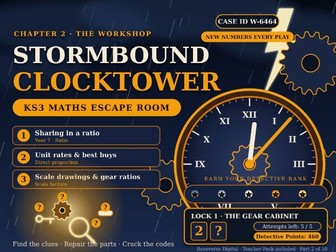
Low-prep KS3 maths escape room: ratio and proportion. Pupils search a clockmaker’s workshop, repair a broken crank and crack 4 self-checking locks on sharing in a ratio, unit rates and best buys, scale drawings and gear ratios. Randomised numbers on every play. What’s included: the interactive HTML game (offline) plus a printable Teacher Pack: 40-minute lesson plan, Case Notes sheet, answer formula key and Case ID checker. 5 tries per lock with a worked explanation, hints, points and ranks. Good for revision, starters, homework and cover lessons. Age range: 11–14 · Key Stage: KS3 · Year 7 · Subject: Mathematics · Curriculum: England KS3 · About 35–45 minutes KS3 maths, escape room, ratio, proportion, unit rate, scale, Year 7, low prep, revision
Ch1: Clocktower Maths Escape Room: KS3 SequencesQuick View
Roseversedigital

Ch1: Clocktower Maths Escape Room: KS3 Sequences

(0)
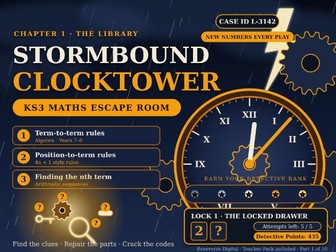
Low-prep KS3 maths escape room: sequences and nth term. Pupils sweep a lantern through a stormy library, find hidden clues and crack 4 self-checking locks on term-to-term rules, position-to-term rules and the nth term of arithmetic sequences. Numbers are randomised every play, so neighbours get different codes. What’s included: the interactive HTML game (works offline in any modern browser) plus a printable Teacher Pack with a 40-minute lesson plan, Detective Case Notes sheet, answer formula key and Case ID checker. Why teachers use it: a 5-try limit with a worked explanation, built-in hints and worked examples, points and detective ranks. It suits revision, starters, enrichment and cover lessons. It has no faces, ghosts or music. Age range: 11–14 · Key Stage: KS3 · Years 7–8 · Subject: Mathematics · Curriculum: England KS3 · About 35–40 minutes
Lesson Plan Generator: Editable, OfflineQuick View
Roseversedigital

Lesson Plan Generator: Editable, Offline

(0)
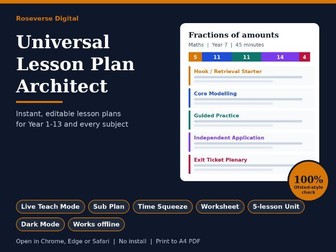
Plan any lesson in seconds. The Universal Lesson Plan Architect is an editable, offline lesson planner for Year 1-13 (KS1, KS2, KS3, KS4, KS5) and all subjects. Enter your subject, year group, topic, lesson length and teaching model. You get a complete plan with: 3 measurable learning objectives (Bloom’s verbs) Minute-by-minute timings for 5 phases that add up exactly Retrieval starter and success criteria (Working Towards / Expected / Greater Depth) Common misconceptions, plus SEND, EAL, Pupil Premium and Most able strategies Exit ticket and a printable pupil worksheet Also included: Live Teach Mode: a full-screen timer with teacher prompts Sub Plan: a cover lesson in one tap Time Squeeze: shorten a lesson instantly Ofsted-style check: a quick self-review (intent, implementation, impact) 5-lesson unit overview, shuffle prompts, copy as text and dark mode Teaching models: Direct Instruction, Inquiry, Group Stations and Observation Showcase Perfect for ECTs, PGCE trainees, cover supervisors, supply teachers and heads of department. How to use: open the HTML file in Chrome, Edge or Safari. It works offline and needs no install. Every line is editable. Print on A4 or save as PDF. Plans auto-save in the same browser.
Penny Pals: Kids Money Game + PDFQuick View
Roseversedigital

Penny Pals: Kids Money Game + PDF

(0)
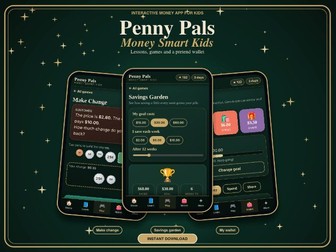
Penny Pals is a fun, interactive money skills app for primary learners. Children explore 10 short money lessons with quizzes, then practise with 7 games: counting coins, making change, needs and wants, best-value shopping, budget jars, a savings goal garden and a juice stand business game. A pretend wallet with Save, Spend and Share jars teaches saving and budgeting, and a certificate rewards progress. Choose US dollar, pound or euro coins. Opens in any browser, works offline, with no accounts or ads. Useful for maths, PSHE and financial literacy lessons, or at home. Keywords: money, financial literacy, counting money, coins, making change, budgeting, saving, needs and wants, pretend wallet, interactive game, primary
Clockwork Balance Algebra Puzzle GameQuick View
Roseversedigital

Clockwork Balance Algebra Puzzle Game

(0)
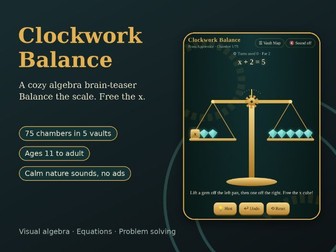
Clockwork Balance turns algebra into a calm, hands-on puzzle. Students balance a golden scale, lifting and dividing the same amount from both pans, until the hidden x stands alone. It teaches the “do the same to both sides” idea visually, so equations make sense before the rules get abstract. Great for: starters, plenaries, early finishers, homework, intervention groups, maths clubs and home learning. It runs in any browser, works offline, and has no ads, no sign-up and no timers. What students practise: Solving one- and two-step linear equations Equations with brackets, shown as identical crates Negative numbers (obsidian −1 counterweights) Simultaneous equations by elimination (twin scales, solving for x and y) Squares and square roots (x² relics) Features: 75 chambers in 5 tiers, unlocked one at a time Up to 3 stars and a letter grade per chamber, plus a Final Grade once all chambers are complete Optional hints, which cap that chamber at 2 stars Gentle natural sounds (wind, birds, leaves) with a sound-off button Progress saves automatically on the device How to use: download and open index.html in Chrome, Edge, Safari or Firefox. It works on laptops, tablets, phones and interactive whiteboards Keywords algebra, solving equations, linear equations, balancing equations, negative numbers, simultaneous equations, elimination, squares and square roots, KS3 maths, KS4 maths, GCSE maths, Year 7, Year 8, Year 9, Year 10, Year 11, maths game, interactive maths, puzzle game, problem solving, early finishers, starter activity, homework, intervention, maths club, homeschool, offline game, browser game, STEM
Talk to Nani & Dadi | Urdu Chat AppQuick View
Roseversedigital

Talk to Nani & Dadi | Urdu Chat App

(0)
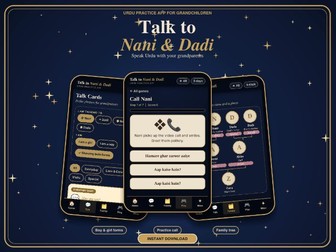
Help children talk to their grandparents in polite Urdu. This practice app has 34 conversation phrases in Roman Urdu and English, and it switches between male and female forms (for example “Aap kaise hain?” or “Aap kaisi hain?”). Children can play a practice video-call game, learn family words, build a family tree with names and photos, and write down a grandparent’s stories in the interview keepsake. A printable pack of cards and charts is included. Great for heritage language and connecting generations. Opens in any browser, works offline, with no accounts or ads. Keywords: Urdu conversation, Roman Urdu, grandparents, family words, polite Urdu, male and female forms, video call, family tree, heritage language
Urdu at Home | Roman Urdu Games & CardsQuick View
Roseversedigital

Urdu at Home | Roman Urdu Games & Cards

(0)
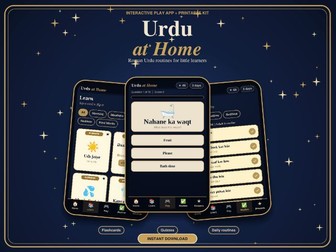
Urdu at Home helps children learn everyday Urdu words through play. Flip 40 Roman Urdu and English flashcards, take quizzes, play a matching game and tick off daily routines (morning, mealtime and bedtime) to earn stars, badges and streaks. A printable flashcard kit, charts and home labels are included. It uses simple Roman Urdu, so no Urdu script is needed. Great for heritage language, home language and bilingual families. Opens in any browser, works offline, with no accounts or ads. Keywords: Urdu, Roman Urdu, Urdu flashcards, learn Urdu for kids, heritage language, home language, bilingual, vocabulary, daily routines, printable
Lantern Path: Kids Cozy Coding & Logic GameQuick View
Roseversedigital

Lantern Path: Kids Cozy Coding & Logic Game

(0)
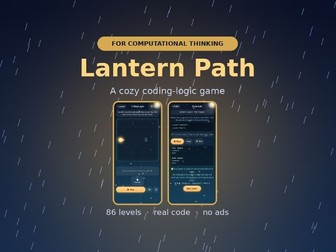
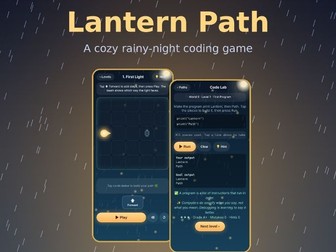
Lantern Path is a calm, rainy-night puzzle game that teaches computational thinking one gentle level at a time. Students guide a little light through a garden by planning, testing and fixing their steps. What’s included 86 levels across 8 worlds: sequences, loops, decisions, sensors, variables and security A Code Workshop where students build real Python-style programs from pieces, then press Run Concept checks after each world, with effort grades to show progress Stars, badges and a few hidden surprises Kind, never-discouraging hints, so mistakes feel safe No ads, no login, no timers. Rain sounds are optional and off by default How to use it in class Starter: one level as a warm-up for sequencing and debugging talk Pairs: one student plans the steps, the other predicts the result Plenary: discuss “What did you fix, and how did you know?” Early finishers: the Code Workshop How to open it Download the single file and open it in any modern browser. It works offline, on a computer or phone. Good to know Progress is saved in the browser on the device being used, so students on shared computers should use the same device and browser each time.
Lantern Path: Cozy Coding & Logic Game freeQuick View
Roseversedigital

Lantern Path: Cozy Coding & Logic Game free

(0)
Lantern Path is a calm, ad-free, offline-ready HTML5 coding and logic puzzle game created by a Computer Science teacher for Grades 3–9 classrooms and homeschool families.• Hands-On Computational Thinking: Teaches sequence, loops, conditionals, variables, and debugging through gentle rainy-night lantern puzzles. • Built-In Live Code Interpreter: Lets older students assemble and run real code commands directly in the browser. • Zero Setup & 100% Offline: Opens in any modern web browser on Chromebooks, PCs, tablets, or classroom smartboards—no installation, internet, or student accounts required.
Teacher Observation & Demo Lesson Prep GuideQuick View
Roseversedigital

Teacher Observation & Demo Lesson Prep Guide

(0)
Got a teaching demo coming up? This interactive guide helps you walk in prepared. What’s inside: • Demo tips: how to enter, use the board, explain, hold attention and structure a 20-25 minute demo • 20 demo topics across Maths, English, Science and Computer, each with a board plan, how to teach it, gestures to use, and what to do if you get nervous • Plan & Prep: a lesson plan template, what to do when things go wrong, and questions panels may ask • “If You Start Fumbling” card for the moment your mind goes blank You get: an interactive HTML guide (works on phone or computer, best in Chrome) plus a printable PDF. This guide is preparation support and does not guarantee a job offer.