Prehistoric Art FULL Scheme of Work (KS3) 1/2 term project + Assessment Pack & Cover workQuick View
AnnabelSalses

Prehistoric Art FULL Scheme of Work (KS3) 1/2 term project + Assessment Pack & Cover work

(0)
This resource saves hours of planning with a fully sequenced scheme of work exploring Prehistoric Art and its connections to modern artists. Students learn formal elements (line, shape, texture, tone) through practical tasks, comparisons and creative responses. Included: PPT with lessons (all lessons have do now, starter, recall, main task, plenary and homework) Cover lessons Assessment sheets Knowledge Organiser Printing pack
Year 10 Photography FULL Project — Nature ThemeQuick View
AnnabelSalses

Year 10 Photography FULL Project — Nature Theme

(0)
This resource provides a fully sequenced project for Year 10 Photography students, guiding them from initial ideas to a resolved final outcome. The theme Nature is explored through close observation, creative experimentation, and technical development. What’s included: **Editable PPTX (88 slides) covering: ** Project introduction and expectations AO1–AO4 explained with success criteria Tasks: mind map, mood board, photographer analyses **Practical photography tasks: **Karl Blossfeldt-inspired black & white close-ups Imogen Cunningham macro photography challenge Marek Piwnicki colour photography development Contact sheets and annotation guidance Photoshop editing tutorials (colour, gradient, glow effects) Manual and digital manipulation phase Planning sketches for final outcome Artist comparison and justification tasks Final outcome expectations and presentation ideas **Assessment Pack: ** AO-aligned grading criteria for every task Extension tasks for Grades 7–9 Reflection questions for all stages
GCSE Photography Component 2: FULL Exam Project (Theme: FOUND)Quick View
AnnabelSalses

GCSE Photography Component 2: FULL Exam Project (Theme: FOUND)

(0)
A complete, classroom‑ready GCSE Photography Component 2 package guiding students from the paper release to the 10‑hour sustained focus. Includes lesson slides, scaffolded tasks, AO‑aligned checklists, homework, stretch & challenge, experimentation (manual & digital), planning templates and final outcome guidance, all centred on the theme FOUND. Perfect for Pearson/Edexcel; easily adaptable for other boards.
Introduction to photography (GCSE)Quick View
AnnabelSalses

Introduction to photography (GCSE)

(0)
This GCSE Photography resource is designed for Year 10 students and covers the first half-term (September to October) as an induction to photography. It includes a structured six-week scheme of work, introducing students to key photography concepts, technical skills, and composition techniques. The PowerPoint covers the four assessment objectives (Edexcel), how to present coursework, camera basics, and the history of photography. It also provides practical tasks linked to formal elements of photography (such as line, shape, texture, tone, and contrast) and composition techniques (including rule of thirds, symmetry, leading lines, framing, and negative space). Each lesson features photographer studies, research tasks, step-by-step photography exercises, and weekly homework assignments. This resource is structured to help students develop skills, experiment with techniques, and build a strong foundation for their coursework, with extension activities and self-assessment reflections included.
introduction to light and shadow in photography and basics of photoshopQuick View
AnnabelSalses

introduction to light and shadow in photography and basics of photoshop

(0)
GCSE Photography Project: Photoshop Editing & Creative Image Manipulation Resource Overview This GCSE Photography project is designed for Year 10 students and runs from October (after half-term) until the Christmas holidays. It provides an introduction to light and shados and a structured series of Photoshop lessons, guiding students through essential digital editing techniques to enhance and manipulate their photography. What’s Included? What is light and shadow in photography? How to analyise the light and shadow of a photograph, using André Kertész as a photographer. Practical activity to respond to the analysis. Step-by-step Photoshop tutorials covering key editing tools and techniques. Practical tasks linked to real-world photography skills. Annotation prompts to develop critical thinking and reflection. Screen capture documentation tasks to evidence the editing process. Creative challenges to encourage independent experimentation. Key Skills Developed: Digital photography editing using Photoshop. Composition & visual storytelling through layering and blending. Technical control of brightness, contrast, and selection tools. Independent experimentation with different Photoshop effects. Critical reflection through annotations and comparisons. Why This Resource? ✔ Engaging & accessible – Suitable for GCSE students new to Photoshop. ✔ Creative & structured – Step-by-step tasks with room for independent exploration. ✔ Assessment-ready – Develops skills required for AO2 (Experiment) & AO4 (Final Outcome) in GCSE Photography. ✔ Fully editable & adaptable – Can be used as a full scheme or individual lessons. Perfect for an engaging post-half-term photography unit leading up to the Christmas break!
A level photography Component 2 (exam unit)Quick View
AnnabelSalses

A level photography Component 2 (exam unit)

(0)
This PowerPoint provides a comprehensive framework for students working on Component 2: Externally Set Assignment (Edexcel A-Level Photography), specifically exploring the theme of Union. The resource includes: Project Breakdown – Step-by-step structure covering research, experimentation, and final outcomes. Photographer Lists – Curated selections of photographers for initial ideas and development, linked to various interpretations of Union. Manual Manipulation Artists – A wide range of artists specialising in collage, embroidery, cutting, and layering. Digital Manipulation Artists – Innovators in glitch art, AI, surrealism, digital layering, and text-based imagery. Assessment Grid (Edexcel-Linked) – A detailed 6-level marking criteria aligned with the Edexcel specification, guiding student progression. Reflection Questions – Embedded throughout to support analysis and critical thinking at every stage. This resource is ideal for A-Level Photography teachers looking for a fully developed, high-quality exam unit structure that ensures students meet all assessment objectives while developing a strong, personal photographic response.
World War 1 - ArtQuick View
AnnabelSalses

World War 1 - Art

(0)
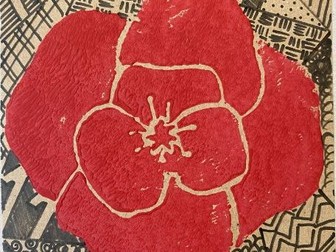
This is a whole term Power Point resource that combines art and history. Students will be learning about World War 1 while learning printing techniques using poly-block. The power point contains starters, main activity, glossary words and weekly homework.