BTEC Tech Award DIT – Component 3 Homework & Assessment Booklets (2022 Spec)Quick View
shaz2009

BTEC Tech Award DIT – Component 3 Homework & Assessment Booklets (2022 Spec)

(1)
What’s Included Year 10 Homework Booklet Covers Learning Aims A–D with structured written-response questions. Starts with short-answer recall (2–4 marks) then builds to analysis and evaluation (6–8 marks). Topics include: User interface types & accessibility Project planning tools (Gantt charts, milestones, SMART goals) Storyboards, wireframes, prototypes, testing & feedback Evaluation & iterative refinement Student-friendly layout with plenty of space for answers. ✦ Year 11 Homework Booklet Scenario-based, exam-style questions aligned to Component 1. Builds higher-order skills through analysis and evaluation tasks. Example scenarios: Designing a council website for mixed-age users Accessibility in mobile banking apps UI design for supermarkets, charities, schools, and businesses Encourages students to apply theory in realistic vocational contexts. ✦ Year 11 Teacher Answer Booklet Fully written model answers for every question. Supports self-marking, peer-marking, or teacher assessment. Saves time when giving feedback and ensures consistency across classes. Why Teachers Will Love This Resource Saves hours of prep time — ready-made homework & assessment tasks Covers the full Component 1 spec with progressive difficulty Editable Word format for easy adaptation Can be used for homework, classwork, revision, or assessment practice Includes teacher answers to support marking & reduce workload Formats Student Booklets – Word (editable) Teacher Answer Guide – Word (editable)
BTEC Tech Award DIT Component 2 Workbook (2022 Spec) – Tasks 1, 2 & 3 with Key TerminologyQuick View
shaz2009

BTEC Tech Award DIT Component 2 Workbook (2022 Spec) – Tasks 1, 2 & 3 with Key Terminology

(1)
Overview A student-friendly workbook for Component 2: Collecting, Presenting and Interpreting Data (BTEC Tech Award in Digital Information Technology – 2022 Spec). Perfect for classwork, revision, and assessment prep. What’s Included Full breakdown of Tasks 1, 2A/B/C, 3A/B Task-by-task scaffolding and prompts Key terminology for each task Learning outcomes mapped clearly Ideal For Classroom delivery Independent study Revision and exam practice Format Microsoft Word (editable)
KS3 SpreadsheetQuick View
shaz2009

KS3 Spreadsheet

(0)
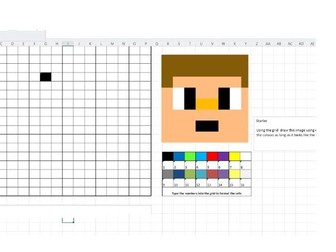
KS3 spreadsheet practical four-lesson resource on ideal for Y8 or Y9. This resource pack includes including basic formulas, functions, conditional formatting, and how to create graphs. Pack also includes homework exercises and either a spreadsheet assessment or a Excel assessment. Designed to save you time, ppts include retrieval, tasks and information. Spreadsheet designed for each lesson. These resources are available for you to use and have the potential to be further expanded and developed according to your needs.
BTEC Tech Award DIT Component 1 (2022 Spec) – Student Guidebook for Interface Design CourseworkQuick View
shaz2009

BTEC Tech Award DIT Component 1 (2022 Spec) – Student Guidebook for Interface Design Coursework

(0)
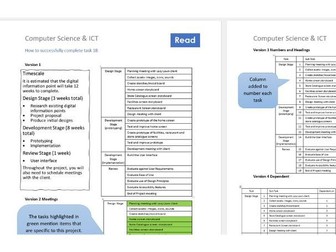
This comprehensive and student-friendly guidebook supports learners in completing Component 1: Exploring User Interface Design Principles and Project Planning Techniques independently or in class. It is structured to walk students step-by-step through each task, with accessible explanations, practical examples, and scaffolded activities to promote understanding and success in their coursework. What’s Included: Task 1A – Project Proposal Clear explanation of what to include in a proposal Support with defining the purpose, target audience, and user needs Practical tips for articulating goals and objectives Task 1B – Planning Timescales Guidance on setting milestones and deadlines Template support for Gantt charts or time plans Helps students understand what “achievable” looks like Task 2 – Interface Design Break down of effective UI design principles (e.g., layout, accessibility, colour, consistency) Guided activities for annotating and explaining design choices Support with applying theory to practical designs Task 3 – Prototype Development Explains what makes a strong working prototype Encourages use of digital tools (e.g., PowerPoint, Google Slides, Adobe XD) Checklist for functional, user-friendly interface features Task 4 – Interface Review and Evaluation Prompts to support evaluation writing with clear success criteria Encourages use of feedback to suggest specific improvements Helps with evidence collection (e.g., screenshots, comments) Key Features: Student-led: Ideal for independent coursework or guided classroom use Practical: Includes task scaffolding, real-world examples, and templates Coursework-aligned: Fully matches BTEC Tech Award 2022 specification Editable Word format – easily adaptable to suit your class
DIT Component 2 Help Videos Medical ScenarioQuick View
shaz2009

DIT Component 2 Help Videos Medical Scenario

(0)
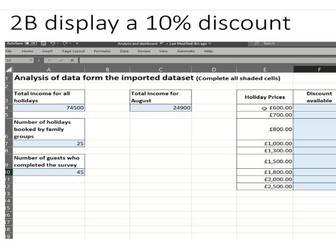
I have crafted several instructional videos to assist my students in mastering functions and formulas within the context of the Medical scenario. These videos showcase practical applications of essential functions like count if, count, sum, as well as techniques like sorting, using if statements to apply a 10% discount, implementing conditional formatting, and creating drop-down lists. Dive in to discover the power of these tools in solving Medical-related challenges!