Sale
 Quick View
A Level IT 9626 Spreadsheets & Modelling (Ch 8 & 9) – How to Picture Guide + Workbooks + Answers
Short summary
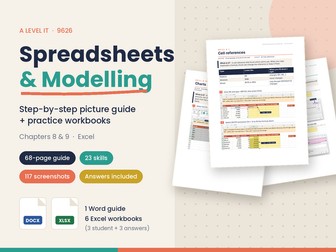
Covers every spreadsheet and modelling skill in the 9626 Chapter 8 and 9 content: a 68-page picture guide with real Excel screenshots, ready-to-use practice workbooks, an exam-style task and full answer files.
Description
Take the guesswork out of Excel for A Level IT. This bundle covers all the spreadsheet and modelling skills for Cambridge International AS & A Level IT (9626), Chapters 8 and 9. Every step is shown with a real, annotated Microsoft 365 Excel screenshot, so students can follow it on their own.
What’s included (7 files)
Step-by-step picture guide (Word, 68 pages, fully editable)
23 skills, each on its own section with numbered steps and 117 real Excel screenshots, clearly annotated
“What is it?” explanation in plain English for every skill
“Watch out” boxes covering the mistakes students really make
“Exam tip” boxes with the wording examiners look for
Clear labels showing which skills need desktop Excel (Goal Seek, Scenario Manager, Data Tables, Advanced Filter)
Modern, clean design in Century Gothic, aimed at 16–18 year olds
Chapter 8 Spreadsheet Skills workbook (16 sheets)
Cell references (relative, absolute, mixed)
Named ranges
SUM, AVERAGE, ROUND, INT, MOD
COUNT, COUNTIF, COUNTIFS • SUMIF, AVERAGEIF, SUMIFS
IF, nested IF, IFS • AND, OR, NOT
VLOOKUP, HLOOKUP, XLOOKUP, INDEX/MATCH
Text functions
Date functions
Number formats
Conditional formatting (including formula rules)
Validation and test plans
Sort, filter and Advanced Filter
Charts (including combo and secondary axis)
Freeze panes, hiding, protection and page setup
Chapter 9 Modelling Skills workbook (7 sheets)
Built around one realistic café profit model: Building a model
What-if analysis
Goal Seek
Scenario Manager and summary reports
One- and two-variable data tables
Simulation with RANDBETWEEN
Evaluating models
Master workbook
All 23 skill sheets in one file
A “Start here” contents sheet with clickable links
An R/A/G self-assessment tracker that counts the skills students rate Green
A mixed exam-style task (School trip) combining nested IF, absolute references, COUNTIF, conditional formatting, validation, charts and Goal Seek
Separate answer files for all three workbooks, so you can hand out the student versions with confidence.
Why teachers like it
Colour-coded cells: yellow = students type here, blue = inputs they can change
Skill numbers in the guide match the sheet names exactly
Clear language, so it works for weaker students while still preparing them for the exam
Good for lessons, cover work, homework, independent revision and practical exam preparation
Every file can be edited, so you can adapt it to your classes
Format: 1 × Word (.docx), 6 × Excel (.xlsx). Made in Microsoft 365. Most skills also work in Excel for the web, and the guide shows which ones need desktop Excel.