


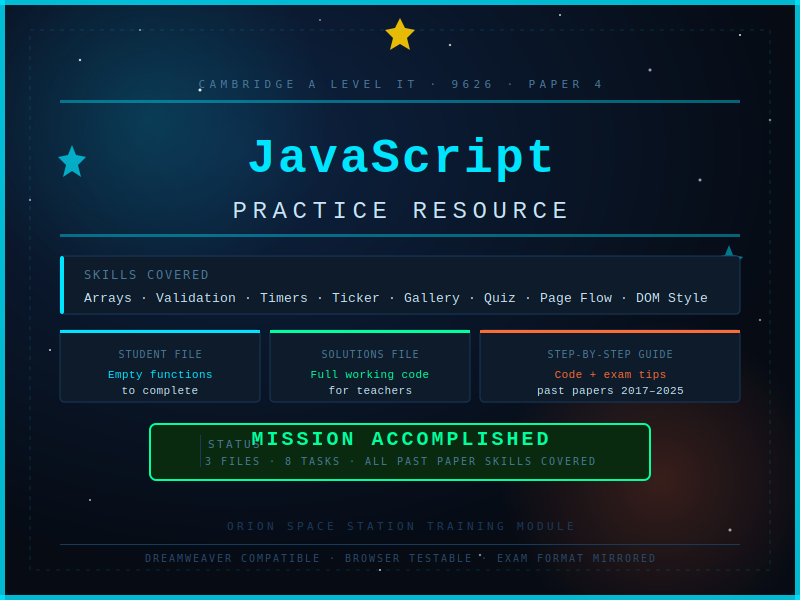


This resource provides everything students need to practise and master the JavaScript skills tested in Cambridge A Level Information Technology (9626) Paper 4, based on a full analysis of past papers from 2017 to 2025.
MISSION ACCOMPLISHED - full solutions file included for teachers.
The pack contains three files:
-
SpaceStation_PracticeTasks.html — A themed practice file designed to be opened in Dreamweaver or any text editor alongside a web browser. Students work through 8 tabbed tasks covering every JavaScript skill that has appeared in Paper 4 over the past eight years. The file mirrors the format of the real exam - functions are partially written, display functions are pre-built and must not be altered, and variable names are specified in comments, exactly as Cambridge set the paper. Students write their code directly into the empty functions and test immediately in the browser.
-
SpaceStation_PracticeTasks_MISSIONACCOMPLISHED.html — The complete teacher version of the practice file with every function fully solved. Identical layout and theme to the student file, making it straightforward to compare student work against the correct solution or use for live demonstration in class.
-
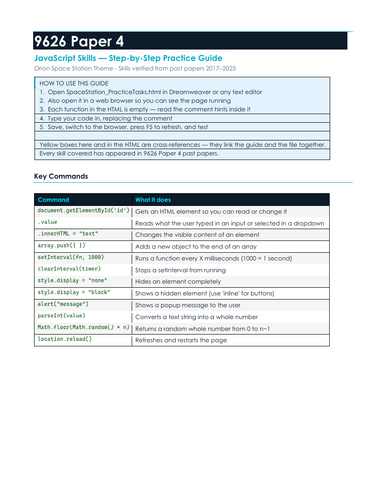
A full step-by-step written guide that supports every task in the HTML file. Each task includes a plain-English explanation of the concept, numbered steps, exact code examples, and exam tips drawn from mark scheme patterns seen across multiple sessions. Yellow cross-reference boxes in both files link the guide and the HTML so students always know exactly where to look.
Skills covered (all verified from past paper analysis 2017–2025):
Arrays and objects, push(), reading and clearing input fields, default values, if/else validation, alert(), parseInt(), style.display show/hide, style.backgroundColor, setInterval() countdown and count-up timers, clearInterval(), setTimeout(), scrolling text ticker with substring(), image gallery with index wrapping, auto-play slideshow, Math.random() quiz questions, score tracking, document.write() result screens, location.reload(), and multi-step page flow control.
Suitable for: A Level IT 9626 students preparing for Paper 4. Also useful as a standalone JavaScript introduction for any student learning web programming for the first time.
How to use: Hand out the student HTML file and the guide. Students open the HTML in Dreamweaver and a browser side by side, work through each tab using the guide for support, and test their code after every task by refreshing the browser. Use the solutions file for marking, live demonstration, or as a teacher reference.
Something went wrong, please try again later.
This resource hasn't been reviewed yet
To ensure quality for our reviews, only customers who have purchased this resource can review it
Report this resourceto let us know if it violates our terms and conditions.
Our customer service team will review your report and will be in touch.
£5.00