Chess Puzzle Practice: 10,000+ PuzzlesQuick View
maths126

Chess Puzzle Practice: 10,000+ Puzzles

(0)
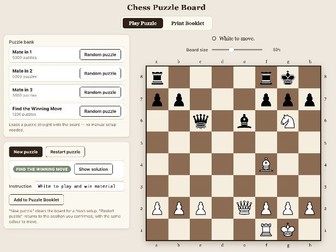
An offline, in-browser chess trainer with 14,000+ built-in Mate-in-1/2/3 and tactics puzzles, plus a one-click booklet builder and PDF printer. PLAY: Set up any position by pasting a FEN (standardised code for a chess diagram) or by placing pieces by hand, then play it out on the board with full legal-move checking (castling, en passant, promotion, check and checkmate detection included). Or skip straight to the built-in Puzzle Bank — 5,000 Mate in One, 5,000 Mate in Two, 3,500 Mate in Three, and 1,200 Find the Winning Move puzzles (14,700 in total), each loadable at random with one click, with a “Show solution” reveal when you’re ready. Puzzles are deliberately aimed at beginner and intermediate players, as typical for a school club. BUILD A BOOKLET: Tell the app how many of each puzzle type you want (e.g. 8 Mate in 1, 6 Mate in 2, 1 Mate in 3, 1 Find the Winning Move) and it randomly assembles them straight into a booklet, skipping anything already added so nothing repeats. A single toggle controls whether an answer key prints at the end. PRINT BOOKLET: Turn any set of puzzles — built-in, hand-set-up, or a mix — into a ready-to-hand-out PDF worksheet. Choose A4 or A5, 1/2/4 puzzles per page, with or without a full answer-key page at the back, numbered to match. Puzzles you solve or set up yourself on the board can be added to the booklet in one click too, so your own classroom puzzles sit alongside the built-in bank. Fully offline once opened — everything runs in the browser with no installation, and no pupil data ever leaves the device or is uploaded anywhere. Suitable for whole-class teaching, chess club sessions, or independent practice.

Chess Club Mega BundleQuick View
maths126

Chess Club Mega Bundle

5 Resources
Chess Endgame Trainer Get to the endgame but keep losing from a won position? Get the basic endgames down with this 6-way trainer. Chess PGN Viewer Load one of your own games or a published game, or choose one from the large database, and then play it through move by move. Offline Chess Ladder Keep track of all the matches played in the school chess club and see the best players rise to the top Chess Puzzle Practice Input your own puzzles or try out any of the thousands built in. Make a puzzle booklet to use in chess club or to solve on the beach. Word Sudoku A fun tool to create chess-themed Sudoku puzzles, each with 9 chess symbols instead of numbers. Great for encouraging piece recognition.
Self-Checking Times Tables Puzzle MakerQuick View
maths126

Self-Checking Times Tables Puzzle Maker

(0)
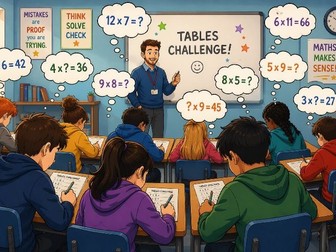
A self-checking times-tables puzzle grid that runs entirely offline in the browser — no installs, no accounts, and no pupil data ever leaves the device. Choose any combination of tables from 0 to 16, or use the built-in preset buttons to step pupils through a structured progression: Foundation (0, 1, 2, 5, 10) → Build-up (+3, 4) → Patterns (+6, 9, 11) → Complete to 12 (+7, 8, 12) → Advanced to 16 (+13–16). Live Play Every puzzle is checked by a logic solver before it’s shown, so even the hardest grid — with several missing row and column headers — is always solvable by step-by-step reasoning, never guesswork. Pupils type answers directly into the grid and get instant right/wrong feedback, with a celebratory animation on completion; an on-screen timer supports timed practice. Worksheet Mode For worksheets, switch to Teacher mode to generate print-ready PDF puzzle packs (single-difficulty sets or a full five-level pack), with 1, 2 or 4 puzzles per page and optional answer key pages. Installation Works on any device with a modern browser — desktop, laptop, Chromebook, or tablet. No sign-up, no server, no data collection: everything runs locally in the pupil’s own browser tab.
Pirate GameQuick View
maths126

Pirate Game

3 Resources
Everything you need to run The Pirate Game with minimum preparation. Use the Board Generator to create a class set of pre-filled boards, all different every time. Use the Grid Picker to run the game in your class to help pick and keep track of every grid reference selected, using a mix of random and student-chosen picks.
Arithmetic Pyramid Puzzles KS2-KS4, PDFQuick View
maths126

Arithmetic Pyramid Puzzles KS2-KS4, PDF

(0)
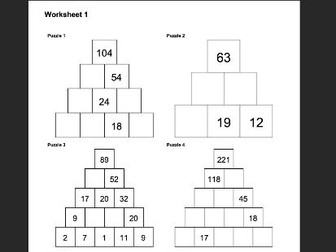
Generate arithmetic pyramid worksheets with genuinely unique solutions, four difficulty levels, and one-click PDF export for puzzles and matching answers. Each brick equals the sum of the two below it — pupils work backwards from the clues you choose to show. Four difficulty tiers (Easy through Very Hard) The app uses genuine linear-algebra rank-testing to guarantee a unique solution, not just “probably fine.” Five puzzle styles: standard integers, negative numbers, decimals, fractions, and two algebra modes (solve for x, or simultaneous equations in x and y). Bulk-generate whole worksheet packs with matching answer booklets, both exported as print-ready A4 PDFs. Fully offline once opened — runs in any browser, no installation, no account, no pupil data ever leaves the device.
The Ultimate Maths Teacher Super-BundleQuick View
maths126

The Ultimate Maths Teacher Super-Bundle

10 Resources
Everything you need to keep you in puzzles and worksheets throughout the year! Pyramid Puzzle Maker - From the simplest to the most demanding, fully customisable and full answers provided Binary Puzzle Maker - Generate and Print a variety of Binary puzzles of different sizes and difficulties Codemaker - Code and Decode your message using any of 12 different algorithms from the most straightforward to advanced Maths; structured decoding worksheets provided for every algorithm Cross-Number - Create your own Cross-Number puzzles (where the clues are calculations and the answers are numbers). Uses LaTeX to create professional Maths notation Number-Cross - Create your own puzzles where numbers of different lengths have to be placed logically into the grid (It’s criss-cross with numbers instead of words). Unique solutions guaranteed. Pirate Game - Generate endless class sets of pre-filled boards, all different every time, and use the Coordinate Picker to run the game on the IWB Self-Checking Times Table Puzzle Maker - create endless tables practice worksheets to span all ability levels from Tables Beginners to Tables Experts. The puzzle is a grid in which students have to deduce the missing numbers in the products, rows and columns. Sudoku Puzzle Maker - Generate and print endless Sudoku puzzles (6x6 or 9x9) of various difficulty levels and keep a supply on hand for all eventualities The Ultimate Pi Day Bundle - Everything you could possibly want to run a successful Pi Day in school.
Sudoku: Generator, Solver & WorksheetsQuick View
maths126

Sudoku: Generator, Solver & Worksheets

(0)
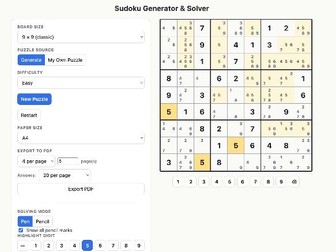
A complete offline Sudoku toolkit: generate genuinely graded 6×6 / 9×9 puzzles, solve on-screen, or export print-ready worksheet and answer PDFs This self-contained, browser-based app covers the whole Sudoku workflow in one place. Generate puzzles at four real difficulty levels — rated by an actual logic-technique solver, not just clue count — or type in your own puzzle from any source and let the app validate it and work out the answer for you. Pupils can solve directly on-screen with pen and pencil-mark modes, auto-seeded candidates, instant mistake feedback, digit highlighting, an optional reveal system, and a pausable timer. When you’re ready to print, export beautifully laid-out PDF worksheets — 1, 2, 4 or 6 puzzles per page, in A4 or A5, across any number of pages — with an optional compact answer booklet appended at the back. Runs entirely offline after opening, with no installation, no login, and no pupil data ever uploaded anywhere — fully GDPR-compliant for classroom use. Suitable across KS2–KS4 for starters, independent practice, differentiation, or full puzzle booklets, and versatile enough for maths, form time, or enrichment sessions.
Codemaker: 12-Level Secret Code EngineQuick View
maths126

Codemaker: 12-Level Secret Code Engine

(0)
Turn any message into a printable secret-code worksheet in seconds — 12 cipher levels from simple word shuffles right up to genuine RSA encryption. Codemaker is a single self-contained HTML tool — no installation, no accounts, and no internet needed once it’s open — that turns any typed message into a coded worksheet at the click of a button. Twelve age-graded levels are built in: six transposition ciphers (Word Shuffle, Anagrams, Block Flip, Rectangle, Rail Fence, Keyed Columns) and six substitution ciphers (Reverse Alphabet/Atbash, Caesar Shift with a printable cipher wheel, Keyword Substitution, Vigenère, a Hill Cipher with matrix arithmetic mod 25, and a fully guided Simplified RSA level using genuine public-key cryptography with small, calculator-friendly numbers). Every level generates a print-ready 3-part PDF automatically: Part 1 is the coded message, Part 2 is a fully worked step-by-step decoding worksheet (grids, cipher wheels, letter wheels or working boxes, depending on the level), and Part 3 is an answer sheet for quick marking. Export to A4, US Letter, or 6×9 for booklet-style printing. Great for creating maths starters and plenaries, cryptography enrichment days, “murder mystery” challenges, Maths club puzzles, escape-room-style lessons, primary school transition events, riddles with coded answers, or cross-curricular links with computing — scaling all the way from a five-minute Year 5 warm-up to genuine RSA encryption for your top set or A-level Computer Science students. The Detail Word shuffle - just changes the order of the words Anagrams - an anagram of each word in turn Block flip - reverses the order of each block of (for example) 3 letters at a time and chunks the output into fixed length ‘words’ Rectangle - writes the message into the rectangle one way (across) and then reads them out the other way (downwards). The rectangle shape is customisable Rail Fence - the classic shape-based zig-zag mix up Keyed columns - Like Rectangle but the columns are read in a special order given by the keyword Reverse Alphabet / Atbash - each letter is replaced by its partner in the reversed alphabet Caesar shift - The alphabet is ‘wrapped round’ by a shift of n letters Keyword substitution - the keyword determines the order of the substitution alphabet The classic Vigenère Cipher - each letter has its own lookup table determined by the keyword and its position in the message Hill Cipher - The step-by-step decoding sheet assumes no knowledge of matrix multiplication (by a (2x2) matrix) and explains it clearly, but the app also offers a tool for doing this. Very carefully guided to maximise success. Simplified RSA using much smaller numbers Installation Runs entirely in the browser with no pupil data ever entered, stored, or uploaded anywhere — fully GDPR-compliant and safe on any school network. Works completely offline once opened. Full setup and troubleshooting guide included.
Binary Puzzle Maker (Binairo, Takuzu)Quick View
maths126

Binary Puzzle Maker (Binairo, Takuzu)

(0)
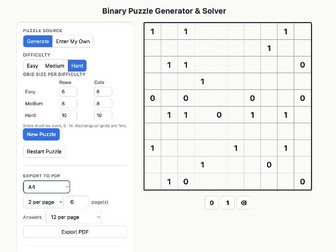
Generate, solve, and print Binary Puzzles (0s and 1s / Takuzu) at any size from 6x6 to 14x14, with three difficulty levels and full on-screen solving tools. Every row and column must end up with an equal number of 0s and 1s, no run of three identical digits is allowed, and no two rows or columns may match — this tool generates, checks, and helps solve exactly that puzzle. Key features • Three genuine difficulty levels — Easy, Medium and Hard are defined by the logical technique needed to solve them, not just by how many clues are missing. Hard puzzles specifically require spotting the “matching row/column” trap, so they stay satisfying rather than just fiddly. • Any grid size from 6×6 up to 14×14, including rectangular grids (e.g. 8×12) — set a different size for each difficulty level, ideal for differentiation across a class. • Every generated puzzle is computer-verified to have exactly one solution — no dead ends, no guessing required. • Full on-screen solving tools: click or use the number pad/keyboard to fill cells, live rule-conflict highlighting, a Reveal option (single cell, row, column, or the whole solution), and a Hint button that highlights the next logical cell to fill in — without ever giving away the digit. • “Enter Your Own” mode — type in any Binary Puzzle from a book or magazine. The tool checks it has a unique solution, then offers the same hints and reveal tools to help you solve it. • Print-ready PDF export — choose A4 or A5, 1, 2, 4 or 6 puzzles per page, any number of pages, with optional reduced-size answer pages at the back for booklet-style printing. • Fully offline once opened — runs entirely in the browser with no installation and no accounts. • GDPR-friendly by design — nothing a pupil types or generates is ever uploaded anywhere; everything stays on the device. • A flexible extra for logical-reasoning and computational-thinking activities, puzzle clubs, or simply a well-designed maths starter or filler — as useful for take-home practice as for a projected classroom activity.
Word Sudoku GeneratorQuick View
maths126

Word Sudoku Generator

(0)
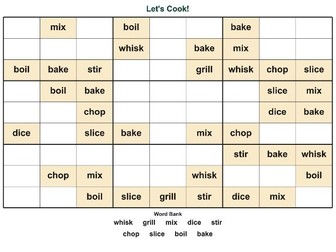
Turn any 9 words, symbols or emoji into a print-ready Sudoku - ideal for vocab, music notation, Christmas symbols or any topic. Includes answer key. Paste in any 9 words, phrases, symbols or emoji, and this tool instantly builds a complete Sudoku puzzle using them in place of the numbers 1–9 — then generates a polished, ready-to-print worksheet. Works for any subject. Modern Foreign Languages: vocabulary, tenses, key phrases Music: notation, dynamics, tempo markings — even music symbol fonts render beautifully Seasonal: Christmas, Easter, or topic-themed emoji puzzles Any subject with 9 key terms, symbols or images pupils need to learn Built for the classroom, not number-scanning Word Sudokus are naturally harder to solve than number Sudokus, since pupils can’t pattern-scan digits — so puzzles are generated at Very Easy or Easy difficulty, keeping the focus on vocabulary recall rather than logic-puzzle difficulty. Two worksheet styles Square grid — the classic Sudoku look Relaxed Fit — a wider landscape layout with larger, more legible text and generous space in every cell for pupils to write their answers by hand. Great for accessibility and younger pupils. Every worksheet includes An editable title, so you can rename it for each class or topic The puzzle grid with a word bank reference underneath A second page with the full answer key, automatically generated Play on screen or print Pupils can solve the puzzle interactively in the browser (click a cell, then click a word to fill it in), check their answers, reveal the solution, or generate a brand new puzzle from the same 9 words for extra practice. Simple and safe to use Runs entirely offline in the browser once opened — no installation, no accounts, no login Fully GDPR-compliant: no pupil data is ever uploaded or transmitted anywhere Works across any topic, any language, any symbol set your keyboard (or emoji picker) can produce
The Ultimate Work Sheet Generator BundleQuick View
maths126

The Ultimate Work Sheet Generator Bundle

5 Resources
Six of the most popular worksheet types - all generated with your own content and highly customisable Crossword Maker (Clues or anagrams) and CrossNumber Criss-Cross Puzzle Maker (Words sorted by length; unique solution every time) and Number-Cross Fallen Letters (Quotation Puzzle) Match Two (Dobble-like Spot The Match tile game - your words/pictures) includes card printing Word Sudoku - any 9 words or symbols in a Sudoku-style grid Wordsearch Maker - easily configured for all abilities (Words, Clues or Anagrams) Perfect for: All ages All curriculum areas All abilities Slotting into an end of Unit End of term activity Opening Evenings Transition Weeks Cover lessons Warm-Ups No installation Everything runs in your browser, so no pleading with the School IT crew. Each app runs completely offline. No data is uploaded anywhere so fully GDPR compliant. The code for each app is completely transparent so can be customised in any text editor. Many of these apps also have interactive game play mode for the IWB. Unbeatable bundle deal price for 5 quality applications.
Fallen Letters; Quotation PuzzleQuick View
maths126

Fallen Letters; Quotation Puzzle

(0)
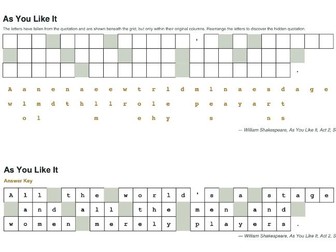
Turn any quotation into an instant, self-marking puzzle — solve on screen or print as a worksheet. 100% offline. No pupil data collected. Type in any quote, proverb, verse, or exam-style stimulus — a spelling rule, a subject-specific definition, anything up to 150 characters. Every space and punctuation mark stays fixed; every letter falls out of its square and scrambles below its own column. Pupils reconstruct the original by working out which letter goes where. Three ways to use it, all in one file: Solve on screen — tap or drag letters into place (works with mouse, touch, or keyboard), check answers with one click, and get instant right/wrong feedback without giving the game away. Print-ready worksheets — export a two-page PDF (puzzle + answer key) in A4, sized and laid out automatically so it always fits on one page, however long the quote. Preview mode — a clean static view for planning or display, no interactivity needed. Built for real classroom use: Auto-generates a sensible grid size for any quote, and wraps text at word boundaries by default so words are never awkwardly split across rows (with an option to pack rows tightly if you prefer). Optional, toggleable instructions text and source attribution (Author/Speaker and Book/Reference/Occasion) — perfect for crediting quotes properly without cluttering simpler puzzles. Editable title, adjustable cell size and font size, and a seed option so you can regenerate an identical puzzle later or share the exact same version with a colleague. Works for any subject — literary quotations, historical speeches, scientific definitions, foreign vocabulary, spelling lists, or anything else that’s really just “a string of characters to reconstruct.” Safe and self-contained: Runs entirely offline in the browser once opened — no installation, no internet connection, and no pupil data is ever collected, stored, or sent anywhere. Ideal for shared drives, VLEs, or school networks with restricted permissions. See the included Setup Guide for opening instructions, and the Files List for exactly what’s in this download.
Criss-Cross Puzzle Maker: 4-in-1 ToolQuick View
maths126

Criss-Cross Puzzle Maker: 4-in-1 Tool

(0)
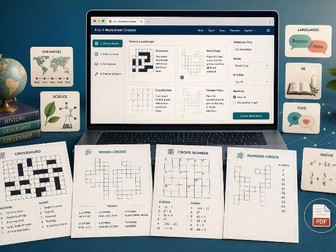
Criss-Cross Puzzle Maker: 4-in-1 Generator Four puzzle generators in one: Crossword, Word-Cross, CrossNumber and Number-Cross, with instant print-ready PDF worksheets and answers. Give it a list of words or numbers (with optional clues) and this single tool builds a genuine interlocking puzzle grid automatically — no manual grid design needed — then lets you choose how it’s presented: • Crossword — numbered grid with full clues and letter counts • Word-Cross — the same grid with a word bank (grouped by length) instead of clues • CrossNumber — clues written as LaTeX calculations, properly typeset in both the on-screen preview and the exported PDF • Number-Cross — a numeric grid with a number bank grouped by digit count That flexibility means one tool covers Maths (times tables, algebra, arithmetic — LaTeX rendering handles fractions, powers, roots and more), Literacy and MFL vocabulary, Science and Geography key terms, and any subject where you want pupils fitting words or numbers into a grid. Designed by a teacher for teachers, and built for real classroom use, not just a demo: • Generate multiple different puzzle variations from the same word list in one go, for different classes or to deter copying • For Word-Cross and Number-Cross, the app checks that the word/number bank fits the blank grid in only one way, so pupils can’t get “stuck” on a genuinely ambiguous puzzle • Full control over title, instructions, page size (A4 or A5), and number of puzzles per PDF • Answers as a solved-grid image or as an Across/Down list, with control over how many fit on a page • Three blocked-cell background options (black, grey or white) to suit your photocopier budget, plus an optional bold outline so the puzzle shape stays clear even on a plain white background Runs entirely in your browser — open the file and it works immediately, with no installation, no sign-in, and no account. It works completely offline once open, and nothing you or your pupils type is ever uploaded anywhere, so there’s no pupil data to worry about from a GDPR perspective. Works on any school laptop, Chromebook or tablet with a modern browser.
Match Two - The Tile Matching GameQuick View
maths126

Match Two - The Tile Matching Game

(0)
A fast 2-player matching race for any topic. Type your own words, emoji, or pictures — the app builds and prints out the whole tile set automatically. Match Two is a self-contained, offline HTML app for the interactive whiteboard. Enter any list of words for your topic and it builds a full set of matching tiles using the same combinatorial principle behind Dobble/Spot It — any two tiles always share exactly one match. Two players race to spot and tap it first. Words can be plain text, emoji, or your own pictures, and can be entered as translation pairs (bonjour = hello) for MFL practice. Choose circular or square tiles and one of three tile layouts, then either play on screen or print the entire set as a ready-to-cut PDF for a physical, screen-free version of the game. Runs entirely offline in the browser with no installation and no data collection of any kind — nothing here needs an internet connection, a login, or ever touches pupil data. Technical note: picture tiles & local images If you use the optional picture-tile feature — naming a tile object after an image file, e.g. koala.jpg — the app needs to load that file from an “images” folder placed next to the .html file. Most browsers, Chrome in particular, block a web page from loading local files like this when the page has simply been double-clicked open (referred to as opening it over the “file://” protocol). This is a browser security restriction, not a fault in the app, and it cannot be switched off from within the app. In practice: • Plain word tiles and emoji tiles will always work, however the file is opened. • Picture tiles are likely to work if the app is opened from a network location or web address using http/https — for example, hosted on a school intranet or server — because that counts as the page being “served” rather than opened directly. • Picture tiles may fail silently (the tile simply appears blank, rather than the app crashing) if the file is opened by double-clicking it directly from a folder, which is the most common way of opening these files. If picture tiles don’t appear, try opening the folder through a simple local web server instead of double-clicking the file directly. Please test this on your own school’s setup before relying on it for a lesson — it depends on your browser and network, not on this app. Recommended image file types: JPG or PNG — both are supported directly. JPG keeps file sizes (and the printed PDF) smaller and is the better choice for ordinary photographs; use PNG only if you specifically need transparency. GIF and WEBP files will display on screen but are not recommended for the printable PDF version.
Wordsearch Maker: Any Subject, Any WordsQuick View
maths126

Wordsearch Maker: Any Subject, Any Words

(0)
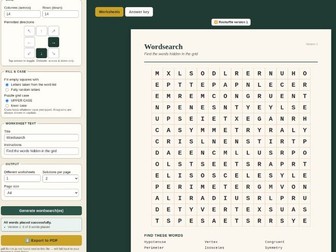
Wordsearch Maker Turn any word list into a printable wordsearch in seconds — with clue, anagram, or find-the-word modes, and instant PDF export for a full class set. Paste in any list of words (with or without your own clues) and this tool builds a complete wordsearch worksheet around it — for any subject, any key stage. ✔ Three puzzle styles: find the words directly, solve a clue for each word, or unscramble an anagram ✔ Choose your grid size and which of the 8 directions words can run in — across and down only for an easier puzzle, or add diagonals and backwards words for a harder one ✔ Generate several different worksheets from the same word list in one click — perfect for a class set where you don’t want pupils copying a neighbour’s answers ✔ Answer key included automatically, with every word circled ✔ Exports straight to a print-ready PDF (A4 or A5) ✔ Runs completely offline in the browser once opened — no installation, no accounts, and no pupil data is ever uploaded anywhere (GDPR-friendly by design) ✔ Works on Windows, Mac, Chromebook and iPad A generic Setup & Troubleshooting Guide and an app-specific Files List are included — please read these before use, they explain the (very quick) one-off step of renaming the downloaded files.
Pirate Game Grid PickerQuick View
maths126

Pirate Game Grid Picker

(0)
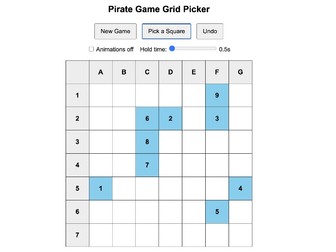
This grid picker clearly choose squares from the 7 x 7 grid when playing The Pirate Game. At any point, a square may be chosen by a player, and then the randomiser continues with the remaining ones. There is a flash animation showing which square was selected, big enough to be seen across the room. Each square is also numbered to keep track of the order in which they were picked. Supplied as .txt just save it as .html and then you can run it in your browser. No software installation required.
Pirate Game - Pre-Filled Board GeneratorQuick View
maths126

Pirate Game - Pre-Filled Board Generator

(0)
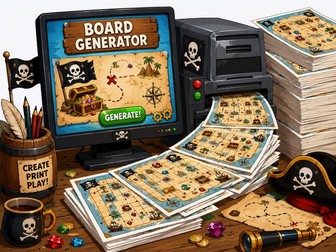
Load this app in any browser, then with a single click generate a new set of 32 pre-filled Pirate Game sheets for saving as a pdf, with one sheet per A4 page. Supplied as .txt Just change the extension to .html and run it in your browser. Students absolutely love the Pirate Game, but one of the few drawbacks is the time taken for everyone to fill in their grid before the action can begin. For some classes, particularly younger pupils or slower writers, this can take several minutes and eat into valuable lesson time. These easily-generated game boards remove that problem completely. Simply print, hand out, and start playing. Included on each board are: A fully completed 7×7 Pirate Game grid -no duplicates Clearly labelled coordinates A quick-reference key for all special squares A points-recording area Shield and Mirror tracking boxes A Bank box for students to record their final banked score
Murder Mystery. Game Problem solving KS2-3 (7-14)Quick View
maths126

Murder Mystery. Game Problem solving KS2-3 (7-14)

(472)
A murder has been committed! There are 32 suspects, and one of them is guilty. Using your powers of deduction, can you crack each of the five coded clues to reveal the identity of the killer? ANSWERS & TIPS INCLUDED The Original TES Murder Mystery!
Mathemagic. Games. Investigation. KS3 Ages 11-14Quick View
maths126

Mathemagic. Games. Investigation. KS3 Ages 11-14

(35)
NEW!! Excel Spreadsheets for the effect Total Disbelief. A collection of mathematical magic tricks for teachers. Particularly suitable for KS3 but also popular with older children. Each trick gives an anecdotal account of the effect being used in the classroom, followed by the explanation and teaching points if used for further work. Appendix includes details of simple sleights such as coin vanishes etc.
Offline Chess Ladder for SchoolsQuick View
maths126

Offline Chess Ladder for Schools

(0)
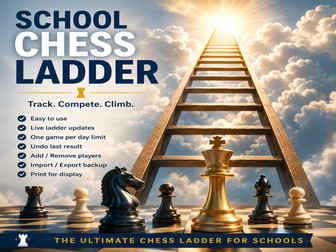
A complete browser-based Chess Ladder system for schools with CSV import, easy match entry, printable ladder display, and teacher-password protected admin. No accounts, no databases, no subscriptions. This browser-based Chess Ladder has been designed specifically for school Chess Clubs and enrichment sessions. It runs entirely from a single HTML file, meaning no installation, no internet connection, and no student data ever leaves the school computer. Ideal for: Lunchtime Chess Clubs House competitions Enrichment programmes Inter-form tournaments Library or Games Room activities Features Supports up to 100 players Smart ladder movement rules One-click match recording Auto-complete player selection Daily game limit protection Undo last result Match history Player statistics Teacher-password protected admin controls Add/remove players easily CSV bulk import for initial setup Export/import backups Clean printable wall-display format Fully offline and GDPR-friendly The ladder updates instantly after every game, giving students immediate feedback and strong motivation to climb the rankings. Because everything is stored locally in the browser, there are: no subscriptions, no logins, no cloud accounts, and no safeguarding concerns around online student data. The system has been tested in a real school Chess Club environment over several months. At only £2, this is a simple, low-cost way to add structure, competition and excitement to a school chess programme. WHY BUY THIS? For many schools, organising a Chess Ladder becomes surprisingly time-consuming: paper charts become messy, rankings become disputed, pupils forget results, and spreadsheets are awkward to update live. This system solves all of that with a simple interface students can use themselves while still giving teachers full control. For £2, schools receive: a complete ready-to-run system, no setup headaches, no ongoing costs, and something students genuinely enjoy using. One lunchtime of improved organisation easily justifies the cost. Designed by a practising teacher for real school Chess Clubs.
Hangman – IWB Word/Phrase Class GameQuick View
maths126

Hangman – IWB Word/Phrase Class Game

(0)
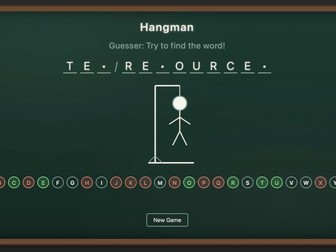
A chalkboard-style Hangman game for any subject — set a word or phrase and challenge the class to guess it before the figure is complete. This single self-contained HTML file works entirely offline once opened, with no installation, no accounts, and no pupil data ever collected or uploaded — fully GDPR-safe for use on any device with a modern browser. Great for any subject: a five-minute filler, an MFL vocabulary warm-up, a keyword recap in science or humanities, or a spelling challenge in primary literacy. The “setter” (teacher or a chosen pupil) types a word or phrase into a hidden, password-style field with a confirmation step, so nobody else sees it — then the whole class guesses letters together. Features: • Adjustable number of lives (10–17 hangman pieces) to suit the group • Optional Hard Mode — guessed letters aren’t shown, so a careless repeat guess still costs a life • Multi-word phrase support with clear word separators • Chalkboard visuals, with a gentle letter-shake on wrong guesses and a flourish on a win • Press Enter to submit — no mouse needed • Board automatically widens to fit longer words on one line Setup takes seconds: download, rename the file back to .html (full instructions included), and open it in any browser — no admin rights or IT support needed. Works on interactive whiteboards, laptops, and tablets alike.