Binary Arithmetic Operations | Cambridge IGCSE Computer Science 0984 | Full Lesson PackQuick View
rifazul

Binary Arithmetic Operations | Cambridge IGCSE Computer Science 0984 | Full Lesson Pack

(0)
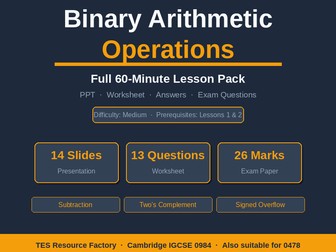
A COMPLETE 60-minute lesson pack for Cambridge IGCSE (9-1) Computer Science (Syllabus 0984) - covering Binary Arithmetic Operations including two’s complement representation, signed binary arithmetic, and overflow detection. Difficulty: Medium. Prerequisites: Lessons 1 & 2. PowerPoint Presentation (14 slides) • Slate & Amber design — consistent with the series • Full lesson flow: Retrieval starter → Objectives → Binary subtraction (borrow method) → Two’s complement (why & how) → Signed arithmetic → Signed overflow → Worked examples → Guided practice → Independent practice → Extension → Misconceptions → Exit ticket → Summary • Column subtraction and addition tables with borrow/carry rows displayed • Side-by-side positive and negative overflow examples • Worked example cards with pre-calculated layout — no text overlap Student Worksheet (13 questions, 6 pages) • Built-in two’s complement quick reference table • Sections A–D: binary subtraction, two’s complement, signed arithmetic, overflow • Extension: multi-step processor simulation challenge • Answer lines scaled to mark allocation Full Answers & Mark Scheme (5 pages) • Full column working shown for every subtraction and addition question • M/A/B mark labelling, IGCSE conventions throughout Exam-Style Practice Paper (10 pages, 26 marks, 30 minutes) • 5 structured Paper 1 questions with command words • Includes counter-example question on carry-out vs overflow • Mark scheme on dedicated page LEARNING OBJECTIVES (aligned to 0984) • Perform binary subtraction using the column borrow method • Explain why two’s complement is used to represent negative numbers • Convert a positive binary number to its two’s complement negative • Perform addition and subtraction using two’s complement representation • Detect and explain overflow in signed binary arithmetic SUITABLE FOR: Cambridge IGCSE 0984 / 0478 · AQA/OCR/Edexcel GCSE Computer Science · Ages 14–16 two’s complement, binary subtraction, signed binary, binary arithmetic, Cambridge IGCSE Computer Science, 0984, data representation, overflow, negative numbers binary, GCSE computing, borrow method, sign bit, binary addition subtraction, IGCSE 0478, signed overflow
Binary and Hexadecimal Number Systems | Cambridge IGCSE Computer Science 0984 | Full Lesson PackQuick View
rifazul

Binary and Hexadecimal Number Systems | Cambridge IGCSE Computer Science 0984 | Full Lesson Pack

(0)
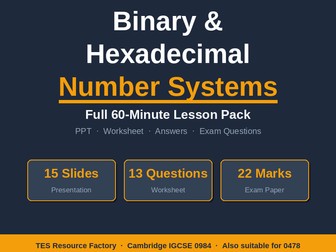
A COMPLETE 60-minute lesson pack for Cambridge IGCSE (9-1) Computer Science (Syllabus 0984) - covering Binary and Hexadecimal Number Systems, fully aligned to the Data Representation topic. Designed for beginners; no prior knowledge required. Everything you need for a fully-resourced, exam-ready lesson: PowerPoint Presentation (15 slides) • Modern Slate & Amber design - clean, professional, no clip art • Full lesson flow: Starter → Objectives → 4 concept slides → Worked examples → Guided practice → Independent practice → Extension → Misconceptions → Exit ticket Summary • Aligned to 0984 Paper 1 command words: state, define, convert, explain Student Worksheet (13 questions, 6 pages) • Sections A–D: binary↔denary, hex conversions, real-world application • Built-in 8-bit place value reference table • Answer space scaled to mark allocation (paragraph border lines, not underscores) • Clean page breaks — every section starts fresh, no orphaned questions • Extension: ASCII decoder challenge Full Answers & Mark Scheme (5 pages) • Fully worked solutions with shaded working boxes • M / A / B mark labelling matching IGCSE conventions • Presented in teacher-friendly format with green answer highlighting Exam-Style Practice Paper (10 pages, 22 marks, 30 minutes) • 5 structured Paper 1 questions with IGCSE command words • Mark scheme on a dedicated page — never mixed with student paper • Covers: definitions, hex tables, binary↔denary, binary↔hex, memory addresses, HTML colour codes LEARNING OBJECTIVES (aligned to 0984 syllabus) • Explain why computers use binary (transistor states) • Convert between denary and binary (8-bit) • Describe the hexadecimal system and its symbols (0–9, A–F) • Convert between binary and hexadecimal using the nibble method • Explain why hexadecimal is used in practice SUITABLE FOR • Cambridge IGCSE (9-1) Computer Science — Syllabus 0984 • Cambridge IGCSE Computer Science — Syllabus 0478 (fully compatible) • AQA / OCR / Edexcel GCSE Computer Science (number systems topic) • Ages 14–16 · KS4 · Difficulty: Easy (no prerequisites) binary, hexadecimal, number systems, Cambridge IGCSE Computer Science, 0984, data representation, denary, base conversion, nibble, byte, GCSE computing, hex to binary, binary to denary, place value, IGCSE 0478
Number System Conversions & Calculations | Cambridge IGCSE Computer Science 0984 | Full Lesson PackQuick View
rifazul

Number System Conversions & Calculations | Cambridge IGCSE Computer Science 0984 | Full Lesson Pack

(0)
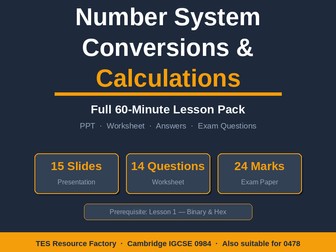
A COMPLETE 60-minute lesson pack for Cambridge IGCSE (9-1) Computer Science (Syllabus 0984) - covering Number System Conversions and Calculations, fully aligned to the Data Representation topic. Builds directly on Lesson 1 (Binary & Hex). Everything you need for a fully-resourced, exam-ready lesson: PowerPoint Presentation (15 slides) • Modern Slate & Amber design — consistent with the series • Full lesson flow: Retrieval starter → Objectives → Conversion routes map → Binary addition rules → Column addition method → Overflow → Binary shifts → Worked examples → Guided practice → Independent practice → Extension → Misconceptions → Exit ticket → Summary • Interactive column addition table showing carry rows • Visual overflow diagram with lost-bit indicator • Shift diagrams with before/after and multiplier labels Student Worksheet (14 questions, 6 pages) • Built-in binary addition rules reference table • Sections A–D: conversions, binary addition, binary shifts, application • Answer space scaled to mark allocation • Clean page breaks — every section starts fresh, no orphaned questions • Extension: multi-step challenge combining all three skills Full Answers & Mark Scheme (5 pages) • Fully worked column addition with carry rows shown • M / A / B mark labelling matching IGCSE conventions • Green highlighted success lines for easy marking Exam-Style Practice Paper (8 pages, 24 marks, 30 minutes) • 4 structured Paper 1 questions with IGCSE command words • Covers: binary↔denary, binary↔hex, column addition, overflow, binary shifts • Mark scheme on dedicated page — never mixed with student paper LEARNING OBJECTIVES (aligned to 0984 syllabus) • Convert fluently between denary, binary and hexadecimal in both directions • Perform binary addition of two 8-bit numbers including carrying • Detect and explain overflow in binary addition • Perform binary left and right shifts and state their effect on value • Apply number system skills to exam-style structured questions SUITABLE FOR • Cambridge IGCSE (9-1) Computer Science - Syllabus 0984 • Cambridge IGCSE Computer Science - Syllabus 0478 (fully compatible) • AQA / OCR / Edexcel GCSE Computer Science (number systems topic) • Ages 14–16 · KS4 · Difficulty: Easy • Prerequisite: Lesson 1 — Binary and Hexadecimal Number Systems binary addition, binary shifts, overflow, Cambridge IGCSE Computer Science, 0984, data representation, number systems, hex conversion, carry bit, GCSE computing, left shift right shift, binary arithmetic, denary to binary, IGCSE 0478, binary overflow
Cambridge 9618 Pseudocode: Procedures & Functions Lesson + Scaffold + Exam Practice + Mark SchemeQuick View
rifazul

Cambridge 9618 Pseudocode: Procedures & Functions Lesson + Scaffold + Exam Practice + Mark Scheme

(0)
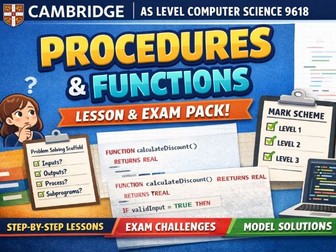
Cambridge 9618 Pseudocode: Procedures and Functions — Lesson, Scaffold, Exam Practice and Mark Scheme Teach procedures and functions in Cambridge International AS Level Computer Science (9618) with this complete lesson, practice and assessment bundle. This resource is designed to take students from basic understanding to exam-level mastery and is fully aligned with Cambridge expectations and pseudocode.pro syntax. This pack focuses on modular programming, helping students understand how to structure solutions using procedures and functions — essential for success in Paper 2. What’s included Full lesson PowerPoint Based on “Procedures and Functions – From Basics to Mastery” Subprograms and modular design Procedures vs functions Parameters and arguments Return values Pass by value and pass by reference Local and global variables Common exam mistakes Guided examples and modelling Exam-style thinking Scaffold sheet (problem-solving framework) A structured step-by-step worksheet that helps students: Identify inputs and outputs Break down processes logically Plan modular solutions Decide when to use functions and procedures Develop clear pseudocode Ideal for lower ability students, EAL learners and structured exam preparation. Progressive practice tasks Four levels of tasks moving from basic to exam standard: Level 1: Basic procedures and functions Level 2: Integration and reuse Level 3: Validation and modular programs Level 4: Exam-style challenges Includes topics such as menu systems, validation, file handling, string processing and modular design. Exam-style challenges Higher-level tasks similar to Cambridge Paper 2 questions, including discount systems, modular program design and multi-function solutions. Full model solutions Written in Cambridge 9618 pseudocode style and compatible with pseudocode.pro. Clear, structured and suitable for teaching and revision. Detailed mark scheme Includes marks per line using method and accuracy marks. Designed to reflect Cambridge marking style — useful for teacher marking, moderation and student self-assessment. Why this resource is effective Fully aligned with Cambridge 9618 requirements Builds understanding step by step from basic to advanced Develops strong modular programming skills Helps reduce common exam mistakes Suitable for both teaching and revision Suitable for: Cambridge AS Level Computer Science (9618) Year 12 or Grade 11 Exam preparation and revision Intervention lessons Cover lessons
9626 A Level IT Paper 4 - JavaScript Practice File & Step-by-Step Guide (Space Station Theme)Quick View
rifazul

9626 A Level IT Paper 4 - JavaScript Practice File & Step-by-Step Guide (Space Station Theme)

(0)
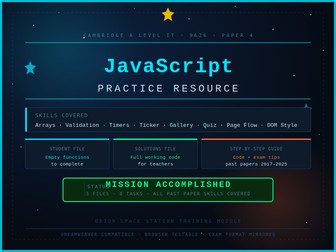
This resource provides everything students need to practise and master the JavaScript skills tested in Cambridge A Level Information Technology (9626) Paper 4, based on a full analysis of past papers from 2017 to 2025. MISSION ACCOMPLISHED - full solutions file included for teachers. The pack contains three files: SpaceStation_PracticeTasks.html — A themed practice file designed to be opened in Dreamweaver or any text editor alongside a web browser. Students work through 8 tabbed tasks covering every JavaScript skill that has appeared in Paper 4 over the past eight years. The file mirrors the format of the real exam - functions are partially written, display functions are pre-built and must not be altered, and variable names are specified in comments, exactly as Cambridge set the paper. Students write their code directly into the empty functions and test immediately in the browser. SpaceStation_PracticeTasks_MISSIONACCOMPLISHED.html — The complete teacher version of the practice file with every function fully solved. Identical layout and theme to the student file, making it straightforward to compare student work against the correct solution or use for live demonstration in class. A full step-by-step written guide that supports every task in the HTML file. Each task includes a plain-English explanation of the concept, numbered steps, exact code examples, and exam tips drawn from mark scheme patterns seen across multiple sessions. Yellow cross-reference boxes in both files link the guide and the HTML so students always know exactly where to look. Skills covered (all verified from past paper analysis 2017–2025): Arrays and objects, push(), reading and clearing input fields, default values, if/else validation, alert(), parseInt(), style.display show/hide, style.backgroundColor, setInterval() countdown and count-up timers, clearInterval(), setTimeout(), scrolling text ticker with substring(), image gallery with index wrapping, auto-play slideshow, Math.random() quiz questions, score tracking, document.write() result screens, location.reload(), and multi-step page flow control. Suitable for: A Level IT 9626 students preparing for Paper 4. Also useful as a standalone JavaScript introduction for any student learning web programming for the first time. How to use: Hand out the student HTML file and the guide. Students open the HTML in Dreamweaver and a browser side by side, work through each tab using the guide for support, and test their code after every task by refreshing the browser. Use the solutions file for marking, live demonstration, or as a teacher reference.
Cambridge A Level ICT 9626 – Chapter 21: Programming for the Web (JavaScript) Complete WorkbookQuick View
rifazul

Cambridge A Level ICT 9626 – Chapter 21: Programming for the Web (JavaScript) Complete Workbook

(0)
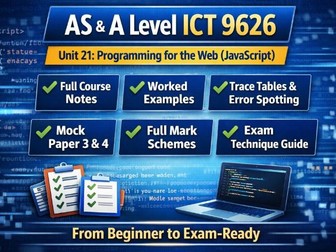
This complete JavaScript workbook is designed for students studying the Cambridge International AS & A Level Information Technology 9626 syllabus, specifically Unit 21: Programming for the Web. It provides a structured, step-by-step learning pathway from beginner level to full exam readiness, covering both Paper 3 (theory) and Paper 4 (practical programming tasks). Created in line with Cambridge International Education requirements, this resource is suitable for classroom teaching, independent study, or exam revision. WHAT IS INCLUDED PARTS 1–16: Full Course Notes Complete JavaScript programming content from scratch No prior HTML, CSS, or JavaScript knowledge required Clear explanations written in simple, accessible language PART 17: Exam Overview Paper 3 and Paper 4 structure explained with worked examples PART 18: Trace Tables Step-by-step execution tracking with full solutions PART 19: Error Spotting Practice with syntax, logic, and runtime errors with corrections PART 20: Practical Programming Tasks Three timed Paper 4 style tasks with full model answers PART 21–22: Mock Exams One Paper 3 mock exam (theory, 30 marks) One Paper 4 mock exam (practical, 30 marks) PART 23: Mark Schemes Complete answers for all mock questions PART 24: Exam Technique Guide Command words explained How to structure high-mark answers including 6-mark questions PART 25: Final Revision Pack Quick reference syntax sheet Final exam checklist LEARNING OUTCOMES By using this workbook, students will be able to: *Understand core JavaScript programming concepts *Trace code execution using structured methods *Identify and correct programming errors *Complete exam-style practical programming tasks *Answer theory questions using correct exam techniques RECOMMENDED TOOLS JSFiddle (jsfiddle.net) Visual Studio Code with a browser Any basic text editor for practice IDEAL FOR *AS & A Level ICT students (9626 syllabus) *Teachers delivering Unit 21 content *Independent learners preparing for exams *Students aiming for high grades in Paper 3 and Paper 4
Cambridge International AS Level ICT (9626) – Paper 1 Complete Resource PackQuick View
rifazul

Cambridge International AS Level ICT (9626) – Paper 1 Complete Resource Pack

(0)
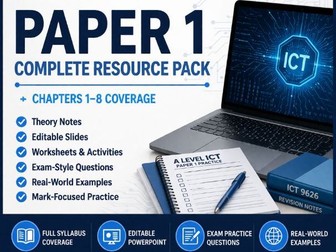
Cambridge International AS Level ICT (9626) – Paper 1 Complete Resource Pack Chapters 1–8 Coverage This complete Paper 1 resource pack provides full teaching and revision coverage of the Cambridge International A Level ICT (9626) Paper 1 theory content. It is designed to support both classroom delivery and independent study, helping students develop strong understanding of key ICT concepts and exam technique. The resource includes structured lesson materials, student worksheets, and exam-style questions closely aligned to the Cambridge specification. It focuses on building knowledge, application, and understanding of core theory topics required for Paper 1 success. What’s included Editable PowerPoint slides for each chapter Structured student worksheets and activities Exam-style questions and practice tasks Key definitions and terminology support Real-world ICT examples where relevant Full coverage of Paper 1 syllabus content Chapter coverage 1 Data, Information and Knowledge 2 Hardware and Software 3 Number Systems and Data Representation 4 System Software 5 Input, Output and Storage Devices 6 Communication and Networks 7 Internet Technologies 8 Security and Data Integrity Why this resource works Fully aligned with Cambridge 9626 ICT specification Builds strong theoretical understanding Improves exam performance through structured practice Reduces teacher planning time significantly Suitable for classroom teaching, homework, and revision Who it is for Teachers delivering Cambridge International A Level ICT (9626) Departments standardising ICT teaching resources New ICT teachers needing structured support Students revising for Paper 1 examinations
Cambridge A Level ICT (9626) – Chapter 18: Mail Merge Complete Student Study PackageQuick View
rifazul

Cambridge A Level ICT (9626) – Chapter 18: Mail Merge Complete Student Study Package

(0)
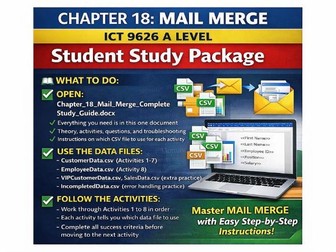
Here’s the cleaned-up version ready to copy and paste directly into TES: Cambridge A Level ICT (9626) – Chapter 18: Mail Merge Complete Student Study Package Struggling to teach or learn Mail Merge effectively for Cambridge A Level ICT (9626)? This complete, exam-focused study package provides everything students need to confidently master one of the most important practical exam topics. Designed for both classroom delivery and independent learning, this resource walks students through Mail Merge step-by-step using structured activities and real exam-style data. WHY THIS RESOURCE WORKS Exam-Focused Approach Built specifically around Cambridge requirements, ensuring students develop the exact skills needed for assessment. Clear Step-by-Step Learning Students follow a logical progression from basic setup to more advanced Mail Merge tasks. Hands-On Practice with Real Data Includes multiple datasets to simulate real exam scenarios and build confidence. WHAT’S INCLUDED Core Study Guide One complete document covering theory and key concepts, guided activities, exam-style questions, and troubleshooting support. Data Files for Practice Students work with multiple datasets to build real understanding: CustomerData.csv (Activities 1–7) EmployeeData.csv (Activity 8) VIPCustomerData.csv and SalesData.csv (extension tasks) IncompletedData.csv (error handling and problem-solving) Structured Learning Path Students are guided through a clear workflow: Open and follow the complete study guide Use the correct dataset for each activity Progress through Activities 1–8 in order Meet success criteria before moving forward This ensures deep understanding, not just surface-level completion. SKILLS DEVELOPED Setting up Mail Merge documents correctly Linking and managing external data sources (CSV files) Inserting and formatting merge fields Producing professional outputs such as letters and documents Identifying and fixing common Mail Merge errors Working efficiently under exam conditions PERFECT FOR Cambridge A Level ICT (9626) teachers Students preparing for practical examinations Revision sessions and intervention groups Cover lessons or independent study Save Time, Improve Results This is a ready-to-use, no-prep resource that allows you to deliver high-quality lessons while ensuring students gain the confidence and accuracy needed for exam success.
Cambridge A Level ICT – Chapter 17: Data Analysis & Visualization (Complete Exam Mastery Workbook)Quick View
rifazul

Cambridge A Level ICT – Chapter 17: Data Analysis & Visualization (Complete Exam Mastery Workbook)

(0)
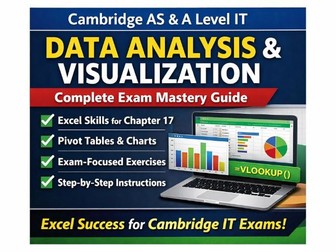
Cambridge AS & A Level IT – Data Analysis & Visualization (Complete Exam Mastery Guide) Struggling to get students confident with Excel for the Cambridge IT practical exam? This all-in-one, exam-focused study guide is designed to take them from basic skills to top-grade performance. Built specifically around Chapter 17 (Data Analysis & Visualization), this resource gives students everything they need to clean, transform, analyse, and present data exactly as examiners expect. Why This Resource Stands Out Exam-Focused & Student-Friendly Every section is written with Cambridge exam requirements in mind, breaking down complex tasks into clear, step-by-step instructions. Real Exam Skills (Not Just Theory) Students don’t just learn what to do — they learn how to do it efficiently under exam conditions. Complete Workbook + Revision Tool in One No need for multiple resources — this guide covers teaching, practice, and revision all in one place. What Students Will Master Data cleaning techniques (duplicates, missing data, formatting) Essential Excel functions (TRIM, LEFT, RIGHT, MID, FIND, CONCATENATE, TEXTJOIN) VLOOKUP and data consolidation (a key exam skill) Splitting and merging data effectively Creating powerful Pivot Tables for analysis Designing Pivot Charts to communicate insights clearly Packed with Practice That Actually Works This isn’t just notes — it includes fully guided, exam-style exercises using realistic datasets: Sales data analysis (complete workflow) Student performance tracking Multi-store inventory management Customer database handling Dashboard creation tasks Perfect for building confidence, speed, and accuracy. Designed for Maximum Exam Impact Key formula reference sheet for quick revision Common mistakes students must avoid Step-by-step exam strategies Time management guidance Troubleshooting for common Excel errors Perfect For: Cambridge AS & A Level IT teachers Students preparing for practical exams Revision lessons, homework, or intervention sessions Cover lessons or independent learning Save Hours of Planning This is a ready-to-use, no-prep resource that allows you to: Teach more efficiently Revise more effectively Improve student outcomes
Cambridge International A Level ICT (9626) Paper 3 - Full Resource PackQuick View
rifazul

Cambridge International A Level ICT (9626) Paper 3 - Full Resource Pack

(0)
Cambridge International A Level ICT (9626) – Paper 3 Complete Resource Pack (Chapters 12–16) This complete Paper 3 resource pack is designed for teaching Cambridge International A Level ICT (9626) and provides full coverage of the Paper 3 syllabus. The pack includes lesson-ready slides, structured classroom activities, and student worksheets, supporting both first teaching and revision. Content is aligned closely to the specification and helps students develop the analysis, evaluation, and real-world application skills required for higher-mark Paper 3 questions. What’s included Editable PowerPoint slides for each chapter Student worksheets and activities Exam-style and discussion questions Real-world ICT examples and case studies Clear explanations of key A Level ICT terminology Paper 3 syllabus coverage Chapter 12 – IT in Society Chapter 13 – Emerging Technologies Chapter 14 – Communication Technology Chapter 15 – Project Management Chapter 16 – System Life Cycle Why this resource works Fully aligned with the Cambridge 9626 ICT A Level specification Written at an appropriate A Level standard Encourages evaluation and extended responses Suitable for class teaching, homework, and exam revision Saves hours of planning time Who it’s for Teachers delivering Cambridge International A Level ICT (9626) Teachers new to Paper 3 or the specification Departments seeking consistent, high-quality Paper 3 resources