Computational Thinking Escape RoomQuick View
nwilkin

Computational Thinking Escape Room

(7)
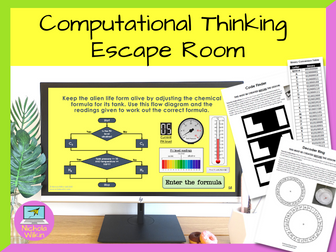
This highly interactive lesson that requires the pupils to work in teams and use computational thinking skills to solve a range of puzzles. This activity perfect for pupils about to learn Python programming and you want to show the importance of computational thinking skills. **This resource was shortlisted for the Teach Secondary Awards, a very rare honor for an independent resource creator. ** Your class need to work together to escape a locked laboratory in a spaceship and start the engines to avoid being sucked into a black hole by completing different challenges which will use a variety of computational thinking skills. They are given most of the lesson to work together and at the end of the lesson, time is dedicated to discuss the computational thinking skills they used during the activity. This gives them a practical application for the computational thinking theory rather than using the tired old “making a jam sandwich” or “getting up in the morning” scenarios which are commonly used. This activity is not a handout driven escape room, it involves using an interactive PowerPoint presentation and physical tasks that moves away from pupils filling in yet another worksheet, to working together in a team to solve interesting and challenging puzzles. Pupils enjoy the lesson and are fully engaged whilst developing the key computational thinking skills of decomposition, pattern recognition, abstraction and algorithms. Please note: This lesson does require teachers to prepare some props beforehand and it is highly recommended the teacher reads through the teacher’s instructions and creates the props well before they want to use the lesson. Also please note that this resource does not work with Google Slides. Written primarily for key stage 3, this activity can be used in a variety of situations: Introducing pupils to computational thinking skills before they are introduced to a text-based programming language Used as an end of term fun lesson which still has an education element A fun activity to use on a year 6 transition day Allow your new year 7s to get to know their new classmates and grow team sprit Helping a reluctant class see the benefits of learning programming skills . What are you waiting for? Download this interactive escape room NOW, to help students learn about computational thinking skills in a fun and memorable lesson they will love and remember. You may also be interested in my Computational Thinking Worksheets which you can buy from here.
Python Iteration LessonQuick View
nwilkin

Python Iteration Lesson

(4)
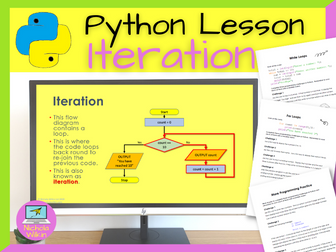
This complete Python programming lesson teaches pupils about iteration, namely for loops and while loops. It also includes lots of practice with reading and drawing flow diagrams. Download this no-prep lesson now to help you take control of your workload. This teaching resource includes an attractive dyslexia friendly PowerPoint presentation including videos to teach the key skills and the easy to follow teachers lesson plan includes all the answers. This ready-to-use lesson is perfect for non-specialist teachers, newly qualified teachers and teachers who are teaching Python for the first time. Please note: This lesson does assume the pupils are familiar with using basic if and else statements in Python. (My ready to use lessons to teach those skills are available here: “If Statement Lesson” and “More If Statements Lesson” ) Duration: 1 lesson This lesson teaches pupils about: For loops using the range statement While loops The difference between count controlled and condition-controlled loops . What are you waiting for? Take action straight away and grab your copy of this wonderful lesson today that will keep your pupils engaged and making progress and save you preparation time. FREE BONUS PRODUCT INCLUDED As a special thank you for purchasing this product I am pleased to be able to also include a surprise FREE bonus gift. This gift is one of our complete resources which we will usually charge full price for but is yours absolutely free when you purchase this product. Just our little way of saying thank you to our valued customers. I hope you enjoy it and get use out of it, with my compliments. [Click Here To See More Of My Great Python Lessons] (https://www.tes.com/resources/search/?authorId=835903&q=Python Lessons&shop=nwilkin)
Exam Technique for GCSE Computer ScienceQuick View
nwilkin

Exam Technique for GCSE Computer Science

(2)
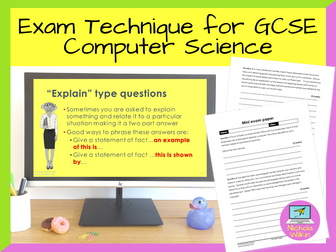
Complete exam technique lesson to help GCSE computer science students boost their grades. Do you feel your students know their computer science theory but are worried they still need a little extra help on understanding how to answer the exam questions to get the highest marks possible? Fear not, help is at hand. This stand-alone lesson introduces your pupils to common exam terminology so they feel more prepared in understand exactly what type of answers the questions require to get the top marks available. It gives them plenty or practice in answering a variety of questions including a min exam paper you can set as a homework task or during a second lesson. Buy this resource now and give your students the opportunity of gaining a few more valuable points. This can mean the difference between getting the grades they need or possibly missing out just because they didn’t know how to answer one particular type of question. What is included? This complete lesson includes : a 29-slide PowerPoint presentation (editable) 1-page PDF teacher’s lesson plan (not-editable) 1-page PDF algorithms question handout (not-editable) 2-page PDF mini exam paper (not-editable) . Please note: This lesson was created specifically for the OCR GCSE Computer Science (J277) and AQA GCSE Computer Science (8525) exams and will help your pupils feel more prepared for their exams. How can it be used? The exam preparation PowerPoint presentation is best used during your computer science exam revision lessons. Use the PowerPoint presentation along with the class working through all the exam practice activities together. You can either set the mini exam paper as a homework task and mark it together the next lesson or even let them mark it themselves. Alternatively set the mini exam paper during a second dedicated lesson and mark it together in class. What are you waiting for? Grab your copy of this invaluable lesson now and give your pupils the boost they need to get a few extra marks in their computer science exams. FREE BONUS PRODUCT INCLUDED As a special thank you for purchasing this product I am pleased to be able to also include a surprise FREE bonus gift. This gift is one of our complete resources which we will usually charge full price for but is yours absolutely free when you purchase this product. Just our little way of saying thank you to our valued customers. I hope you enjoy it and get use out of it, with my compliments. Looking for computer science revision material? Check out these fabulous self-study workbooks that completely cover the exam specifications: Complete set of OCR Revision Workbooks Complete set of AQA Revision Workbooks
Build Your Own Paper ComputerQuick View
nwilkin

Build Your Own Paper Computer

(2)
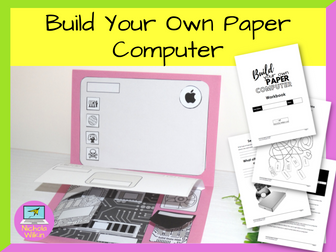
This highly engaging series of 3 lessons can be run with no student computers so is suitable for lessons in a standard non-ICT classroom, in a computer suite or when pupils are self-isolating at home. Each lesson comes with a dyslexia-friendly PowerPoint presentation that includes all the instructions and takes the teacher and class through each lesson making this resource suitable for specialist and non-specialist teachers. The students have a workbook they fill in each lesson as they progress, extending their knowledge and helping you monitor their progress. An answer book is provided which can be used by the teacher or issued to students as a self-marking aid. This is a hands-on enjoyable series of three lessons that help pupils understand the hardware in a computer along with common software. Written for KS3 this is suitable for years 7 to 9 and can even be used with GCSE groups if you wish. Equipment needed: pupils should have access to a pair of scissors, a glue stick and a sheet of colourful A4 (or letter sized) paper along with a print-out of the 7-page template and 13-page workbook each (oh, and they will also need a pen). FREE BONUS PRODUCT INCLUDED As a special thank you for purchasing this product I am pleased to be able to also include a surprise FREE bonus gift. This gift is one of our complete resources which we will usually charge full price for but is yours absolutely free when you purchase this product. Just our little way of saying thank you to our valued customers. I hope you enjoy it and get use out of it, with my compliments.
Inside cryptocurrencyQuick View
nwilkin

Inside cryptocurrency

(0)
Cryptocurrency is everywhere in the news but most pupils only hear the hype. Inside cryptocurrency is a clear, classroom-ready 6 lesson unit created for GCSE Computer Science pupils. It teaches essential network theory and cybersecurity concepts through a topic students actually care about. Pupils learn how peer-to-peer networks work, how messages spread across nodes, why latency matters and how shared records stay consistent. They also explore scams, privacy and ethics so they can think critically about real digital systems. Everything is fully planned and ready to teach, so you can deliver confidently even if crypto is not your specialist area. Includes fully editable PowerPoint presentations, lesson plans and worksheets. LESSONS INCLUDED Crypto without banks Trust online, the role of a middleman and how peer-to-peer networks use nodes, broadcasting and confirmation. Inside Bitcoin and blockchain Transactions as data, hashing, linked blocks, proof of work and agreement across many nodes. Mempools and fees Transaction propagation, latency, mempools, congestion and fee based prioritisation. Crypto scams Social engineering, phishing and fake websites. DNS, domains and why HTTPS does not prove trust. Privacy, tracking and ethical use of crypto Privacy vs anonymity, pseudonymity, tracking wallet addresses and ethical dilemmas using real case studies. Securing wallets and transactions Public and private keys, seed phrases and digital signatures. Threat modelling, authentication choices (including 2FA and hardware wallets) and encryption. WHO IS THIS FOR? Ideal for GCSE Computer Science classes including mixed ability groups. Great for non-specialists who want a relevant way to teach networks and security with minimal prep. BUY NOW Teach networks through a modern context and give pupils practical understanding of how real systems handle trust, security and risk.
Internet of ThingsQuick View
nwilkin

Internet of Things

(0)
Make the Internet of Things feel real, relevant and easy to teach. This fully planned 6 lesson unit introduces Key Stage 3 pupils to the Internet of Things through clear explanations, modern examples and activities that build confident, responsible tech users. Pupils learn what makes a device smart, how smart devices communicate, then explore benefits and risks including privacy, security and real-world case studies. The unit finishes with a creative group project where pupils design their own smart device and present how they will protect users’ data. Everything is ready to teach, so you can deliver with confidence even if IoT is not your specialist area. WHAT’S INSIDE? 6 fully planned IoT lessons for KS3 fully editable PowerPoint presentations, lesson plans and worksheets clear success criteria and built-in opportunities for discussion, peer assessment and reflection . LESSONS INCLUDED What is the Internet of Things? Definitions, examples and how IoT helps in daily life. How do smart devices communicate? Data packets, networks, routers, Wi-Fi, Bluetooth, the cloud, pairing and protocols. The benefits and risks of IoT Debate and case studies to weigh up convenience vs hacking and data privacy. Privacy and security in the IoT world Personal data, cybersecurity and key UK laws (Data Protection Act 2018, UK GDPR, Computer Misuse Act 1990 and Freedom of Information Act 2000). Design your own smart device (group work) Plan features, personal data collected and security measures. Present and reflect Present, answer privacy and security questions, give feedback and reflect on the impact of IoT. . WHO IS THIS FOR? Ideal for KS3 Computing and digital literacy, including mixed ability classes. Perfect for busy teachers and non-specialists who want a complete, high-quality unit with minimal prep. WHY TEACHERS CHOOSE THIS IOT UNIT Ready to teach lessons that save you hours Modern, engaging examples that pupils recognise Strong focus on privacy, security and responsible technology use Built-in discussion, debate and project-based learning A final presentation outcome that is easy to assess . BUY NOW Walk into your next lesson with a complete IoT unit that builds understanding, sparks curiosity and keeps privacy and security at the centre of the conversation.
History of Computers LessonQuick View
nwilkin

History of Computers Lesson

(95)
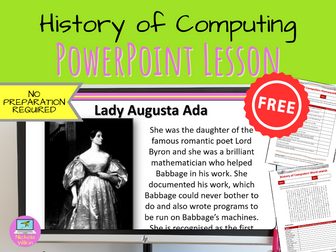
This lesson teaches the pupils about the history of computers. It uses animations to tell the story in an interesting and entertaining way. As the pupils learn the history they fill in a worksheet which you can go through with the whole class. They then complete a word search identifying the key people in developing technology and finally they play a game to recap what they have learnt. Suitable for GCSE Computer Science classes and KS3 Computing and ICT classes.
Scratch LessonsQuick View
nwilkin

Scratch Lessons

(249)
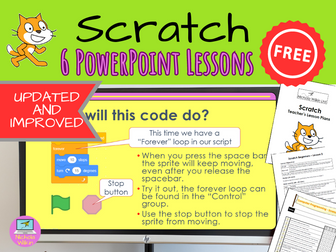
One of the most popular FREE teaching resources on TES. Now updated and improved to use the latest version of Scratch. This FREE 6 lesson unit can be used to teach Scratch to KS2 pupils. Grab your copy of this Scratch unit now, your students will love it. WHAT IS INCLUDED? These 6 Scratch programming lessons include attractive dyslexia friendly PowerPoint presentations which include videos to teach the key skills. Easy to follow teacher lessons plans making this suitable for non-specialist teachers. Simple student friendly self-evaluation forms which can be completed either on paper-based worksheets or as on-screen editable PDF files to show students their progress through the unit. Easy to use teacher marksheet in the form of an Excel spreadsheet making your like easier when it comes to reporting on students’ progress. 5 Scratch programs that are partially completed for your students to use along with completed versions for you to use as a demonstration of a possible solution. WHAT DOES THIS UNIT TEACH YOUR STUDENTS? This unit is suitable for pupils in KS2. It does not assume any prior programming knowledge and covers the following guidelines in the National Curriculum: design, write and debug programs that accomplish specific goals, including controlling or simulating physical systems; solve problems by decomposing them into smaller parts use sequence, selection, and repetition in programs; work with variables and various forms of input and output use logical reasoning to explain how some simple algorithms work and to detect and correct errors in algorithms and programs . **NUMBER OF LESSONS ** Recommend 6 x 1 hour lessons, although this will work with slightly shorter or longer lessons. **SUITABILITY ** This project is suitable for mixed ability classes. DIFFERENTIATION Lessons are differentiated by outcome and this is reflected in the success criteria and part of each lesson involves the students working independently, freeing up the teacher to offer more one-to-one help to the students who need it. Download this FREE unit now and take control of your workload. HAVE YOU ALSO SEEN…? You may also like my SCRATCH FLASH CARD BUNDLE to help you with your planning.
Python Subprograms LessonQuick View
nwilkin

Python Subprograms Lesson

(0)
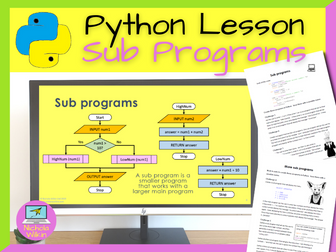
This complete Python programming lesson teaches pupils how to use subprograms including how to pass variables, call subprograms and use local and global variables. Download this no-prep lesson now to help you take control of your workload. This ready to use lesson is suitable for Key Stage 3 and GCSE computer science pupils. This complete lesson includes an attractive dyslexia-friendly PowerPoint presentation including videos to teach the key skills and the easy-to-follow teacher’s lesson plan includes all the answers. This ready-to-use lesson is perfect for non-specialist teachers, newly qualified teachers and teachers who are teaching Python for the first time. Please note: This lesson does assume the pupils are confident with using basic programming constructs of sequence, selection (if statements) and iteration (while and for loops) Duration: 1 lesson. This lesson teaches pupils about: Subprograms Passing variable to a subprogram Returning variables from a subprogram to the main program Local and global variables . What are you waiting for? Take action straight away and grab your copy of this wonderful lesson today that will keep your pupils engaged and making progress and save you preparation time. FREE BONUS PRODUCT INCLUDED As a special thank you for purchasing this product I am pleased to be able to also include a surprise FREE bonus gift. This gift is one of my complete resources for which I usually charge full price but is yours absolutely free when you purchase this product. Just my little way of saying thank you to my valued customers. I hope you enjoy it and get use out of it, with my compliments. [Click Here To See More Of My Great Python Lessons] (https://www.tes.com/resources/search/?authorId=835903&q=Python Lessons&shop=nwilkin)
The Purpose of the CPU LessonQuick View
nwilkin

The Purpose of the CPU Lesson

(3)
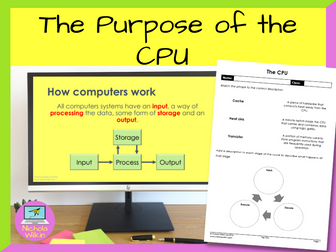
How can you teach your students about the purpose of the CPU in an engaging way? The key is to break up the theory into small manageable chunks and reinforce each section with a variety of activities. And that is EXACTLY what this lesson does. Why spend hours making your own resources when it is all done for you? Download this lesson today and save yourself all that preparation. WHAT IS INCLUDED? Suitable for GCSE Computer Science pupils following either OCR GCSE Computer Science (J277) and AQA GCSE Computer Science (8520) syllabuses. This lesson includes: an attractive dyslexia-friendly PowerPoint presentation, differentiated lesson objectives, a video to change focus and break up the lesson, loads of individual and group tasks and questions, a printable ready-to-use worksheet for classwork, 3 differentiated exam-style questions which can be used either in the plenary or set for a homework task, a comprehensive 2-page teacher’s lesson plan including ALL THE ANSWERS. . WHAT DOES IT COVER? With virtually no preparation (apart from photocopying the single page worksheet) you will be ready to teach your classes about: the relationship between hardware and software the fetch - decode - execute cycle address busses and data busses the purpose and main functions of the CPU . **DURATION: **1 lesson Please note: This lesson does not teach pupils about the Von Neumann Architecture as that is covered in a separate lesson. FREE BONUS PRODUCT INCLUDED As a special thank you for purchasing this product I am pleased to be able to also include a surprise FREE bonus gift. This gift is one of my complete resources for which I usually charge full price but is yours absolutely free when you purchase this product. Just my little way of saying thank you to my valued customers. I hope you enjoy it and get use out of it, with my compliments. Check out these other great resources by Nichola Wilkin (nwilkin): CPU Performance Von Neumann Architecture Rom, Ram and Virtual Memory Embedded Systems Secondary Storage
ESafety QuizQuick View
nwilkin

ESafety Quiz

(98)
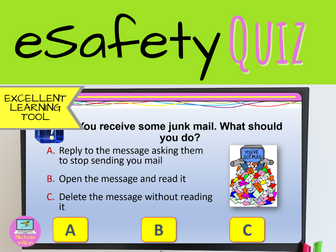
An interactive quiz for the whole class through an IWB, which can be used as a starter or plenary. Covers cyber bullying, using social media responsibly, copying information from the internet and avoiding infecting your PC with viruses. Looking for 6 high-quality ready to use lessons. Check these lessons out now
Computer Science Murder Mystery ActivityQuick View
nwilkin

Computer Science Murder Mystery Activity

(27)
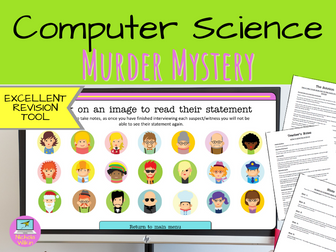
Looking for a different style of GCSE computer science revision lesson? Want a fun, interactive, team-based challenge for the end of term for your KS3 computing classes? This activity is just what you are looking for. Easily adapted to be used for KS3 and GCSE classes, this computer science murder mystery will have your pupils answering computer science related questions in order to interview suspects and solve the case. This activity includes everything you need to run this exciting and immersive game which is sure to have your classes working together as they race to beat the other teams in identifying the murderer and the murder weapon used. With minimal setting up, this game makes that last lesson of term, or the last lesson with your GCSE classes before they start their exams, an enjoyable and memorable experience. ALL THIS IS FOR FREE! Includes: Clear teacher notes telling you how to prepare and run the activity An introduction PowerPoint presentation, to set the mood and tell the students what they need to do An interactive PowerPoint presentation, the teams use to solve the case A variety of handouts that are used through the game
Understanding Bitmap Images LessonQuick View
nwilkin

Understanding Bitmap Images Lesson

(46)
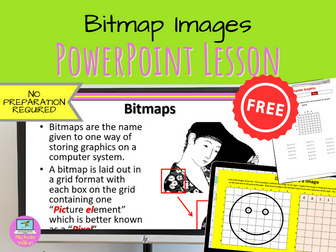
This lesson teachers pupils about how bitmap images are created and processed and includes topics such as grid size, colour depth and compression techniques. The pupils practice creating simple bit map images and then find an image and practice saving the files in different formats to see the difference between lossy and lossless compression. Suitable for GCSE Computer Science classes and KS3 Computing and ICT classes.
COMPUTING Year 7 Baseline Assessment (paper based test)Quick View
nwilkin

COMPUTING Year 7 Baseline Assessment (paper based test)

(48)
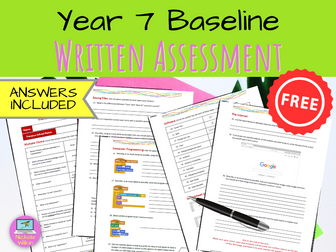
This test is to be given to year 7 pupils to test their current knowledge of key computing areas. This will help you understand their current strengths and weaknesses at the beginning of year 7 and includes a useful spreadsheet which not only highlights pupils understanding but also groups it by class and even primary school to help you inform your feeder schools which areas they need to work on and may need additional help with and which areas they have covered well. The key skills covered in this test are: Word, Excel, PowerPoint, saving files, programming, using the internet, e-safety and computer theory. Due to popular demand, I have interpreted the marks awarded to the old-style level descriptors (i.e. if they score 30 on the test or 45%, this would be equivalent to a 4C). Hope this helps. 2A - 5 marks (7%) 3C - 10 marks (15%) 3B - 12 marks (18%) 3A - 20 marks (30%) 4C - 28 marks (42%) 4B - 36 marks (54%) 4A - 42 marks (63%) 5C - 48 marks (72%) 5B - 54 marks (81%) 5A - 60 marks (90%) 6C - 64 marks (96%) PLEASE NOTE: This test is a paper-based test, if you would prefer the pupils to fill in an on-line document which can be either printed or sent to you electronically then please see our other set of resources from https://www.tes.com/teaching-resource/computing-year-7-baseline-assessment-on-line-version-11355832
Logic Gates and Truth Tables Worksheet PackQuick View
nwilkin

Logic Gates and Truth Tables Worksheet Pack

(2)
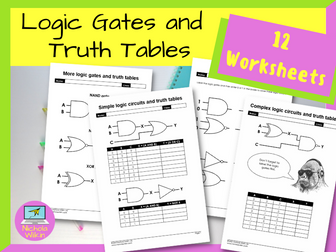
Do you want some ready to use worksheets that will help reinforce your logic gates and truth table lessons? Here you go… 12 ready to use PDF worksheets that you can use straight away. You don’t need to spend hours drawing your own logic circuits for worksheets, it’s all done for you – and you also get all the answers. These logic circuits use the correct exam board specified logic gate symbols and will help your pupils become familiar with the logic gates and notation they will need to learn for their exams. There is a variety of different styles of activities to keep your pupils engaged while embedding key skills. Grab your copy today and you can use them immediately with no additional preparation. WHAT IS INCLUDED? 12 PDF worksheets and a comprehensive teacher’s guide that includes all the answers to make your life easier. They can be used in sequence or you can mix and match them as you need them. These worksheets use AND, OR, NOT, NAND, NOR and XOR logic gates and notation (see preview images for examples of the exact notation that it used). Pupils will learn how to fill in truth tables, identify logic gates, draw logic circuits and solve logic circuits (entering 1 or 0 depending on the logic gate). The teacher’s guide describes how each worksheet can be used, the skills it helps pupils develop as well as giving you all the answers. HOW CAN I USE THEM? These attractive logic gate and truth table worksheets can be used in the classroom, for summative assessment, for homework tasks or as a revision aid when revisiting the topic. They are ideal for GCSE computer science pupils. You can print the worksheets out and ask the pupils to fill them in by hand, however 7 of the worksheets are also interactive and can be filled in on-screen saving on printing costs. The only ones that are not interactive are ones that require pupils to draw their own logic circuits and so printing them and filling in by hand is the easier option. The worksheets that are included are listed below: 01 Basic Logic Gates – Print or interactive 02 Simple Logic Circuits – Print or interactive 03 Logic Circuits – Print or interactive 04 Drawing Simple Logic Circuits – Print only 05 More Logic Gates – Print or interactive 06 More Logic Circuits – Print or interactive 07 Complex Logic Circuits – Print or interactive 08 Drawing More Logic Circuits – Print only 09 Basic Logic Gates With Notation – Print only 10 More Logic Gates With Notation – Print only 11 Solving Logic Circuits – Print or interactive 12 Creating A Logic Circuit From Notation – Print only . What are you waiting for? Grab these worksheets now and save yourself hours of preparation.
Python Programming More If Statements LessonQuick View
nwilkin

Python Programming More If Statements Lesson

(1)
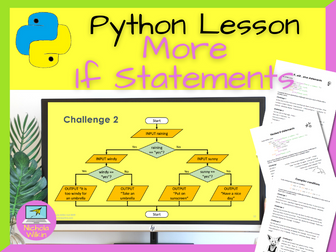
This Python programming lesson teaches pupils about using more complex if statements including if…else, elif and nested if statements. It also helps students get to grips with more complex criteria including using “and” and “or” operators. It also includes lots of practice with reading and drawing flow diagrams. Download this no-prep lesson now to help you take control of your workload. This complete lesson includes an attractive dyslexia friendly PowerPoint presentation includes a pop quiz and lots of practical programming practice. The easy to follow teacher’s lesson plan includes all the answers. This ready-to-use lesson is perfect for non-specialist teachers, newly qualified teachers and teachers who are teaching Python for the first time. Please note: This lesson does assume the pupils are familiar with using basic if and else statements in Python. Duration: 1 lesson. This lesson teaches pupils about: if…elif…else statements nested if statements “and” and “or” operators . What are you waiting for? Take action straight away and grab your copy of this wonderful lesson today that will keep your pupils engaged and making real progress. Everything is done for you which will save you hours of preparation time. FREE BONUS PRODUCT INCLUDED As a special thank you for purchasing this product I am pleased to be able to also include a surprise FREE bonus gift. This gift is one of my complete resources for which I usually charge full price but is yours absolutely free when you purchase this product. Just my little way of saying thank you to my valued customers. I hope you enjoy it and get use out of it, with my compliments. Click Here To See More Of My Great Python Lessons
The Witch's Lair – A Sorting Algorithms Escape RoomQuick View
nwilkin

The Witch's Lair – A Sorting Algorithms Escape Room

(0)
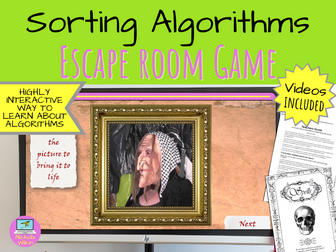
This has got to be one of the most unusual and fun ways of introducing your students to the delights of the bubble, insert and merge sorting algorithms. Even if your exam board only teaches two of these sorting algorithms it’s still worth getting this activity and teaching all three as it is just so much fun! Using an escape room activity that involves a witch and a goblin (who doesn’t want that?) your students will learn the basics of how these three algorithms work. This is a student-led interactive escape room activity that is ideal for social distancing and does not require any student computers and they can remain at their individual desks and yet they will still be working together. The entire activity will last a single lesson. Your role is to not do a lot and put the emphasis on your students working together. Early on you will be turned into a goblin! Sorry (not really sorry) so you may want to practise your goblin roar for when it’s called upon. Students therefore cannot rely on you to help them (because you’ll be a goblin) and they’ll have to work together (either as a whole class or in smaller teams if you prefer) to try and solve all the riddles in their “spell books” for themselves. The main activity is introduced via a whole-class PowerPoint presentation which includes videos giving the students vital instructions and helping them if necessary. Each pupil is given a printout of the spell book which contains all the challenges. This escape room style activity gives your students a great introduction to the three sorting algorithms (bubble sort, insert sort and merge sort) and will certainly give your students a boost at the start of learning this topic. Suitable for higher KS3 classes and GCSE Computer Science classes. FREE BONUS PRODUCT INCLUDED As a special thank you for purchasing this product I am pleased to be able to also include a surprise FREE bonus gift. This gift is one of my complete resources for which I usually charge full price but is yours absolutely free when you purchase this product. Just my little way of saying thank you to my valued customers. I hope you enjoy it and get use out of it, with my compliments.
Algorithm Unplugged Activity KS1 ComputingQuick View
nwilkin

Algorithm Unplugged Activity KS1 Computing

(30)
This activity helps towards of the coverage of the new computing national curriculum requirement of understand what algorithms are. An algorithm is a set of instructions. Help pupils learn about putting instructions into order using these cards. Ask the pupils to cut out each set and stick them in the correct order on paper or card. Cards 3 and 4 can have multiple answers and can form the basis for group discussion. A good activity to use before introducing the pupils to bee-bots.
Von Neumann Architecture LessonQuick View
nwilkin

Von Neumann Architecture Lesson

(4)
How can you teach your students about Von Neumann Architecture in an engaging way? The key is to break up the theory into small manageable chunks and reinforce each section with a variety of activities. And that is exactly what this lesson does. Why spend hours making your own resources when it is all done for you? Download this lesson today and save yourself all that preparation. WHAT IS INCLUDED? Suitable for GCSE Computer Science pupils following either OCR GCSE Computer Science (J277) or AQA GCSE Computer Science (8520) syllabuses. This lesson includes: an attractive dyslexia-friendly PowerPoint presentation, differentiated lesson objectives, a video to change focus and break up the lesson, loads of individual and group tasks and questions, a printable ready-to-use worksheet for classwork, 3 differentiated exam-style questions which can be used either in the plenary or set for a homework task, a comprehensive 3-page teacher’s lesson plan including ALL THE ANSWERS. . WHAT DOES IT COVER? With virtually no preparation (apart from photocopying the single page worksheet) you will be ready to teach about your classes about: How cache memory is used by the CPU The three levels of cache memory The component parts of the CPU in the Von Neumann Architecture model How the component parts of the CPU work in the fetch-decode-execute cycle . DURATION: 1 lesson FREE BONUS PRODUCT INCLUDED As a special thank you for purchasing this product I am pleased to be able to also include a surprise FREE bonus gift. This gift is one of my complete resources for which I usually charge full price but is yours absolutely free when you purchase this product. Just my little way of saying thank you to my valued customers. I hope you enjoy it and get use out of it, with my compliments. Check out these other great resources by Nichola Wilkin (nwilkin): The purpose of the CPU CPU Performance Rom, Ram and Virtual Memory Embedded Systems Secondary Storage
KS3 Spreadsheets: Excel Lessons and Worksheets (6 Lessons)Quick View
nwilkin

KS3 Spreadsheets: Excel Lessons and Worksheets (6 Lessons)

(0)
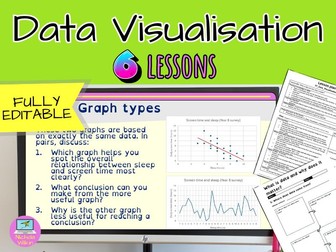
Spreadsheet Superpowers: a 6 lesson unit that makes data skills click Transform your spreadsheet lessons with this practical 6 lesson unit for Key Stage 3 Computing and digital literacy. Spreadsheet Superpowers is designed to build real confidence with Excel and spreadsheets using relatable scenarios and step by step modelling so every learner can succeed. Every lesson is fully planned and ready to teach, so non-specialists and busy teachers can deliver with confidence. Students do not just type numbers into boxes. They learn how to organise real world information, use formulas and functions to answer questions and present findings clearly with charts. This unit takes pupils from the basics of clean data tables and cell references through to functions, data validation and conditional formatting. It finishes with a realistic client brief where students apply everything they have learned to build a spreadsheet solution that answers genuine questions. Designed for Microsoft Excel. It can be adapted for Google Sheets, although some images and step by step instructions may need to be adjusted. WHAT’S INSIDE? 6 fully planned spreadsheet lessons for KS3 Lesson 1: How is data used? Spreadsheets in real life, data tables, formulas and cell addresses Lesson 2: Money matters: build a realistic personal budget using AutoSum and balance formulas Lesson 3: Comparing phone contracts: total cost, cost per unit, AutoFill and functions (AVERAGE, MIN, MAX) Lesson 4: Project planner: create a task tracker using data validation and conditional formatting Lesson 5: Data at a glance: choose the right chart type, format charts and spot misleading graphs Lesson 6: Solving a real-world brief: design a spreadsheet that answers a client’s questions using formulas, functions and charts . Includes fully editable: PowerPoint presentations, lesson plans, worksheets and Excel files. WHO IS THIS FOR? Ideal for Key Stage 3 Computing and digital literacy classes. Perfect for computer science teachers and non-specialists who want flexible, high quality lesson plans and lesson resources with minimal prep. WHY TEACHERS CHOOSE SPREADSHEET SUPERPOWERS Fully editable PowerPoint presentations, lesson plans, worksheets and Excel files Ready to teach structure saves you hours each week Real world contexts that make Excel and spreadsheets feel useful not abstract Strong focus on clean data, correct data types and accurate calculations Builds confidence with formulas and spreadsheet functions without overwhelming students Teaches honest data presentation through chart choice and misleading graph examples Ends with an applied project that brings everything together and gives you assessable outcomes . BUY NOW! Buy Spreadsheet Superpowers and walk into your next lesson knowing you have a complete unit that builds practical data skills students will use across computing and beyond.
Relational databases and SQL AQA GCSE Computer Science Workbook (8525)Quick View
nwilkin

Relational databases and SQL AQA GCSE Computer Science Workbook (8525)

(0)
This is exceptional value as it includes my “Relational Databases and Structured Query Language (SQL)” workbook and answer book, clear instructions to walk you through installing DB Browser and two databases to practise with. This pack is perfect for students studying for the AQA GCSE (9-1) in computer science and has been updated to completely cover the new specification 8525. It can be used in the classroom as a teaching aid, for self-study or as a revision tool. In this resource you will receive an interactive PDF workbook so your students can either print it out and complete the activities by hand or fill it in electronically making this an ideal workbook for use in school or for students studying at home. As part of that workbook it also includes gives clear, easy to follow instructions for creating an SQL database using DB Browser. It also shows how Python can be used to insert, update and delete data in the SQL database as well as retrieving specific data from the SQL database using select, from, where and order by. A separate PDF answer booklet is provided giving you all the answers to the tasks in the workbook so you can assign your students the workbook without including the answers. The 39-page workbook completely covers the new specification 8525 3.7 Relational Databases and Structured Query Language (SQL) section of the AQA (8525) GCSE in Computer Science. Table of Contents: Explain the concepts of databases Relational databases Table Record Field Primary Key Foreign key SQL SELECT FROM WHERE ORDER BY … ASC / DESC INSERT INTO UPDATE DELETE FROM . You may also be interested in these workbooks which have also been updated for the new specification: Algorithms Python Programming Fundamentals of Data Representation Computer Systems Fundamentals of Computer Networks Cyber Security Ethical, Legal and Environmental Impacts