Recently updated with even more tasks!
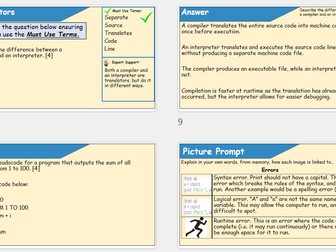
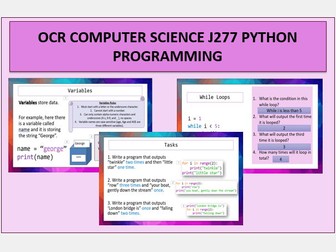
An entire 100+ slide PowerPoint covering Python Programming topics as stated in the OCR GCSE J277 Computer Science Specification.
This set of slides includes theory, examples, coding tasks and answers as well as starter activities for the following topics:
Variables
Comments
Data Types
Casting
Operators
User Input
Strings
String Methods
Concatenation
Booleans
Built in functions
Conditional Statements
FOR and WHILE loops
Lists
2-D Arrays
Functions and Procedures
Worksheet for strings and string methods included
WORKSHEET HAS NOW BEEN ADDED TO FILES.
Table of contents is linked to relevant slides to save you as much time as possible!
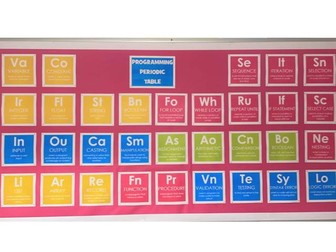
Computer Science periodic table wall display of key terms in programming.
Wall display for ICT and Computer Science classroom.
Key terms and keywords with definitions for programming in Python.
Contains 32 key words used in programming with definitions under each one.
Grouped together as publisher documents to easily print all 4 groups seperately.
PLEASE NOTE: You will recieve 8 documents with this download.
4 documents are the coloured version to be printed out on white paper.
The other 4 are black images with transparent text created on Photoshop to allow you to print on coloured paper of your choice.
All files are Publisher Documents ready to be printed.
40% off!!
Buy time and save on planning for your upcoming GCSE Computer Science revision lessons.
Bundle of amazing revision lessons for GCSE Computer Science (OCR).
Normally priced at £7.50.
Do not miss this bargan.
Lessons are created to be interactive and embed the principles of retrieval practice alongside exam question practice (answers provided). Lessons are animated to ease cognitive overload for learners.
Lessons are created on a dyslexic friendly PPT slide template (yellow background, sans font) to be as inclusive as possible.
UPDATED TO INCLUDE 2025 series.
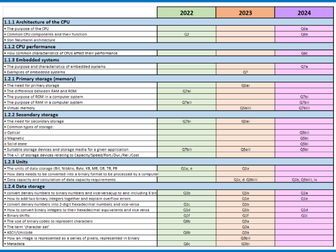
A complete breakdown of the 2022, 2023, 2024 and 2025 exam papers for both components 1 and 2 for the OCR GCSE Computer Science specification (J277).
Each paper has been mapped out to include the specification points covered and the questions asked. Questions have been colour coded to show repetition over the 3 past-papers.
Each paper also has a clear matrix mapped to the specification to help see which specification points are questioned more often, and which have been questioned least often.
I use this as a revision tool with my classes to ensure they know the key knowledge for the types of questions that appear every year. I also use it to try to predict what may appear in the next summer exam series (which worked to great effect in summer 2024 when ‘Operating Systems’ was questioned after seeing it had not appeared on the 2022 or 2023 paper!).
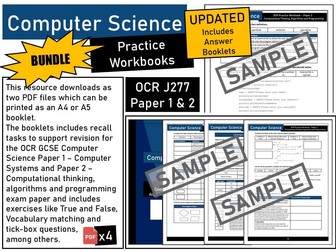
UPDATED - Now includes Answer Booklets in PDF format.
Revision and practice are vital components to any GSCE Computer Science student’s preparation for their examinations. This workbook is filled with just that, a great resource to support learners with recall and to check their understanding of key GCSE Computer Science course content prior to their exams.
This Bundle includes both GCSE OCR (J277) Paper 1 and Paper 2 Workbooks in PDF format which can be printed as an A4 or A5 booklet. The booklets includes recall tasks to support revision for the OCR GCSE Computer Science Paper 1 – Computer Systems and Paper 2 – Computational Thinking, Algorithms and Programming exam papers and includes exercises like True and False, Vocabulary matching and tick-box questions, among others.
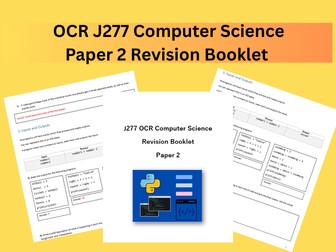
A revision booklet with revision theory and questions for Paper 2 in the OCR J277 Computer Science specification.
A range of questions are included in the booklet, and answers are included.
Topics covered:
Programming
Errors
Variables
Inputs and Outputs
Data Types
Operators
Selection
Iteration
String Manipulation
Flowcharts
Trace Tables
Sorting Algorithms
Searching Algorithms
Chapter Included
Chapter 1: Understanding Data Representation
Chapter 2: Networking and Communication Systems
Chapter 3: Hardware
Chapter 4: Logic Gates and Logic Circuits
Chapter 5: Core Concepts of Processor Functionality
Chapter 6: Introduction to Assembly Language Programming
Chapter 7: Monitoring and Control System
Chapter 8: System Software and Operating System
Chapter 9: Security, Privacy, and Data Integrity
Chapter 10: Ethical Issues and Intellectual Ownership
Chapter 11: Databases
Chapter 12: Problem-Solving through Algorithm Design
Chapter 13: Data Types and Structures
Chapter 14: Programming Language
Chapter 15: Introduction to Software Development
Chapter 16: Advanced Data Representation
Chapter 17: Networking and Internet Technologies
Chapter 18: Computer Architecture, Processors, & Virtual Machines
Chapter 19: Digital Logic and Boolean Algebra
Chapter 20: System Software and Operating System (Advanced)
Chapter 21: Cryptography and Secure Communication Technologies
Chapter 22: Artificial Intelligence
Chapter 23: Algorithms
Chapter 24: Recursion
Chapter 25: Programming Paradigm
Chapter 26: Object-Oriented Programming
Chapter 27: Low-level Programming
Chapter 28: Declarative Programming
Chapter 29: File Processing and Exception Handling
Teach AS & A Level Computer Science with Confidence — Without Starting from Scratch
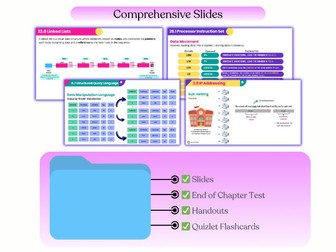
Preparing clear Computer Science lessons takes time, especially when teaching across a full syllabus or taking on a new class. This AS & A Level Computer Science PowerPoint slide bundle supports teachers with ready-to-use lesson materials, so you can focus on teaching rather than slide preparation.
All slides are organized by chapter, aligned with the Cambridge syllabus, and ready for immediate classroom use.
What’s included
Ultimate Teaching Companion (included)
• Chapter Companion Handouts — ready-to-print summaries for student revision
• End-of-Chapter Tests — print-ready assessments aligned with slide content
• Chapter-Based Quizlet Flashcards — shareable links for student self-testing
• YouTube Companion Videos — see how the slides are used in real lessons
Complete lesson slides (full syllabus)
• Covers all AS & A Level Computer Science chapters
• Organised clearly by topic and chapter
• Editable PowerPoint files
• Ready to teach straight after download
Designed for clear teaching
• Concepts introduced step by step
• Carefully selected diagrams to support explanation
• Worked examples and questions included where appropriate
• Subtle animations used to explain processes clearly
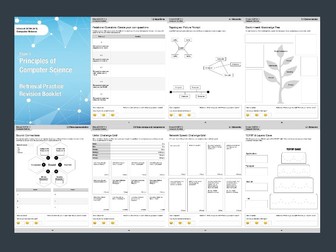
A retrieval practice booklet for Pearson Edexcel GCSE Computer Science (Paper 1).
This booklet contains 48 retrieval practice activities covering the non-programming Computer Science theory content.
Booklet is provided as a high quality, printable PDF.
Included activities:
Decomposition & Abstraction: Picture Prompt
Pseudocode & Flowcharts: Brain Dump
Arithmetic Operators: Blockbusters
Relational Operators: Create your own questions
Binary Operators: Challenge Grid
Program Errors: Tell me 4
Sorting Algorithms: Lists
Search Algorithms: Brain Dump
Truth Tables: Brain Dump
Binary vs Denary: Brain Dump
Binary to Denary (and back again): Challenge Grid
Hexadecimal: Tell me 4
Binary to Hexadecimal (and back again): Challenge Grid
Binary Addition: Blockbuster
Binary Shift: Create your own questions
Unsigned & Signed Binary Numbers: Challenge Grid
Characters: Cops & Robbers
Graphics: Brain Dump
Sound: Connections
Units: Challenge Grid
Compression: Cops & Robbers
Von Neumann Architecture: Challenge Grid
Fetch Decode Execute Cycle: Lists
Main Memory: Retrieval Grid
Storage Types: Picture Prompts
Storage Devices: Tell me 4
Embedded Systems: Brain Dump
Operating System: Lists
Utility Software: Blockbusters
Low & High Level Programming Languages: Retrieval Grid
Compliers & Interpreters: Cops & Robbers
LAN and WAN: Blockbusters
The Internet: Retrieval Grid
Wired vs Wireless: Mind Map
Network Speed: Challenge Grid
Protocols: Lists
TCP/IP & Layers: Cake
Topologies: Picture Prompt
Network Hardware: Picture Prompts
Network Security (Threats): Cops & Robbers
Network Security (Prevention): Cops & Robbers
Environment: Knowledge Tree
Personal Data: Connections
Artificial Intelligence: Connections
Legislation (Copyright, Design, Trademarks): Tell me 5
Open Source vs Proprietary Licences: Brain Dump
Cyber Security Threat: Brain Dump
Cyber Security Threat Prevention: Mind Map
A set of 8 full lessons for KS3 (Year 7/Year 8) covering computer basics unit.
Lessons cover:
Lesson 1 - Input & Output. Understand the difference between input and output. Know what an input and output device is. Give examples of different types of input devices. Give examples of different types of output devices. Understand the function of different input and output devices.
Lesson 2 - Internal Components. Understand what is meant by internal. Know what an internal component is. Understand the function of different internal components. Identify the main internal parts of a computer system.
Lesson 3 - Health Issues. What health issues can a computer cause? (Look at: Back Problems, Repetitive Strain Injury (RSI), Eye Strain) How might we prevent these issues?
Lesson 4 - Binary. What is binary? How does a computer use binary? How do we represent a “normal” number as a binary number?
Lesson 5 - Binary. Continue looking at how do we represent a “normal” number as a binary number? Then how do we represent larger “normal” numbers as a binary number? Why do computers use binary? Why is it important? How do we convert binary to ASCII to create messages?
Lesson 6 - Network Components. Know what equipment is required to create a network. Look at: ISP (Internet Service Provider), Modem, Wireless Router, Hubs etc. Undertand the term WiFi. Understand how WiFi and hard wired networks work. Create a user guide to explain how to set up a network.
Lesson 7 - Networks. What does LAN stand for? What does WAN stand for? What is the difference between LAN and WAN? What are network topologies? Bus, ring, star, mesh topologies.
Lesson 8 - End of Unit Evaluation. Know what an evaluation is. Understand what level students have been working at. Evaluate student work - What has gone well, and what needs improving.
Lessons include:
Teacher Slides Powerpoints
Student Activities/Worksheets (Word Documents, Excel, Publisher)
Starter & Plenary Activities (Word Documents or in Teacher Slides Powerpoint)
Extension Tasks (Word Documents)
Helpsheets (Word Documents)
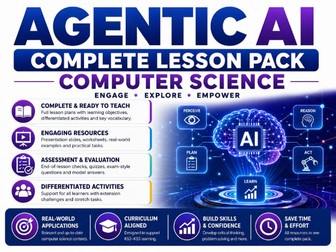
Teach one of the most rapidly evolving areas of Artificial Intelligence with this complete, ready-to-go lesson unit on Agentic AI and Autonomous Systems.
Designed for Secondary and Further Education Computer Science (GCSE / A-Level / IB / Emerging Tech units), this pack takes students step-by-step through how AI agents perceive, reason, plan, and act independently.
================================================
WHAT IS INCLUDED
• 30-Slide Editable PowerPoint: Visually engaging visual presentation with clear diagrams, real-world case studies, and discussion prompts.
• Structured Student Worksheet: 12 exam-style and analytical questions encouraging independent critical thinking.
• Interactive Group Activity: Collaborative case study analysis comparing traditional AI vs. autonomous agents.
• 10-Question MCQ Quiz: Quick formative check, starter, or plenary with complete Answer Key and Mark Scheme.
================================================
KEY TOPICS COVERED
• Definition & Fundamentals: What is Agentic AI and how it differs from static/generative AI models.
• The Perception-Action Loop: How agents sense environments, make decisions, and execute actions.
• Core Components: Sensors, environment models, decision-making algorithms, and actuators.
• Real-World Applications: Autonomous vehicles, robotics, AI assistants, smart manufacturing, and healthcare.
• Ethics & Governance: Transparency, bias, privacy, algorithmic safety, and human-in-the-loop oversight.
================================================
WHY TEACHERS NEED THIS PACK
✓ Zero Prep Required: Fully resourced and ready to project, print, and teach immediately.
✓ Future-Proof Content: Covers cutting-edge CS topics perfect for enrichment, computing clubs, or emerging tech modules.
✓ Differentiated Tasks: Accessible for GCSE students while providing stretch challenges for A-Level learners.
Enjoyed this resource? Please leave a review to support the shop!
Looking for more AI, machine learning, or algorithms bundles?
Explore the complete Computer Science collection in my TES shop.
GCSE Computer Science Paper 1 Revision Bundle. 5 PPTs for at least 5 lessons in total (over 100 slides).
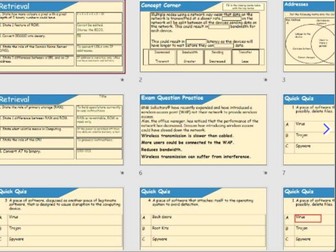
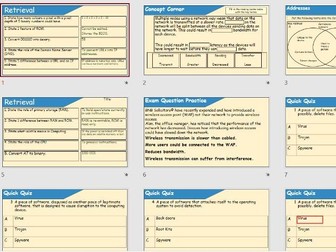
Includes a range of revision activities in each PPT, from quick quizzes to retrieval questions. Content includes animated demos for some key content. Answers are provided via animations on each of the slides.
Content is aimed at OCR GCSE Computer Science but could be used for some other specs (please cross check the specifications you are using).
Aimed at year 11 revision for the lessons leading upto the exam/mock exam.
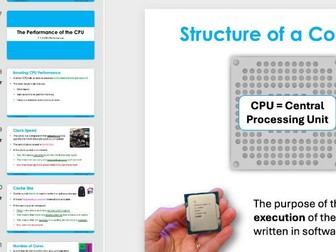
Presentations that cover the content in each of the topics in both Paper 1 and Paper 2 in OCR GCSE Computer Science (J277).
These are the exact slides used in my YouTube series, you can see these in full on YouTube (search MrBrownCS on YouTube and look for my OCR playlists).
This Computer Science Word Search Puzzle is a fun and educational activity for students to review important technology and coding terms. Perfect for classroom use, early finishers, or homework, it helps learners build vocabulary while staying engaged in the world of computers and programming.
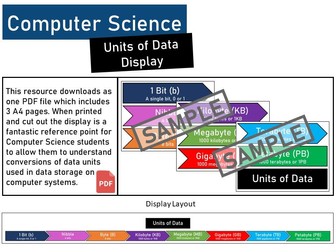
Part of the Computer Science GCSE specifications and KS3 ICT National Curriculum at Secondary School level require the data units.
This resource downloads as one PDF file which includes 3 A4 pages. When printed and cut out the display is a fantastic reference point for Computer Science students to allow them to understand conversions of data units used in data storage on computer systems.
Teach students about the basics of computer networks. Exploring different computer network types and the way in which they differ according to the type of user.
Also a look at network hardware, security and policies.
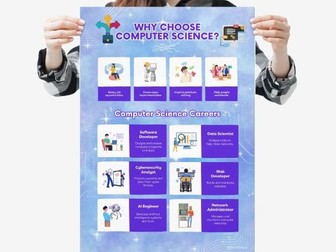
This careers poster allows you to easily display some Computer Science career ideas, making it convenient for students start thinking about the future. Ideal for classrooms!
You will receive 1 instant downloadable JPEG file in size A4.
Please leave a review if you have enjoyed this product :)


 Quick View