Lesson 6 of the six-lesson Year 9 AI Digital Literacy unit: Understanding How AI Shapes Digital Content.
Can pupils apply what they have learned to decide whether an AI-assisted campaign is ready to publish?
This final lesson combines guided practice with a new, individual evidence investigation and a 20-mark unit assessment.
Pupils will:
Judge claims using supplied evidence.
Explain generation, recommendation and copied-source dependence.
Evaluate consent and synthetic endorsements.
Analyse persuasion and the limits of click data.
Make a justified publication decision and identify useful next checks.
Activities include:
Retrieval and a common investigation framework.
Paired Riverside Repair Fair case.
Independent Makers Afternoon investigation.
Reflection and optional extension.
Included: 24-page PDF teacher and pupil pack, complete evidence files, worksheets, worked answers, five-domain mark scheme, follow-up guidance, SEND/EAL support and matching HTML version.
Year 9 | Computing | 60 minutes
Includes a 25-minute individual assessment, with a longer teaching route available. Fully offline: no accounts or real synthetic-media creation required.
This is the culminating lesson in the unit. Lesson 1 is available separately for free.
Lesson 2 of the six-lesson Year 9 AI Digital Literacy unit: Understanding How AI Shapes Digital Content.
Why can an AI answer sound convincing while containing false or unsupported information?
This complete lesson explores how patterns and context shape generated output, and why fluent language is not proof of accuracy.
Pupils will:
Explain plausible generation versus factual verification.
Judge claims as supported, contradicted or unsupported.
Recognise copied sources and the limits of prompt improvement.
Activities include:
Token-selection simulation.
Fictional museum evidence investigation.
Claim audit and prompt repair.
Independent club scenario and optional extension.
Included: 20-page PDF teacher and pupil pack, source records, worksheets, timed plan, worked answers, assessment guidance, SEND/EAL support and matching HTML version.
Year 9 | Computing | 60 minutes + optional extension
Fully offline: no AI accounts, logins or paid tools required.
Builds on the free Lesson 1 on misinformation, deepfakes and verification. Later lessons cover recommendation, consent, persuasion and a final investigation.
Lesson 3 of the six-lesson Year 9 AI Digital Literacy unit: Understanding How AI Shapes Digital Content.
Why do similar posts keep appearing in a feed—and does watching something mean you agree with it?
This complete lesson uses a fictional recommendation system to explore how signals, ranking and feedback shape what people see.
Pupils will:
Calculate and compare recommendation scores.
Explain how viewing and saving can influence later recommendations.
Distinguish inferred interest from agreement or belief.
Evaluate how different ranking goals change a feed.
Activities include:
StreamSquare profile and ranking investigation.
Feedback-loop simulation.
Analysis of ambiguous viewing motives.
Alternative ranking goals and limits.
Independent BeatBox case and optional extension.
Included: 21-page PDF teacher and pupil pack, source records, worksheets, timed plan, worked answers, assessment guidance, SEND/EAL support and matching HTML version.
Year 9 | Computing | 60 minutes + optional extension
Fully offline: no accounts, logins or personal browsing data required. The ranking system is an invented classroom model.
Part of a unit covering verification, generation, recommendation, consent, persuasion and a final evidence investigation. Lesson 1 is available separately for free.
Lesson 4 of the six-lesson Year 9 AI Digital Literacy unit: Understanding How AI Shapes Digital Content.
Does permission to use someone’s photograph also allow a synthetic voice or public endorsement?
This complete lesson explores consent, identity and responsible decisions about synthetic media using fictional evidence records.
Pupils will:
Evaluate permission by purpose, audience and conditions.
Distinguish a synthetic-media label from consent.
Explain how sharing can remove important context.
Propose supportive responses and permitted alternatives.
Activities include:
Northbank Arts Evening evidence investigation.
Consent and disclosure analysis.
Decisions under deadline pressure.
A supportive response plan.
Independent library-kiosk case and optional extension.
Included: 21-page PDF teacher and pupil pack, source records, worksheets, timed plan, worked answers, assessment guidance, SEND/EAL support and matching HTML version.
Year 9 | Computing | 60 minutes + optional extension
Fully offline: no accounts, uploads or real synthetic-media creation required. All people and scenarios are fictional.
Part of a unit covering verification, generation, recommendation, consent, persuasion and a final evidence investigation. Lesson 1 is available separately for free.
Lesson 5 of the six-lesson Year 9 AI Digital Literacy unit: Understanding How AI Shapes Digital Content.
How can AI-assisted messages target an audience—and do more clicks mean a message is effective or true?
This complete lesson explores persuasive techniques, commercial incentives, claim accuracy and the limits of engagement data.
Pupils will:
Connect AI-assisted drafting, targeting and measurement.
Identify persuasive techniques and who benefits.
Check claims against supplied evidence.
Distinguish clicks and sign-ups from learning or trust.
Rewrite a message to support an informed choice.
Activities include:
Comparison of fictional PlanPilot campaign variants.
Claim and persuasion audit.
Click-data investigation.
Honest message rewrite.
Independent FixForward case and optional extension.
Included: 21-page PDF teacher and pupil pack, source records, worksheets, timed plan, worked answers, assessment guidance, SEND/EAL support and matching HTML version.
Year 9 | Computing | 60 minutes + optional extension
Fully offline: no accounts, purchases or personal profiling required. All campaigns and data are fictional.
Part of a unit covering verification, generation, recommendation, consent, persuasion and a final evidence investigation. Lesson 1 is available separately for free.
Year 9 AI Digital Literacy: Understanding How AI Shapes Digital Content
A connected six-lesson sequence exploring how digital information is generated, recommended, shared and used to influence decisions.
This paid bundle contains the five complete lesson packs for Lessons 2-6:
Lesson 2: Why Does AI Produce False Information?
Lesson 3: Why Does My Feed Keep Showing Me This?
Lesson 4: Synthetic Media: Who Gets to Decide?
Lesson 5: AI and Persuasion: Why Is This Message for Me?
Lesson 6: AI Evidence Investigation, including a 20-mark individual unit assessment.
Complete the sequence with two separately available free resources:
Lesson 1: Misinformation, Deepfakes and Verification — Don’t Trust the Output.
Scheme of work: objectives, progression, assessment, access guidance and print maps.
Each paid lesson includes:
Printable PDF teacher and pupil pack.
Matching HTML version.
Complete source records and worksheets.
Timed teaching route and SEND/EAL support.
Worked answers and assessment guidance.
Pupils progress from checking claims to explaining AI mechanisms, evaluating consent and persuasion, and making evidence-led decisions.
Year 9 | Computing | Approximately six hours of teaching
Fully offline: no AI accounts, pupil logins or paid tools required.
Lesson 1 and the scheme of work remain free; the bundle price covers Lessons 2-6.
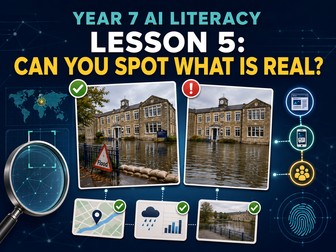
A complete 17-page Year 7 AI lesson teaching pupils how to verify AI images, misleading photographs and fake online content using evidence.
This fully resourced Key Stage 3 Computing and Digital Literacy lesson explores the question: Can you spot what is real?
Instead of relying on unreliable visual guessing, pupils learn a structured verification process using provenance, context, corroboration and trace evidence.
The resource includes:
A complete 60–75 minute lesson plan
Learning objectives and differentiated success criteria
Teacher subject knowledge and safeguarding guidance
Purpose-made visual-confidence starter
Diagnostic hinge question
Fictional Riverside Academy flood investigation
Image claim and social-media post
Provenance timeline
Context-audit evidence
Independent corroboration records
Manipulation-method classification
Six verification stations
Reverse-image-search reasoning
Evidence-chain reconstruction
Correction-notice writing task
Final verification-bureau verdict
Retrieval review and exit ticket
Teacher answers and assessment rubric
Support, challenge and misconception guidance
Pupils initially rank four image cards by apparent trustworthiness. The activity exposes how easily confidence can be based on visual plausibility rather than reliable evidence.
The main investigation concerns a dramatic online post claiming that Riverside Academy has flooded. Pupils examine the account, caption, cropped image, timestamps, archive records, school notice, emergency-service statement and weather evidence.
They discover that the image originally appeared in a fictional 2023 newspaper report about a staged emergency drill at a film set. The central image may be genuine, but it has been cropped and reused to support a false current claim.
Pupils learn to distinguish:
Synthetic images
Edited images
Miscontextualised photographs
Selective cropping
Impersonation
Satire and parody
The lesson explains what reverse-image searching, metadata and content credentials can and cannot establish. It challenges common misconceptions such as “no strange pixels means it is real”, “lots of shares prove it” and “a genuine photograph must support its caption”.
The final task requires pupils to choose a calibrated verdict: reliable, misleading, unverified or false. They must use provenance, context and independent corroboration before recommending whether the post should be shared, corrected or reported.
Differentiation includes colour coding, evidence categories, verdict definitions and sentence frames. Higher-attaining pupils evaluate source independence, missing metadata, uncertainty and the distinction between misinformation and deliberate disinformation.
Suitable for Year 7 Computing, Key Stage 3 Digital Literacy, AI literacy, misinformation, fake news, online safety, media literacy and image-verification lessons.
This is Lesson 5 of the six-part Year 7 AI Literacy series.
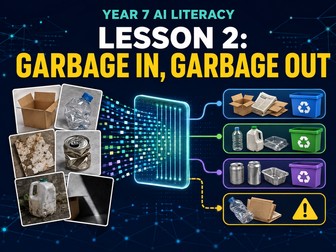
A complete 16-page Year 7 AI lesson exploring training-data quality, labels, representation and testing through a practical investigation.
This fully resourced Key Stage 3 Computing and Digital Literacy lesson answers the question: What makes training data fit for its intended purpose?
Pupils become data detectives investigating RecycleRight AI, a fictional system designed to sort school lunch packaging. Although the system performed well during demonstrations, it makes serious mistakes in a real canteen. Pupils examine three competing datasets, identify weaknesses, resolve ambiguous labels and redesign the data plan.
The resource includes:
A complete 60–75 minute lesson plan
Clear learning objectives and differentiated success criteria
Teacher subject knowledge and data-pipeline guidance
“Which dataset would you choose?” diagnostic starter
Whole-class representation hinge question
RecycleRight AI case-file investigation
Three competing dataset dossiers
Sample labelled training records
Dataset-quality audit worksheet
Evidence, weakness, consequence and action framework
Ambiguous-labelling laboratory
Representative sampling challenge
Independent test report
Category accuracy comparisons
Error-pattern analysis
Prioritised redesign board
Deployment recommendation task
Retrieval review and exit ticket
Complete indicative answers
Assessment rubric
Support, challenge and misconception guidance
Key vocabulary includes dataset, relevant, accurate, representative, duplicate, label, mislabel, imbalance, training set and test set.
The lesson teaches pupils to evaluate data using four essential quality lenses:
Relevance to the intended task and real operating conditions
Accuracy and consistency of labels
Representation of important objects, conditions and variations
Independent testing using realistic examples not seen during training
The opening activity challenges the common assumption that the largest dataset must be the best. Pupils compare professional catalogue photographs, real school-canteen images and a much larger collection of automatically labelled internet images.
During the main investigation, pupils identify near-duplicates, incorrect labels, missing categories, narrow collection conditions and unrealistic training examples. Every conclusion must be supported by a specific record or statistic and connected to a likely consequence for the trained model.
A labelling laboratory explores difficult mixed-material and contaminated packaging. Pupils develop clear labelling rules and consider when “unknown” is more responsible than forcing a confident category.
This is Lesson 2 of the six-part Year 7 AI Literacy series and follows Lesson 1: How Do Machines Learn?
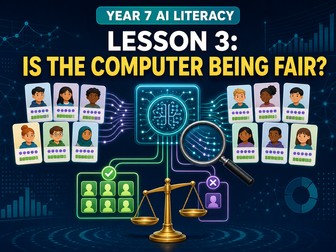
A complete 17-page Year 7 AI lesson exploring bias, fairness, unequal outcomes, proxy data and human oversight through a practical investigation.
Pupils investigate OpportunityMatch, a fictional AI system used to recommend pupils for a school Digital Creators programme. Although every pupil is scored using the same formula, the results create unequal outcomes.
The resource includes:
A complete 60–75 minute lesson plan
Learning objectives and differentiated success criteria
Teacher subject knowledge and safeguarding guidance
Fairness diagnostic starter
Whole-class hinge question
Fictional AI selection-system case file
Training-history evidence
Group outcome statistics
False-positive and false-negative analysis
Matched pupil-profile comparisons
Fact, inference and question classification
Four-lens fairness carousel
Proxy-data investigation
Safeguard-design activity
AI review-panel verdict
Retrieval review and exit ticket
Teacher answers and assessment rubric
Support, challenge and misconception guidance
Pupils consider four different ways of judging fairness: applying the same rule, providing equal opportunity, examining accuracy and considering purpose and need. They discover that these approaches can produce different judgements.
The lesson introduces proxy data through apparently neutral inputs such as travel distance, homework submission time and previous club attendance. Pupils examine how these factors might indirectly reflect access or opportunity without making unsupported assumptions about individuals.
Evidence includes selection rates, error patterns and closely matched pupil profiles. Pupils must distinguish facts from plausible inferences and unanswered questions before reaching a conclusion.
The final review-panel task requires pupils to recommend stopping the system, redesigning it, conducting a limited trial or approving it. Their verdict must use statistical evidence, a matched-profile comparison, a fairness principle and practical safeguards.
Differentiation includes structured reasoning routines, sentence frames, colour coding and carefully staged evidence. Higher-attaining pupils evaluate competing definitions of fairness, uncertainty, proxy variables and the limits of human oversight.
All pupil profiles and circumstances are fictional. No AI account, pupil login, internet access or specialist software is required.
Suitable for Year 7 Computing, Key Stage 3 Digital Literacy, AI ethics, algorithmic bias, data ethics and responsible technology lessons.
This is Lesson 3 of the six-part Year 7 AI Literacy series.
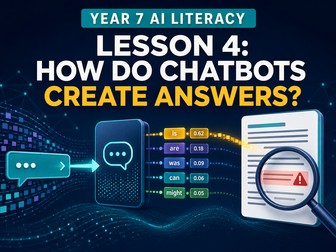
A complete 17-page Year 7 AI lesson explaining how chatbots generate answers, why confident responses can be wrong and how to verify them.
This fully resourced Key Stage 3 Computing and Digital Literacy lesson introduces generative AI and next-token prediction through practical, paper-based activities.
Pupils begin with a prediction laboratory, selecting likely continuations for different prompts. They learn that a chatbot repeatedly predicts probable next tokens and that probability is not a measure of factual truth.
The resource includes:
A complete 60–75 minute lesson plan
Learning objectives and differentiated success criteria
Teacher subject knowledge and safeguarding guidance
Diagnostic starter and hinge question
Practical next-token prediction laboratory
Probability and context activities
Accessible model of chatbot generation
Fictional chatbot answer and evidence pack
Claim-by-claim answer autopsy
Supported, contradicted and unverified classifications
Hallucination diagnosis activity
Risk-based verification triage
Source-quality comparison
Newsroom publication simulation
Final publication decision
Retrieval review and exit ticket
Teacher answers and assessment rubric
Support, challenge and misconception guidance
The fictional Bellminster Observatory case gives pupils a polished chatbot response containing incorrect dates, invented people, false precision and unsupported claims. Pupils compare each claim with the supplied evidence and write a corrected sentence.
The hallucination clinic introduces four useful failure patterns: invented entities, false precision, blended facts and gap filling. Pupils diagnose errors and prescribe suitable verification checks.
A verification-triage task asks pupils to match the level of checking to the possible consequences. Examples range from generating fictional character names to medical advice, historical quotations, accusations of cheating and computer code.
The final newsroom simulation requires teams to create a publication protocol, prioritise claims, select suitable sources and decide whether an AI-generated article should be published, corrected, held or rejected.
Differentiation includes colour coding, structured classifications, sentence frames and oral rehearsal. Higher-attaining pupils evaluate source limitations, uncertainty, risk and whether consulting another chatbot counts as independent corroboration.
No AI account, pupil login, internet access or specialist software is required. All chatbot outputs, people, places and evidence are fictional and included in the printable resource.
Suitable for Year 7 Computing, Key Stage 3 Digital Literacy, generative AI, chatbot literacy, misinformation, online safety and verification lessons.
This is Lesson 4 of the six-part Year 7 AI Literacy series.
A complete 17-page Year 7 AI lesson exploring responsible AI, privacy, copyright, accuracy, fairness, safeguards and human accountability.
This fully resourced Key Stage 3 Computing and Digital Literacy lesson concludes the six-part Year 7 AI Literacy series.
Pupils become Responsible AI Advisers evaluating StudyBuddy, a fictional AI learning assistant proposed for use throughout a school. They examine its potential benefits, evidence, data use, risks and safeguards before making a justified recommendation.
The resource includes:
A complete 60–75 minute lesson plan
Learning objectives and differentiated success criteria
Teacher subject knowledge and safeguarding guidance
Initial decision-line activity
Benefit, risk and safeguard diagnostic task
Whole-class human-oversight hinge question
Fictional StudyBuddy AI proposal
Stakeholder hearing
Privacy and data-journey analysis
Accuracy, fairness and verification evidence
Copyright and attribution questions
Learning and dependence considerations
Environmental-impact discussion
Access and inclusion analysis
Prioritised risk register
Enforceable safeguard contract
Red-team stress-testing scenarios
Adviser evidence ledger
Responsible AI Adviser Report
Teacher answers and assessment rubric
Whole-unit exit ticket
StudyBuddy is presented as an AI system that can generate homework explanations, create practice questions, translate instructions, flag possible wellbeing concerns and rank pupils by predicted support needs.
Pupils must look beyond the product’s promotional claims and ask whether each function is necessary, proportionate and supported by evidence.
The lesson includes fictional pilot results covering incorrect practice questions, translation errors, false wellbeing alerts, missed concerns, incomplete pupil histories and teacher overreliance. Pupils calculate an error rate and consider why averages can conceal serious or unequal outcomes.
Pupils also examine copyright, attribution, long-term learning, environmental evidence and unequal access to suitable devices or internet connections.
The safeguard-contract task replaces vague promises such as “teachers will check it” with enforceable conditions containing an owner, trigger, action and review method.
For the final outcome, pupils produce a Responsible AI Adviser Report recommending one of four options:
Reject the proposal
Pause until further evidence is supplied
Conduct a limited trial with strict conditions
Approve the system
The report must include benefits, evidence, risks, safeguards, accountability, uncertainty and a clear final recommendation.
Suitable for Year 7 Computing, Key Stage 3 Digital Literacy, AI ethics, online safety, data privacy, responsible technology and end-of-unit assessment.
This is Lesson 6 and the concluding lesson of the Year 7 AI Literacy series.
A complete Year 7 AI Literacy bundle designed around the emerging direction of England’s new Computing curriculum for first teaching from 2028.
Six fully resourced lessons cover machine learning, training data, AI bias, chatbots, synthetic content, verification and responsible AI use.
Each 60–75 minute lesson includes teacher guidance, printable activities, differentiation, assessment, answers and an exit ticket.
No AI accounts, internet access or specialist software are required. Suitable for Year 7 Computing, KS3 Digital Literacy and non-specialist teachers.
Free scheme of work for Year 9 AI Digital Literacy: Understanding How AI Shapes Digital Content.
This 10-page planning guide maps a six-lesson unit exploring how digital content is generated, recommended, shared and used to influence decisions.
The sequence covers:
Misinformation, deepfakes and verification.
Why AI produces false or unsupported information.
Recommendation algorithms and feedback.
Synthetic media and consent.
AI-assisted persuasion and engagement data.
A final evidence investigation and unit assessment.
Included:
Unit purpose and learning progression.
Objectives and activity summaries for each lesson.
Assessment opportunities and follow-up teaching.
Overview of the final 20-mark individual assessment.
SEND/EAL access and safeguarding guidance.
Resource directory and pupil print maps.
A 60-minute adaptation of the original Lesson 1 route.
Year 9 | Computing | Six lessons of approximately 60 minutes
Includes a printable PDF and matching HTML version.
This is a planning guide; the complete lesson packs are separate resources. Lesson 1 is also available for free. Lessons 2-6 are available separately.
A complete 15-page Year 7 AI lesson introducing machine learning, training data, patterns, classification and prediction through practical activities.
This fully resourced Key Stage 3 Computing and Digital Literacy lesson answers the question: How do machines learn?
Pupils become a “Human AI” and use labelled examples of imaginary creatures to identify patterns, construct a simple classification model and test it against unseen cases. They calculate its accuracy, investigate uncertainty and explain why a correct prediction does not prove that a machine understands.
The resource includes:
A complete 60–75 minute lesson plan
Clear learning objectives and differentiated success criteria
Teacher subject knowledge and modelling guidance
“AI or not?” diagnostic starter
Whole-class hinge question
Practical Human AI classification investigation
Pupil roles and structured investigation method
Labelled training dataset
Unseen test dataset
Model-building worksheet
Candidate-rule and counterexample activity
Feature-audit task
Accuracy calculation
Missing-information challenge
Evaluation and improvement questions
School AI transfer challenge
Retrieval review and exit ticket
Complete indicative answers
Assessment rubric
Support, challenge and misconception guidance
Key vocabulary includes artificial intelligence, algorithm, training data, label, feature, pattern, model, classification and prediction.
The lesson develops pupils’ understanding that an AI system can learn useful patterns from examples and apply those patterns to new inputs. It also challenges common misconceptions, including the ideas that all automation is AI, that a correct prediction proves understanding, or that an AI-generated answer must be correct.
Differentiation is built into the lesson. Support includes structured roles, vocabulary guidance, sentence stems and column-by-column dataset analysis. Higher-attaining pupils are challenged to use counterexamples, assess missing features, question limited testing and recommend proportionate human oversight.
A final transfer task asks pupils to evaluate a fictional
A complete six-lesson Year 7 AI Literacy scheme of work covering machine learning, training data, bias, generative AI and responsible use.
Designed for Key Stage 3 Computing and Digital Literacy, this structured scheme introduces artificial intelligence through six connected questions:
What is AI?
What does AI learn from?
Why can AI produce unfair results?
How does generative AI produce answers?
How can AI-generated content mislead us?
When should people use AI?
The scheme includes lesson titles, key learning, suggested classroom activities, assessment opportunities, curriculum rationale, vocabulary progression and intended final outcomes.
Topics covered include:
Artificial intelligence, algorithms and predictions
Machine learning and pattern recognition
Training data, labels and representative datasets
AI bias, fairness and human oversight
Generative AI, chatbots and hallucinations
AI images, synthetic media and misinformation
Verification, provenance, context and corroboration
Privacy, copyright, transparency and accountability
Responsible and appropriate uses of AI
The sequence progresses from understanding how AI learns from data to evaluating whether an AI system should be used. It concludes with pupils producing a Responsible AI Adviser Report containing benefits, risks, safeguards and a justified final recommendation.
Activities are tool-independent, so pupils do not need access to paid AI software or personal accounts. The content is designed to remain useful as individual AI products and curriculum wording change.
Suitable for Year 7, Key Stage 3 Computing, Digital Literacy, introductory AI lessons, curriculum planning and
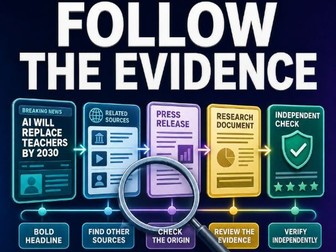
A complete 60–75 minute AI literacy lesson teaching pupils to verify online claims using lateral reading, source tracing and the SIFT method. Includes a lesson plan, source-tracing activity, printable pupil worksheets, independent challenge and teacher answers. No student accounts or external websites required.
Free Lesson 1 of the six-lesson Year 9 AI Digital Literacy unit: Understanding How AI Shapes Digital Content.
This lesson can be taught independently or as the introduction to the complete unit. Subsequent lessons explore AI-generated information, recommendation algorithms, synthetic media and consent, persuasion, and a final evidence investigation.
This complete, classroom-ready lesson explores AI hallucinations, misinformation, deepfakes and verification, with case studies, worksheets and answers.
Pupils learn how to evaluate AI-generated claims and other digital information, recognising that confident or professionally presented output is not automatically reliable evidence.
Concepts covered
Generative AI hallucinations
Provenance and original sources
Relevant expertise
Supporting evidence
Independent corroboration
Currency of information
Deepfakes and manipulated media
Proportionate verification decisions
What’s included
Teacher lesson plan
Diagnostic starter
Verification reference sheet
Four evidence case files
Deepfake response scenario
Six-step verification protocol activity
Review questions and marking guidance
Year group: Year 9
Duration: 60–75 minutes
Format: Printable teacher pack and pupil activities
No AI accounts, pupil logins or internet access are required.
Complete GCSE Computer Science lesson on bitmap images, colour depth, file-size calculations and compression, with worksheets and answers.
Pupils begin by decoding an 8 × 8 binary image and calculating its memory requirement in bits and bytes. They compare bitmap and vector graphics before exploring resolution, metadata and how colour depth determines the number of available colours.
The lesson then introduces the formula:
Uncompressed image size = width × height × colour depth
Pupils complete supported calculations using 1-bit, 2-bit, 4-bit, 8-bit and 24-bit colour.
The compression activities introduce lossless compression and run-length encoding. Pupils encode and decode pixel rows, investigate when RLE reduces file size and construct an example where RLE becomes inefficient.
Pupils also compare lossy and lossless compression and consider appropriate uses for PNG, JPEG, GIF and SVG formats.
This resource contains:
Approximately 70-minute lesson plan
Learning objectives and success criteria
Teaching sequence and suggested timings
Key vocabulary and common misconceptions
Binary mystery-image starter
Bitmap vocabulary matching cards
Visual colour-depth reference sheet
Printable 8 × 8 pixel-design activity
Binary pixel-encoding exercise
Run-length encoding investigation
Lossy and lossless compression scenarios
Scaffolded GCSE examination questions
Answers and marking guidance
The complete lesson can be delivered from the printable pack. It requires no external websites, videos or student accounts.
Suitable for GCSE Computer Science and higher-attaining Key Stage 3 classes.


 Quick View