 Quick View
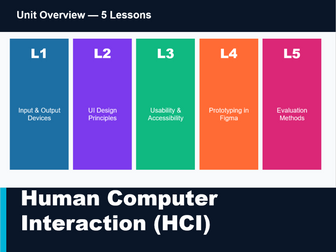
Human Computer Interaction Using Figma
HCI_KS4_Slides.pptx - 38-slide deck. Includes lesson dividers, content slides, two-column comparisons, key terms cards, and orange activity slides for each lesson.
HCI_KS4_Lesson_Plans.docx - Full teacher lesson plans for all 5 lessons with objectives, 3-tier learning outcomes, structured timings, starter/main/plenary breakdowns, homework and differentiation notes. Mapped to AQA 8525 and OCR J277.
HCI_KS4_Student_Worksheets.docx - 5 worksheets (one per lesson) with tasks, answer tables, blank lines and stretch questions in purple for more able students. Covers device classification, heuristic application, accessibility audits, Figma planning, and peer evaluation.
HCI_KS4_Figma_Guide.docx - Step-by-step student guide to Figma: account setup, interface tour, keyboard shortcuts, building frames/wireframes, connecting screens into a prototype, and a pre-submission HCI checklist.
HCI_KS4_Assessment.docx - 40-mark end-of-unit paper (MCQ + short answer + extended response using the SchoolBuddy app scenario) with a full mark scheme and grade boundary table included on a separate page.